

Beautiful.ai
A presentation creation service where AI automatically selects the design and aligns elements.
Overview
Beautiful.ai
Description of Beautiful.ai
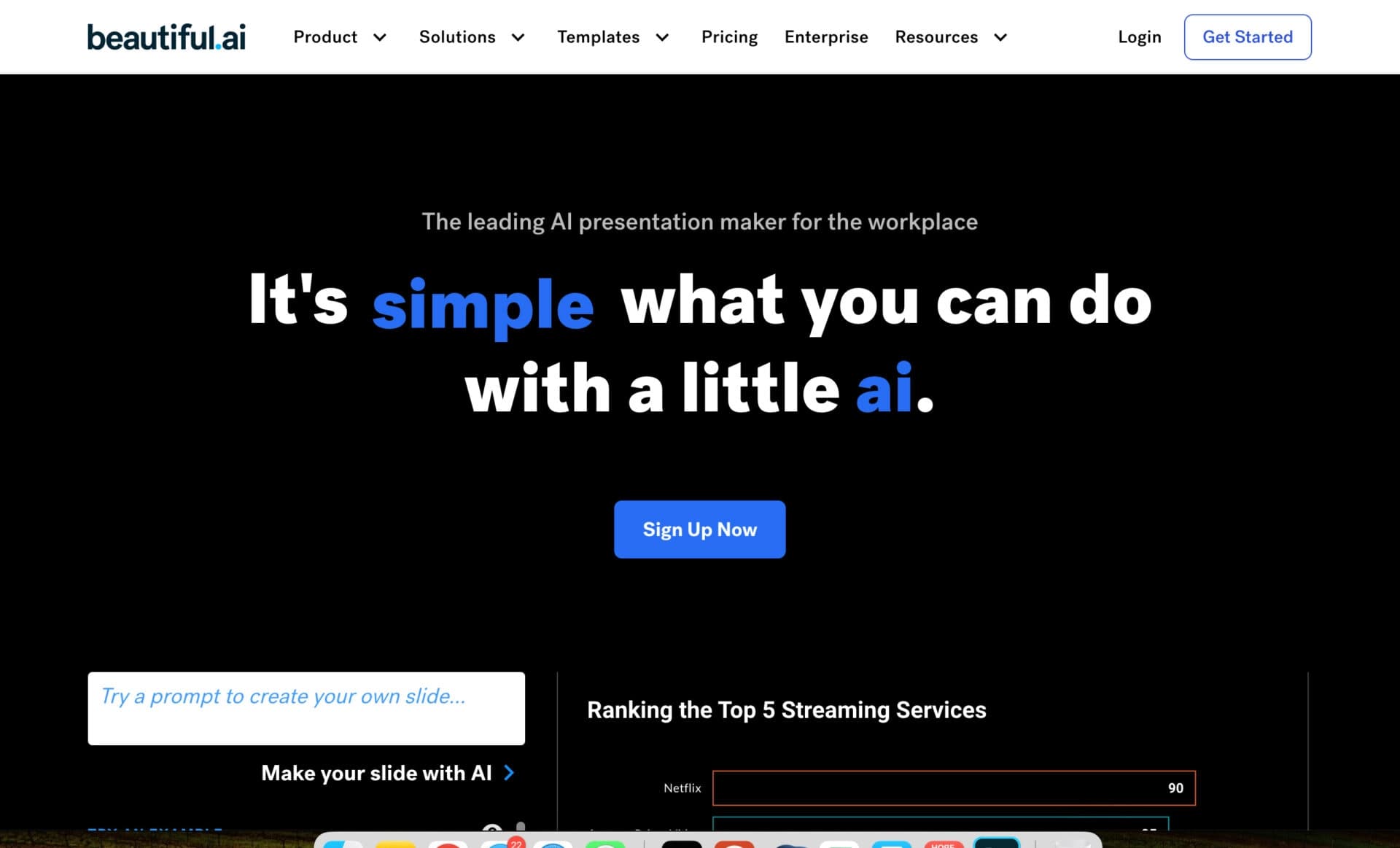
Beautiful.ai is a web-based service powered by artificial intelligence for creating professional presentations. Users only need to enter text or upload files, and the algorithms automatically compose slides: choosing the design, aligning elements, and visualizing data with charts. The service works in the browser, requires no installation, and suits those who want to focus on content rather than design. The system supports more than 300 adaptive layouts that automatically format content, and it also enables real-time collaboration and export to PowerPoint, Google Slides, and PDF.
Beautiful.ai specifications
| Characteristic | Value |
|---|---|
| Type | Online AI presentation maker |
| Platforms | Web (browser) |
| Year founded | 2015 |
| Founder | Mitch Grasso |
| Developer | Beautiful Slides, Inc. |
| Site rating | 4.3 / 5 |
| Editor's rating | 8.9 out of 10 |
| Monthly visits | 1.3 million |
| Business model | Freemium (free trial available) |
| Interface languages | Supports creating presentations in more than 100 languages |
| Regional availability | Varies by region |
Who is Beautiful.ai for?
Professionals without design experience
The service is aimed at those who want to create high-quality presentations but do not have graphic design skills. Automatic alignment and slide styling let you get professional results without manual layout.
Teams and corporate users
Beautiful.ai suits sales departments, marketing teams, consultants, analysts, and agencies that need to maintain a consistent presentation style. The system helps standardize corporate materials and simplifies approvals through real-time collaboration.
Executives and entrepreneurs
Startup founders, managers at small, medium, and large businesses can quickly prepare reports, pitch decks, and project proposals without spending time on design. The service is also useful for teachers and students who need to visualize educational materials.
How to use Beautiful.ai?
Via text prompt
Users enter a presentation topic, and the system generates a ready-made structure with headings and sections. The outline can be edited before slide generation: change the order, remove items, expand sections, or ask the AI to rebuild the structure via chat.
Uploading files and links
The service supports uploading files, PDF documents, and links. Based on the uploaded materials, Beautiful.ai analyzes the content and automatically suggests a presentation structure. Voice input for prompts is also available.
Working with ready-made templates
After registering on the site, you can choose from more than 60 templates, add your own text and images. The service automatically aligns elements and adapts the layout to the content. All you need to create a presentation is a browser — no software installation required.
Key features of Beautiful.ai
Automated design and Smart Slides
The editor is built around Smart Slides — more than 300 adaptive layouts that automatically align, scale, format, and animate content when it is added. The system adjusts text and images to fit the template, eliminating the need for manual corrections.
AI-powered presentation generation
The “Create with AI” feature lets you generate presentations from a text or voice prompt. The service first builds a step-by-step outline that you can edit, then you choose a theme, image source, visual style, and language. Slide AI can regenerate or refine the text and images on an individual slide, taking context into account and offering web search.
Collaboration and integrations
Multiple participants can edit slides simultaneously, leave comments, and update data in charts in real time. The service integrates with PowerPoint, Slack, Dropbox, and monday.com for file storage and notifications. A slide library is available for reusing branded templates and logos.
Benefits of Beautiful.ai
Saves time and effort
The AI independently aligns and styles slides, so you don’t have to start from a blank page. Users don’t need to spend hours on manual layout — design automation lets you focus on content.
Maintains a consistent style
The service keeps the visual integrity of a presentation without manual adjustments. With the corporate plan, you can set brand colors, fonts, and standards so all materials look uniform. A limited but typographically correct set of fonts and color palettes prevents visual mistakes.
Faster approvals and teamwork
Parallel editing and real-time changes speed up the approval process. The system prevents the use of outdated document versions. Integrations with popular services make discussing revisions and storing files easier.
Drawbacks of Beautiful.ai
Export limitations
When exporting to PowerPoint and Google Slides, transitions and animations created in Beautiful.ai are lost. Export to Google Slides also does not preserve embedded videos and audio. PDF export is static, and font or formatting differences may occur.
Connectivity and customization constraints
The service does not work without a stable internet connection and there is no offline mode. Automatic layout can sometimes distort the original idea, requiring manual corrections. Options for customizing the design are limited compared with professional editors.
No free plan
There is no permanent free plan — only a 14-day trial, which requires a bank card with automatic billing. Generated results also need to be checked for factual accuracy and conclusions.
What tasks does Beautiful.ai solve?
Creating presentations without design skills
The service lets you quickly prepare attractive slides without any knowledge of graphic design. Automatic formatting makes professional presentations accessible to every employee.
Standardizing corporate materials
Beautiful.ai helps maintain a consistent visual style across all company presentations. The system prevents outdated versions and brand-book mismatches, which is especially important for business.
Data visualization
Built-in tools for charts and graphs make it easier to present reports and analytical data. Users can create clear visualizations without manual configuration.
Beautiful.ai pricing
The service operates on a freemium model with a free trial. Paid plans:
- Pro — $12 per month when billed annually, or $45 per month when billed monthly. For users who need more capabilities.
- Team — $40 per user per month when billed annually, or $50 per month when billed monthly. From 2 to 20 seats, designed for collaboration.
- Enterprise — custom pricing for companies with special requirements.
For Pro and Team, a 14-day trial is available (bank card required). Students with an academic email address can get one free year of the Pro plan.
Usage requirements
Registration on the site is required to use the service. The trial period lasts 14 days, and activating it requires a bank card — billing begins automatically if you don’t cancel the subscription in time. The service works only online in a browser; no software installation is required.
Availability
Beautiful.ai is a web service available from a browser on any device. Creating presentations is supported in more than 100 languages, though the localization of the interface itself is not specified. Service availability may vary by region.
How Beautiful.ai differs from alternatives
Compared with services like Gamma or Canva AI, Beautiful.ai places a stronger emphasis on structured workflows and standardized layouts. Instead of a blank canvas, users first build a presentation outline that can be edited before slides are generated. Smart Slides — more than 300 adaptive layouts — automatically align and format content, reducing the risk of composition errors. The main difference is its focus on corporate users who value consistent style and brand control, rather than the extensive customization options found in professional design tools.
Conclusion
Beautiful.ai is an online service for quickly creating professional presentations with AI-powered automatic design. It suits anyone who wants to focus on content rather than formatting, and it is especially useful for teams that need consistent style and collaboration. The tool has limitations in design customization, requires a constant internet connection, and does not offer a permanent free plan. Overall, Beautiful.ai is an effective solution for standardizing corporate presentations and speeding up their preparation.
Pricing
Frequently asked questions
Similar AI tools















![[AI] Data Assistant](/_next/image?url=https%3A%2F%2Fadmin.brainszone.ai%2Fstorage%2F3835%2Fb9b0f5bcec4b9e173901677df1016e7099f24d79100422269794b2aba79d4810.webp&w=96&q=75)
See also
Platform for automating phone call processing with an AI agent.

An AI-powered service that turns a brief topic description or bullet points into a structured business presentation in seconds.

Financial platform with an AI assistant for managing accounting, taxes, and budgets.


AI platform for fast website creation and small business process management.

Client communication platform combining chat, email, chatbot, and CRM in a single interface.
A service for automatic meeting scheduling that syncs with your calendar and lets the other person pick a free time slot on their own.
A project management platform with a built-in AI assistant for task automation and content creation.

A workflow automation platform that connects thousands of apps without requiring coding.