

IBM Watson Studio
Cloud platform for creating and training machine learning models with support for popular libraries and a visual editor.
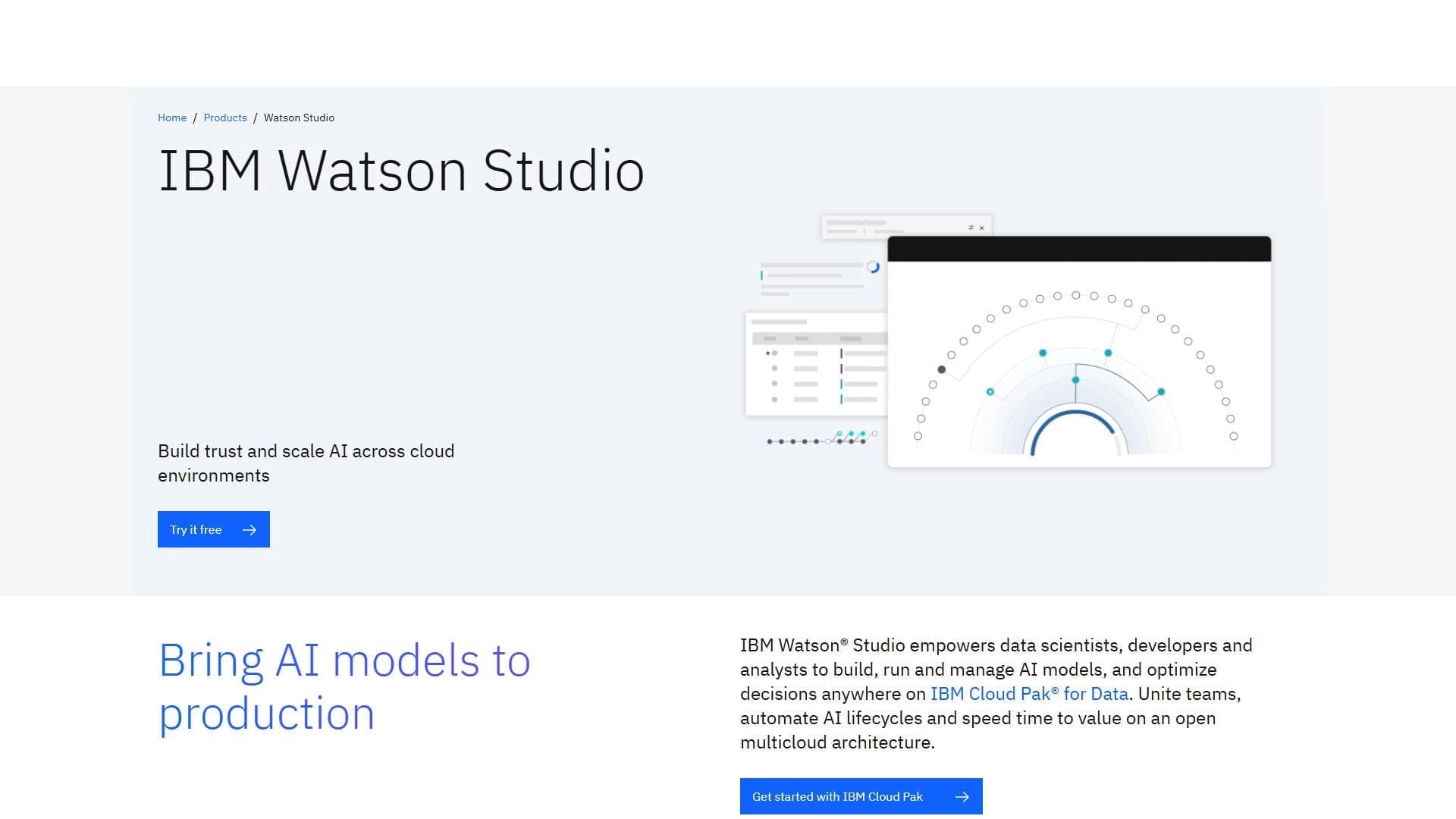
Overview
IBM Watson Studio
Description of the IBM Watson Studio neural network
IBM Watson Studio is a cloud platform designed for building, training, and deploying machine learning models. It provides data scientists and developers with a unified environment for working on AI projects at every stage — from initial data preparation to deploying ready-made models into a production environment.
The platform supports popular open-source machine learning frameworks, including PyTorch and TensorFlow, and also includes a visual editor for data analysis. IBM Watson Studio automates key model lifecycle processes, allowing teams to focus on solving applied problems rather than on routine operations.
IBM Watson Studio characteristics
| Characteristic | Value |
|---|---|
| Type | Platform for collaborative AI work |
| Runtime environment | Cloud |
| Supported frameworks | PyTorch, TensorFlow, scikit-learn |
| Tools | Code-based and visual |
| Categories | API and integrations, No-code and Low-code platforms |
Who is the IBM Watson Studio neural network suitable for?
Professional teams of data scientists
IBM Watson Studio is primarily aimed at data scientists and developers who work with machine learning at a professional level. The platform provides both code-based interfaces for flexible model configuration and visual tools for rapid data analysis.
Large projects and enterprise organizations
The tool is designed for use in large-scale projects that require collaboration among multiple specialists, centralized model management, and the ability to deploy in a multicloud environment. The platform suits organizations that need to automate the full development cycle of AI solutions.
How to use the IBM Watson Studio neural network?
Choosing an environment and tools
The user starts by selecting a cloud runtime environment and the set of tools needed for the specific task. IBM Watson Studio supports integration with external libraries and services, allowing the environment to be adapted to the project's requirements.
Importing data and creating a project
After setting up the environment, the user imports data and creates a new project. At this stage, visual data analysis tools are available to help explore and prepare datasets for subsequent model training.
Training, monitoring, and optimizing models
Model training can be launched both through code and through the visual editor. After training is complete, the platform provides tools for monitoring, retraining, and optimizing models. If necessary, projects can be scaled across clouds without changing the core working logic.
Core features of IBM Watson Studio
Building, training, and deploying machine learning models
IBM Watson Studio covers the full model lifecycle — from development to production deployment. Users can build models, train them on real data, and deploy them into a production environment right away.
Support for open frameworks and code-based tools
The platform supports frameworks such as PyTorch, TensorFlow, and scikit-learn. Alongside visual data analysis tools, code-based tools are available, enabling flexible management of the training process.
Model lifecycle automation and monitoring
IBM Watson Studio automates processes from data preparation to deployment. Built-in monitoring mechanisms make it possible to track the status of models, retrain them in a timely manner, and optimize their performance.
Scaling across clouds and integration with services
Projects can be scaled across different cloud environments. The platform also supports integration with external libraries and third-party services, expanding its functionality.
Advantages of IBM Watson Studio
Support for multicloud architecture
IBM Watson Studio enables work in a multicloud environment, making it possible to flexibly distribute computing loads and choose the optimal cloud resources for each task.
Automated model lifecycle management
The platform automates key stages — from data preparation to monitoring and retraining. This reduces time spent on routine operations and lowers the risk of errors during deployment.
Tools for model quality control and transparency
Built-in tracking and control mechanisms allow model quality to be assessed at every stage, ensuring process transparency for the entire team.
Disadvantages of IBM Watson Studio
High computing resource requirements
Effective use of the platform requires significant computing power, especially when training complex models on large volumes of data. This can lead to additional costs for cloud resources.
No offline mode
IBM Watson Studio is an exclusively cloud-based platform and does not provide the ability to work without an internet connection. All operations — from data import to model training and deployment — are performed in the cloud environment.
What tasks does IBM Watson Studio solve
Building and training machine learning models
The platform's main task is to provide an environment for building and training models using popular frameworks and libraries. This includes everything from simple experiments to full-fledged production pipelines.
Collaborative work on AI projects
IBM Watson Studio provides conditions for multiple specialists to collaborate on a single project. Teams can work with data, models, and results simultaneously, maintaining versioning and change control.
Automating processes from development to model deployment
The platform automates the routine stages of the AI model lifecycle, allowing teams to move faster from the experimentation stage to production use.
IBM Watson Studio pricing
IBM Watson Studio is distributed under a paid model. Specific prices and pricing plans may vary depending on the selected set of services, volumes of computing resources, and cloud provider terms. For up-to-date information on pricing, it is recommended to refer to IBM's official rates.
Terms of use for IBM Watson Studio
The platform is provided as a cloud service, so a constant internet connection is required to work with it. The terms of use include payment for computing resources and services in accordance with the selected pricing plan. Additional restrictions and license agreements are established by IBM.
Availability of IBM Watson Studio
IBM Watson Studio is available as a cloud platform and supports a multicloud architecture. Users can deploy projects in various cloud environments, scaling them as needed. No offline mode is provided — constant cloud connectivity is required to work.
How IBM Watson Studio differs from alternatives
IBM Watson Studio stands out among its peers primarily for its support of multicloud architecture and automated management of the full model lifecycle. The platform combines code-based and visual tools, making it convenient both for experienced developers and for users who prefer a low-code approach. Built-in model quality control and transparency tools allow teams to maintain a high level of manageability over AI processes. At the same time, the platform requires significant computing resources and does not support working without a cloud connection, which may limit its use in environments with tight budget or infrastructure constraints.
Conclusion
IBM Watson Studio is a powerful cloud platform for professional machine learning work, aimed at teams and large projects. It combines code-based and visual tools, supports popular frameworks, and automates the entire AI model development cycle. Its multicloud architecture and built-in monitoring tools make it a suitable choice for organizations that need a scalable and manageable environment for AI development. However, the high computing resource requirements and the lack of an offline mode should be taken into account when planning adoption.
Frequently asked questions
Similar AI tools
See also

Platform for creating web applications and websites from a text description using AI.

Platform for building AI chatbots with a visual builder that requires no coding skills.


Cloud platform for launching AI applications directly in the browser without installation.
A platform for creating mobile and web applications without writing code, using a visual builder.

Platform for creating AI chatbots without coding, targeted at businesses and agencies.


A design canvas built into the code editor, allowing you to create interfaces and write code in one place.


AI platform for fast website creation and small business process management.

A workflow automation platform that connects thousands of apps without requiring coding.