
MimicPC
Облачная платформа для запуска ИИ-приложений прямо в браузере без установки.
Обзор
MimicPC
Описание нейросети MimicPC
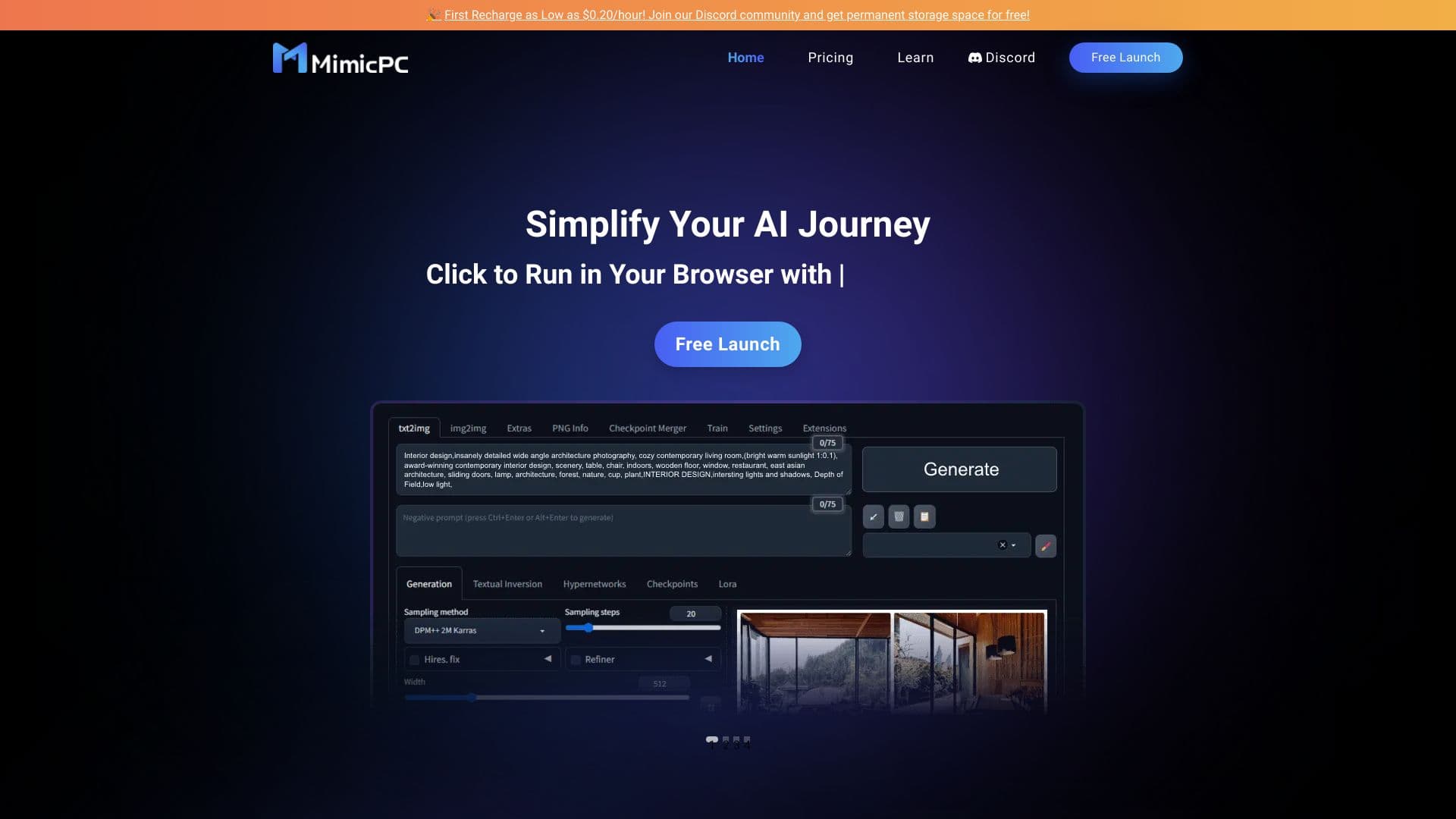
MimicPC — это облачная платформа, которая позволяет запускать самые разные ИИ-приложения прямо в браузере, без необходимости устанавливать программы на свой компьютер. Вместо того чтобы вручную настраивать сложные нейросетевые инструменты, пользователь получает доступ к ним через единый веб-интерфейс.
Платформа объединяет около 20 популярных инструментов, среди которых Automatic1111 WebUI, ComfyUI, Fooocus и RVC. Они покрывают широкий спектр задач — от генерации изображений и обработки звука до взаимодействия с языковыми моделями и преобразования голоса. Вся вычислительная работа выполняется в облаке, поэтому от пользователя требуется только стабильное соединение с интернетом и современный браузер.
Оплата построена по принципу «плати за время использования»: тарифы начинаются от $0,30 в час. Такой подход удобен тем, кто не хочет переплачивать за подписку целиком, а предпочитает оплачивать только фактически потраченное время.
Характеристики MimicPC
| Характеристика | Значение |
|---|---|
| Тип | Облачная платформа для запуска нейросетевых приложений |
| Категории | Генерация изображений, обработка аудио, AI-ассистенты, No-code / Low-code, агрегаторы нейросетей |
| Платформы | Браузер (не зависит от ОС) |
| Количество инструментов в составе | Около 20 |
| Модель распространения | Freemium / платная (от $0,30 в час) |
| Бесплатный тариф | Бесплатное постоянное облачное хранилище для участников сообщества |
| Бизнес-модель | Freemium |
Для кого подходит нейросеть MimicPC?
Для пользователей без технической подготовки
MimicPC в первую очередь подходит тем, кто ценит простой интерфейс, ориентированный на запросы и изображения, а не на технические сложности. Не нужно разбираться в установке драйверов, настройке окружения или конфигурации видеокарты — всё уже настроено создателями платформы.
Для тех, кому нужен доступ с разных устройств
Поскольку сервис работает через браузер и не зависит от операционной системы, им удобно пользоваться с любого компьютера. Это хороший вариант для тех, кто работает попеременно на разных машинах и не хочет каждый раз заново настраивать окружение.
Для тех, кто пробует разные инструменты
Пользователям, которые хотят опробовать множество различных ИИ-инструментов, не устанавливая каждый по отдельности, MimicPC даёт возможность запускать до 20 приложений через один интерфейс.
Как использовать нейросеть MimicPC?
Запуск в один клик
Запуск приложений происходит буквально в один клик через веб-интерфейс. Платформа не требует установки программ или сложных настроек — достаточно открыть нужный инструмент в браузере и начать работу.
Доступ через браузер
Для использования сервиса нужен только современный браузер и стабильное интернет-соединение. Производительность во многом зависит от скорости интернета и возможностей браузера, поскольку вся обработка происходит на облачной стороне.
Начало работы без оплаты
Участники сообщества могут рассчитывать на постоянное бесплатное облачное хранилище, что позволяет освоиться с платформой до того, как начнётся платное использование по времени.
Основные функции MimicPC
Запуск ИИ-приложений без установки
Главная функция платформы — возможность запускать сложные нейросетевые инструменты прямо в браузере, минуя этап установки и настройки. Инструменты работают в облаке, а пользователь взаимодействует с ними через единый интерфейс.
Генерация изображений
В состав платформы входят несколько инструментов для работы с изображениями. Automatic1111 WebUI — удобный интерфейс для создания картинок с помощью нейросети. ComfyUI работает на основе Stable Diffusion и поддерживает плагины. Fooocus сочетает стабильную диффузию с подходами Midjourney и рассчитан на простых пользователей.
Работа с лицами и голосом
FaceFusion позволяет заменять и улучшать лица на фотографиях. RVC — это система преобразования голоса на основе VITS, позволяющая менять голос в аудиозаписях.
Взаимодействие с языковыми моделями
Ollama-WebUI даёт возможность общаться с языковыми моделями (LLM), а Chatbot Ollama представляет собой открытый чат-интерфейс на Python. Таким образом, платформа закрывает и задачи создания чат-ботов.
Преимущества MimicPC
Большой набор инструментов в одном месте
В состав MimicPC входит около 20 мощных инструментов для разных задач — от генерации картинок до работы с голосом и чат-ботами. Это избавляет от необходимости собирать и настраивать каждый инструмент отдельно.
Простота запуска
Все приложения запускаются в один клик через веб-интерфейс. Отсутствие установки и сложной настройки делает платформу доступной даже для неопытных пользователей.
Гибкая система оплаты
Оплата идёт за фактическое время использования, а тарифы начинаются от $0,30 в час. Для участников сообщества предусмотрено постоянное бесплатное облачное хранилище, что позволяет экономить.
Недостатки MimicPC
Зависимость от интернета
Платформа плохо подходит пользователям с медленным или нестабильным интернетом, поскольку вся работа происходит в облаке и напрямую зависит от качества соединения.
Ограничения по настройке
Для тех, кому нужна глубокая настройка моделей, выходящая за рамки предоставленных платформой возможностей, MimicPC может оказаться слишком ограниченной.
Привязка к облаку
Пользователи, которые предпочитают работать только с локальными решениями и хранить всё на своём компьютере, не найдут здесь подходящего варианта — сервис работает исключительно через браузер.
Какие задачи решает MimicPC
Быстрый запуск генератора изображений
Платформа позволяет быстро запустить генерацию изображений из текста с помощью таких инструментов, как ComfyUI и Fooocus, не тратя время на установку и настройку.
Преобразование и редактирование аудио
MimicPC даёт возможность преобразовывать и редактировать аудиофайлы, в том числе менять голос с помощью RVC, а также заменять и улучшать лица на фото через FaceFusion.
Доступ к ИИ-инструментам с любого компьютера
Поскольку сервис работает в браузере и не привязан к операционной системе, к нему можно получить доступ практически с любого устройства, где есть интернет и современный браузер.
Цены MimicPC
Оплата за фактическое время
Тарифы на использование платформы начинаются от $0,30 в час. Пользователь платит только за то время, которое реально провёл за работой с инструментами.
Бесплатные возможности
Для участников сообщества предусмотрено бесплатное постоянное облачное хранилище. В целом модель распространения описывается как freemium — то есть сочетание бесплатного тарифа и платных опций.
Условия использования MimicPC
Для работы с платформой требуется стабильное интернет-соединение и современный браузер. Производительность зависит от скорости интернета и возможностей браузера. При этом глубокая настройка моделей ограничена, а работа с локальными решениями не предусмотрена. Более детальные условия использования на страницах источников подробно не описаны.
Доступность MimicPC
MimicPC работает через браузер и не зависит от операционной системы, что делает его доступным практически на любом устройстве. При этом точные данные о поддерживаемых языках и регионах в доступных источниках не указаны.
Чем отличается MimicPC от аналогов
Ориентация на простоту, а не на технические детали
Главное отличие платформы — интерфейс, центрированный на запросах и изображениях, а не на технических сложностях. Пользователю не приходится разбираться в установке и настройке, что выгодно отличает MimicPC от локальных инструментов с крутым порогом входа.
Объединение множества инструментов в одном облаке
Вместо одного узконаправленного решения MimicPC предлагает около 20 различных инструментов — от генерации изображений до чат-ботов и преобразования голоса. Это позволяет закрыть разные задачи в одном месте, чего часто не хватает отдельным локальным аналогам.
Гибкая поминутная оплата
В отличие от моделей с фиксированной подпиской, MimicPC использует оплату за фактическое время использования с тарифами от $0,30 в час. Такой подход удобен для нерегулярных пользователей, которым невыгодно оплачивать полный тариф целиком.
Заключение
MimicPC — это облачная платформа для запуска нейросетевых приложений прямо в браузере, без установки и сложных настроек. Она объединяет около 20 инструментов для генерации изображений, обработки аудио, работы с лицами, голосом и языковыми моделями. Сервис рассчитан на пользователей, которые ценят простоту и доступ с любого устройства, и подходит тем, кто не хочет вникать в техническую настройку. Минусами можно считать зависимость от качества интернета, ограничения в глубокой настройке моделей и отсутствие локального режима работы. Оплата построена по принципу «плати за время» с тарифами от $0,30 в час, а участники сообщества получают бесплатное постоянное облачное хранилище.
Тарифы
Часто задаваемые вопросы


Смотрите также


Расширение для Chrome, которое помогает управлять вкладками, историей и закладками с помощью ИИ-ассистента.

Веб-платформа для генерации изображений и кинематографичных видео с помощью ИИ, включающая инструменты для студийного редактирования.


Веб-сервис для генерации аниме-изображений по текстовым запросам с помощью ИИ.

Онлайн-генератор ASMR-видео на основе ИИ, создающий расслабляющие ролики по текстовому описанию.


Платформа для создания мультиагентных AI-систем и чат-ботов для автоматизации клиентской поддержки и поиска лидов.
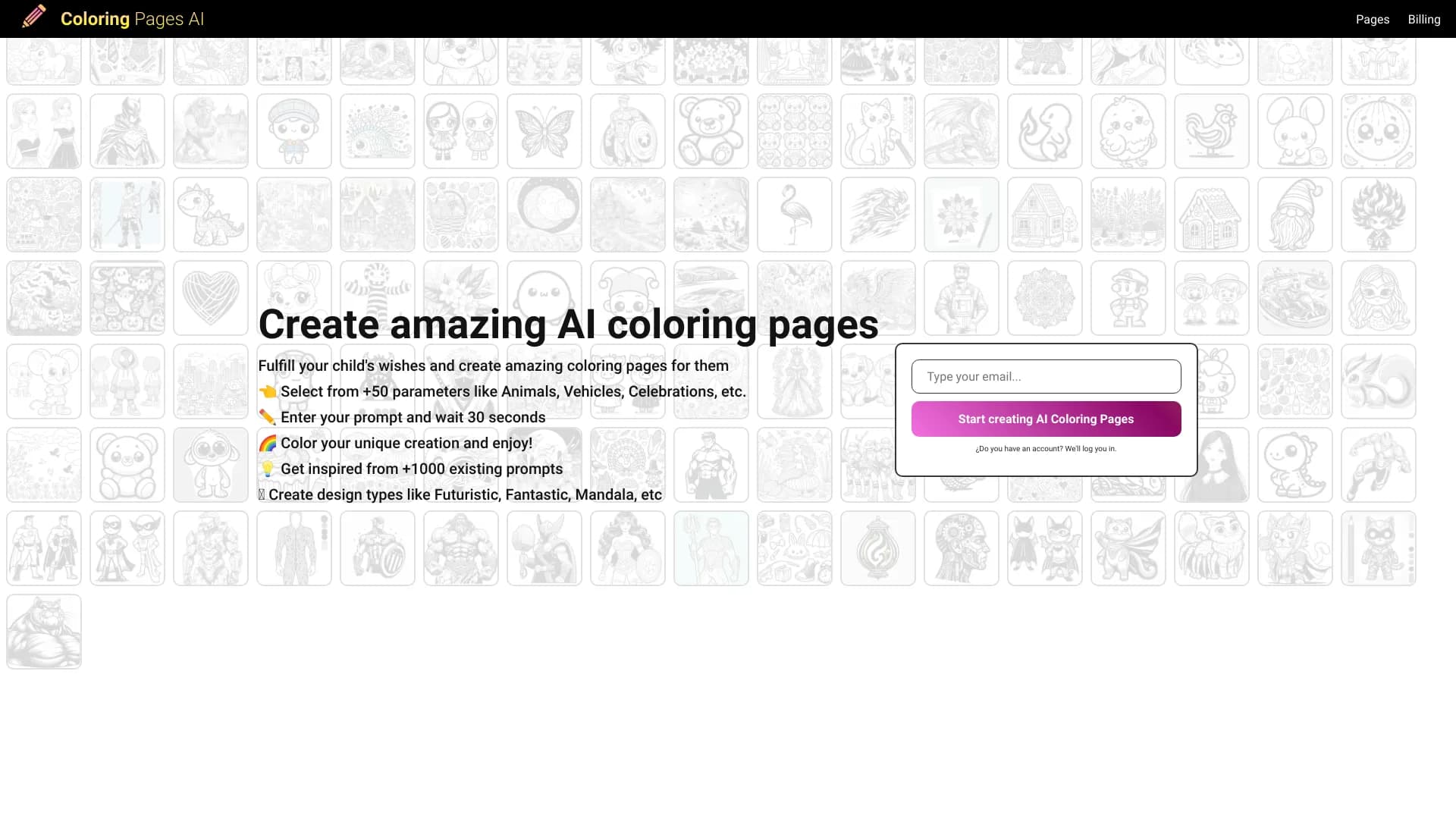

Генератор раскрасок, создающий контурные рисунки из фотографий или текстовых описаний.


Бесплатный веб-инструмент от Google, который с помощью машинного обучения превращает грубые наброски в аккуратные иконки и иллюстрации.


Открытая нейросеть для решения сложных задач в математике, программировании и логике.