
DocsToWP — Google Docs в WordPress
Automates the transfer of articles from Google Docs to WordPress while preserving formatting and enhancing them with SEO optimization.
Overview
DocsToWP — Google Docs to WordPress: AI Tool Overview
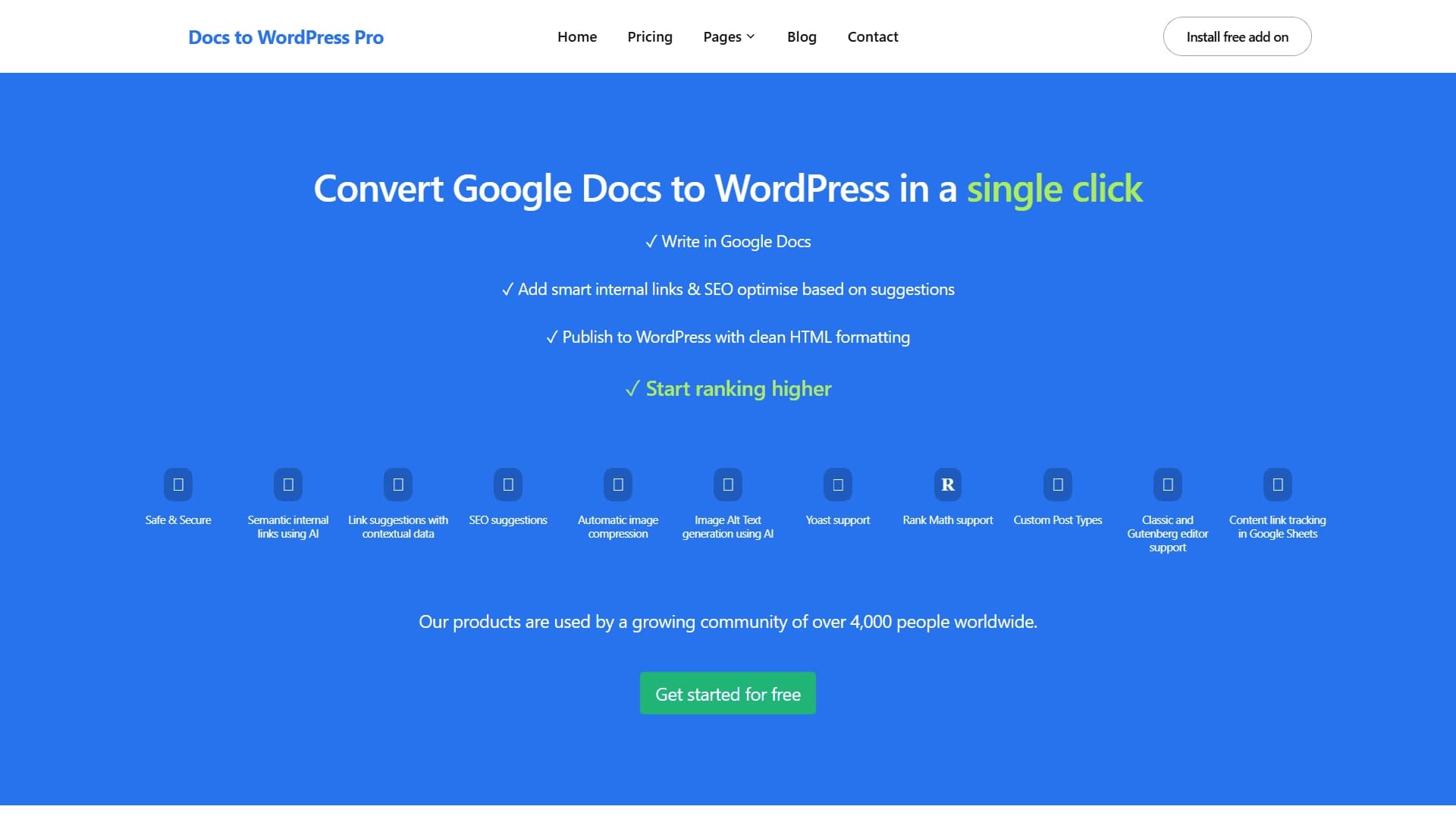
DocsToWP is a specialized tool designed to automate the process of publishing content from Google Docs to the WordPress platform. Its main goal is to free content teams from routine tasks: manually copying text, fixing layout issues, losing formatting, and re-inserting images. The service converts a document into clean HTML code that is immediately ready for publishing, working correctly with both the classic WordPress editor and the Gutenberg block editor.
A distinctive feature of DocsToWP is its use of artificial intelligence. The AI helps not only with technical publishing but also with basic SEO optimization: it generates semantic internal links, suggests how to improve article structure, automatically creates alternative text for images, and compresses them without quality loss. All this makes the tool useful not only for solo bloggers but also for large editorial teams and content marketing departments.
DocsToWP — Google Docs to WordPress: Features
| Feature | Value |
|---|---|
| Tool type | Content publishing and SEO optimization tool |
| Category | SEO tools, APIs and integrations |
| Key integrations | Google Docs, WordPress (classic editor and Gutenberg) |
| SEO plugin support | Yoast, Rank Math and others |
| Key capabilities | AI link generation, image compression, alt-text generation |
| Additional integrations | Google Sheets |
| Official website | www.docstowp.pro |
| Publication date | December 31, 2025 |
Who is DocsToWP — Google Docs to WordPress for?
The tool is aimed at anyone who regularly works with texts in Google Docs and publishes them to WordPress. The audience can be roughly divided into several groups, each of which will find its own advantages in the service.
Editorial teams and content departments
For editorial teams where multiple authors, editors, and proofreaders work on materials, DocsToWP becomes the link between writing text and publishing it. The tool allows standardizing the process: everyone writes in familiar Google Docs, and materials reach the website already in finished form — without the need to manually transfer them through intermediate formats.
Bloggers and solo authors
Individual bloggers who run their WordPress site will appreciate the ability to publish articles in one click. There is no longer a need to spend time copying, pasting, and then aligning text, tables, and images. The AI handles the technical part, leaving the author only the creative work on content.
SEO specialists and content marketers
For those responsible for a website's search engine rankings, DocsToWP offers built-in optimization tools: internal link generation, structure suggestions, and work with image alt-texts. This allows improving SEO metrics right at the publishing stage without resorting to additional services.
How to use DocsToWP — Google Docs to WordPress
The workflow with DocsToWP is designed to minimize the number of actions required from the user. Nevertheless, for effective use, it is worth understanding the basic steps and logic of the service.
Connection and setup
The first step is to link your Google account to the service and connect your WordPress site. To do this, you will need to install and activate the official DocsToWP plugin on your site. After connection, the tool will have access to Google documents and will be able to send them for publication.
Document transfer
The user selects the desired document from Google Docs, configures publishing parameters if necessary (category, tags, format — classic editor or Gutenberg), and starts the transfer. The system converts the content into clean HTML, preserving headings, lists, tables, and other formatting elements.
Additional processing
At this stage, the AI kicks in: the service analyzes the text, suggests semantic internal links to other site materials, generates alt-texts for images, and compresses them if necessary. SEO suggestions help improve the article structure before it is published.
Key features of DocsToWP — Google Docs to WordPress
DocsToWP's functionality covers not only text transfer but also a range of related tasks that previously had to be done manually.
- One-click publishing: conversion of Google Docs into clean HTML and placement in WordPress without losing formatting.
- Automatic internal link generation: AI selects relevant links to other site pages and embeds them into the text.
- SEO suggestions: the system analyzes the document structure and recommends how to improve it for search engines.
- Image handling: automatic compression of graphics and AI-powered alt-text generation.
- Custom post type support: the ability to publish materials not only to standard posts but also to custom types, if supported by the site theme.
- Link tracking in Google Sheets: convenient monitoring of internal links and their status directly in Google spreadsheets.
- SEO plugin integration: full compatibility with Yoast, Rank Math, and other popular plugins, allowing immediate use of their meta fields after publication.
Advantages of DocsToWP — Google Docs to WordPress
Using DocsToWP provides users with a number of practical benefits that directly impact the speed and quality of content work.
Time and resource savings
The main advantage is the elimination of manual copying and layout fixes. What previously took 15 to 30 minutes per article is now done automatically in a few clicks. This is especially noticeable in mass publishing scenarios when dozens of articles need to be uploaded to the site at once.
Clean and correct code
The service generates neat HTML code without unnecessary attributes or "junk" styles that often appear when copying directly from Google Docs. This positively affects page load speed and the correct display of content across different devices.
Improved SEO metrics
Thanks to automatic internal linking and SEO suggestions, sites using DocsToWP gain additional opportunities for growth in search rankings. AI helps build a proper internal link structure, which is one of the key ranking factors.
Disadvantages of DocsToWP — Google Docs to WordPress
Like any tool, DocsToWP has certain limitations that are worth knowing before you start using it.
Dependence on a third-party service
Working with DocsToWP creates a dependency on a cloud service: publishing requires a stable internet connection and availability of the developers' servers. In the event of outages on the service side, the content transfer process may be temporarily unavailable.
Limited flexibility in non-standard cases
Despite the claimed support for custom post types and various SEO plugins, working with highly specialized themes or complex custom setups may involve nuances that require manual refinement after publishing. The service is optimized for standard use cases, and non-standard scenarios may require additional actions.
What tasks does DocsToWP — Google Docs to WordPress solve?
The tool is designed to solve a specific range of tasks that content teams regularly encounter.
- Fast content publishing: transferring articles from Google Docs to WordPress becomes a one-step operation that requires no intermediate actions.
- SEO optimization of materials: AI helps improve internal linking, structure, and metadata of articles before they even go live.
- Automated image handling: compression of graphics and alt-text generation happen without human involvement, saving time and reducing the risk of errors.
- Accelerated search ranking growth: the combination of SEO tools and clean HTML code creates favorable conditions for site promotion.
- Simplified teamwork: integration with Google Sheets and support for various post types allow organizing a transparent process for reviewing and publishing materials in large editorial teams.
DocsToWP — Google Docs to WordPress: Pricing
As of now, information about DocsToWP's pricing and usage costs has not been published in open sources. The tool's official website, docstowp.pro, is presented as the primary resource where potential users can learn details about pricing. The service likely uses a subscription model with tiered plans depending on publication volume and feature set, but exact figures were not available at the time of writing.
DocsToWP — Google Docs to WordPress: Terms of Use
The terms of service are defined by the developers and published on the official website. It is expected that using the tool requires account registration, connecting a Google account with access to documents, and a WordPress site with the plugin installed. Specific requirements for the pricing plan, publication limits, and content processing volume are not disclosed in the source data.
DocsToWP — Google Docs to WordPress: Availability
The service is available via a web interface and operates as an online platform that requires no additional software installation on the user's computer. WordPress integration is implemented through an official plugin. Since the service is cloud-based, a stable internet connection is sufficient for its use, and access is possible from any device — computers, tablets, and smartphones. The tool's publication date is December 31, 2025, positioning it as a relatively new product on the market.
How DocsToWP — Google Docs to WordPress differs from alternatives
The key difference between DocsToWP and many other content transfer tools is its comprehensive approach that combines technical publishing with intelligent SEO processing. Most available solutions either simply transfer text without losing formatting or offer a limited set of optimization features. DocsToWP, on the other hand, combines both tasks in a single workflow.
First, there is deep AI usage: generating not just random internal links, but semantically relevant transitions based on text analysis. Second, integration with Google Sheets for link tracking. This gives teams the ability to monitor internal linking in real time, which most basic alternative plugins lack. Third, automated image handling — from compression to alt-text generation — these functions typically require separate tools and plugins, whereas DocsToWP does everything in a single publishing cycle.
Conclusion
DocsToWP represents a modern solution for automating content publishing in WordPress. Its main value lies in combining technical reliability with intelligent AI-driven SEO optimization. The tool will be useful for editorial teams, bloggers, and SEO specialists who want to reduce routine operations and focus on content quality. With its upcoming release date (December 2025), the service has potential for development and feature expansion, while the current feature set already covers most of the basic needs of content teams working with the Google Docs and WordPress combination.
Frequently asked questions
See also

Anakin.ai is a low-code platform that combines various AI models for content creation and workflow automation without coding.


Chrome extension that helps manage tabs, history, and bookmarks with an AI assistant.


Generator of personalized invitation texts and designs for various events.

AI assistant for business that helps manage tasks and automate routine through dialogue.
Web service for making AI-generated texts look more natural and human.

Catalog of AI tools with educational materials and guides for selecting neural networks.


AI platform for automating video editing, including face replacement, video translation, and avatar creation.

AI tool for automatically removing backgrounds from images right in the browser.