
Cleric
AI agent for automatic incident diagnosis in production based on analysis of logs, metrics, and traces.
Overview
What is Cleric?
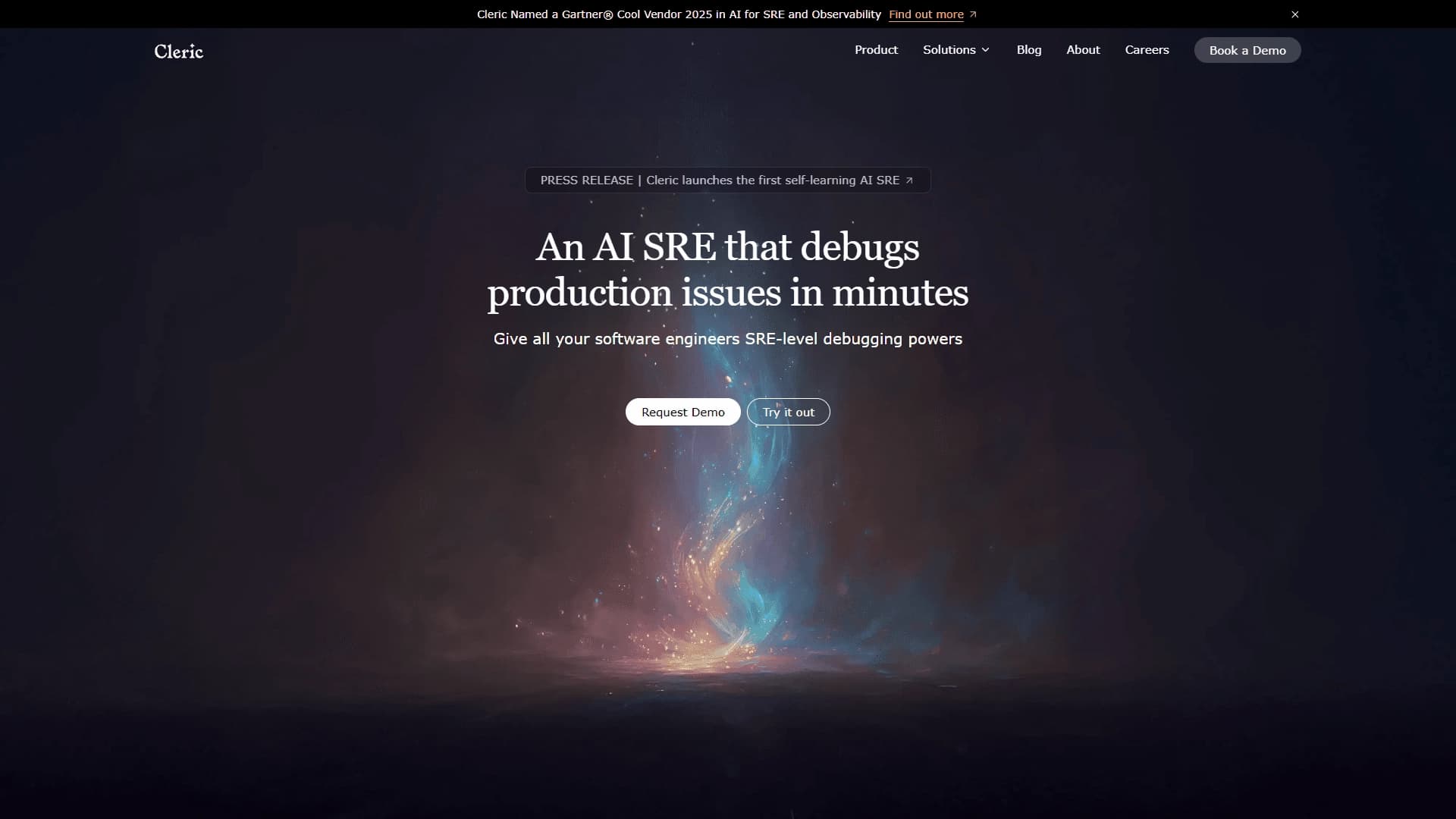
Cleric is an AI agent designed to automatically diagnose incidents occurring in production environments. It acts as a virtual SRE engineer: it independently collects data from logs, metrics, and traces, correlates them, and forms hypotheses about the causes of failures. Instead of forcing an on-call engineer to manually sift through dozens of dashboards and logs, Cleric handles the routine work of root cause investigation.
How does the system work?
The tool is built for modern cloud-native architectures, including Kubernetes and distributed services. The agent learns the specifics of your particular infrastructure: it remembers typical failures, service behavior, and environment nuances. As a result, with each new incident, diagnostics become more accurate and faster. Cleric doesn't just show a list of errors; it provides a structured analysis: what exactly broke, where to look for the problem, and which components are affected.
Product philosophy
Cleric's core idea is the democratization of expertise. The tool allows less experienced engineers to perform diagnostics at the level of SRE specialists, leveling competencies within a team. The product aims to reduce downtime and lessen the burden on on-call engineers who spend hours on manual analysis instead of quickly localizing the problem.
Cleric Characteristics
| Characteristic | Value |
|---|---|
| Type | AI-SRE assistant |
| Categories | Logs and monitoring, Debugging and error finding |
| Website | cleric.io |
| Publication date | December 18, 2025 |
| Target audience | Engineering teams working with cloud and microservice systems |
| Distribution model | Not specified |
| Delivery format | Web service |
Who is Cleric suitable for?
Experienced engineers and SRE teams
Cleric suits teams that work daily with distributed systems and need a tool to reduce incident analysis time. The agent handles the initial context gathering and signal correlation, allowing experienced specialists to focus on complex cases and strategic tasks.
Less experienced developers
The tool is especially useful for engineers who don't yet have deep expertise in production diagnostics. Cleric provides a ready-made incident analysis with explanations of where to look for the cause, helping them learn faster and avoid mistakes when localizing problems.
Teams with limited on-call resources
For small groups where one engineer may be responsible for many services, Cleric acts as an extra pair of "hands": it monitors signals and provides structured hypotheses, reducing the risk of human error due to fatigue or multitasking.
How to use Cleric?
Getting started
To get started, simply visit cleric.io and open the service. There's no need to install additional software or configure complex integrations — everything works through the web interface.
Connecting to your infrastructure
After the initial launch, you need to grant the agent access to your infrastructure data: logs, metrics, and traces. The more data the system receives, the faster it adapts to your environment's specifics and starts providing accurate hypotheses.
Daily use
During operation, Cleric behaves like an autonomous assistant: when an incident occurs, it automatically gathers context, analyzes signals, and generates a report. The engineer only needs to review the proposed hypotheses and take action to resolve the issue.
Key Features of Cleric
Automated production environment analysis
Cleric analyzes logs, metrics, and traces in cloud environments to find the root cause of a problem. It doesn't just work with one data type; it comprehensively correlates signals from different sources, uncovering hidden relationships.
Virtual SRE engineer behavior
The agent acts like a full-fledged reliability engineer: it gathers incident context, tests hypotheses, correlates signals, and draws conclusions. This isn't just keyword search — it's a complete investigation process.
Self-learning on your infrastructure
The tool remembers the specifics of your infrastructure and typical failures. Over time, it starts anticipating potential issues and delivers correct hypotheses faster, as it has already encountered similar situations.
Ready-made incident analysis
Cleric provides a structured report: what broke, where to look for the cause, and which components are affected. Engineers don't need to spend time reading hundreds of log lines — they get a concise, prioritized summary.
Advantages of Cleric
Reduced diagnostic time
The tool's main advantage is speed. Root cause discovery shrinks from hours to minutes, directly impacting production downtime and, consequently, financial losses for the business.
Reduced burden on on-call engineers
Cleric handles a significant portion of routine work: data collection, signal correlation, and hypothesis generation. On-call engineers experience less burnout and can focus on fixing the problem rather than finding it.
Leveling expertise within the team
Less experienced engineers gain access to diagnostics at the level of SRE specialists. This reduces the team's dependence on one or two experts and accelerates onboarding for newcomers.
Adaptation to your specific environment
The tool isn't a universal "black box" — it learns from your infrastructure, making its conclusions relevant specifically to your services.
Disadvantages of Cleric
Information about the service's drawbacks is not disclosed in available sources. Potential limitations could include the dependence of diagnostic quality on the completeness of data provided by the team for analysis. If logs and metrics aren't fully collected, the agent may miss some signals. Also, like any AI tool, Cleric may require time for initial setup and adaptation to infrastructure specifics. It's worth noting that exact technical limitations and data requirements were not officially stated at the time of publication.
What problems does Cleric solve?
Diagnosing production incidents
The main task is finding the root cause of problems in production environments within cloud infrastructures. The tool is designed for complex distributed systems where manual diagnostics are difficult due to the large number of interconnected components.
Working with microservices and Kubernetes environments
Cleric is specifically built for cloud-native architectures. It understands the specifics of Kubernetes clusters and distributed services, enabling it to find problems in scalable environments.
Accelerating incident response
The tool helps teams respond to failures faster by automating the data collection and analysis process. This is critical for meeting SLA commitments and maintaining high service availability.
Reducing downtime
Through rapid diagnostics, Cleric minimizes the time systems operate incorrectly. This directly impacts user satisfaction and the stability of business processes.
Cleric Pricing
Official pricing information for Cleric has not been published in available sources. The service's website only presents a web interface for getting started; specific pricing plans, payment models, and the availability of a free trial are not disclosed. Potential users are advised to contact the development team directly through cleric.io for current pricing information.
Terms of Use for Cleric
Detailed terms of service have not been published in the sources used to prepare this article. It's known that the product is provided as a web service, which implies standard SaaS terms: browser access and provider responsibility for data. The exact provisions of the license agreement, privacy policy, and data storage terms were unknown at the time of writing. It's recommended to check the relevant documents on the official website before using the service.
Cleric Availability
Cleric is available as a web service at cleric.io. To get started, simply open the neural network via the link — no additional software installation or complex local infrastructure setup is required. This format ensures a quick start and accessibility from any device with an internet connection. Information about mobile apps, desktop clients, or offline mode is not available in official sources.
How Cleric differs from alternatives
Narrow specialization in SRE tasks
Unlike universal tools such as GitHub Copilot or Claude Code, which help write code or perform general tasks, Cleric focuses specifically on diagnosing production incidents. It doesn't try to replace a developer; instead, it acts as a specialized assistant for system reliability.
Depth of data analysis
Unlike QA tools (BugRaptors AI QA Engineering, QA.tech) that work during the testing phase, Cleric operates in real time in production. It analyzes not test scenarios but actual system behavior using logs, metrics, and traces, providing more relevant results for operations.
Self-learning on your infrastructure
A unique feature of Cleric is its ability to adapt to a specific infrastructure. Alternatives like Microsoft Agent 365 or HelpMoji work with generic algorithms, while Cleric remembers the specifics of your services and typical failures, improving diagnostic accuracy over time.
Autonomy in investigation
Many competing tools provide data or hints, but the final investigation is still done by a human. Cleric, however, handles the full cycle: from context gathering to forming a structured hypothesis indicating affected components, saving the team time.
Conclusion
Cleric is an autonomous AI-SRE assistant designed for rapid incident diagnosis in production. It analyzes logs, metrics, and traces in cloud and microservice environments, helps find the root cause of problems in minutes, and reduces the burden on on-call engineers. The tool learns from the specifics of your infrastructure, becoming more accurate with each new incident, and levels the expertise within a team. Despite the lack of public information about pricing and detailed terms of use, Cleric represents a practical solution for teams working with Kubernetes and distributed services looking to reduce downtime.
Frequently asked questions
See also

AI-powered toolkit for optimizing workflows and boosting productivity.


Chrome extension that helps manage tabs, history, and bookmarks with an AI assistant.


AI platform for fast website creation and small business process management.


AI toolkit for video generation and editing, including avatars, lip-sync, and voice cloning.

AI agent for automating customer communications and support.

AI assistant for business that helps manage tasks and automate routine through dialogue.


Desktop AI assistant for macOS, Windows, and Linux that launches via hotkey above all windows and combines multiple language models in one interface.


Side AI panel that helps answer questions, work with documents, and generate images.