

Wispr Flow
Voice assistant that converts speech to text in real time and lets you control text with voice commands across various applications.
Overview
Wispr Flow
Description of the Wispr Flow AI
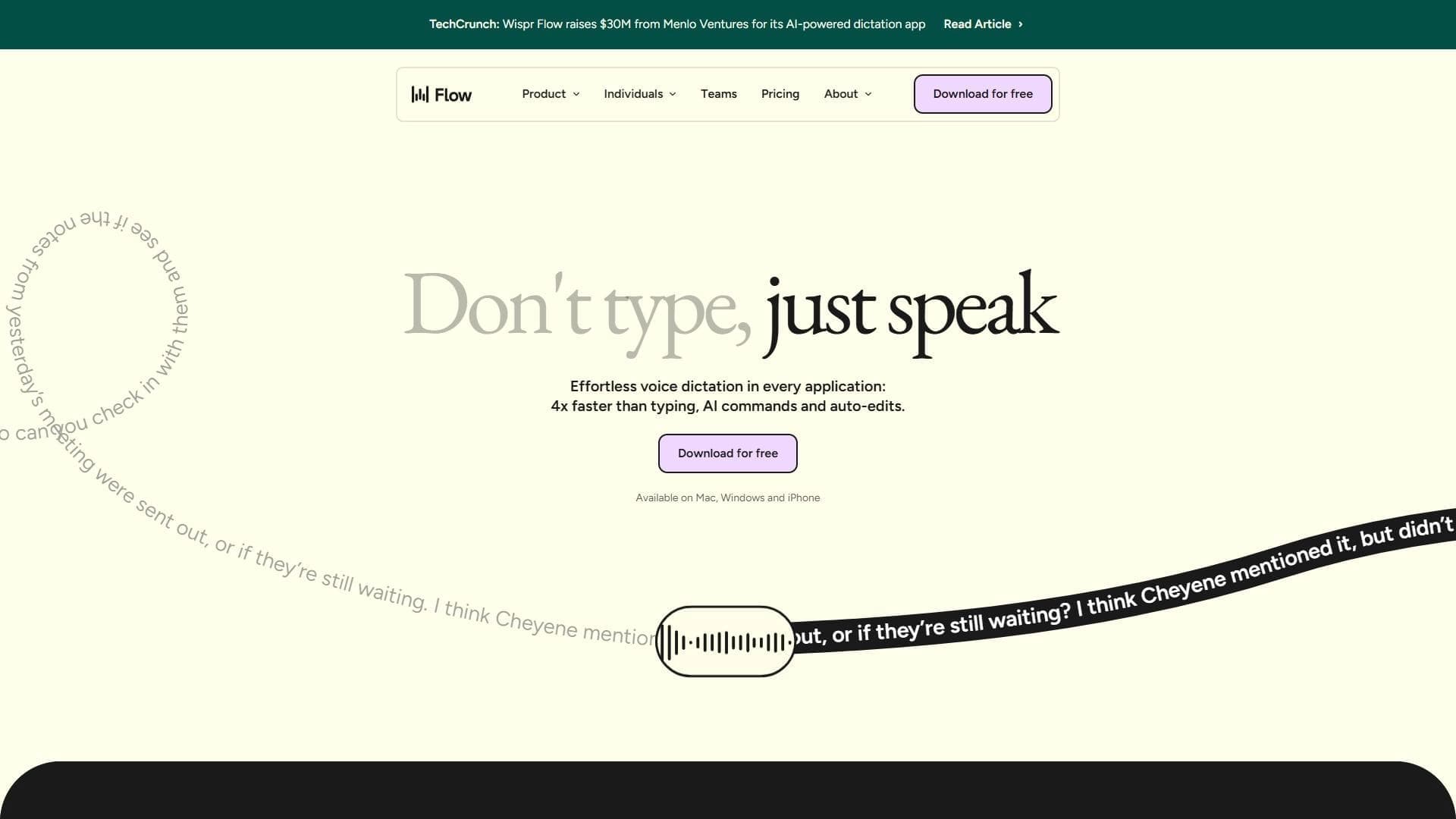
Wispr Flow is a voice assistant designed for entering and editing text. The service lets you dictate text into various applications and control it with voice commands, which noticeably speeds up the typing process. Instead of typing manually, the user simply speaks, and the AI converts speech into written text in real time.
The tool works directly in the browser and supports more than 100 languages, and also integrates with most text editors. Thanks to real-time speech recognition, the service is suitable for taking notes, dictating texts, and other tasks related to converting audio into written format. Built-in automation mechanisms make it possible to simplify routine workflows and configure integrations with various applications.
Wispr Flow Features
| Feature | Value |
|---|---|
| Type | Voice input and text control |
| Categories | Speech recognition, Audio transcription |
| Platforms | Browser (Windows, macOS) |
| Interface languages | More than 100 languages |
| Free plan available | Yes (limit of 2,000 words per week) |
Who is the Wispr Flow AI suitable for?
Professionals working with large volumes of text
The tool will be useful for those who type large amounts of text daily — copywriters, journalists, secretaries, and other specialists. The ability to dictate instead of typing makes it possible to create documents and notes much faster, reducing strain on the hands and cutting down work time.
Users in multilingual projects
Thanks to support for more than 100 languages, the service suits those who work with several languages at once. This is convenient for translators, employees of international companies, and anyone who maintains documents in different languages without switching between separate tools.
People looking for a quick start
Wispr Flow works in the browser and requires no installation, so all you need to get started is to open the service in a browser window. This makes the tool accessible to inexperienced users who don't have to figure out complex settings before their first use.
How to use the Wispr Flow AI?
First launch
On first launch, the main window opens with a record button and settings. The controls are simple: just press the record button and start dictating. No additional installation or setup steps are required, since the service works directly in the browser.
Starting dictation
To start working, press the record button and speak the text. The AI converts speech into text in real time, and the text appears in the selected application or editor. After dictation, you can stop the recording and, if necessary, correct the text.
Voice text control
In addition to simple input, the service provides a command panel for editing text by voice. Using voice commands, you can make edits, manage already typed text, and perform various actions without touching the keyboard.
Main features of Wispr Flow
Voice text input
The key feature of the service is converting speech into text with high accuracy. The user dictates text, and the AI recognizes it and writes it into the selected application or editor, eliminating the need to type manually.
Automatic editing and punctuation
The tool automatically inserts punctuation marks and makes corrections to the text. This lets you get ready-to-use text right after dictation, without spending time on manual punctuation editing.
Voice commands for text control
The service supports a set of voice commands for controlling text. This makes it possible not only to input, but also to edit content using voice instead of the keyboard and mouse.
Adaptation to the user's voice and style
Wispr Flow adapts to a specific user's voice and speech style, improving recognition accuracy over time. The service is also compatible with various applications, allowing it to be used within familiar work tools.
Advantages of Wispr Flow
Text entry speed
The main advantage of the service is a significant acceleration of work with text. Instead of typing manually, the user simply dictates, which allows documents to be created faster than with regular keyboard input.
Ease of learning
Compared with similar solutions, such as Dragon NaturallySpeaking, Wispr Flow is easier to learn. Working in the browser without installation and intuitive controls make the tool accessible even to beginners.
Broad compatibility
The service integrates with most text editors and supports more than 100 languages. Compared with Google Dictation, it offers a wider set of supported languages and additional voice text control features.
Disadvantages of Wispr Flow
The main limitation of the service is related to the free plan — it only allows 2,000 words per week, which may not be enough for active daily use. In addition, the tool requires a constant internet connection, since speech recognition is performed in the browser. Exact information about available paid plans is not disclosed in the source data, so it is not possible to judge their terms and pricing in advance.
What tasks does Wispr Flow solve?
Quickly creating documents and notes
The service allows you to quickly create documents and notes by voice, replacing slow manual typing. This is convenient for capturing ideas, taking notes at meetings, and preparing text materials under tight deadlines.
Voice control of work tasks
The tool lets you manage work tasks by voice, making edits and controlling text without using the keyboard. This simplifies routine operations and increases work efficiency.
Support for multilingual projects
Thanks to support for more than 100 languages, the service is suitable for working on multilingual projects. The user can maintain texts in different languages within a single tool, without switching between separate programs.
Wispr Flow pricing
The service uses a freemium distribution model. The free version is available without payment, but is limited to 2,000 words per week, which suits irregular or light use. Detailed terms and pricing for paid plans are not specified in the source data, so exact information about prices for the full version of the tool cannot be provided from open sources.
Terms of use for Wispr Flow
Wispr Flow works in the browser and does not require the installation of additional software. A constant internet connection is required for full operation, since speech processing and recognition are performed online. The user simply opens the service in the browser and starts dictating, which makes the tool accessible from any suitable location.
Availability of Wispr Flow
The service works in the browser and is compatible with the Windows and macOS operating systems. An internet connection is required to use it. Since the tool does not require installation, it is available on any computer with a compatible browser, making it a flexible solution for working in different conditions.
How Wispr Flow differs from alternatives
Compared with a solution such as Dragon NaturallySpeaking, Wispr Flow is noticeably easier to learn. It requires no installation or complex configuration, providing an intuitive interface right in the browser, whereas Dragon is traditionally considered more difficult to deploy and learn.
Compared with Google Dictation, the service offers support for more languages and a wider set of features, including voice commands for text control and automatic editing. The combination of broad language support, browser-based operation, and expanded functionality makes Wispr Flow a more versatile voice input tool than many alternatives on the market.
Conclusion
Wispr Flow is a practical tool for voice input and text editing, aimed at speeding up work with documents. The service combines real-time speech recognition, support for more than 100 languages, integration with text editors, and voice commands for text control, making it possible to type significantly faster than with ordinary input. Ease of learning and browser-based operation make it accessible to a wide range of users, while the free version with a 2,000-word-per-week limit lets you evaluate the service's capabilities before moving to paid plans.
Frequently asked questions
Similar AI tools









See also
A sales automation platform that combines customer prospecting, deal management, and AI-powered forecasting.
AI editor for creating, editing, and publishing content with templates and prompts.

Financial platform with an AI assistant for managing accounting, taxes, and budgets.

Platform for interview preparation with AI mock interviews and real-time support.
Enterprise language model platform focused on privacy and on-premise deployment.


AI assistant for creating short summaries of videos, PDF documents, and web pages.


AI email assistant that helps quickly draft messages, adapting to the user's style.


Free online platform with over 150 AI tools for working with PDFs, images, videos, and text.