

So-vits-svc
Open-source neural network for voice conversion and cloning in songs.
Overview
So-vits-svc
Description of the So-vits-svc neural network
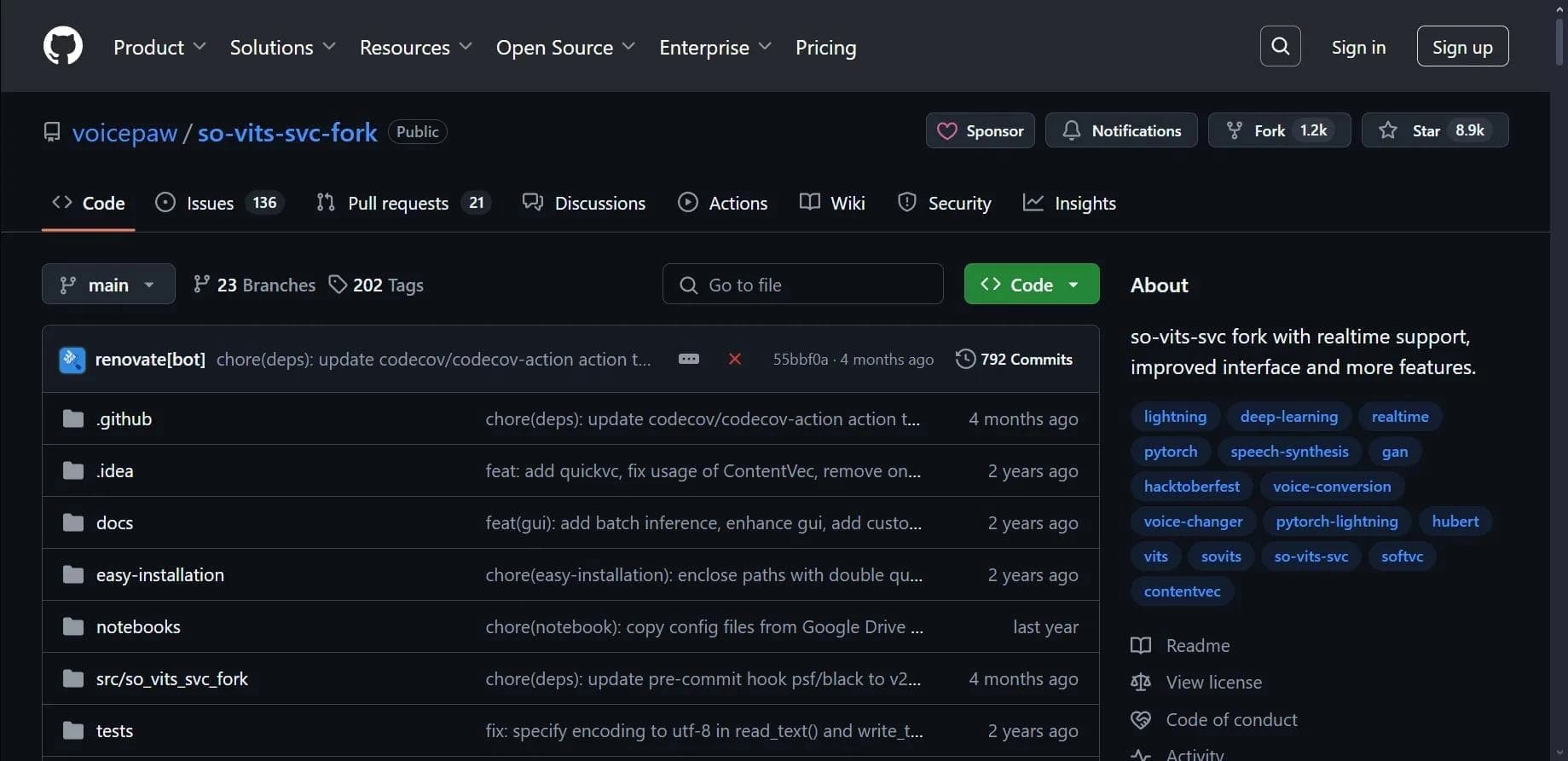
So-VITS-SVC is an open-source neural network designed for voice conversion and cloning in audio recordings. The tool combines SoftVC and VITS technologies, allowing you to change the timbre and intonation of a performer in an audio file while preserving the original melody and pitch. The project is available in a fork from VoicePaw on GitHub, runs on a computer via local installation, or runs in the Google Colab cloud environment.
So-vits-svc characteristics
| Characteristic | Value |
|---|---|
| Type | Voice conversion tool |
| Categories | Voice cloning, Voice generation |
| Platform | Computer (local installation), Google Colab (cloud launch) |
| Interface language | English |
| Free plan | Yes, completely free |
| Source code | Open |
| Website | github.com/voicepaw/so-vits-svc-fork |
Who is the So-vits-svc neural network suitable for?
Musicians and producers
The tool will be useful for musicians who want to experiment with voices in tracks, create unusual covers and remixes by replacing the vocals with another performer's voice or a synthesized timbre.
Game and voice-over developers
So-VITS-SVC is suitable for creators of games and audio content who need to process voice tracks, adapt them to different characters, or voice dialogues while preserving natural intonation.
Enthusiasts and researchers
Thanks to its open source code, the neural network is of interest to specialists studying speech synthesis and cloning technologies, as well as to anyone who wants to understand how modern voice models work.
How to use the So-vits-svc neural network?
Installation on a computer
To work with So-VITS-SVC on a local machine, you need to download and install Python. Then, through the command line, the package is installed using the pip install -U so-vits-svc-fork command. After installation, you need to prepare an audio file and follow the on-screen instructions to upload the file and configure the conversion parameters.
Running via Google Colab
If you cannot install the program on your computer or do not have a powerful GPU, the model can be run in Google Colab. Cloud launch requires no installation and allows you to work with the tool directly in your browser.
Preparing audio files
The tool supports WAV and MP3 formats. For the best results, it is worth using clean audio recordings without excess noise or extraneous sounds.
Main functions of So-vits-svc
Voice conversion while preserving intonation
The key function of the neural network is replacing the performer's voice in an audio file while preserving the original melody, pitch, and intonation. This allows you to create covers with different musicians' voices without distorting the musical component of the track.
Configuring synthesis parameters
The user can control playback speed, volume, and the emotional coloring of the voice, as well as change timbre and other characteristics. The model can be adapted to specific voices for more accurate cloning.
Working with various genres
The tool effectively handles vocal processing in pop music, rock, rap, and other genres, demonstrating flexibility in tuning to different performance styles.
Advantages of So-vits-svc
Completely free to use
So-VITS-SVC is distributed free of charge. No license purchase or subscription is required — all features are available immediately after installation.
Open source code
The project's source code is publicly available on GitHub. This allows the community to improve the tool, create forks with additional features (for example, versions with real-time voice conversion), and adapt the neural network to their own tasks.
Detailed parameter tuning
The ability to finely adjust synthesis characteristics gives the user a high level of control over the final result, which is especially important when working on complex musical projects.
Disadvantages of So-vits-svc
Hardware requirements
A GPU is required for model training. On weak computers without a discrete graphics card, the process can be significantly more difficult or impossible.
Software format
The tool works as a program and requires installation on a computer. For users accustomed to web interfaces, this can be a barrier, although the problem is partially solved by running it through Google Colab.
What tasks does So-vits-svc solve?
- Changing the voice in songs and audio recordings
- Creating remixes and covers of songs with vocal replacement
- Voice-over for films and animations
- Creating audiobooks with non-standard voices
- Game development — character voice-over
- Experiments with timbre and intonation in educational and research projects
So-vits-svc pricing
The tool is completely free. No paid plans, subscriptions, or hidden fees are provided. All features are available without restrictions.
Terms of use of So-vits-svc
Since the project is distributed with open source code on GitHub, the terms of use are determined by the license specified in the VoicePaw fork repository. The tool can be used for both personal and commercial purposes — the exact terms should be clarified in the license file on the project page.
Availability of So-vits-svc
So-VITS-SVC is available as a program for installation on a computer running Windows, macOS, or Linux. Launch via Google Colab is also supported, making the tool accessible even without powerful local hardware. The interface is in English. All files for download are on GitHub in the voicepaw/so-vits-svc-fork repository.
How is So-vits-svc different from analogs?
Combination of SoftVC and VITS
The main difference between So-VITS-SVC and its analogs (Vaani, Fish Audio, Dubbing AI, Creata AI, Jellypod) is the use of a combination of SoftVC and VITS technologies. This makes it possible to achieve a more natural sound during voice conversion while preserving original intonations and pitch.
Open source code and free of charge
Unlike many competitors that offer limited free plans and closed code, So-VITS-SVC is completely free and has open source code. Users can not only use the tool without restrictions but also modify it to suit their needs.
Local installation and forks
So-VITS-SVC works as an installable application rather than a web service. In addition, there are forks of the project that expand its functionality — for example, versions with support for real-time voice conversion, which is not always found among analogs.
Conclusion
So-VITS-SVC is a powerful free open-source tool for voice conversion and cloning in audio recordings. It is suitable for both professional musicians and developers, as well as for enthusiasts interested in speech synthesis technologies. Despite the GPU requirements and the need for local installation, configuration flexibility, Google Colab support, and an active developer community make So-VITS-SVC one of the most accessible and functional solutions in its category.
Frequently asked questions


See also

AI-powered platform for generating and editing images and videos.
Cloud platform for text-to-speech conversion with realistic AI-powered voices.


Cloud platform for launching AI applications directly in the browser without installation.


An AI-powered service for handling phone calls that transcribes conversations in real time and creates concise summaries of the discussion.
AI tool for musicians that lets you split audio recordings into separate tracks, change tempo and key, and generate full arrangements from a single audio track.

AI-powered platform for real-time voice changing and cloning.

Professional audio restoration and cleaning software powered by machine learning.


Platform for recording, editing, and publishing podcasts and video content with built-in AI tools.