
Murf AI
Cloud platform for text-to-speech conversion with realistic AI-powered voices.
Overview
Murf AI
Murf AI Neural Network Overview
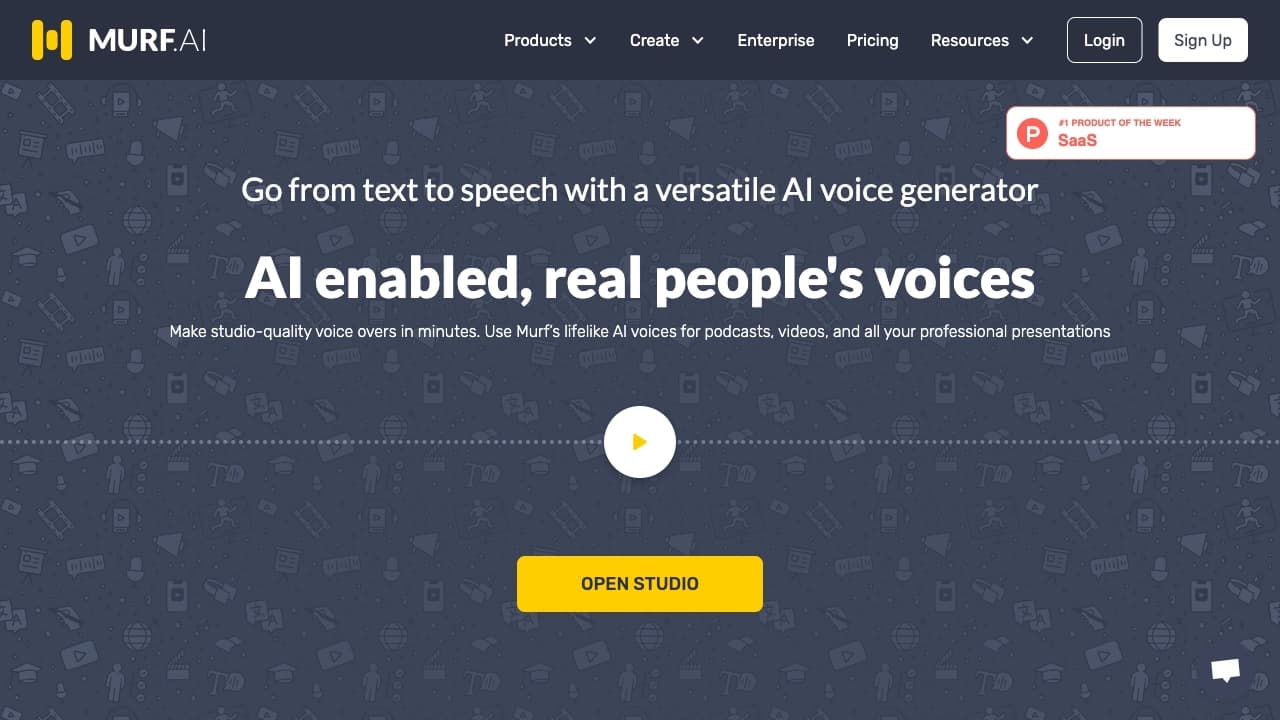
Murf AI is a cloud-based text-to-speech (TTS) platform powered by artificial intelligence. The service lets you create realistic voiceovers without the need to hire professional voice actors or rent studio equipment. The platform is aimed at a wide range of users — from marketers and content creators to educators and business professionals.
With Murf AI, you can add voiceovers to videos, podcasts, presentations, commercials, and educational materials. The system supports flexible adjustment of voice parameters: pitch, speech rate, accents, and intonation. In addition, the platform lets you convert home audio recordings into professional voiceovers and includes tools for collaborative work on projects.
Underlying Technology
At its core, Murf AI uses deep learning models that analyze text and generate speech with intonation and emotional coloring. The neural network can take punctuation, text markup, and user-defined parameters into account to make the output sound as close to a natural human voice as possible.
Cloud Architecture
The service runs entirely in a web browser, requires no additional software installation or powerful hardware — all processing is done server-side. Users only need an internet connection and an account on the platform.
Murf AI Specifications
| Characteristic | Value |
|---|---|
| Type | Cloud-based speech generation platform |
| Category | Text voiceover, voice generation |
| Number of voices | More than 200 |
| Number of languages | More than 20, including Russian, English, Spanish, French |
| Format | Web version (no standalone app available) |
| Distribution model | Freemium (free tier with limitations) |
| Russian interface availability | Not available |
Who Is Murf AI For?
Content Creators and Marketers
Murf AI is suitable for YouTube creators, SMM specialists, and marketers who need quick, high-quality voiceovers for commercials, reviews, promo videos, and posts. The platform lets you experiment with different voices and settings without hiring voice actors.
Educational Projects and Business
The platform is convenient for educators and online course authors, as well as business users creating presentations, instructions, and training materials. The built-in translator enables automatic text localization, making it easy to adapt content for an international audience.
Developers and Individual Users
Individual users can use Murf AI to voice audiobooks, podcasts, or personal projects. With a wide selection of voices and languages, the service suits both mass-market and niche content.
How to Use Murf AI?
Registration and Login
To get started, you need to register (log in) on the service website. After creating an account, users get access to the web version of the platform.
Working with Text and Voice
The workflow is simple: enter or upload text into the editor, choose a suitable voice from the catalog (more than 200 options), adjust speed, pitch, accent, and pauses, then start audio generation. The finished result can be previewed, downloaded, or used in a project.
Collaboration
The platform supports collaborative features: users can invite colleagues to edit projects together, which is especially useful for team content creation.
Key Features of Murf AI
Text-to-Speech with Customization
The main function of the service is generating speech from text with extensive customization options. Users can adjust intonation, speaking rate, place accents, and control pauses to achieve the desired sound.
Multilingual Support and Automatic Translation
Murf AI supports more than 20 languages, including Russian, English, Spanish, and French. The service has a built-in translator that automatically localizes text into different languages and immediately voices it with an appropriate voice.
Voiceover for Various Content Formats
The platform is suitable for generating audio for videos, podcasts, presentations, commercials, and audiobooks. It also offers a feature to convert home voice recordings into high-quality voiceovers.
Advantages of Murf AI
No Need for Studio Equipment
Murf AI completely eliminates the need for expensive microphones, soundproofing, and professional voice actors. All work is done through a browser, and the result is comparable in quality to a studio recording.
Flexible Voice Customization
Users can fine-tune speech parameters: change pitch, speed, accent, intonation, and pauses. This allows the voice to be adapted to a specific content type and target audience.
Support for Multilingual Translations
The built-in automatic text localization simplifies the creation of multilingual content. There is no need to switch between services — translation and voiceover are done in one window.
Disadvantages of Murf AI
No Russian-Language Interface
At the time of available reviews, the platform interface is not translated into Russian. This may create difficulties for users who do not speak English or other supported interface languages.
Web-Only Access
There is no dedicated desktop or mobile app for Murf AI. A constant internet connection and access to the service website are required.
What Tasks Does Murf AI Solve?
- Audiobook voiceover —
Frequently asked questions
Similar AI tools







See also


AI-powered platform for generating, editing images, and creating advertising creatives.

Diagram and chart generator from uploaded data based on a natural language text description.
Online platform for preparing for the Duolingo English Test with an extensive question bank and AI-powered answer scoring.

Online service for creating and customizing birthday invitations and congratulations using artificial intelligence.


AI platform for automating video editing, including face replacement, video translation, and avatar creation.


AI language teacher in the form of a browser extension and web service for practice, translation, and explanation of language materials.


BannsAi is an AI-powered service for quickly creating ad banners based on a text description or reference.

Platform for creating custom AI chats trained on your own business data.