

Free AI Presentation Maker
Tool for generating ready-made presentations based on the user's topic, audience, and goals.
Overview
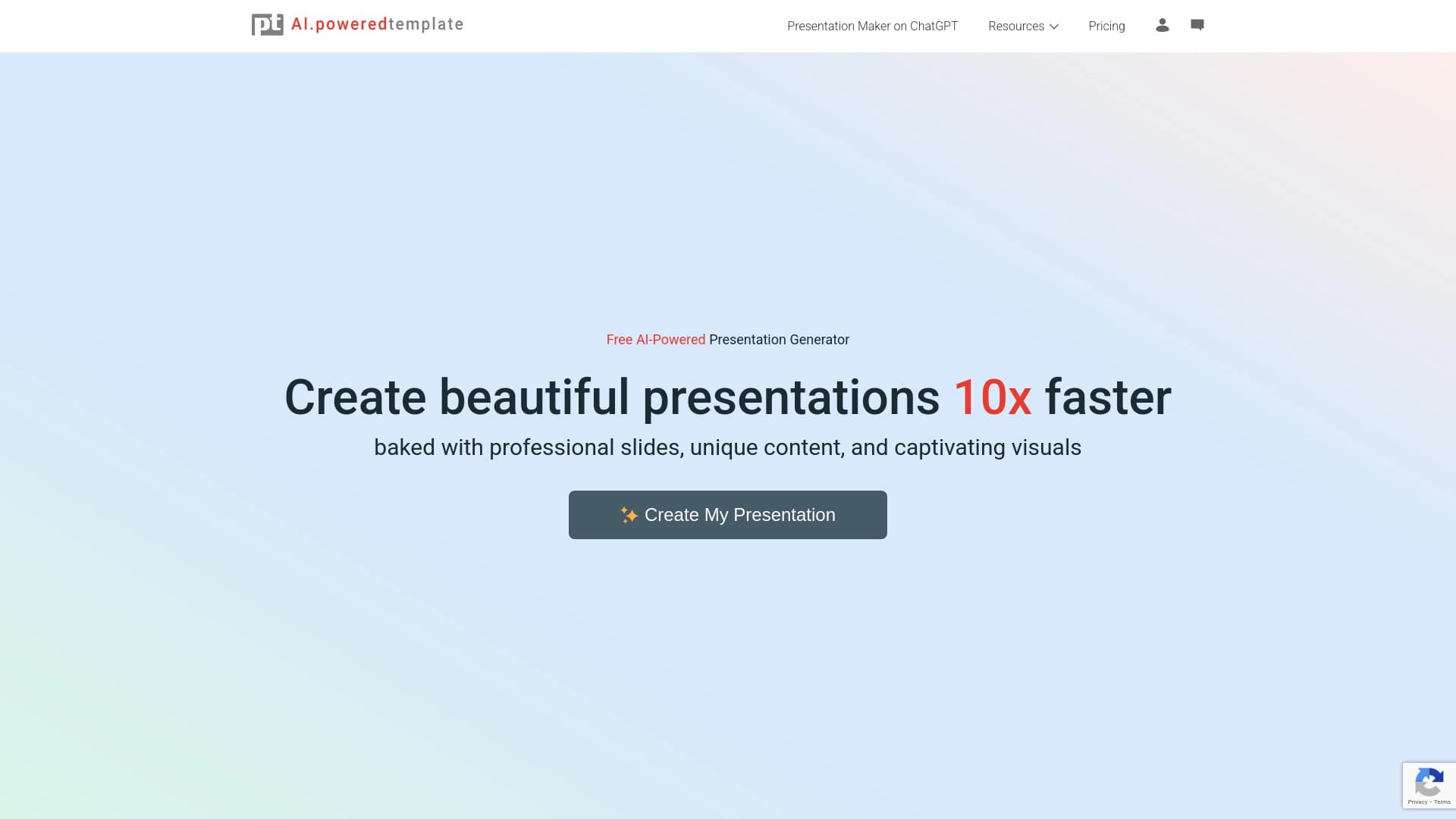
Free AI Presentation Maker is a web-based tool from PoweredTemplate that automates the process of creating presentations. Instead of manually laying out slides and planning the structure, the user simply describes the task: the AI independently generates the content and design. The service is positioned as a free generator operating on a freemium model.
The workflow is built on a few simple steps: you enter a topic, specify the target audience and goals, optionally choose a design you like, and the AI then produces the finished material. The completed presentation can be downloaded in PPT format (for PowerPoint) or as Google Slides, and then refined manually — adding corporate colors, changing text, or adding slides.
The tool is available online through a browser and requires no additional software installation. The service's primary audience (according to catalog data) is based in Venezuela (18.7%), Indonesia (17.85%), Germany (8.56%), India (7.02%), and Italy (6.55%). The service was added to the AI tools catalog in March 2025, and currently has no user reviews yet.
Free AI Presentation Maker Features
| Feature | Value |
|---|---|
| Type | AI Presentation Generator |
| Categories | AI Graphic Design, AI Design Assistant, AI Presentation Generator, AI Education Assistant, AI Healthcare, AI Sports Betting |
| Platform | Web |
| Developer | PoweredTemplate |
| Date Added to Catalog | March 2025 |
| Free Tier Available | Yes (freemium) |
| Average Rating | 0/5 (no reviews) |
| Download Formats | PowerPoint (PPT), Google Slides |
| Primary Audience | Venezuela (18.7%), Indonesia (17.85%), Germany (8.56%), India (7.02%), Italy (6.55%) |
Who Is Free AI Presentation Maker For?
Educators and Teachers
The service helps quickly prepare lecture materials, course modules, and visual aids. Instead of spending hours on slide design, an instructor spends a couple of minutes describing the topic — the AI handles the rest. This is especially convenient for those teaching multiple courses simultaneously and needing regular material updates.
Business Professionals and Startup Founders
Preparing presentations for business meetings, investor pitches, and management reports takes up a lot of time for managers, analysts, and company founders. Free AI Presentation Maker allows you to quickly assemble a structured presentation and then refine it to corporate standards in PowerPoint.
Specialists in Niche Fields
The tool is designed for a wide range of tasks: healthcare professionals can prepare materials for seminars, financial experts can visualize reports, agronomists can create topic-specific presentations, and sports coaches can build strategic briefings for their teams.
How to Use Free AI Presentation Maker?
Step 1: Describe Your Task
Launch the generator and enter the topic of your presentation. Specify the intended audience (e.g., students, investors, colleagues) and your goals: to educate, sell, report, or inspire. The more precisely you describe the task, the more relevant the generated content will be.
Step 2: Choose a Design
The system offers a wide selection of design themes. Choose a suitable layout — you don't need to be overly meticulous at this stage, as the final presentation can be edited after generation.
Step 3: Generate and Download the Result
Wait for the generation to finish. The AI will create slides with text content and structure. Then download the file in PowerPoint or Google Slides format to make final adjustments: refine wording, add branded elements, or replace images.
Key Features of Free AI Presentation Maker
AI Content Creation
The AI handles generating the textual content of the slides. Based on the entered topic and goals, it creates a logical structure, headings, and key points that form the foundation of the presentation.
Wide Selection of Design Themes
Users have access to various design options. This allows adapting the presentation's appearance to a specific task — from strict corporate styling to more creative solutions.
Fast and Simple Setup
The tool's interface is optimized for speed: the process from entering a prompt to receiving a finished file takes minimal time and requires no technical skills.
Download in PPT and Google Slides Formats
The result can be exported in two popular formats. This provides flexibility for further work: the presentation can be opened in classic PowerPoint or edited further in the cloud-based Google Slides service.
Advantages of Free AI Presentation Maker
Saves Time and Money
Creating a presentation manually is hours of work. The generator solves this task in minutes, and the free tier allows you to avoid spending budget on expensive designers and specialized software.
Professional Quality and Design
The AI adheres to basic principles of composition and typography, so the resulting presentations look neat and professional even without manual refinement.
High Customizability
Since the file is exported in editable formats, users have full control over the final look of the slides. You can change text, colors, fonts, add slides and images — essentially using the generated version as an advanced template.
Versatility of Use
The tool suits various fields: from education and healthcare to finance, sports, and agriculture. This makes it useful for a wide range of professionals.
Drawbacks of Free AI Presentation Maker
Currently, there is no information in public data about significant drawbacks of the service, as the tool has no user reviews or ratings yet. The absence of ratings makes it impossible to draw objective conclusions about operational stability, generation speed, or content quality in practice. It's also worth noting that the claimed freemium model may imply limitations on the free tier, but the exact terms and limits are not disclosed in available sources.
What Tasks Does Free AI Presentation Maker Solve?
Educational and Medical Materials
The tool allows preparing presentations for lectures, seminars, and training programs. Healthcare professionals can use it to create visual materials on clinical cases, new treatment methods, or research findings.
Business Communication and Startups
For businesses, the service handles preparing slides for meetings, briefings, and negotiations. Startup founders can use the generator to create investor pitches, while financial experts can use it to visualize reports and analytical data.
Industry-Specific Use Cases
The service covers non-standard requests: agronomists can create yield overviews or agrotechnical recommendations, while sports coaches can prepare strategic briefings with tactical analysis before matches.
Free AI Presentation Maker Pricing
The exact cost of paid plans for Free AI Presentation Maker is not specified in available sources. It is known that the service operates on a freemium model: the basic version of the tool is distributed free of charge (as implied by the product name), but access to advanced features likely requires a paid subscription or purchasing AI credits. Users are advised to visit the official PoweredTemplate website for up-to-date information on pricing, free tier limits, and available plans.
Terms of Use for Free AI Presentation Maker
The service is available online through a web browser, eliminating the need to install software on your computer. Using the tool requires a stable internet connection. Since this is a generator with an AI credit system, users will likely need to register on the platform and create an account. The exact terms of use, including restrictions on commercial use of generated materials and content generation rules, are currently undisclosed. It is recommended to carefully review the user agreement on the official website before starting.
Availability of Free AI Presentation Maker
User Geography
The service is available worldwide. According to traffic statistics, the largest share of users comes from Venezuela (18.7%), Indonesia (17.85%), Germany (8.56%), India (7.02%), and Italy (6.55%). This indicates international reach and no strict ties to a specific region.
Technical Aspects
The platform is fully web-based, ensuring accessibility from any device — desktop computer, laptop, or tablet — with a modern browser. An internet connection is all that's needed to work, making the tool convenient for remote teams and professionals who are frequently on the go.
How Free AI Presentation Maker Differs from Alternatives
Emphasis on Free Use
Unlike many competitors that offer only a limited free trial, Free AI Presentation Maker is positioned as a free tool in its basic version (freemium). This is not typical of all services in the category — for example, some alternatives are immediately oriented toward paid subscriptions.
Download Format and Compatibility
Many presentation generators restrict export to proprietary formats or offer only one download option. Free AI Presentation Maker supports downloading in both PowerPoint (PPT) and Google Slides formats. This flexibility allows working with the result in familiar office tools without needing to learn new software.
Functional Scope Features
The tool covers a fairly wide range of tasks — from educational and business to niche scenarios (healthcare, sports, finance). Among competitors, Canva or Visme stand out similarly. Nevertheless, PoweredTemplate's specialized focus on on-demand generation and broad task categorization is a distinguishing feature compared to more universal tools. It should be noted that more mature competitors (Beautiful.ai, Slidebean, Design.ai) typically have more user reviews and accumulated data on work quality, while Free AI Presentation Maker is just entering the market.
Conclusion
Free AI Presentation Maker from PoweredTemplate is a promising web-based tool for quickly creating professional presentations from a text prompt. The service's main strength lies in its versatility: it suits teachers, businesspeople, healthcare professionals, coaches, and experts across various fields. The tool saves time and eliminates routine work by offering ready-made structure and content, while the ability to export to PowerPoint and Google Slides makes the result easy to customize further. The freemium model and the claimed free basic version make the service accessible to a wide audience, especially those unwilling to overpay for expensive alternatives. The tool has no accumulated review base yet, so fully assessing its reliability is currently impossible. However, the concept, ease of use, and reputable developer provide reason to believe the service can become a worthy alternative to more established competitors. The tool is worth testing for anyone who regularly needs to create presentations and values their time.
Frequently asked questions
See also


AI service for automatically selecting music to match the mood of videos, images, or text, with legal licenses.

AI assistant that analyzes uploaded study documents, identifies questions, and provides detailed explanations.


AI-based platform for creating logos and brand identity.

AI-powered online image editor for removing objects, replacing backgrounds, and enhancing photos.


AI-powered online service for automatically creating presentations from text, PDF, audio, video, or URL links.


Online editor for removing unwanted objects, text, and defects from photos using a neural network.


Open neural network for solving complex problems in mathematics, programming, and logic.


AI-based service for automatic generation of text content in various formats.