

Looka
Платформа на основе ИИ для создания логотипов и фирменного стиля.

Место в рейтингах
Обзор
Looka
Описание нейросети Looka
Looka — это онлайн-платформа на основе искусственного интеллекта для создания логотипов и разработки фирменного стиля бизнеса. Сервис позволяет пользователям генерировать уникальные варианты логотипов на основе названия компании, выбранной отрасли и стилевых предпочтений. После генерации дизайна встроенный редактор даёт возможность настраивать шрифты, иконки и цвета, причём интерфейс подсвечивает гармоничные сочетания элементов. Когда дизайн утверждён, Looka автоматически собирает готовый бренд-кит, включающий шаблоны для визиток, обложек социальных сетей и email-рассылок. Экспорт файлов доступен в форматах с правильными цветовыми профилями для печати, а также в форматах для цифрового использования.
Характеристики Looka
| Характеристика | Значение |
|---|---|
| Тип | Генератор логотипов, Помощник дизайнера |
| Бизнес-модель | Freemium |
| Стоимость премиум-доступа | от $20 |
| Категории | Генераторы логотипов, Помощник дизайнера |
| Платформы | Веб (looka.com) |
| Бесплатный тариф | Да (создание и просмотр логотипов бесплатно, скачивание в высоком разрешении — платно) |
Для кого подходит нейросеть Looka?
Владельцы малого бизнеса и стартапов
Looka ориентирована в первую очередь на предпринимателей, которые хотят получить профессиональный логотип и базовый фирменный стиль без найма графического дизайнера. Сервис позволяет быстро создать узнаваемый бренд на начальном этапе развития компании.
Фрилансеры и самозанятые
Для специалистов, работающих на себя, Looka даёт возможность оформить визуальную идентичность без крупных вложений. Достаточно нескольких минут, чтобы получить готовый набор материалов для представления бренда клиентам и партнёрам.
Недизайнеры, нуждающиеся в брендинге
Looka подходит людям без опыта в графическом дизайне. Алгоритм берёт на себя подбор сочетаний шрифтов, иконок и цветов, а интерфейс даёт подсказки по удачным комбинациям, что снижает порог входа в создание фирменного стиля.
Как использовать нейросеть Looka?
Ввод данных и выбор предпочтений
Пользователь начинает с ввода названия компании и выбора отрасли. Затем нужно указать стилевые предпочтения, цвета и символы, которые должны отражать характер бизнеса. На этом этапе можно выбрать несколько вариантов стилей из предложенных.
Генерация и настройка логотипа
После ввода всех параметров нейросеть генерирует несколько вариантов логотипа. Пользователь выбирает понравившийся макет и переходит в редактор, где можно менять шрифты, иконки, цвета и композицию. Редактор подсвечивает удачные сочетания, помогая избежать визуального диссонанса.
Создание бренд-кита и экспорт
После финализации дизайна открывается доступ к бренд-киту. Looka автоматически создаёт набор шаблонов для визиток, обложек социальных сетей и писем. Все шаблоны используют выбранные цвета и шрифты, и при изменении основного цвета в настройках бренда они обновляются автоматически. Файлы можно экспортировать в форматах SVG (для печати), PNG (для сайтов) и с прозрачным фоном.
Основные функции Looka
Генерация логотипов на основе предпочтений
Алгоритм анализирует название компании, отрасль и выбранные стилевые настройки, после чего предлагает несколько вариантов логотипа. Пользователь может просмотреть десятки вариантов и выбрать наиболее подходящий.
Интеллектуальный редактор с подсказками
Встроенный редактор не просто позволяет менять элементы дизайна, но и даёт визуальные рекомендации по сочетанию шрифтов, иконок и композиции. Интерфейс подсвечивает гармоничные комбинации, помогая создать профессиональный вид даже без опыта в дизайне.
Создание полного бренд-кита
Looka объединяет готовый логотип с выбранными цветами и шрифтами в единый фирменный набор. Сервис автоматически генерирует шаблоны визиток, обложек для социальных сетей (Instagram Stories, YouTube-баннер и другие), стилей для email-рассылок и подписей электронной почты.
Подготовка к печати и экспорт
Файлы экспортируются с правильными цветовыми профилями и разрешением, подходящим для печати. Доступны форматы SVG и PNG, в том числе с прозрачным фоном. Дополнительно Looka предоставляет реалистичные макеты (например, на ручке или футболке) для оценки дизайна до запуска в производство, а также руководство по стилю с точными кодами цветов и названиями шрифтов.
Преимущества Looka
Скорость создания логотипа
Создание профессионального логотипа занимает несколько минут. Пользователю не нужно ждать ответа дизайнера или тратить время на сложные программы — достаточно ввести данные и выбрать понравившийся вариант.
Отсутствие необходимости в навыках дизайна
Looka не требует опыта работы в графических редакторах или знания основ композиции. Алгоритм самостоятельно подбирает гармоничные сочетания, а интерфейс даёт понятные подсказки на каждом этапе.
Оригинальные дизайны под запрос пользователя
Сервис генерирует уникальные варианты логотипов, адаптированные под конкретные предпочтения пользователя — выбранные стили, цвета и символы. Это позволяет получить не шаблонное, а персонализированное решение.
Доступность онлайн без установки
Вся работа происходит в веб-браузере на сайте looka.com. Не требуется установка программного обеспечения, что делает сервис доступным с любого устройства с выходом в интернет.
Недостатки Looka
Основной недостаток Looka связан с моделью распространения freemium: создавать и просматривать логотипы можно бесплатно, но для скачивания в высоком разрешении требуется оплата. Также платформа, как и любой автоматизированный генератор логотипов, может не обеспечить ту глубину проработки бренда, которую предлагает профессиональный дизайнер при индивидуальной работе. Информация о других ограничениях сервиса в исходных данных не указана.
Какие задачи решает Looka
Создание логотипа для бизнеса без найма дизайнера
Looka решает задачу получения профессионального логотипа для предпринимателей, которые не могут позволить себе нанять графического дизайнера или нуждаются в быстром результате. Сервис самостоятельно генерирует варианты дизайна на основе введённых данных.
Разработка единого фирменного стиля
Платформа помогает сформировать цельную визуальную идентичность: подбирает палитру, шрифты и композицию, а затем объединяет их в бренд-кит. Это исключает ситуацию, когда разные материалы бренда выглядят разрозненно.
Подготовка маркетинговых материалов
Looka автоматически создаёт шаблоны визиток, обложек для социальных сетей, стилей для email-рассылок и подписей писем. Пользователь получает готовый набор материалов для продвижения, не тратя время на их отдельную разработку.
Экспорт файлов для разных носителей
Сервис решает задачу подготовки файлов, оптимизированных для различных носителей — от фавиконов до печатных баннеров. Форматы включают SVG для печати и PNG для цифрового использования, с правильными цветовыми профилями.
Цены Looka
Looka работает по модели Freemium. Бесплатная версия позволяет создавать и просматривать логотипы без ограничений. Для скачивания готового логотипа в высоком разрешении требуется оплата — стоимость начинается от $20. Точная информация о наборе функций, входящих в платный тариф, и о возможных дополнительных опциях в исходных данных не указана.
Условия использования Looka
Looka — это веб-сервис, доступный через браузер на сайте looka.com. Для начала работы не требуется установка дополнительного программного обеспечения. Бесплатная версия позволяет создавать и просматривать логотипы, но скачивание файлов в высоком разрешении доступно только после оплаты. Подробные условия использования, включая политику возврата и правила коммерческого использования созданных дизайнов, в исходных данных не описаны.
Доступность Looka
Looka является полностью онлайн-платформой и доступна через веб-интерфейс на looka.com. Сервис работает в браузере и не требует установки на компьютер. Информация о мобильных приложениях или офлайн-режиме в исходных данных не указана. Поскольку это веб-сервис, для работы необходимо стабильное подключение к интернету.
Чем отличается Looka от аналогов
Looka выделяется среди аналогичных сервисов прежде всего своим комплексным подходом к брендингу. В отличие от простых генераторов логотипов, которые предлагают только один файл, Looka после создания дизайна автоматически собирает полный бренд-кит с шаблонами для визиток, социальных сетей и email-рассылок. Дополнительно сервис включает автоматическое обновление всех шаблонов при изменении основного цвета в настройках бренда, что упрощает поддержание единого стиля. Ещё одна отличительная особенность — интеллектуальный редактор с подсказками по сочетанию шрифтов, иконок и композиции, а также возможность визуализации дизайна на реальных объектах (ручка, футболка) до запуска в производство.
Заключение
Looka — это веб-платформа на базе искусственного интеллекта для создания логотипов и разработки фирменного стиля. Сервис позволяет предпринимателям и владельцам малого бизнеса быстро получить профессиональный логотип и полный набор маркетинговых материалов без найма дизайнера. Бесплатная версия даёт возможность создавать и просматривать логотипы, а оплата требуется только для скачивания файлов в высоком разрешении. Looka подходит тем, кто ценит скорость и простоту создания визуальной идентичности бренда.
Тарифы
Часто задаваемые вопросы
Похожие нейросети





Смотрите также

Облачная AI-платформа для автоматизации контроля чистоты в офисах и мониторинга действий сотрудников.


Набор инструментов для генерации и редактирования видео с помощью ИИ, включая аватары, липсинк и клонирование голоса.


Онлайн-сервис на базе ИИ для быстрого создания презентаций по заданной теме или загруженному документу.

Платформа для создателей контента, объединяющая управление ссылками, email-маркетинг, онлайн-магазин и аналитику в одном визуальном редакторе без программирования.


Сервис на базе ИИ для автоматического создания «безликих» коротких видео для TikTok, YouTube Shorts и других платформ.


Платформа с искусственным интеллектом для поддержки пользователей в приложениях, включающая чат-бота и тикет-систему.
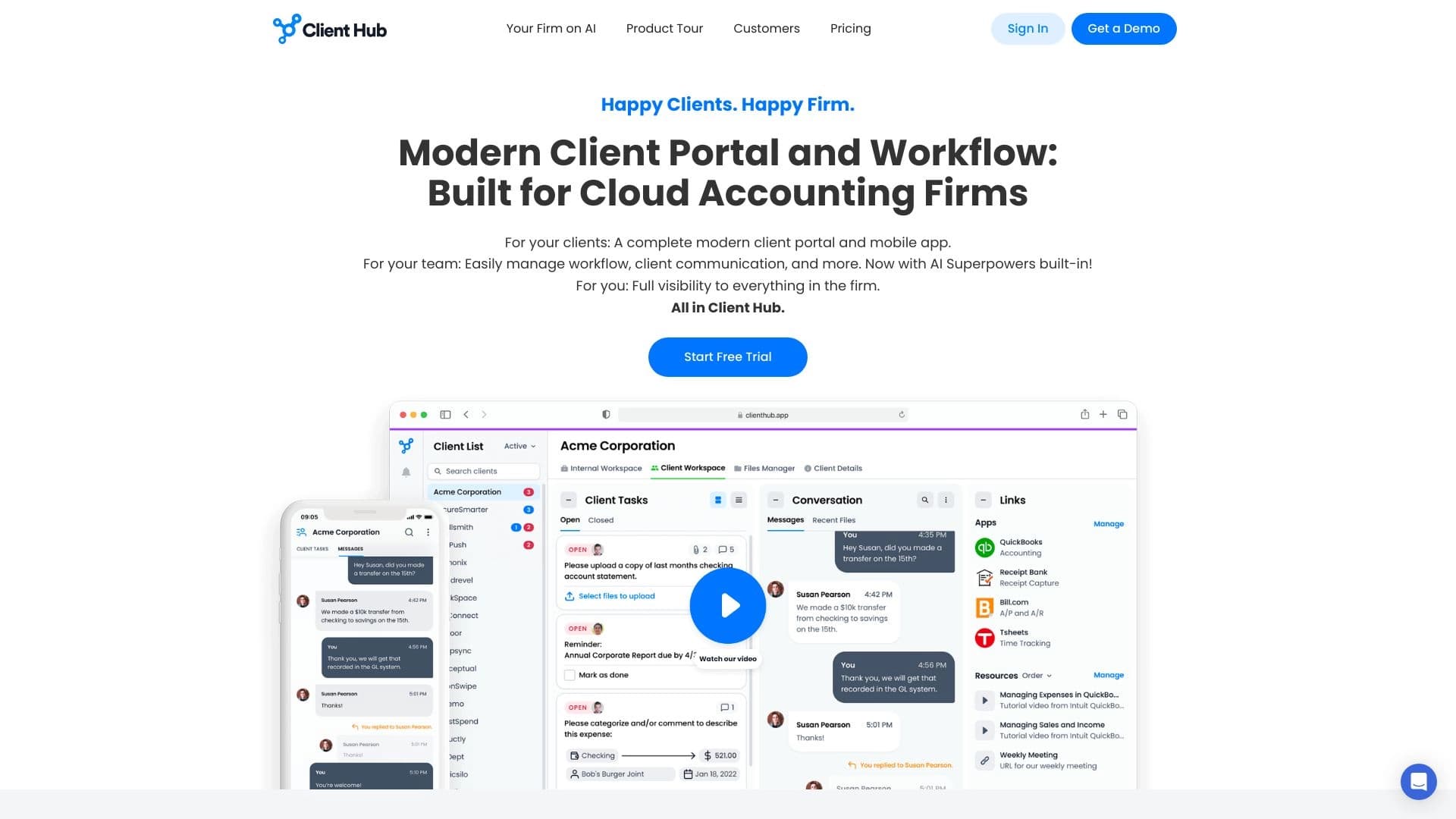
Платформа для бухгалтеров, объединяющая управление задачами, обмен файлами и общение с клиентами в одном интерфейсе.


AI-платформа для автоматического планирования рабочего дня, управления задачами и приоритезации дел.