
Floot
AI platform for creating web applications and websites without code based on a text description of your idea.
Overview
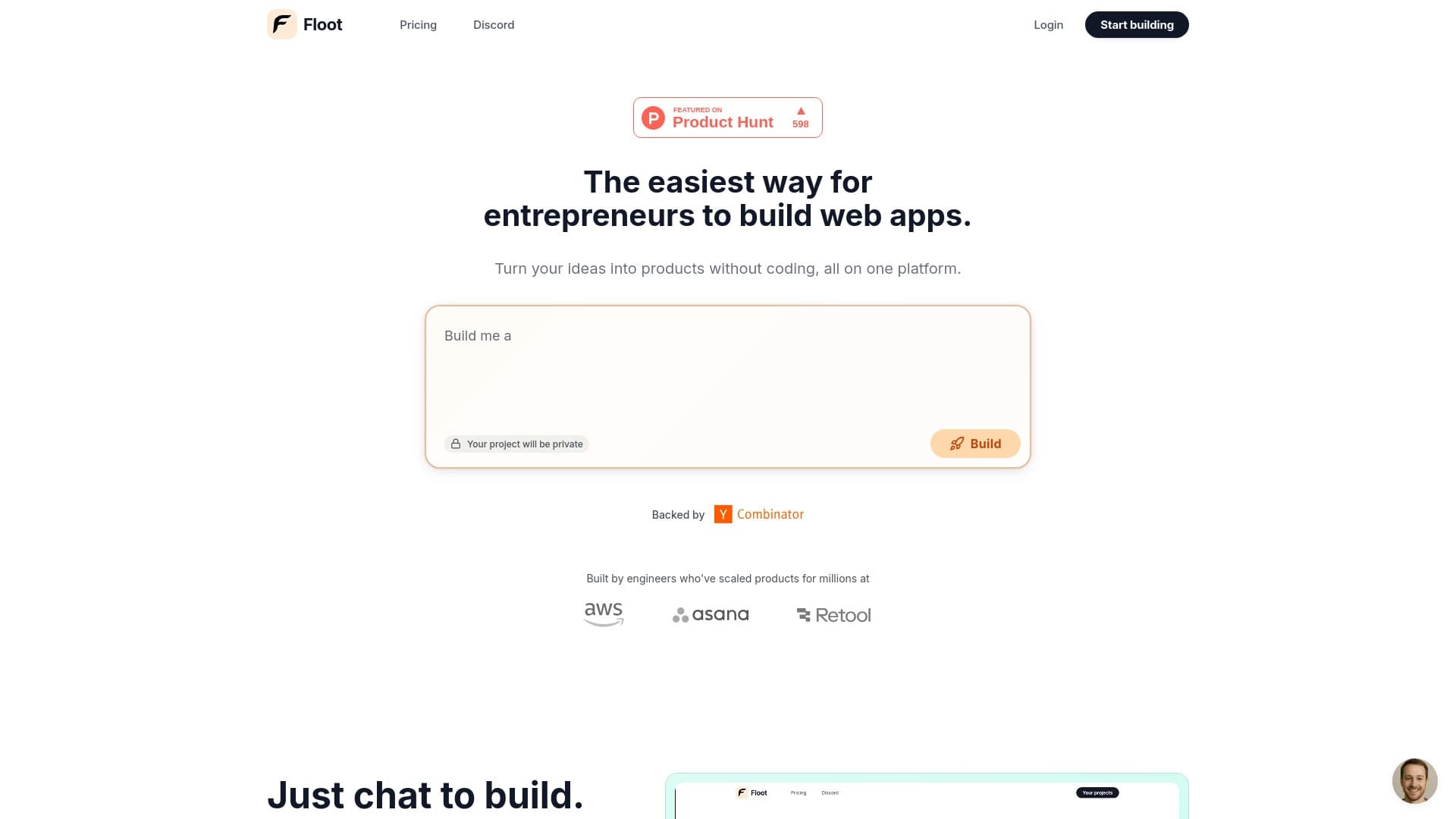
Floot is an AI builder for creating web applications and websites without writing code. The platform works on the principle of text-based idea description: the user formulates their concept in a chat, and the system automatically generates the structure, pages, interfaces, and logic of the future product. In this way, Floot acts as a bridge between an entrepreneurial idea and a working prototype that can be immediately tested or launched into production.
The platform's key feature is the ability to refine a project not only through dialogue with the AI but also visually. The user can outline an element, draw an arrow, or point to an area of the interface, and the system will make the corresponding changes on its own. This makes the editing process intuitive even for people far from programming.
Floot Characteristics
| Characteristic | Value |
|---|---|
| Type | AI builder for web applications and websites without code |
| Category | No-code and Low-code platforms, website and landing page builders |
| Business model | Freemium |
| Website | floot.com |
| Availability | Web platform |
| First publication date | December 16, 2025 (according to one of the sources) |
| Working format | Text-based idea description + visual editing |
| Built-in tools | Hosting, database, backend, user management, payment processing |
| Project ownership | Code and data belong to the user, export is possible |
Who is Floot suitable for?
Entrepreneurs and startup founders
Floot is primarily aimed at entrepreneurs and startup founders who want to quickly test a business hypothesis without involving developers. Instead of spending weeks hiring a team and writing code, you can get a working prototype in a short time and assess audience interest.
Beginners and people without programming skills
The platform is suitable for those who have never written code and are not familiar with web development. It's enough to be able to articulate your thoughts in text — the AI handles the rest. Visual editing through element outlining and arrows allows you to make changes without diving into technical details.
Experienced developers looking to speed up routine tasks
Although Floot is positioned as a no-code tool, it can also be useful for developers. Quickly creating MVPs, internal dashboards, and standard solutions saves time and allows you to focus on more complex tasks without spending resources on standard elements.
How to use Floot?
Step 1: Describe your idea in the chat
Start with a simple text description of what you want to get. This could be a one-page landing page, an online store, an internal business tool, or a simple SaaS product. Based on this description, the system automatically generates the application structure, pages, interfaces, and working logic.
Step 2: Make changes through dialogue
Refining the project happens through the same chat. You can ask the AI to change element placement, add new blocks, change the color scheme, or adjust functionality. The platform understands natural language, so your phrasing can be as simple as possible.
Step 3: Edit visually
Floot supports a visual editing method: outline the element you want to change, or draw an arrow pointing to the problem area. The system will figure out what you mean on its own and make the corresponding adjustments to the project.
Floot's main features
App generation from text descriptions
The platform's core functionality is turning a plain text description into a working web application or website. The system determines the structure, required pages, and interaction logic, eliminating the need to think through technical details. This allows you to create landing pages, internal business tools, MVPs, dashboards, and simple SaaS products.
Visual editing
You can edit the created project directly on the screen. The element outlining and arrow drawing feature lets you make changes intuitively, without resorting to text commands. This speeds up the interface refinement process and makes it accessible to non-technical users.
A complete set of launch tools
The platform already includes everything needed to launch a product: hosting, database, backend, user management, monitoring, and payment processing. Additionally, the system provides automatic error fixing, auto-scaling under load, fast page loading, backups, and secure connections. This means that after creating a project, you don't need to configure third-party services — everything works out of the box.
Export and project ownership
Despite the built-in hosting and infrastructure, Floot gives the user full control over the code and data. The project can be exported at any time, giving you freedom of action: you're not tied to the platform and can move the product to any other environment.
Floot's advantages
Low barrier to entry
Floot significantly lowers the barrier to creating web products. No knowledge of programming languages, web application architecture, or server setup experience is required. An idea expressed in words is all you need to get started. Thanks to this, entrepreneurs can focus on the essence of the product rather than the technical implementation.
Speed of product creation
The "idea → working prototype" cycle is reduced to a minimum. Instead of weeks or months of development, a prototype can be ready in minutes. This radically accelerates hypothesis testing and market validation of new products. The more experiments you can run in a short period, the higher your chances of finding a solution that truly works.
A comprehensive launch solution
Floot includes all the necessary tools for launching a product: hosting, database, backend, user management system, and payment processing. You won't have to separately set up a server, connect a payment gateway, or worry about security — all of this is already provided by the platform. Technical support from former AWS, Google, and Stripe engineers adds extra value.
Full ownership rights
One of the key advantages is the user's right to the project's code and data. You can export your project at any time and use it outside the platform. This solves a common problem with no-code services, where users are often dependent on closed infrastructure.
Floot's disadvantages
The available sources do not mention any significant drawbacks of the platform. There is no data on functional limitations, restrictions of the free tier, or technical difficulties in use. This is likely because user reviews and critical analysis have not been published in the reviewed materials.
There is insufficient information about how the platform handles complex projects, what the limits are on data volume and user numbers. The privacy policy regarding the use of AI to process commercial ideas and business data is also unclear.
What problems does Floot solve?
Rapid MVP and prototype creation
Floot is optimized for testing business hypotheses. If you have a product idea but aren't sure it's in demand, you can quickly build a working prototype and offer it to your target audience. Based on the feedback received, you can refine it or close the project and move on to the next idea. This approach minimizes costs at the earliest stage of entrepreneurship.
Building internal tools
The platform is suitable for creating internal dashboards and tools for business. Companies can automate routine operations without involving developers: a task management system, a metrics tracking dashboard, internal document flow, or an admin panel for data management. This reduces costs and improves operational efficiency.
Creating commercial projects
With Floot, you can create direct booking websites, online stores, business management systems, and other commercial solutions. Thanks to the built-in payment processing and user management, the platform allows you to launch a full-fledged product that can generate revenue immediately after publication.
Floot pricing
Exact prices for Floot's plans are not specified in the analyzed sources. It is known that the platform operates on a Freemium model, meaning it offers basic features for free and expanded functionality for a fee. For current pricing information, you should visit the official website floot.com.
There is no data on the number of plans, their contents, or the difference in capabilities between the free and paid versions. The lack of such information may indicate that the platform is at an early stage of development or that commercial terms are changing as the service evolves.
Floot terms of use
Registration on the floot.com website is required to use the platform. The terms of use emphasize the user's ownership rights to the created product: the code, data, and intellectual property belong to the user, not the platform. The project can be exported at any time, guaranteeing that the user's work will not be locked in.
The service also includes user support: live chat and phone consultations provided by engineers with experience at major technology companies (AWS, Google, Stripe). This sets Floot apart from many no-code platforms with automated and impersonal support.
Floot availability
Floot is available as a web platform and works through a browser on the official website floot.com. No additional software or plugins need to be installed — just follow the link, register, and start creating projects.
Information about mobile apps or desktop versions is absent from the sources. There is also no data on regional restrictions or supported interface languages. The most reliable way to find out all the details is to visit the product's official website.
How Floot differs from alternatives
The main difference between Floot and most no-code platforms is the combination of generation from text descriptions and visual editing. Many alternatives offer only one of these interaction methods. Floot combines both approaches: you can describe ideas in words and immediately refine the result with intuitive gestures — outlining and arrows.
The second significant difference is the comprehensiveness of the solution. Floot offers not just a tool for creating interfaces, but also the full infrastructure for launch: hosting, database, backend, user management, and a payment system. With most similar services, users have to independently connect third-party solutions for hosting or payment processing.
Ownership rights are also worth noting separately. Many no-code platforms keep users within their ecosystem, not providing access to the project's code or data. Floot, on the other hand, gives full ownership of everything created on the platform and allows exporting the project at any time. This is especially important for serious business projects where data control is critical.
Conclusion
Floot is a no-code tool that allows entrepreneurs and startup founders to quickly create web applications and websites by describing their ideas in a chat with AI. The platform accelerates hypothesis testing, enables the creation of internal business tools and commercial projects without involving developers. The built-in infrastructure (hosting, databases, payment processing), visual editing, and the ability to fully export a project make Floot a comprehensive solution for rapidly launching digital products.
Frequently asked questions
See also


Desktop AI assistant for macOS, Windows, and Linux that launches via hotkey above all windows and combines multiple language models in one interface.


AI-based platform for creating logos and brand identity.

AI platform for fast resume screening that helps recruiters select suitable candidates.

AI-powered toolkit for optimizing workflows and boosting productivity.


Open neural network for solving complex problems in mathematics, programming, and logic.

AI platform for analyzing financial data and supporting investment decisions.


Side AI panel that helps answer questions, work with documents, and generate images.


AI-based service for automatic generation of text content in various formats.