

Flojoy Studio
Cloud platform for hardware testing with a visual interface and real-time reports.
Overview
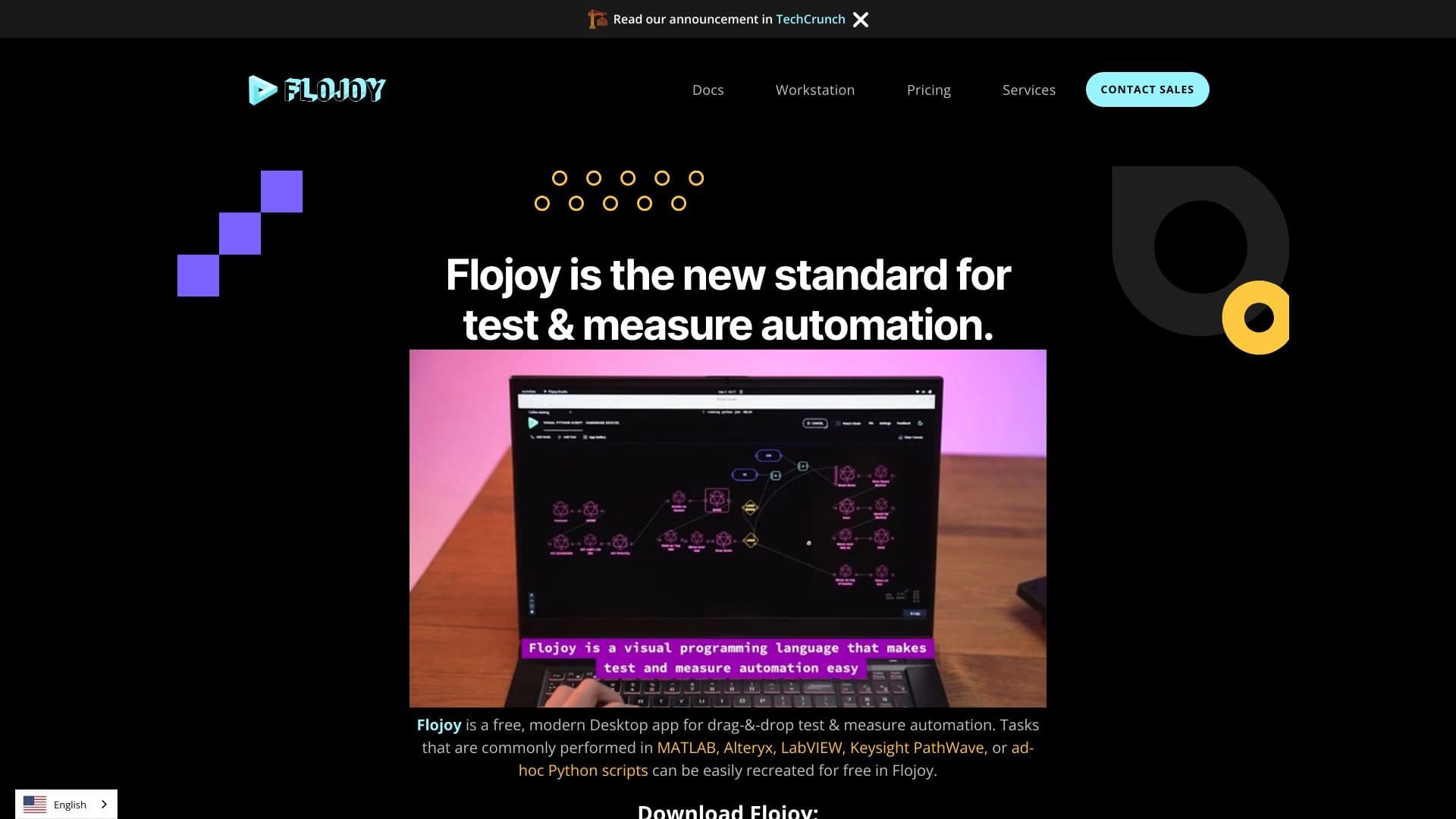
Flojoy Studio is a cloud platform designed for hardware testing. Instead of the traditional approach that requires installing heavy software on a local computer, the service moves the process of setting up and running tests to a web environment. The tool's key feature is a visual interface that lets engineers and developers build device verification scenarios without writing complex code.
The core philosophy of Flojoy Studio is to simplify access to data coming from connected instruments. The system collects information in real time and transforms it into clear reports. This allows teams to identify faults faster, analyze the behavior of components, and make decisions based on up-to-date metrics without leaving the browser or waiting for manual processing of test logs.
Flojoy Studio Characteristics
| Characteristic | Value |
|---|---|
| Platform Type | Cloud service for equipment testing |
| Primary Purpose | Setting up, running, and analyzing hardware tests |
| Interface | Visual, intuitive builder |
| Data Format | Real-time reports |
| Connectivity | Equipment connects to the cloud infrastructure |
| Distribution Model | Not specified (requires clarification from developers) |
Who Is Flojoy Studio For?
Quality Control Engineers
Specialists responsible for verifying electronic components and finished products get a tool for quickly setting up test benches and collecting data. The cloud-based nature of the service allows standardizing testing procedures across different batches of devices.
Hardware Developers
Circuit design engineers and embedded systems developers can use the platform to verify prototypes. The ability to see metrics in real time speeds up iterations during debugging and device refinement.
Technical Leads and Project Managers
Thanks to real-time report generation, management gets a transparent view of the status of tested samples. This simplifies schedule control and the identification of systemic issues without diving into technical details.
How to Use Flojoy Studio
Setting Up the Connection
To get started, you need to connect the equipment under test to the Flojoy cloud platform. The system handles data collection from the instruments, providing users with a single entry point for managing processes.
Designing a Test Scenario
Using the visual interface, the user assembles a logical test scheme. Instead of writing code, control elements are connected on a graphical canvas, making the setup process accessible even to specialists without deep programming knowledge.
Monitoring and Analyzing Results
After tests are launched, data is displayed as clear reports in real time. The user can observe metric changes as they occur, allowing for quick responses to deviations and recording results for later analysis.
Key Features of Flojoy Studio
Visual Test Builder
The platform's key feature is a graphical interface for creating test sequences. The user works with visual blocks and connections, which lowers the entry barrier and reduces configuration errors.
Connecting Equipment to the Cloud
The service provides a link between physical devices and computing resources on the internet. This allows tests to be managed remotely and centrally, as well as collecting data from distributed test benches in one place.
Real-Time Report Generation
The system automatically processes incoming signals and formats them into easy-to-read reports. The user gets an up-to-date picture of the device's status without the delays typical of batch data processing.
Advantages of Flojoy Studio
Reduced Setup Complexity
Eliminating the need to write code manually and using visual elements speeds up test preparation. An engineer needs less time to deploy a new verification scenario.
Up-to-Date Information
Real-time reports allow you to see process dynamics as they unfold. This makes it possible to stop a test instantly when critical deviations are detected, saving resources.
Accessible from Any Device
Since the platform runs in the cloud, all you need to access the control panel is a browser and an internet connection. This provides flexibility for distributed teams and remote employees.
Disadvantages of Flojoy Studio
Dependence on Network Stability
Reliable internet connectivity is required for the service to work fully. In conditions of unstable communication at the test site, data transmission delays or loss of connection to the equipment may occur.
Incomplete Public Information
Currently, there is no open data on pricing plans, specific supported equipment types, or licensing terms. Potential users may need to contact the developers to get the full specification and a commercial proposal.
Limited Offline Functionality
Unlike local applications, Flojoy Studio relies heavily on cloud resources. Without network access, running critical tests may become impossible.
What Problems Does Flojoy Studio Solve?
Remote Test Monitoring
The platform allows you to monitor the progress of tests without the physical presence of an engineer at the bench. Data goes to the cloud, where it can be viewed from anywhere in the world.
Unifying Verification Procedures
Using visual templates and standardized blocks, companies can create a unified testing protocol. This reduces the impact of human error and improves the reproducibility of results across different laboratories.
Accelerating the Development Cycle
The ability to quickly change test configurations and immediately see results in real time reduces iteration time. Engineers can find defects earlier and make design changes faster.
Flojoy Studio Pricing
Currently, there is no public information about subscription costs or one-time fees for using Flojoy Studio. No pricing tiers or price lists are available on the source website. For up-to-date pricing information, potential customers are advised to contact the development team directly through official communication channels.
Terms of Use for Flojoy Studio
Detailed terms of service are not disclosed in public sources. The minimum equipment configuration requirements, the amount of cloud resources provided, and the privacy policy for transmitted test data are unknown. These terms are likely negotiated individually when signing a contract with the provider, as the platform is designed to work with the customer's specific hardware.
Flojoy Studio Availability
Flojoy Studio is positioned as a cloud service, which implies access through any modern web browser. Geographic availability, data center locations, and possible regional restrictions have not been announced at this time. The service appears to be in an active promotion stage, and access to the platform likely requires a request for an invitation or registration on the developer's official website.
How Flojoy Studio Differs from Alternatives
Moving Away from Programming Toward Visualization
The main difference from many classic testing environments is the graphical builder. Competitors often require engineers to know programming languages (e.g., Python, LabVIEW). Flojoy Studio focuses on visually connecting functional blocks, simplifying scenario creation for users without developer skills.
Cloud Architecture
Most traditional solutions for controlling measuring instruments are deployed locally, requiring installation on a computer connected to the equipment. Flojoy Studio moves the computing power and interface to the cloud. This fundamentally changes the interaction model, providing mobility and collaborative remote work, which is rare in previous-generation solutions.
Conclusion
Flojoy Studio represents a modern take on the hardware testing process, offering cloud infrastructure and an intuitive visual interface. The tool is designed for engineers who want to reduce setup time and get instant feedback on device performance. Its main advantage is the shift away from manual coding toward building tests from graphical blocks with real-time result display. At the same time, the platform faces questions about pricing and detailed operating terms, which have not yet been publicly disclosed. Despite this, the concept of cloud-based testing looks promising for teams seeking flexibility and remote control over quality assurance processes.
Frequently asked questions
See also

AllChat is a universal platform that combines several popular language models in a single interface for communication, image generation, file analysis, and code execution.


Chrome extension that helps manage tabs, history, and bookmarks with an AI assistant.


AI toolkit for video generation and editing, including avatars, lip-sync, and voice cloning.


Desktop AI assistant for macOS, Windows, and Linux that launches via hotkey above all windows and combines multiple language models in one interface.

AI agent for automating customer communications and support.


AI platform for fast website creation and small business process management.

AI assistant for business that helps manage tasks and automate routine through dialogue.


Side AI panel that helps answer questions, work with documents, and generate images.