

ChatMind - AI
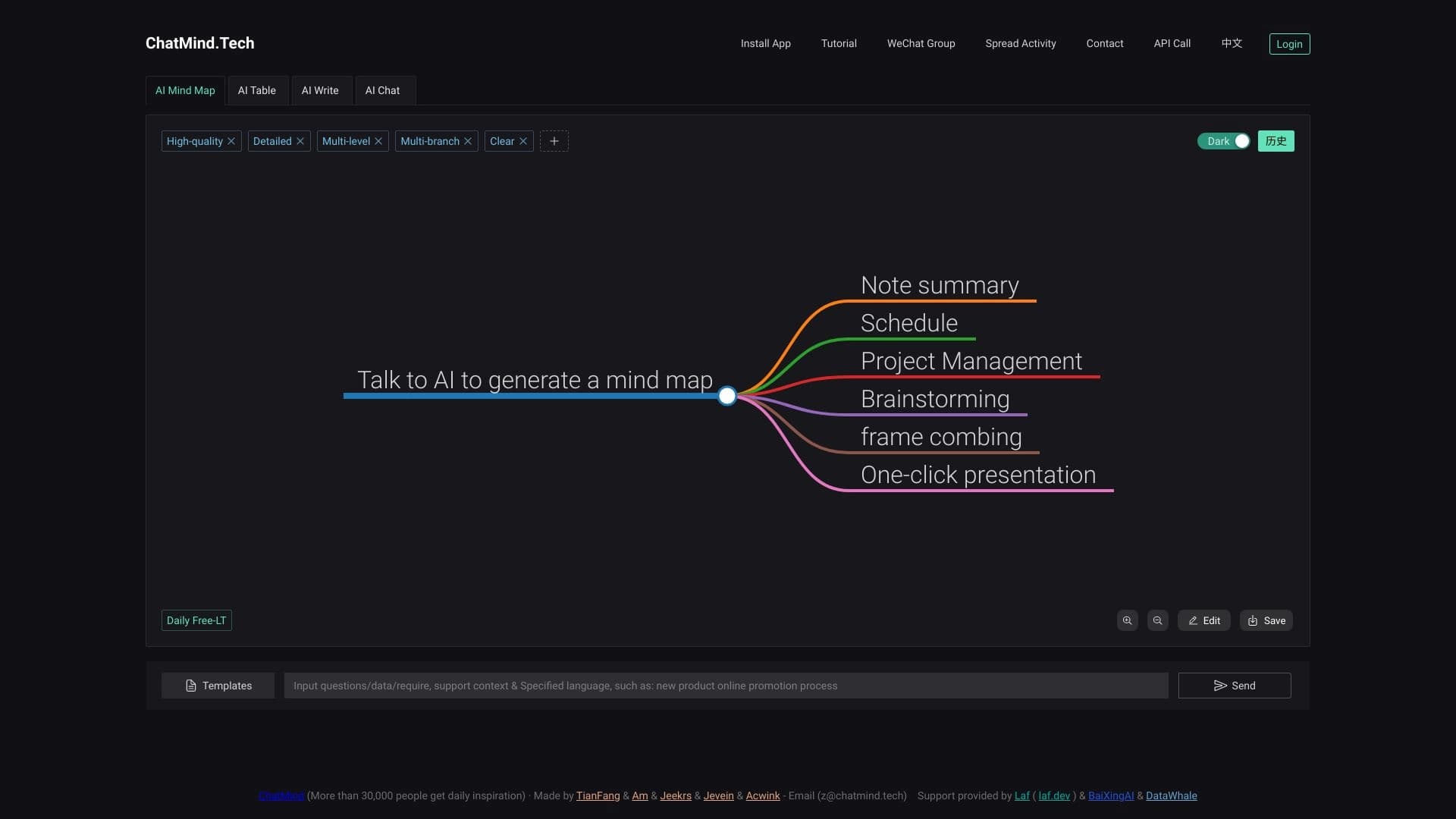
ChatMind turns texts, documents, and links into structured mind maps with AI.
Overview
ChatMind - AI Description
ChatMind - AI is an intelligent service designed to automatically convert diverse content into structured mind maps. The tool is powered by modern language models GPT-3.5, GPT-4, and Gemini, allowing it to process text documents, presentations, videos, and audio recordings, extracting key ideas and points from them. The algorithm then groups these points into logical branches and presents the result as a visual diagram that helps quickly grasp the logic of the material and its main takeaways.
The service works with three types of input data: text documents and files (PDF, Word, PowerPoint), web links (including YouTube videos and podcasts), and direct text input. ChatMind condenses incoming information while preserving its context, providing users with a ready-made mind map that can be edited, exported, or used for team collaboration. This approach makes the tool useful both for quickly summarizing large volumes of information and for planning projects that require data organization.
ChatMind - AI Features
| Feature | Value |
|---|---|
| Category | AI agents, MCP, AI mind mapping, AI map generator, AI meeting assistant |
| Base models | GPT-3.5, GPT-4, Gemini (modern LLMs) |
| Platforms | Web, Android, iOS, browser extension |
| Interface languages | 30+ languages |
| Upload formats | PDF, Word, PowerPoint, YouTube links, URLs, podcasts, meeting recordings, images, audio |
| Map export | Images, PDF, Markdown, SVG, and more |
| Free plan | Not available (free trial offered) |
| Pricing model | Subscription from 9.99 EUR/month (from 5.99 EUR with annual billing) |
| Trial period | No credit card required |
| Data sync | Available across web version, mobile apps, and browser extension |
| Catalog addition date | May 8, 2024 |
Who Is ChatMind - AI For?
Students and Educators
For learners, ChatMind helps structure lecture materials and prepare for exams by turning bulky notes and textbooks into compact visual diagrams. Educators, in turn, can use the service to create clear teaching materials and quickly break down complex topics in class.
Business Professionals and Project Managers
Company employees use the tool for planning business strategies, preparing for meetings, and organizing large volumes of reporting documentation. Project managers can quickly process long meeting videos or call recordings, extracting key decisions and action items.
Researchers and Content Creators
For academics, the service helps summarize research papers and scientific articles, reducing time spent on initial literature review. Content creators use ChatMind to plan episode outlines, scripts, and brainstorming sessions when developing new ideas.
How to Use ChatMind - AI
Step-by-Step Guide
- Go to the ChatMind website or install the mobile app (Android/iOS) or browser extension.
- Register a new account or sign in to an existing one.
- Choose the input type: free text, file upload, or link insertion.
- Upload your content — for example, a PDF document, PowerPoint presentation, or YouTube link.
- Start data processing — the AI automatically analyzes the material.
- Review the generated mind map: edit branches, change the structure, or add your own notes as needed.
- Save the result, share the map with colleagues, or export it in a convenient format.
Key Workflow Features
The service processes content in just a few clicks thanks to support for a wide range of input formats. After processing, the algorithms identify the central topic (the map's root) and distribute secondary points across different branches. Users can further customize the diagram's appearance: change colors, drag branches, and add notes and attachments. For video materials, navigation by timestamps is available — allowing users to jump directly to the video segment corresponding to a specific map element.
Core Features of ChatMind - AI
Mind Map Generation
The core of the service is automatic mind map construction based on uploaded content. The AI identifies key ideas and builds a hierarchical structure with branches and sub-items that reflects the logic of the source material.
Summarization and Document Processing
ChatMind supports summarization of large text volumes (up to 10 million words on the Pro plan). The service processes PDF, Word, and PowerPoint files, as well as audio recordings and images, offering not only map generation but also the ability to interact with content through a built-in chat — asking questions and clarifying details.
Collaboration and Export
Real-time collaboration allows multiple users to edit a single map simultaneously. Completed diagrams can be exported in various formats — images, PDF, Markdown, SVG — and shared with other users or external participants.
ChatMind - AI Advantages
Efficiency and Versatility
- Significantly simplifies understanding of complex information through visualization.
- Improves the quality of brainstorming and strategic planning processes.
- Boosts overall productivity by reducing time spent on note-taking and material review.
- Promotes deeper comprehension of material through clear structural representation.
Technological Capabilities
- Works with numerous formats: documents, videos, audio, images, and web pages.
- Provides accurate transcription, translation, and summarization in 30+ languages.
- Uses advanced language models (GPT, Gemini) for high-quality analysis.
- Includes timestamp navigation in videos and interactive map creation.
- Offers additional features: AI image generation and slide presentation creation.
Accessibility and Flexibility
- Available on the web platform, mobile apps, and browser extension.
- User data syncs across all devices.
- No credit card required for the trial period.
- The system supports hundreds of languages, making it globally applicable.
ChatMind - AI Limitations
Despite its broad functionality, the service has several limitations worth considering. ChatMind does not provide open-source code or a public repository — users cannot modify the system themselves or verify its operation at the code level. Additionally, pricing information on the official website is not presented clearly enough: registration and account creation are required to clarify costs. The service also lacks explicit built-in integrations with popular team communication platforms such as Discord or Telegram, which may be inconvenient for professionals accustomed to working in those channels.
What Problems Does ChatMind - AI Solve?
Educational and Research Tasks
ChatMind is actively used for exam preparation and learning new topics: students upload lecture notes or textbook chapters and receive structured diagrams that are easier to memorize and review. Researchers use the service to summarize scientific articles and research papers, quickly extracting key hypotheses, methods, and conclusions. Processing long video lectures and educational content is also among typical use cases.
Business Processes and Planning
In corporate environments, ChatMind enables clear visualization of strategies and business plans, project milestone planning, and task distribution among team members. The service helps prepare structures for upcoming meetings and presentations, as well as quickly process recordings of past meetings and calls, turning them into a clear list of decisions and next steps. Content creators, in turn, use mind maps to plan publication schedules, video scripts, and brainstorming sessions for new projects.
ChatMind - AI Pricing
The service operates on a subscription model with no fully free tier. Potential users can take advantage of a free trial period that requires no credit card information. Subscription pricing starts at 9.99 EUR per month, with a 40% discount for annual billing, reducing the price to 5.99 EUR per month. Three subscription plans are available, differing in the set of features and resource allowances.
Basic Plan (9.99 EUR/month) includes 1,000 AI credits, PDF, document, and YouTube video summarization, and map export capabilities. Pro Plan (19.99 EUR/month) expands the available functionality: users get more powerful AI models, audio and image summarization support, processing of up to 10 million words, video timestamp navigation, image generation, and a content chat feature. Unlimited Plan (29.99 EUR/month) includes all Pro plan features but removes the AI credit limit — credits become unlimited. Additionally, this plan provides early access to new features, membership in a closed user community, and priority technical support.
ChatMind - AI Terms of Use
Account registration is required to start using the service — this is mandatory for all new users. Activating the free trial does not require credit card details; however, continued use of the service requires selecting a paid plan and subscribing. Subscription pricing starts at 5.99 EUR per month with annual billing, or from 9.99 EUR with monthly billing. Detailed terms for each plan are best confirmed on the official website after registration, as some pricing information is unavailable without creating an account.
ChatMind - AI Availability
ChatMind is available on three main platforms: the web version and mobile apps for Android and iOS. A browser extension is also provided for user convenience. All versions support data synchronization across devices, ensuring workflow continuity when switching devices. The service interface is translated into 30+ languages, making it accessible to an international audience. The tool's website is primarily presented in Korean, which may require some effort to navigate the catalog page; however, the service itself is fully localized for a global audience.
How ChatMind - AI Differs from Alternatives
The mind mapping and data visualization market includes many solutions, such as well-known tools like Xmind, MindMeister, Lucidchart, Coggle, and MindNode. The key difference of ChatMind from these alternatives lies in its automatic approach to map creation: most competitors provide users with tools for manually building diagrams, whereas ChatMind generates a fully ready structure based on uploaded content without human involvement. This saves time on initial material organization and allows users to start working with a completed diagram right away.
Another notable difference is the wide range of supported input formats. Beyond standard PDF and Word documents, the service processes YouTube videos, podcasts, audio recordings, and images, extracting key points and embedding them into the mind map. This versatility makes ChatMind more of an analytical content summarization tool than a classic mind map editor. Thanks to built-in GPT and Gemini models, the service understands material context and builds logical connections between its elements. Real-time collaboration and the ability to turn meetings and calls into structured diagrams also set it apart from many traditional mind mapping programs.
Conclusion
ChatMind - AI is a modern solution for automatic mind map creation that combines summarization, transcription, and visualization of diverse content. The service targets a wide range of users — from students and educators to business analysts and researchers. The tool replaces manual information organization by offering ready-made structured diagrams that can be refined, used for collaboration, and exported to popular formats. Despite the lack of a free plan and limited integrations, ChatMind represents an effective and convenient solution for those who regularly work with large volumes of information and value clarity in planning and learning.
Pricing
Frequently asked questions
See also
Online platform for creating interactive AI twins based on the user's biography, personality, and personal experience.


AI-powered online service for automatically creating presentations from text, PDF, audio, video, or URL links.

AllChat is a universal platform that combines several popular language models in a single interface for communication, image generation, file analysis, and code execution.
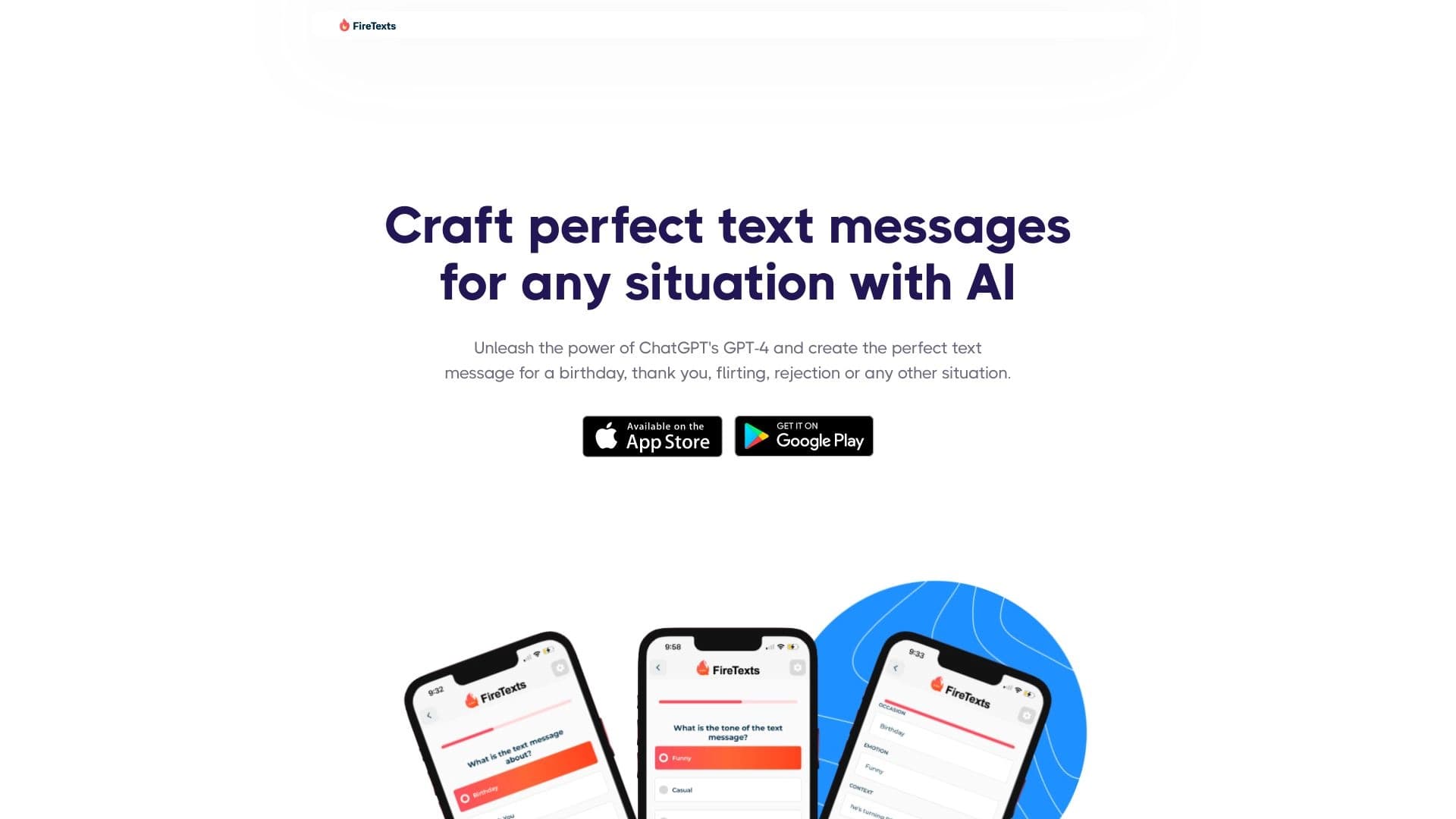

AI-powered mobile app that helps you find the right words for different life situations in your correspondence.

AI-powered toolkit for optimizing workflows and boosting productivity.


A multifunctional platform for creating and editing media content using artificial intelligence.


AI agent for assisting with programming and optimizing the development workflow.

AI platform for fast resume screening that helps recruiters select suitable candidates.