

FireTexts
AI চালিত মোবাইল অ্যাপ্লিকেশন যা আপনাকে আপনার যোগাযোগের বিভিন্ন জীবনের পরিস্থিতির জন্য সঠিক শব্দ খুঁজে পেতে সাহায্য করবে।.
সারসংক্ষেপ
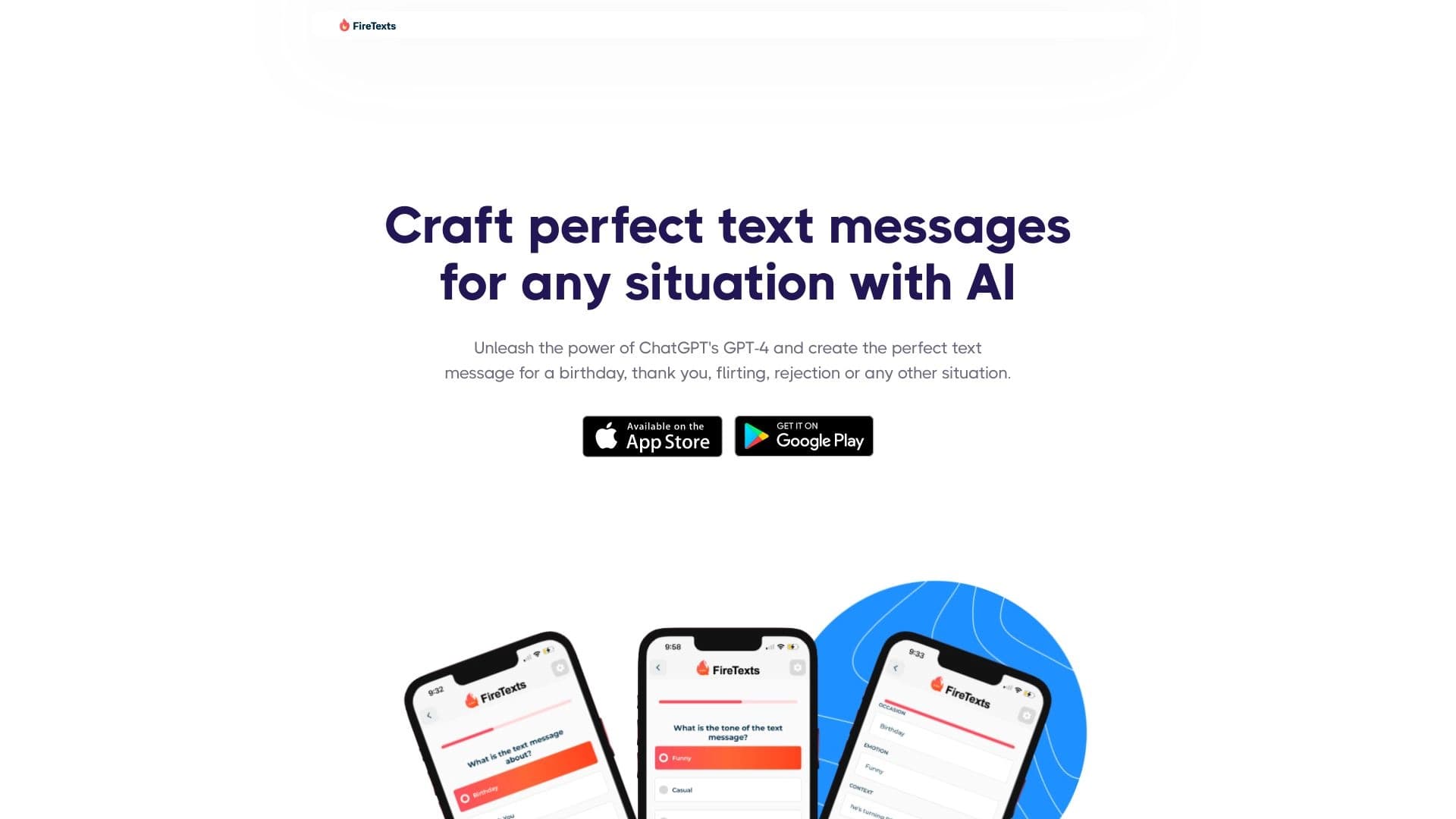
ফায়ার টেক্সট হচ্ছে কৃত্রিম বুদ্ধিমত্তা দ্বারা চালিত মোবাইল অ্যাপ্লিকেশন যা একটি নির্দিষ্ট কাজের সমাধান করে: আপনার আলোচনার মধ্যে সঠিক শব্দ খুঁজে পেতে সাহায্য করে। একটি অভিনন্দন বার্তাকে কিভাবে ব্যাখ্যা করা যায়, একটি অদ্ভুত প্রশ্নের উত্তর দেয়ার পরিবর্তে, ব্যবহারকারী পরিস্থিতি আর আকুরাল কন্ঠের বর্ণনা করেছেন- আর নেচারাল নেটওয়ার্ক তৈরি করা বিকল্পের ব্যাপারে।
সেবার প্রধান লক্ষ্য হল লেখার প্রক্রিয়া থেকে চাপ এবং অনিশ্চয়তা দূর করা। এই অ্যাপটি জিটিপি-৪ মডেলের উপর ভিত্তি করে তৈরি করা হয় এবং সেই শব্দকে প্রাকৃতিক এবং আবেগগতভাবে সঠিক হিসেবে তৈরি করা হয়। এই ব্যবহারকারীর কাছ থেকে কয়েকটি বিকল্প নির্বাচন করা হয়, সাথে তাদের পাঠানোর আগে সম্পাদনের ক্ষমতাও।
এটা কেবলমাত্র একটি টেমপ্লেট জেনারেটর নয়, যা প্রসঙ্গের সাথে খাপ খায়। Apple ডিভাইস উপলব্ধ রয়েছে এবং এ্যাপ স্টোরের ব্যবহারকারীদের কাছ থেকে উচ্চ হার ইতোমধ্যে প্রাপ্ত হয়েছে।
অগ্নি-এর বৈশিষ্ট্য
| বৈশিষ্ট্য | মান |
|---|---|
| ধরন | মোবাইল অ্যাপ্লিকেশন |
| শ্রেণীবিভাগ | টেক্সট বার্তার উপাদান |
| AI মডেল | GPT-4, উচ্চ পর্যায়ের AI মডেল |
| প্ল্যাটফর্ম | IOS (অ্যাপ স্টোর সংরক্ষণ) |
| Pint সংগ্রহস্থলের হার সংরক্ষণ করা হচ্ছে | ৪.৮/৫ |
আগুনের জন্য কে উপযুক্ত?
যে - লোকেরা গুরুত্বপূর্ণ কথাবার্তার ওপর জোর দেয়
অনেক ব্যবহারকারী প্রেরিত বার্তার বিষয়ে যথেষ্ট সময় ব্যয় করেছেন। লেখার সময় যারা উদ্বেগ কমাতে চায় তাদের লক্ষ্য হচ্ছে আগুন জ্বালানো। এই অ্যাপটি দ্রুত সঠিক শব্দ খুঁজে পায়, যা বিশেষ করে সেই সমস্ত লোকদের জন্য, যারা বেশ কয়েকবার তাদের বার্তা পুনরায় ছাপাতে চায়।
ব্যস্ত পেশা এবং ছাত্র
যদি কোন ব্যক্তির ব্যক্তিগত যোগাযোগের সময় থাকে- তা যেন সহকর্মীদের অভিনন্দন জানানো হয়, ব্যবসার অনুরোধের প্রতি সাড়া প্রদান করা অথবা বন্ধুদের সাথে কথা বলা- টেক্সট প্রজন্ম সময় বাঁচায়। যে সমস্ত ব্যবহারকারী দ্রুত গতির মূল্য নির্ধারণ করে তারা দ্রুত খসড়া তৈরি করে এবং খুব কম সম্পাদনা শেষে সেটি প্রেরণ করে।
আইওএস ব্যবহারকারী যারা সুবিধাজনক অ্যাপসকে উপলব্ধি করেন
এ অ্যাপ স্টোরে কেবল ফায়ার টেক্সটের ব্যবহার পাওয়া যায়, কাজে লক্ষ্য হচ্ছে আইফোন এবং আইপ্যাড মালিকদের। ৪.৮/৫ এর উচ্চ হার নির্দেশ করে যে অ্যাপ্লিকেশনটি এই প্ল্যাটফর্মের ব্যবহারকারীদের মধ্যে নিজেই প্রমাণ করেছে।
আগুনের টেক্সট কিভাবে ব্যবহার করতে হবে?
পরিস্থিতি বর্ণনা করুন
প্রথম ধাপ হল লেখার প্রসঙ্গ ভবিষ্যত বার্তা. ব্যবহারকারীর উচিত কি ধরনের পরিস্থিতি ঘটেছে এবং তারা কি ধরনের সাড়া পেতে চায়। উদাহরণ হিসেবে বলা যায়, এটা আমার বন্ধুর জন্মদিন, ব্যবসার সাথে যোগাযোগ করা অথবা নতুন পরিচিত ব্যক্তিদের সাথে কথা বলা হতে পারে।
টোন নির্বাচন করুন
কনটেক্সটের বিবরণ উল্লেখ করার পরে, সেটি উল্লেখ করা আবশ্যক টেক্সট. এই বার্তাটি মজার, গুরুতর, রোমান্টিক, আনুষ্ঠানিক অথবা অন্য কিছু। এই সিস্টেম এই মাপ ব্যবহার করার সময় অ্যাকাউন্ট তৈরি করা হবে ।
অপশন দেখুন এবং সম্পাদন করুন
ফায়ার টেক্সটি বেশ কিছু বিকল্প বিকল্প বিকল্প বিকল্প অপশন প্রদান করবে । ব্যবহারকারী তাদের যোগাযোগের স্টাইলের সাথে মিল রেখে এটি সম্পাদনা করতে পারেন, অথবা এর ফলে যে ফল পাওয়া যাবে তার মত।
আগুনের বৈশিষ্ট্য
ব্যক্তিগত বার্তাগুলির প্রজন্ম
এই অ্যাপটি অনেক জীবনের পরিস্থিতির প্রতি সমর্থন জানিয়েছে: জন্মদিনের শুভেচ্ছা, ধন্যবাদ- আপনাদের, প্রেমের সাথে ক্ষমা চাওয়া, ক্ষমা চাওয়া এবং আরো অনেক কিছু। নিউরাল নেটওয়ার্ক বর্ণনার মাধ্যমে প্রসঙ্গটি গ্রহণ করে যাতে টেক্সটের সাথে এই পরিস্থিতির মিল পাওয়া যায়।
টেক্সট নির্মাণ করতে GPT-4 ব্যবহার করুন
সার্ভিসটি GPT-4 ভাষা মডেলের ক্ষমতা বহন করে। এর ফলে এটি টেমপ্লেট ভিত্তিক নয়, কিন্তু প্রাণবন্ত এবং আবেগপূর্ণ বার্তা তৈরি করতে পারে যা মানুষের লেখা থেকে আলাদা করা কঠিন।
একাধিক বিকল্প থেকে নির্বাচিত হয়েছে
ব্যবহারকারী কোনো পরামর্শের ক্ষেত্রে প্রযোজ্য নয় । প্রদর্শন সংক্রান্ত উন্নত বিকল্প অন্য ব্যক্তির সঙ্গে আপনার সম্পর্ক কেমন হবে তা বলুন ।
সম্পাদনা কর্মে এগিয়ে চলুন
কা. পূ. ব্যবহারকারী ব্যক্তিগত বাক্যাংশ পরিবর্তন করতে পারেন, তথ্য যোগ করতে পারেন অথবা খসড়ার উপর ভিত্তি করে বার্তাটি সম্পূর্ণভাবে মুছে ফেলতে পারেন।
আগুনের শিখা
সংরক্ষণ করার সময়
সঠিক শব্দ অনুসন্ধান করা প্রায়ই কয়েক মিনিট লাগে — অগ্নিকান্ড দ্রুত এই কাজের সমাধান করে । এটা বিশেষভাবে সেই পরিস্থিতিতে মূল্যবান, যেখানে দ্রুত সাড়া দেওয়া প্রয়োজন ।
বার্তা পাঠের ব্যবস্থা থেকে চাপ হ্রাস করা হচ্ছে
অনেক লোকের জন্য, চিঠি লিখে নেওয়া গুরুতর বা আবেগগতভাবে অভিযুক্ত বার্তার এক উৎস । এই অ্যাপটি চিন্তাকে তুলে ধরে।
ভাববিনিময়ের প্রতি আস্থা বৃদ্ধি করুন
প্রস্তুতকৃত জবাব পাওয়া গেলে, আলোচনা শুরু করা সহজ। ব্যবহারকারীরা উপলব্ধি করতে পারছে না যে, তাদের সাহায্য করা হচ্ছে।
সুবিধা এবং জোর
অ্যাপটি সবসময় হাতে থাকে আর দ্রুত কাজ করে। এ্যাপস স্টোরের উচ্চ হার স্থায়ী প্রদর্শনী এবং প্রজন্মের গুণগত মান নিশ্চিত করা।
অগ্নিকান্ড
এই অ্যাপ্লিকেশনের মধ্যে আবশ্যক তথ্য উপস্থিত নেই । সীমিত সীমার মধ্যে এ্যান্ড্রয়েড সংস্করণের অভাব রয়েছে, যা উল্লেখযোগ্যভাবে দর্শকদের মধ্যে সীমাবদ্ধ করে দেয়। অফলাইন মোডে কোনো তথ্য উপস্থিত নেই, তাই একটি ইন্টারনেট সংযোগ প্রয়োজন। এ ছাড়া, যেকোনো নরঘাতক হাতিয়ারের মতো, আগুনের পাঠ্যাংশগুলো হয়তো বিশেষ করে কোমল পরিস্থিতিতে পড়ার আগে আলোচনা করতে হবে ।
অগ্নিকান্ড কোন সমস্যা সমাধান করে?
সঠিক শব্দ খুঁজে পেতে সাহায্য
এই অ্যাপ্লিকেশনের মূল কাজ হচ্ছে শব্দ অনুসন্ধান এবং খুরের সঠিকতা সম্পর্কে সন্দেহ দূর করা। এটি একটি প্রস্তুত ভিত্তি তৈরি করে যা সাথে সাথে ব্যবহার করা যাবে অথবা তৈরি করা যাবে।
স্বয়ংক্রিয় সনাক্তকরণ
ব্যবহারকারীরা প্রায়ই একই বার্তা লিখে থাকে: ধন্যবাদ- আপনাদের, ধন্যবাদ, একই প্রশ্নের উত্তর প্রদান করে। ফায়ার টেক্সট এই প্রক্রিয়া অটোমেট, আপনাকে প্রতিবার "অভিভাবিত" এড়িয়ে চলতে হবে।
সামাজিকতা
এই অ্যাপ্লিকেশনটি এমন পরিস্থিতিতে সাহায্য করে যেখানে সঠিক স্বর খুঁজে পাওয়া কঠিন: যেমন, প্রেমের সাথে ক্ষমা করা বা ক্ষমা চাওয়া। এটি এমন কিছু উপায় প্রদান করে যা সামাজিক প্রথা এবং প্রত্যাশার মধ্যে দিয়ে যায় অন্য জন।
আগুনের শিখা
অ্যাপটির দাম বা গ্রাহক মডেলের প্রাপ্য তথ্য উৎস উপাদানে সরবরাহ করা হয় না। খোঁজখবর নিন এবং সহজলভ্য পরিকল্পনা খুঁজে বের করুন, এটি চেক করার সুপারিশ করা হয় এপিপি স্টোরে নিজস্ব এ্যাপস পাতা।
আগুনের ব্যবহার করার সময়কাল
এই অ্যাপ্লিকেশনটি অ্যাপ স্টোরে বিতরণ করা হয়েছে এবং সম্ভবত iOS সার্ভারে ইনস্টল করা আবশ্যক। টেক্সট জেনারেশন ব্যবহার করতে হলে, আপনাকে একটি Apple অ্যাকাউন্ট তৈরি করতে হবে অথবা প্ল্যাটফর্ম থেকে প্রমিত লগ-ইন পদ্ধতির সাহায্যে লগ-ইন ব্যবস্থা ব্যবহার করতে হবে। অ্যাপ্লিকেশনের বর্ণনার মধ্যে বিদ্যমান ব্যবহার ও গোপনীয়তা নীতিের সম্পূর্ণ ব্যাখ্যা উপলব্ধ রয়েছে।
আগুনের লাইসেন্স আভারতা
আইও ডিভাইসতে ডাউনলোড করার জন্য ব্যবহৃত আগুনের টেক্সট- আই- এস- ডি ডাউনলোড করা হয়। বর্তমানে অ্যাপটি অ্যান্ড্রয়েডের জন্য গুগল প্লেসে পাওয়া যাচ্ছে না এবং এর কোন ওয়েব সংস্করণ নেই। আইপ্যাড এবং আইপ্যাড ব্যবহারকারীরা এ এ্যাপ স্টোর অনুসন্ধানের মাধ্যমে এটি খুঁজে পেতে এবং প্রতিদিনের ব্যবহারের জন্য তাদের ডিভাইসের মধ্যে এটি ইন্সটল করতে পারবে।
কিভাবে আগুন ব্যবহার করা যায় বিকল্পের থেকে পৃথক
কী (key) পার্থক্য - টোনের ওপর ফোকাস করো
বেশিরভাগ বার্তা জেনারেটর টেমপ্লেট বা মূল টেক্সট সরবরাহ করে । আগুনের আওয়াজ এবং আবেগপূর্ণ মনোভাবের উপর মনোযোগ প্রদান করছে। এর ফলে, এই অ্যাপকে কোমল পরিস্থিতিতে — প্রেমের সঙ্গে, ক্ষমা চাওয়া, ক্ষমা চাওয়া — যেখানে মানসম্মত টেমপ্লেটগুলো প্রায়ই ব্যর্থ হয় ।
প্রযুক্তি ভিত্তি
GPT-4 ব্যবহার করে ভিত্তি হিসেবে পণ্যটি ব্যবহার করা হয় সহজ মানের সেবা থেকে পৃথক। এটা লেখার গুণগত মান এবং মানুষের ভাববিনিময়ের ক্ষেত্রে খাপ খাইয়ে নেওয়ার ক্ষমতা সরাসরি প্রভাবিত করে ।
ইন্টারফেস সহজ
এই অ্যাপ্লিকেশনের প্রজন্মটি যত সহজ ভাবে সম্ভব: পরিস্থিতি বর্ণনা করুন, স্বর বেছে নিন, বিকল্প গ্রহণ করুন। অনেক বিকল্পের মাধ্যমে অতিরিক্ত বৈশিষ্ট্যযুক্ত করা হয়, যার ফলে কর্মফল হয়। আগুন-এর ব্যবহার কম গুরুত্ব এবং গতির উপর জোর দেয়।
অন্তর্ভুক্ত
জিটিপি-৪ প্রযুক্তি ভিত্তিক বিভিন্ন জীবনের দৃশ্যের জন্য বিভিন্ন বার্তা খুঁজে পেতে সাহায্য করে। এর ফলে সঠিক শব্দ বের করা দ্রুত এবং অপ্রয়োজনীয় চাপ ছাড়া প্রতিদিনের কর্মকে সমাধান করা যায়: ব্যবহারকারীদের উচিত প্রেক্ষাপটের বর্ণনা করা, শব্দ বাছাই করা এবং কিছু উপযুক্ত উপায় নির্বাচন করা। এই অ্যাপটি যারা বার্তা প্রেরণ করতে এবং যোগাযোগের উপর আস্থা রাখতে চান, তাদের জন্য উপযুক্ত এবং এ্যাপ স্টোরের উচ্চ মাত্রা প্রদর্শন করছে যে সেবা আসলেই কাজ করে। আপনার লক্ষ্য যদি কোন বেদনাদায়ক ঘটনা ছাড়াই লেখা ও প্রাকৃতিক বার্তা লেখার জন্য উপযুক্ত হয়, তাহলে আগুন-টার্মিনাল হবে কার্যকর সহকারী।
সাধারণ প্রশ্নোত্তর
অতিরিক্ত দেখুন

বিষয়বস্তু নির্মাণের জন্য মাল্টিটিথাল AI প্ল্যাটফর্ম, বক্তৃতা বিশ্লেষণ, টেক্সট প্রজন্ম, অবতার সৃষ্টি, এবং ভিডিও সম্পাদনা।.


মাল্টি-agent AI সিস্টেম এবং চ্যাটবোট অটোমেট কাস্টমারদের সমর্থন এবং নেতৃত্ব দেওয়ার জন্য প্ল্যাটফর্ম।.


কৃত্রিম বুদ্ধিমত্তা ব্যবহার করে মিডিয়ার বিষয়বস্তু সম্পাদনা এবং সম্পাদনা করার জন্য একটি বহুমুখী প্লাটফর্ম।.


ভার্চুয়াল AI অক্ষরের সাথে আলাপ করার জন্য একটি প্ল্যাটফর্ম যা আপনি নিজের তৈরি করতে পারেন এবং নিজের জন্য ফরম্যাট করতে পারেন।.
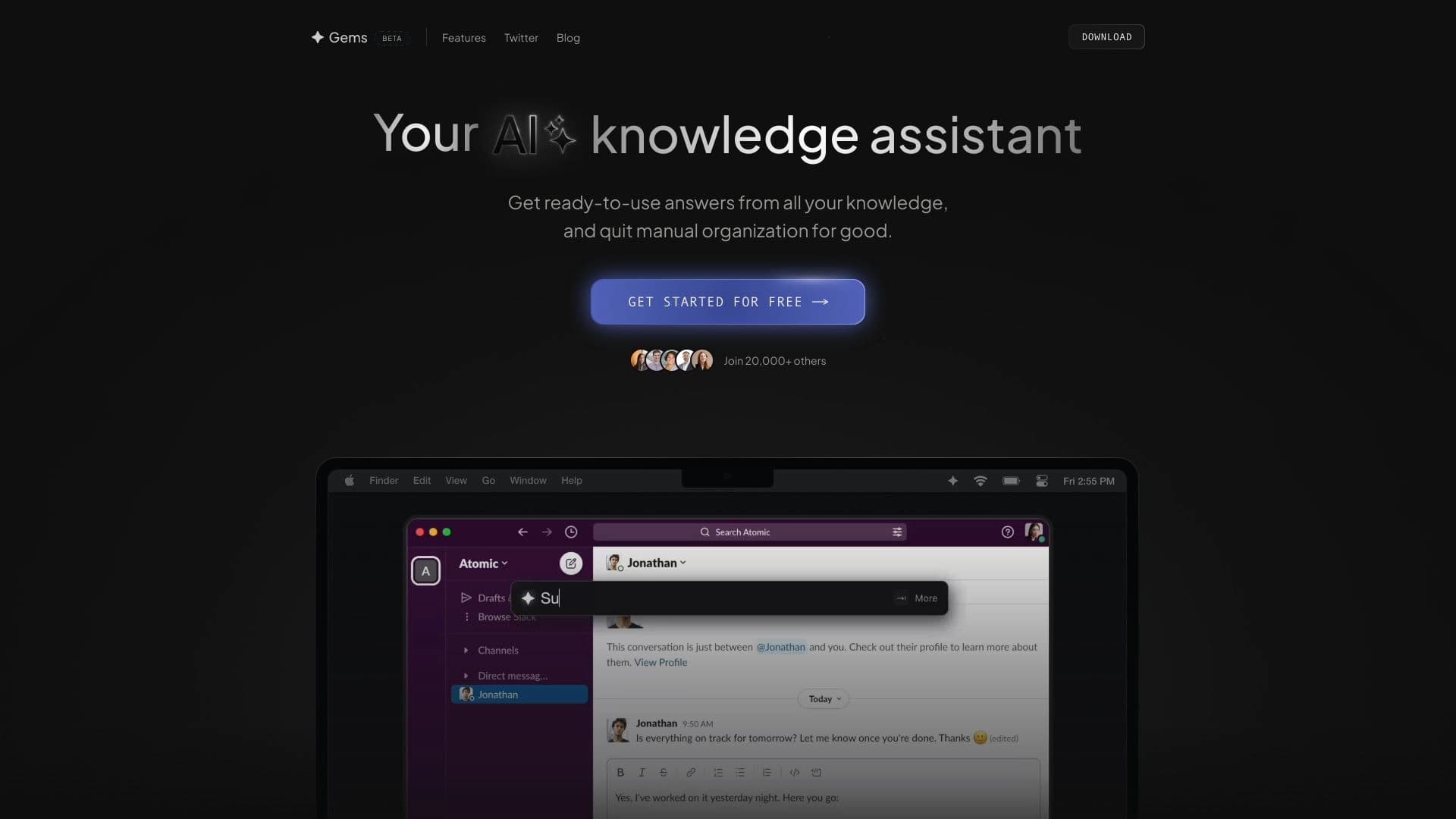

সংযুক্ত উৎস থেকে প্রাপ্ত জ্ঞান ব্যবস্থাপনার জন্য AI সহায়ক তথ্য সংগ্রহ করে।.


এগ্রেগেটর প্লাটফর্ম যা বিভিন্ন AI প্রযুক্তি এবং ভাষার মডেলকে একত্রিত করে থাকে, তা পে-শ-জা-গিং-এর মাধ্যমে।.
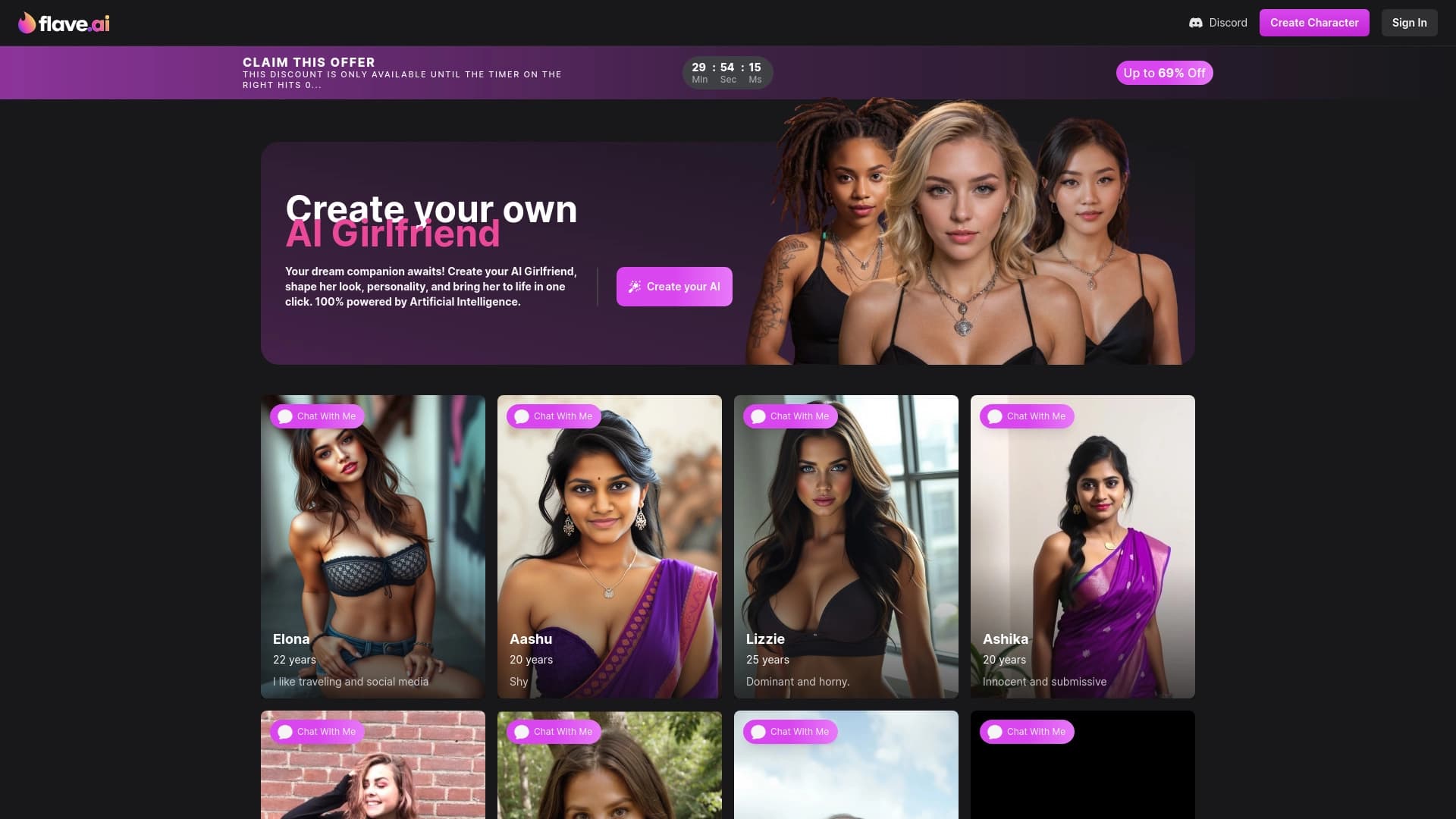

নিজস্ব চেহারা এবং ব্যক্তিত্বসহ ভার্চুয়াল সঙ্গীদের জন্য একটি প্লাটফর্ম।.


ভিডিও, PDF নথি এবং ওয়েব পেজের সংক্ষিপ্ত বিবরণ তৈরি করার জন্য AI সহায়ক।.