

AutoFlow Tests
No-code test automation platform with a visual interface.
Overview
AutoFlow Tests Neural Network Description
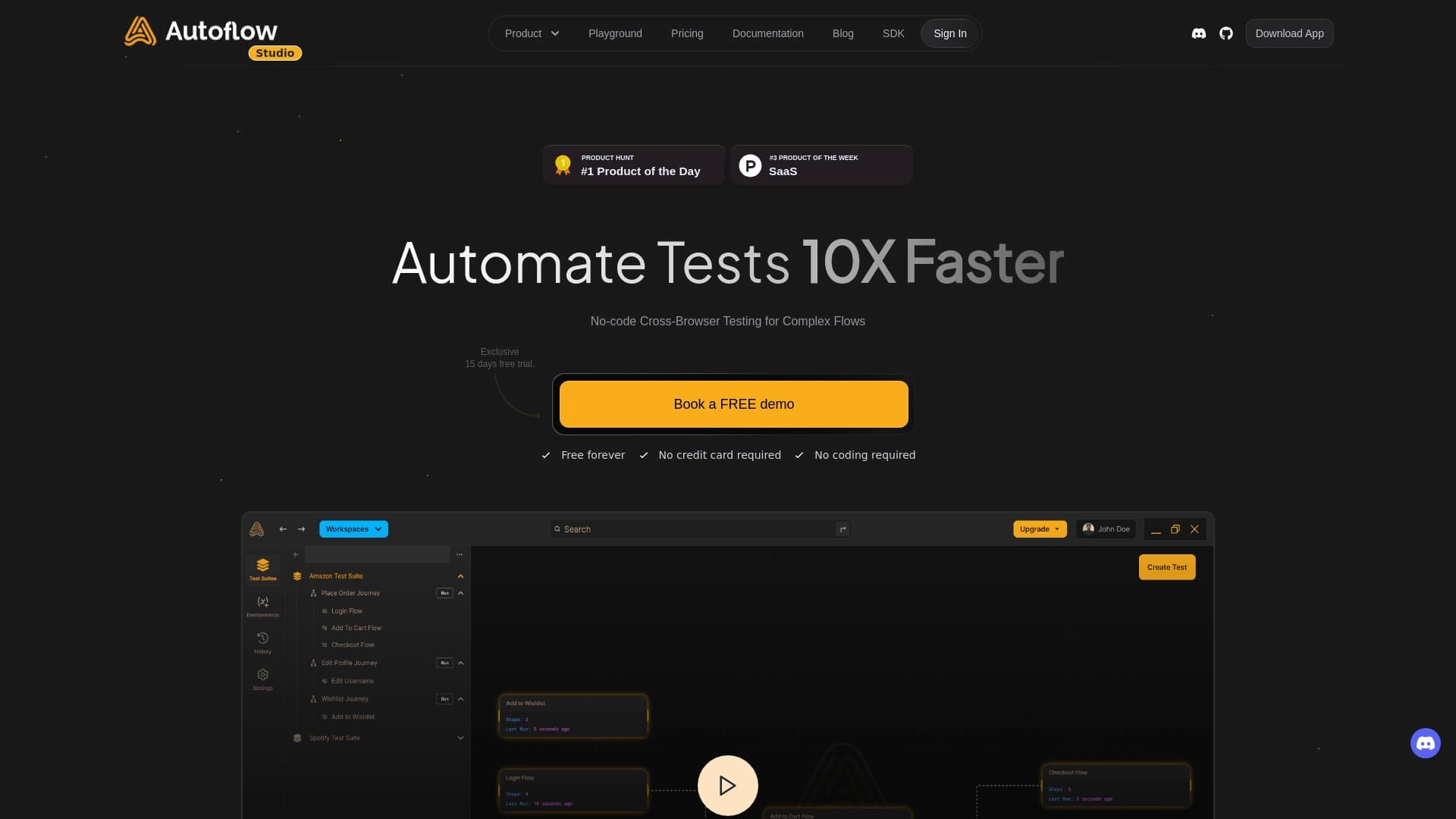
AutoFlow Tests is a cloud-based platform for automating web application testing that requires no programming skills from the user. Instead of writing code, tests are created through a visual interface: you record your actions on the website, and the platform converts them into a ready-made test scenario.
The tool is designed to accelerate the software testing process. It suits teams where not all members know programming languages and allows manual testers, test managers, and other employees to get involved in automation. Thanks to built-in collaboration tools, the whole team can work on tests and discuss results in a single space without sending files to each other.
AutoFlow's key feature is speed. Tests run in the cloud an order of magnitude faster than manual checks, reducing regression testing time and enabling faster releases. The platform handles routine tasks, and generated reports clearly show which scenarios passed successfully and which require attention.
AutoFlow Tests Characteristics
| Characteristic | Value |
|---|---|
| Type | No-code automated testing tool |
| Categories | No-code app building tools, Testing and quality assurance tools |
| Developer | AutoFlow Technologies |
| Free plan | Yes, free access to all core features, no card required |
| Trial period | 15 days, free |
| Premium cost | $25 per month |
| Monthly visits | 47.3K |
| Availability | Web application, works online in the cloud |
| Website | autoflow.tools |
Who Is AutoFlow Tests Neural Network For?
Teams Without Deep Programming Knowledge
AutoFlow is designed for cases where a team has testing specialists, but not all of them know how to write code. The platform allows manual testers and test managers to independently create automated scenarios through visual actions — clicks, data entry, page navigation. This removes the barrier to entering automation and expands the circle of employees who can contribute to product quality.
Developers Without Automation Experience
Even if a developer knows code well but has never worked with test automation frameworks like Selenium or Playwright, AutoFlow lets them get started quickly. There's no need to learn syntax or figure out libraries — just record a scenario once through the interface. This is especially useful in the early stages of a project when you need to quickly cover basic scenarios without lengthy infrastructure setup.
Employees in Different Roles Collaborating on Tests
The platform enables the entire team to work in a single space: test managers see progress, analysts can review reports, developers can discuss found bugs. This approach speeds up communication and reduces coordination time since test results and comments are in one place rather than scattered across email and messengers.
How to Use AutoFlow Tests Neural Network?
Recording User Actions
To get started, open the platform website and record user actions. You simply click on interface elements, enter data into fields, follow links — and AutoFlow captures each action and turns it into test scenario steps. No additional settings or software installation on your computer is required: everything happens online in the cloud.
Running Tests and Checking Results
Once a scenario is recorded, you can run it in the cloud. The test executes automatically, and the system immediately shows results: whether the scenario passed successfully or an error occurred somewhere. This allows you to quickly verify typical scenarios and ensure that code changes haven't broken existing functionality.
Publishing Reports and Collaborating
When tests are complete, reports can be shared with colleagues directly within the platform. Team members see results, can leave comments, discuss found issues, and plan fixes. Since everything happens in a single space, there's no need to send result files via email or messengers.
Key Features of AutoFlow Tests
Creating Tests Without Writing Code
The platform's core function is visual test creation. Instead of writing complex scripts, the user performs regular actions on the website, and AutoFlow remembers them and forms a ready-made test scenario. This makes automation accessible to any employee, regardless of their technical skills.
Cross-Browser Testing
The platform allows checking website performance in different browsers. Tests run automatically in multiple environments, helping to identify display and functionality issues that may occur in a specific browser. Cross-browser checks work reliably and can help detect bugs before they reach end users.
Automatic Report Generation and Notifications
After test execution, AutoFlow generates reports that clearly show check results. If a test fails, the system sends a notification to the relevant team so the issue can be quickly detected and fixed. This enables prompt response to failures without waiting for users to report broken functionality.
CI/CD Integration and Result Discussion
The platform supports integration with continuous integration and delivery (CI/CD) systems, allowing tests to run automatically with every code change. Additionally, test results can be discussed within the platform: team members leave comments, ask questions, and collaboratively reach solutions without leaving the shared workspace.
Advantages of AutoFlow Tests
Fast Test Execution
Automated tests launch and run significantly faster compared to the manual approach. Instead of having a tester spend hours clicking through the same scenario, AutoFlow runs the check in minutes. This frees up employee time for more complex tasks and allows more frequent regression testing.
Accessibility Without Programming Skills
No programming experience is required to work with the platform. The interface is built on visual actions — you just need to know how to use a browser and understand testing logic. This opens automation to manual testing specialists who previously couldn't participate in creating automated tests.
Whole-Team Collaboration
AutoFlow allows multiple employees to work on tests simultaneously in one place. This speeds up communication: test managers see progress, developers receive failure notifications, analysts can review reports. There's no need to send files or sync versions — all changes are stored centrally.
Stability of Cross-Browser Checks
The platform ensures stable operation of cross-browser tests. Checks run automatically in different browsers without the need to configure separate environments. This helps detect bugs before production and reduces the risk of users encountering issues that only reproduce in a specific browser.
Disadvantages of AutoFlow Tests
Limited Scenario Flexibility
The platform suits typical tasks well but may struggle with non-standard or highly custom scenarios. If your project requires complex logic, conditional branches, or work with non-standard data, AutoFlow's capabilities may be insufficient, and you'll need to look for other solutions or write code manually.
Risk of Incorrect Template Generation
With incorrectly specified input data, the platform's AI may generate non-working test templates. This creates a false sense of control: you think a scenario is covered by a test, but the check doesn't actually work correctly. Therefore, it's important to carefully review generated scenarios and not rely on them completely without verification.
Issues with Non-Standard Interfaces
AutoFlow may work poorly with non-standard interface elements: rare widgets, dynamic components, elements that appear or change during page operation. In such cases, manual test refinement is often required, which reduces the benefits of the no-code approach and increases effort.
What Problems Does AutoFlow Tests Solve?
Automating Routine Checks
AutoFlow's main task is to take over routine checks that previously had to be done manually. Regular tests of the same scenarios, repeated with every release, are work the platform does quickly and without fatigue. This frees up testers' time for exploring new features and in-depth analysis.
Quickly Verifying Complex Web Application Scenarios
With AutoFlow, you can automate multi-step user scenarios: registration, checkout, form filling, working with a personal account. Record a scenario once, and you can run it unlimited times with every code change, quickly confirming that key user paths work correctly.
Collaborative Team Work Without File Sharing
The platform solves the problem of organizing teamwork: all tests and results are stored in one place accessible to all participants. No need to send files by email, keep different versions on local machines, or wait for answers to every question. Communication becomes more transparent and the testing process more manageable.
Accelerating Releases While Maintaining Quality
By automating typical scenarios and executing tests quickly, teams can release updates more often while maintaining quality control. Instead of long manual testing cycles before each release, it's enough to run a set of automated tests that quickly confirm nothing is broken.
AutoFlow Tests Pricing
Free Plan
AutoFlow offers a free plan that includes access to all core platform features. No bank card is required — capabilities are not limited due to lack of payment. This lets you get familiar with the tool, create your first tests, and evaluate its effectiveness without any financial risk.
Trial Period for Extended Features
For those who want to try extended features, a free 15-day trial period is available. During this time, you can use additional platform capabilities and understand how useful they are for your tasks. The trial period also requires no payment.
Premium Plan
The premium plan costs $25 per month. It includes full access to all platform features and premium support from developers. This option suits teams that actively use AutoFlow in their work and need priority resolution of emerging issues.
AutoFlow Tests Terms of Use
To get started with the platform, simply go to autoflow.tools. Although registration is not explicitly mentioned, you'll need to create an account or log in to use the service. The free plan doesn't require entering a bank card — you immediately get access to core features.
All work with AutoFlow happens online in the cloud. This means you don't need to install any software on your computer or configure a local environment. A browser and internet access are all you need. The tool is always available from any device, making it convenient for distributed teams.
AutoFlow Tests Availability
AutoFlow works as a cloud web application — you can use it through a browser on any device. The tool is listed in an AI tools catalog, and its website is available at autoflow.tools. Interface languages and regional restrictions are not specified in open sources, so it's difficult to say which languages the platform supports.
The platform enjoys a certain popularity: the website receives 47.3 thousand monthly visits. This indicates that the tool attracts interest from testing specialists and teams looking for no-code automation solutions.
How AutoFlow Tests Differs from Alternatives
AutoFlow belongs to the category of no-code test automation tools, which in itself sets it apart from many solutions on the market. However, no direct comparisons with specific competitors are provided on the product page. The "Similar services" section lists tools such as AskCodi, Tabnine, Replit, Qwen AI, Cursor AI, and GitHub Copilot — but all of them belong to the category of development and code-writing tools, not testing.
This indirectly confirms that the no-code testing niche is relatively open, and AutoFlow occupies a specific place in it. Its key difference is its focus on people without programming skills who still want to automate checks. While alternatives like GitHub Copilot help write code, AutoFlow allows you to completely avoid code in the testing context.
Conclusion
AutoFlow Tests is a no-code test automation tool focused on accelerating processes and involving employees without programming skills in testing. It's effective for typical scenarios, cross-browser checks, and team collaboration in a single space. The platform will be useful for teams where not all members know how to write code and will help release faster without losing quality. However, the tool's limitations should be considered: it's poorly suited for non-standard interfaces and complex custom scenarios, and with incorrect input data, it may generate non-working templates. For simple and repetitive tasks, AutoFlow will be a reliable assistant, but before implementing it in your process, it's worth testing the tool on your scenarios and evaluating how well it meets your needs. The free plan without a card makes this easy and risk-free.
Frequently asked questions
See also

AllChat is a universal platform that combines several popular language models in a single interface for communication, image generation, file analysis, and code execution.


Chrome extension that helps manage tabs, history, and bookmarks with an AI assistant.


AI toolkit for video generation and editing, including avatars, lip-sync, and voice cloning.


Desktop AI assistant for macOS, Windows, and Linux that launches via hotkey above all windows and combines multiple language models in one interface.

AI agent for automating customer communications and support.


AI platform for fast website creation and small business process management.

AI assistant for business that helps manage tasks and automate routine through dialogue.


Side AI panel that helps answer questions, work with documents, and generate images.