

AI CSS Animations
A service that generates CSS animations with ready-to-use code from a text or voice description.
Overview
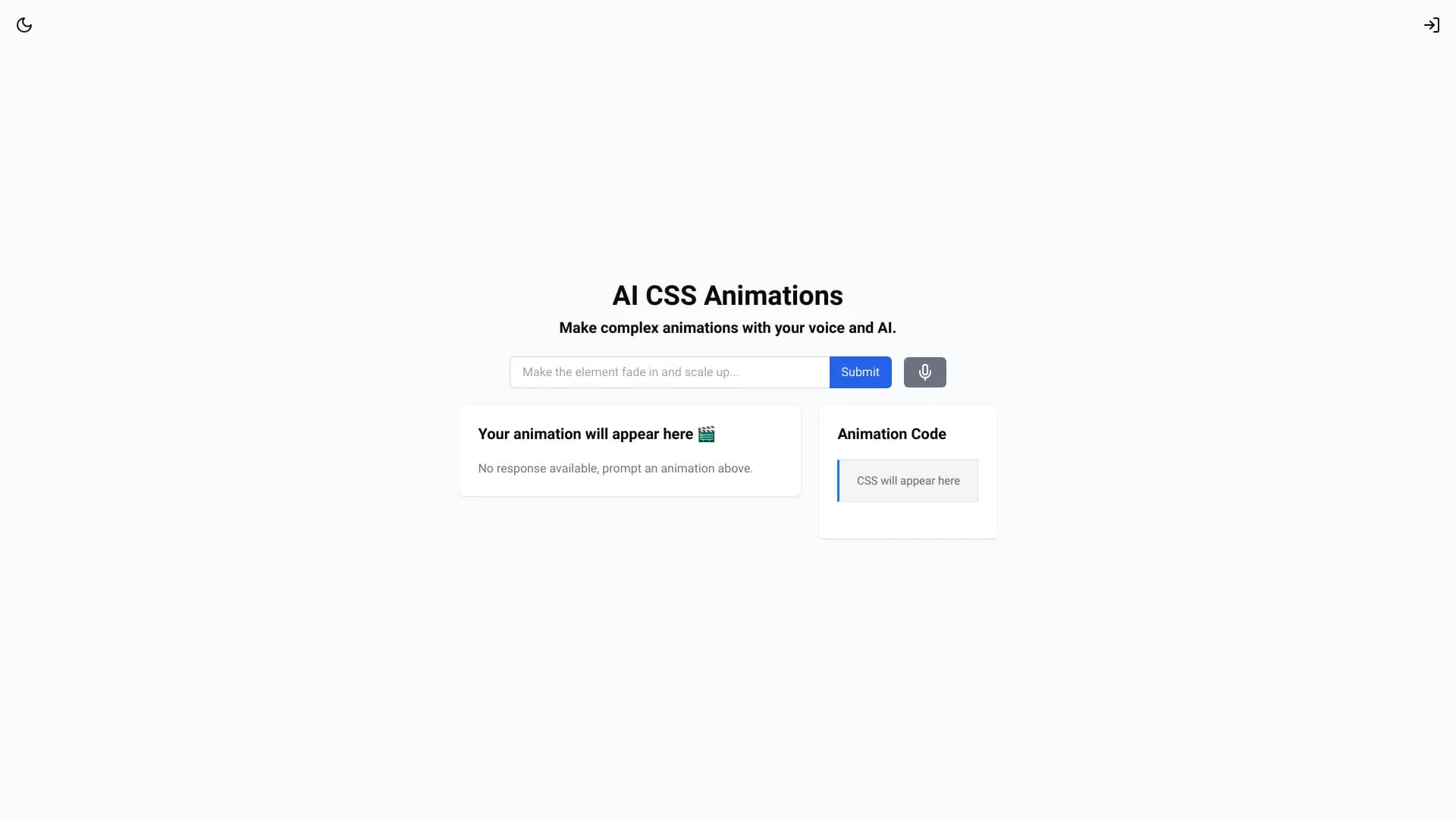
AI CSS Animations is a specialized online service that uses artificial intelligence to create animations in CSS. It is designed for web developers and designers who need to quickly obtain high-quality animation code without manually writing keyframes and fine-tuning timing. The workflow is based on text or voice input: you simply describe the desired effect in words, and the neural network generates working CSS code.
Instead of manually writing each @keyframes and fine-tuning transition values, the user formulates the task in natural language, and the service independently interprets the request and offers a ready-made solution. This makes AI CSS Animations a useful tool both for rapid interface prototyping and for final integration of animations into existing projects.
How the service works
The service's workflow is built around neural network processing of a text or voice request. The user describes the effect they want to achieve (for example, a smooth fade-in, an element with acceleration, rotation), and the system analyzes the semantics of the request and generates the corresponding CSS code. The result is produced within a few seconds and includes the necessary keyframes, properties, and animation parameters.
AI CSS Animations characteristics
| Characteristic | Value |
|---|---|
| Categories | Animation and cartoons, Design assistants and layouts |
| Type | CSS animation generation from text and voice |
| Website | www.aicssanimations.com |
| Core functionality | Creating CSS code with keyframes from a description |
| Input interface | Text field and voice command |
| Editing capabilities | Adjusting duration, easing, direction, and intensity |
| Preview | Instant, real-time |
| Output | Ready-to-copy CSS code for use in a project |
Who is AI CSS Animations suitable for?
Web developers
AI CSS Animations is aimed at developers who regularly work with interfaces and need to quickly generate animations. For experienced frontend developers, the service speeds up the process of creating effects, eliminating the routine work of fine-tuning timing and easing function values. Beginners, in turn, get the opportunity to study examples of correct CSS code and use them in their own projects without deep knowledge of animation specifics.
Interface designers
For designers who create interactive prototypes and landing pages, the service allows them to quickly test hypotheses about the behavior of interface elements. Instead of spending time manually writing code in an editor, a designer can describe the effect in words and immediately get working code to hand off to development or to test an animated prototype.
How to use AI CSS Animations?
Step 1: Formulating the request
To get started, you need to describe the desired effect in words. The request can be entered as text or spoken by voice into a dedicated input field. The more precisely the effect is described, the more relevant the result the neural network will provide. For example, you can specify the type of movement, direction, desired easing, or specific animation details.
Step 2: Viewing the result and adjusting
After the request is processed, the service displays a real-time preview of the animation. The user can visually evaluate the result and adjust its parameters if necessary. Settings for duration, motion easing, direction, and effect intensity are available. Changes are applied instantly, allowing you to fine-tune the optimal variant without reloading the page.
Step 3: Copying the code and integration
Once the animation is configured and meets the user's needs, the ready CSS code can be copied to the clipboard with a single click. The resulting code includes all the necessary @keyframes and properties required to use the animation in a project. The code is inserted in the standard way into the main CSS file or into component styles.
Key features of AI CSS Animations
Code generation from a description
The service's key function is creating complete CSS code based on a text or voice request. The neural network converts a verbal description of an effect into working keyframes and animation properties. This saves the developer from having to manually deal with syntax and fine-tune values.
Instant preview
All generated animations are immediately visualized on the service page. The user sees the element's movement in real time and can assess whether the result matches expectations. This approach allows for quickly selecting the desired visual effect and comparing different variants.
Flexible parameter control
After animation generation, settings for detailed fine-tuning are available. You can change the playback duration, easing function, movement direction, and effect intensity. Changes are dynamically reflected in the preview and in the final code, which updates automatically.
Integration learning materials
The service provides a brief guide on connecting created animations to projects. This simplifies the process of embedding generated code into landing pages, web application interfaces, and interactive prototypes, even for users without deep frontend development experience.
Advantages of AI CSS Animations
Low entry barrier
For beginners, the main advantage is the ability to create complex animations without first studying CSS specifications and the intricacies of creating keyframes. You just need to formulate a request in simple words to get a professional result.
Time savings for developers
Experienced developers save significant time by eliminating manual work on fine-tuning keyframes and timing. The service generates optimal code in seconds, which is especially useful when working on quick prototypes or experimental interfaces.
No manual parameter tuning
AI CSS Animations takes on the task of selecting functional easing values and calculating timing for movement. The user doesn't need to manually calculate percentages for keyframes or test different curve variants — the neural network offers a ready-made solution that can be easily adjusted if needed.
Drawbacks of AI CSS Animations
The available information about the service does not allow for an unambiguous determination of specific limitations or drawbacks of the tool. As with most generative solutions, the quality of the result may depend on how precisely the request is formulated: the more abstract the description the user enters, the higher the likelihood of getting a result that doesn't fully match expectations. Also, at the time of writing this review, complete information about possible limitations of free access or the composition of paid plans had not been disclosed, so it would be premature to speak of strict drawbacks.
What problems does AI CSS Animations solve?
Creating animations from a text request
One of the main tasks the service solves is turning a verbal description into ready CSS code. The user can request an element falling effect, smooth fade-in, movement along a curve, or any other motion, and the neural network will generate the corresponding code with keyframes.
Quickly finding the optimal result
Interactive adjustment and preview allow for quickly selecting the desired result without constantly reloading the page and regenerating. The user changes parameters and sees changes immediately, which speeds up the process of finding the right effect.
Integration into interactive projects
The service is focused on practical application in real projects. The created animations can be used in landing pages, web application user interfaces, and interactive prototypes. The code is clean enough and adaptable for embedding into modern projects.
AI CSS Animations pricing
Information about the service's pricing policy at the time of writing this review is absent from official sources. The website does not publish details about pricing plans, subscription costs, or the availability of a free trial period. Visitors to the site only have access to information about the tool's functional capabilities. For details on commercial terms, users are advised to contact the service administration via the contact form on the website.
AI CSS Animations terms of use
Official documents with the service's terms of use, including the user agreement and privacy policy, have not been published in open sources. Based on common practices for online tools, it can be assumed that using the service implies standard conditions for generative tools, such as a prohibition on creating malicious and unlawful content. However, the exact content of the terms of use has not been disclosed, so for complete information it is recommended to review the relevant sections on the tool's official website.
AI CSS Animations availability
AI CSS Animations is a fully cloud-based online service accessed through a browser. No software installation or additional extensions are required to get started. The tool is available at www.aicssanimations.com. Voice input capability assumes the use of devices with a microphone, and instant animation preview requires a modern browser with support for updated CSS versions.
How AI CSS Animations differs from alternatives
Voice command input
Most similar animation generators work exclusively with text input. AI CSS Animations stands out with voice control, making the animation creation process faster and more intuitive. The user can describe the effect by voice without being distracted by typing.
Focus on CSS specifics
The service is focused specifically on generating CSS animations, rather than creating complex video effects or WebGL scenes. This allows for concise, clean, and easily embeddable solutions for web interfaces. This approach wins over universal tools that often generate redundant or overloaded code.
Conclusion
AI CSS Animations is a practical tool for quickly generating CSS animations from text or voice descriptions. The service is aimed at web developers and designers who need working code without manually fine-tuning keyframes. The combination of instant preview, flexible settings, and simple copying of the final code makes it a convenient solution for creating animations in landing pages, web application interfaces, and interactive prototypes. Despite incomplete information about pricing and terms of use, the service's functionality itself looks quite cohesive and useful for everyday frontend development tasks.
Frequently asked questions
See also


Online AI tool for creating deepfakes and editing images.


AI toolkit for video generation and editing, including avatars, lip-sync, and voice cloning.


Chrome extension that helps manage tabs, history, and bookmarks with an AI assistant.


Online editor for removing unwanted objects, text, and defects from photos using a neural network.


Desktop AI assistant for macOS, Windows, and Linux that launches via hotkey above all windows and combines multiple language models in one interface.

AI agent for automating customer communications and support.

Service for creating personalized avatars and photo shoots using AI based on uploaded selfies.


Side AI panel that helps answer questions, work with documents, and generate images.