
Rows
Spreadsheets with built-in AI for data analysis and report creation using text commands.
Overview
Rows
About Rows
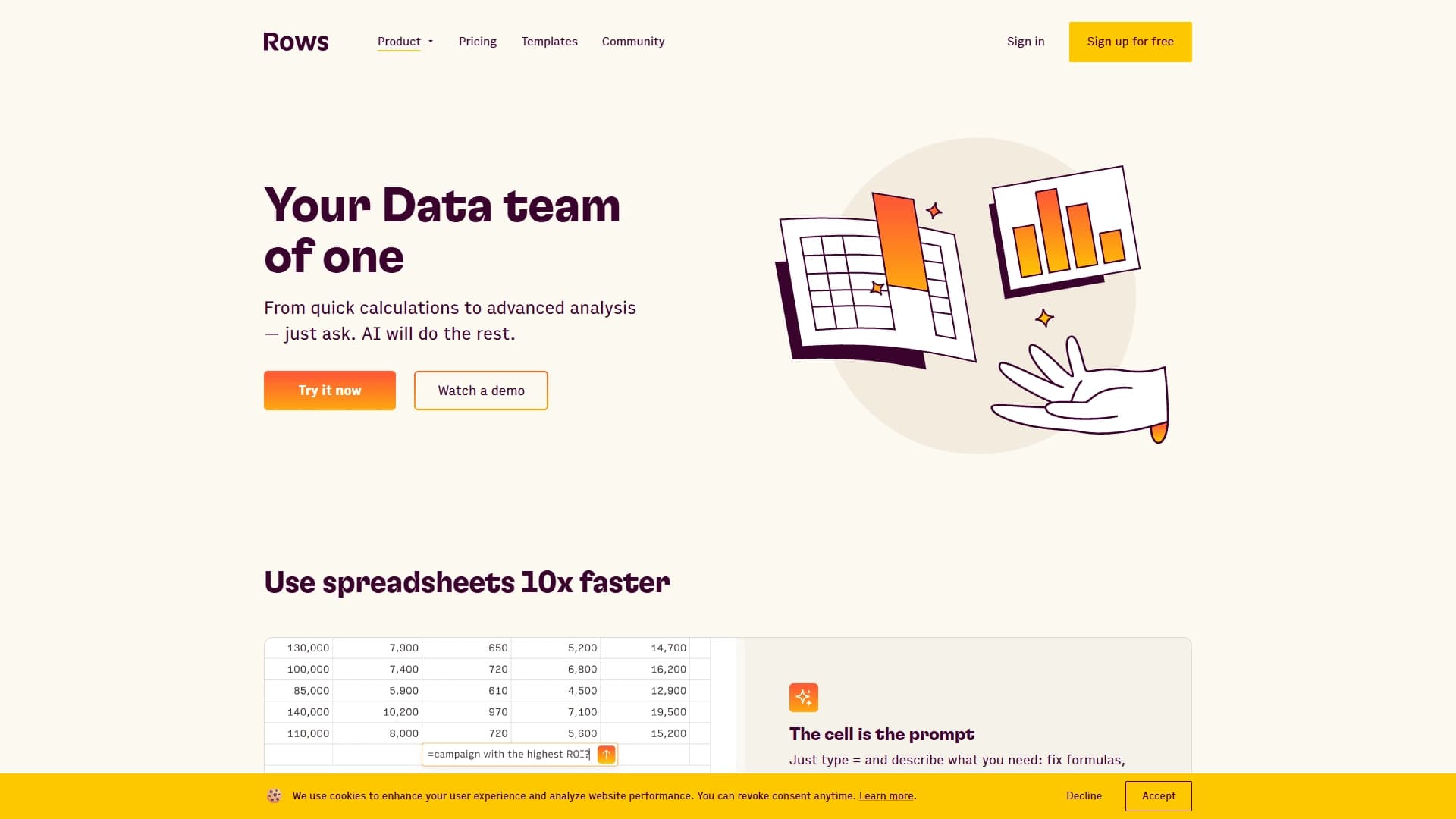
Rows is a web-based tool for working with tabular data with built-in artificial intelligence features. Unlike classic spreadsheets, there is no need to manually choose complex formulas or perform routine calculations — just describe the task in plain text, and the AI will select the right operations and carry them out.
The core idea of the service is to turn the familiar spreadsheet interface into a tool that understands natural language. Using simple commands, you can process data, build charts, generate reports, combine tables, clean up information, classify text, and perform sentiment analysis. Rows is also suitable for planning marketing campaigns, bringing all the data and functions together in one interface.
The tool does not require programming skills, so users without a technical background can work with it.
Characteristics of Rows
| Feature | Value |
|---|---|
| Type | AI spreadsheets |
| Categories | Tables, Marketing analytics, Automation, Business, AI assistants, Formulas and Excel, Reports, Data and analytics, Universal |
| Website | rows.com |
| Platforms | Web |
| Distribution model | Freemium |
| Rating | 4.6 / 5.0 |
| Editorial rating | 8.4 out of 10 |
| Regional availability | May be restricted in some regions |
| Intended use | For analysts, for all types of activities |
| Programming skills | Not required |
Who is Rows suitable for?
Analysts and data specialists
Rows is primarily designed for analysts who need to get answers from tabular data quickly. The tool lets them extract insights, build charts, and create reports without involving a separate data team, saving time on routine tasks.
Marketers and managers
The tool suits marketers and managers who regularly work with data. The ability to plan marketing campaigns and analyze their results in a familiar spreadsheet interface makes the service a convenient solution for teams without a dedicated analyst.
Founders and general users
Rows is useful for founders and users across many fields. Since no programming skills are required, anyone can process data, classify text, and perform sentiment analysis in a single tool.
How to use Rows?
Start with a text command
To get started, just enter the "=" symbol in a cell and describe your task in plain text. For example, you can ask it to fix a formula, build a chart, extract insights, or transform text. The AI will independently choose the required operations and execute them — the cell effectively becomes a prompt.
Work without formulas
The key feature of using Rows is that you don't need to know complex spreadsheet functions. Data analysis, calculations, and report creation are done through text commands, which greatly simplifies the process for users without technical expertise.
Key features of Rows
Analysis right in the cell
A cell in Rows works like a prompt: you enter a text description of a task, and the AI performs the required operations. This applies to fixing formulas, analyzing data, extracting insights, and transforming text.
Automating calculations and reporting
The service supports calculated columns without manual formula entry, speeding up analysis and report preparation. Instant chart and graph generation based on existing data is also
Frequently asked questions
Similar AI tools






See also

AI-based platform for generating text content: articles, advertisements, social media posts, and product descriptions.
A sales automation platform that combines customer prospecting, deal management, and AI-powered forecasting.
AI editor for creating, editing, and publishing content with templates and prompts.

Financial platform with an AI assistant for managing accounting, taxes, and budgets.

Platform for interview preparation with AI mock interviews and real-time support.
Enterprise language model platform focused on privacy and on-premise deployment.


AI assistant for creating short summaries of videos, PDF documents, and web pages.

A workflow automation platform that connects thousands of apps without requiring coding.