

OpenClaw
Locally runnable open-source AI assistant capable of performing actions in various applications and services.
Overview
OpenClaw
Description of the OpenClaw neural network
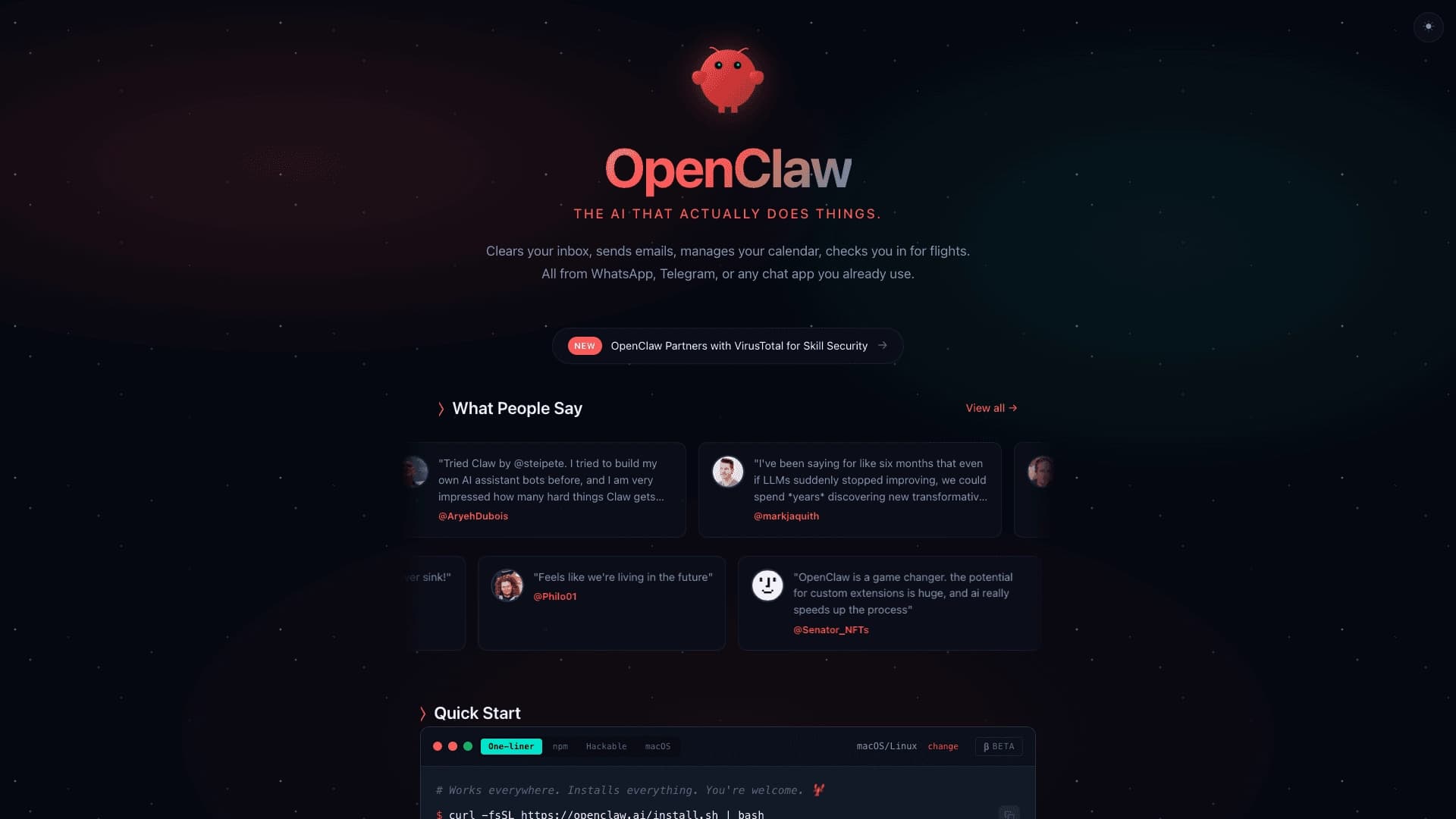
OpenClaw is an open-source task automation platform that can be deployed on your own server or computer. Unlike typical chatbots that are limited to generating text, this assistant performs real actions: it manages email and calendar, runs scripts, and integrates with messengers and browsers via APIs and plugins. The tool is aimed at advanced users and developers, allowing them to flexibly configure workflows and reduce the number of manual steps in routine processes.
The platform is not just another AI chat, but a more serious and flexible solution for those who want to embed artificial intelligence into their work and everyday processes. The key idea is that AI here becomes closer to an assistant than to a conversational partner.
OpenClaw characteristics
| Characteristic | Value |
|---|---|
| Type | AI assistant / platform |
| Category | Automation |
| VPN required | No |
| Russian language | Yes |
| Russian interface | No |
| Availability | WEB, PC, API |
| Developer | Peter Steinberger |
| Development model | open-source foundation |
| Start of public growth | November 2025 |
Who is the OpenClaw neural network suitable for?
Developers and automation specialists
The platform is primarily intended for developers and automation specialists who want a flexible tool that can be customized for their tasks. They can use OpenClaw to create complex scenarios and integrate with various services.
Advanced users
The tool is also suitable for advanced users who want to embed AI into everyday workflows. For those who value control and customization over ease of startup, OpenClaw provides extensive personalization options.
Users who need a universal AI interface
OpenClaw is aimed at those who need a universal AI interface for personal productivity and operational processes. It suits anyone who wants to automate repetitive actions and navigation between tools and services.
How to use the OpenClaw neural network?
Deployment on your own infrastructure
The platform requires setup: it needs to be launched on your own computer or server. To get started, you need to go to the official website openclaw.ai and follow the installation and deployment instructions.
Connecting to services and applications
After deployment, OpenClaw connects to messengers (for example, Telegram), the browser, files, and other services. Once configured, the AI assistant begins performing actions based on specified commands and scenarios.
Setup and customization
It is important to understand that this is not a ready-made "out of the box" service. The user will need to figure out the settings, connect the necessary models and services, and configure automation scenarios for their tasks.
Main functions of OpenClaw
Running on your own infrastructure
OpenClaw can be deployed on your own server or computer, providing full control over data and processes. This is a key difference from cloud services.
Connecting to messengers, browser, and files
The platform integrates with popular messengers, the browser, and file systems. This allows the AI assistant to work with various data sources and communication channels.
Performing actions
Unlike typical chatbots, OpenClaw performs real actions: sorting email, reminders, calendar management, running scenarios. It combines the assistant format with practical automation.
Flexibility in choosing AI models
The platform allows users to select and connect various AI models, giving them the freedom to choose the most suitable solution for specific tasks.
Extensibility as an open project
Thanks to its open-source model, OpenClaw can be refined and extended by the community. Developers can create their own plugins and integrations.
Advantages of OpenClaw
Open architecture and free-source model
OpenClaw is distributed as an open-source project, ensuring transparency, code auditability, and free use without license fees.
Flexibility in choosing models and configuration
Users can independently choose AI models and configure workflows for their tasks. This provides maximum flexibility and control.
AI integrates into everyday tools
Unlike solutions that exist in a separate window, OpenClaw integrates into familiar communication channels and tools: messengers, browser, file systems.
Cross-platform
The platform creates a single layer of interaction with services, applications, and online tools, allowing users to work without constantly switching between programs.
Disadvantages of OpenClaw
High barrier to entry
OpenClaw requires setup and tinkering. It is not suitable for those who expect a ready-made service without extra steps. Technical knowledge and time for configuration are required to get started.
Security concerns
Access to files, messages, and services raises security concerns. Users are independently responsible for protecting data and configuring access rights.
Limited audience
The tool still remains a solution for advanced users, and it may be difficult for a broad audience to master without understanding its strengths and limitations.
What tasks does OpenClaw solve
Automation of repetitive actions
OpenClaw automates routine digital tasks: sending messages, reminders, calendar management, running scenarios. This reduces the number of manual steps in typical processes.
Collecting information and working with files
The platform helps collect information, process and organize data, and work with files of various formats.
Integrating AI into daily work and communication processes
OpenClaw supports workflows without constantly switching between applications, helping users move from request to action faster.
OpenClaw pricing
The platform is distributed as open-source, meaning it is free to use. However, costs depend on the chosen infrastructure and connected models. Users need to pay independently for computing resources, server hardware, or cloud services, as well as possible subscriptions to third-party AI models and APIs.
OpenClaw terms of use
The platform requires setup and manual deployment. Subscriptions to third-party services and models may be required for operation. The exact terms of use are determined by the open-source project license. Registration on the developer's website is not mandatory, but may be required for access to updates and documentation.
OpenClaw availability
OpenClaw is available on WEB, PC, and via API. The platform does not require a VPN and supports Russian in communication, although there is no Russian interface. Usage regions are not limited — the tool is available to users worldwide.
How OpenClaw differs from alternatives
OpenClaw differs from typical AI chats in that it integrates into familiar communication channels (messengers, browser) and performs actions, not just responds in a dialogue. Unlike many assistants that exist in a separate window, OpenClaw becomes part of the workflow.
Another key difference is the ability to run on your own infrastructure and the flexibility in choosing models. The user gets full control over data and settings, which is impossible in cloud services. The platform focuses on completing tasks and automating steps, rather than long dialogues.
Conclusion
OpenClaw is a flexible open-source platform for embedding AI into workflows, aimed at advanced users who value control and customization over ease of startup. For automation specialists and developers, it is one of the most intriguing solutions in its category, allowing AI to be turned from a conversational partner into a real assistant. For a broad audience, the tool still remains a solution that is best approached with an understanding of its strengths, limitations, and setup requirements.
Frequently asked questions
Similar AI tools


See also

Open-source platform for integrating data from various sources into data warehouses and analytics systems.
A sales automation platform that combines customer prospecting, deal management, and AI-powered forecasting.
AI editor for creating, editing, and publishing content with templates and prompts.

Financial platform with an AI assistant for managing accounting, taxes, and budgets.

Platform for interview preparation with AI mock interviews and real-time support.
Enterprise language model platform focused on privacy and on-premise deployment.


AI assistant for creating short summaries of videos, PDF documents, and web pages.

A workflow automation platform that connects thousands of apps without requiring coding.