

AskCodi
AI assistant for developers that generates, explains, and refactors code, as well as creates documentation and tests from natural language descriptions.
Overview
AskCodi
Description of the AskCodi AI
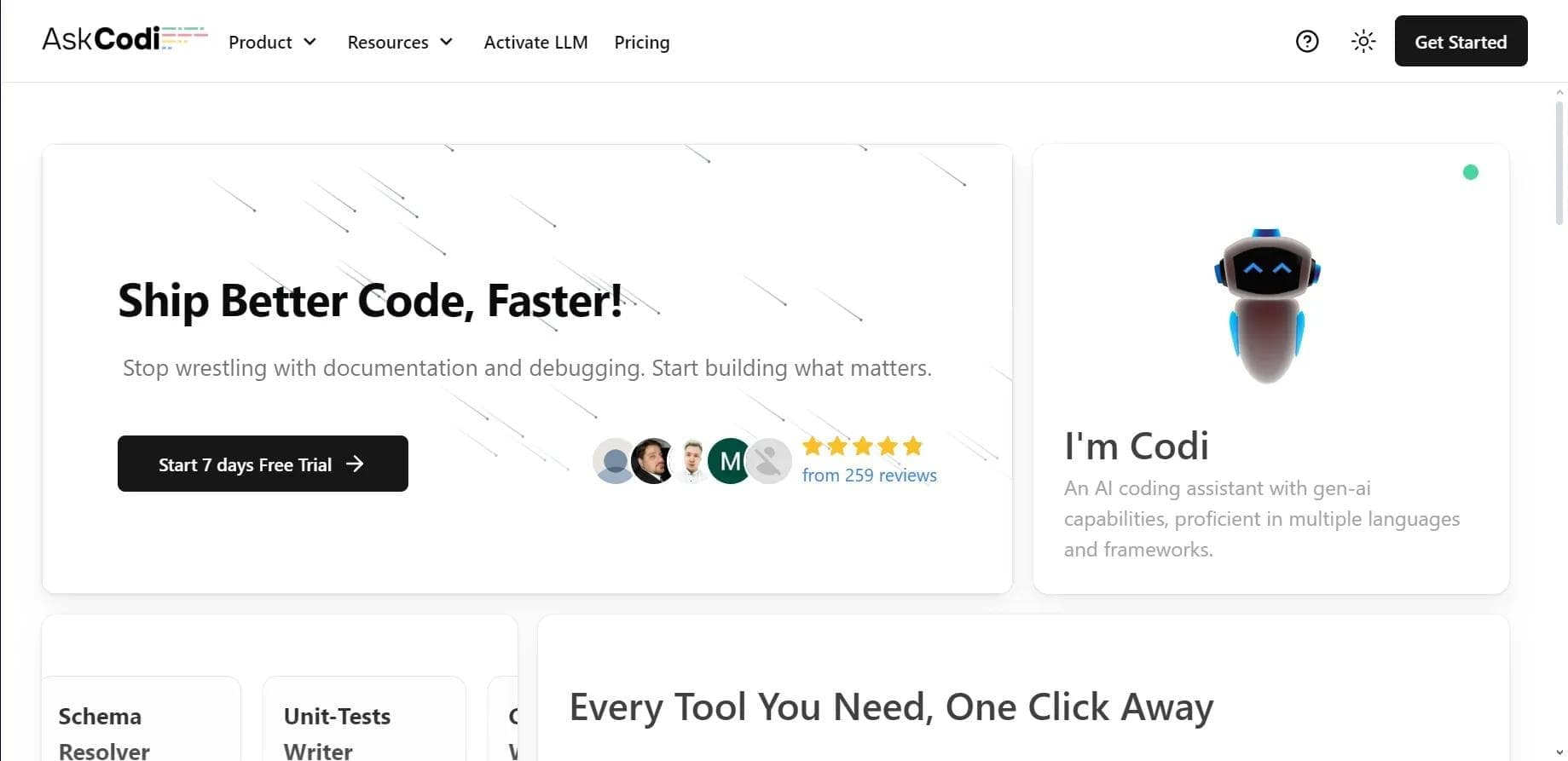
AskCodi is an AI assistant for developers that helps automate routine tasks in the programming process. The tool can generate code from a text description in natural language, explain existing code snippets, perform refactoring, create documentation and unit tests, and translate code between different programming languages.
AskCodi works in two formats at once: as a standalone web application and as a plugin for popular development environments. The tool is powered by the GPT-4 and Llama 3 language models, and support for more than 50 programming languages makes it a versatile solution for a wide range of tasks — from simple snippets to working on project structure.
AskCodi characteristics
| Characteristic | Value |
|---|---|
| Tool type | AI assistant for developers |
| Categories | Code generation, refactoring, documentation, code explanation, programming assistance |
| Developer | Assistiv AI |
| Business model | Freemium (free plan + paid subscriptions) |
| First publication date | 24-06-2025 |
| Supported programming languages | More than 50 |
| Interface languages | English |
| Understands requests in Russian | Yes |
| Language models used | GPT-4, Llama 3 |
| Platforms | Web app, plugins for VS Code, JetBrains, Sublime Text |
| Trial period | 7 days for the full version |
| Monthly visits | 14.1M |
Who is AskCodi suitable for?
The assistant is designed for developers of different skill levels, as well as for those who are just starting to learn programming.
Beginners and learners
AskCodi is suitable for those learning to code: the tool explains the logic of how code works, shows examples, and helps understand program structure faster. Thanks to the breakdown of complex sections and ready-made examples, learning becomes more visual.
Professional developers
Experienced programmers use AskCodi to speed up work on projects. The tool handles routine tasks — writing standard code, finding errors, creating documentation and tests — allowing them to focus on the truly important functionality.
Those creating prototypes
AskCodi is also useful for quickly testing ideas: with its help, you can quickly assemble an application prototype and test hypotheses without spending time on basic tasks.
How to use AskCodi?
Getting started with the tool is quite simple: it is available both as a web version and as a plugin for IDEs.
Registration and IDE integration
First, you need to register on the official website — you can sign in via Google, Twitter, or GitHub. After that, you can work directly in the web application or install a plugin for your development environment. VS Code, JetBrains, and Sublime Text are supported.
Working with requests
Then just describe the task in natural language: for example, specify what function or behavior of the program you need to implement. The service will generate the code, explain it, or help refine it. You can also select an existing code snippet and ask the assistant to analyze, fix, or improve it.
Implementing the result
The resulting code, tests, or documentation should be reviewed and integrated into the project. The tool also offers built-in capabilities for organizing project structure and testing.
Key features of AskCodi
AskCodi combines a whole set of tools for working with code in a single interface.
Code generation and autocompletion
The assistant creates code from a text description — from simple snippets to complex structures — taking into account the task, logic, and chosen programming language. Automatic code completion and improvement of existing code are also available.
Refactoring and bug fixing
AskCodi helps improve the efficiency and maintainability of a codebase, as well as find and fix bugs, syntax and logic errors.
Documentation and tests
The tool automatically creates code documentation — descriptions of functions and classes — and generates unit tests.
Code translation and additional tools
The built-in translator converts code between different programming languages, adapting syntax and logic, which is convenient when migrating projects. Additionally, a Makefile generator for automating build files and a tool for composing complex SQL and NoSQL queries are available.
Advantages of AskCodi
The tool has several notable benefits that make it popular among developers.
Time savings
AskCodi helps reduce time spent on routine tasks — by some estimates, savings can reach about 30%. Developers don't have to spend hours searching through documentation or debugging basic errors.
Versatility and language support
The solution works with more than 50 programming languages and understands requests in Russian. Generation, explanation, and project work are combined in one place, which simplifies the development process.
Learning and project migration
The tool is useful for learning programming thanks to its explanations and examples, and the code translator makes it easier to move projects to new technologies.
Disadvantages of AskCodi
Along with its advantages, the service also has limitations worth knowing about in advance.
Limited free version
The free plan has limited features, and for active work its capabilities can quickly become insufficient — you will need to switch to a paid subscription.
Quality in complex tasks
In complex projects, the generated code often requires refinement: architecture and logic remain the developer's responsibility, and the depth of the solution is inferior to market leaders. AskCodi performs better as an assistant rather than a full replacement for development.
What tasks does AskCodi solve?
AskCodi covers a wide range of everyday developer tasks.
- Generating code in various programming languages from a text description.
- Refactoring and improving existing code to increase its efficiency and maintainability.
- Finding and fixing errors — syntax and logic.
- Translating code between different programming languages.
- Automatically creating unit tests and documentation.
- Explaining complex sections of someone else's or unfamiliar code.
- Automating the creation of build files (Makefile) and composing SQL/NoSQL queries.
- Rapid prototyping of applications and testing ideas.
AskCodi pricing
The product operates on a freemium model: there is a free version with limited features and paid subscriptions with expanded capabilities.
Free plan
The free tier provides limited access to the service's features. Its capabilities are enough to get acquainted with the tool, but active work may require the paid version.
Paid plans
The Premium plan is estimated at roughly $9 to $15 per month and provides more generations and capabilities. The tool's website also lists annual plans: Premium for $149.99 per year (500 AI credits per month, 10 LLM credits, 3 workspaces, all extensions) and Ultimate for $349.99 per year (1500 AI credits, 25 LLM credits, 5 workspaces). A Business plan for teams and large projects is available upon request.
Trial period
Both paid plans come with a 7-day free trial of the full version.
Terms of use of AskCodi
To get started, registration on the official website is required — you can sign in via Google, Twitter, or GitHub. No explicit restrictions other than the free version limits are listed in the available data. The main principle of operation is based on dialogue: the user describes a task or selects code for analysis, and the service produces a result that is then integrated into the project.
Availability of AskCodi
AskCodi is available as a web application and as plugins for popular development environments — VS Code, JetBrains, and Sublime Text. The interface is in English, and the service understands requests made in Russian. The tool is also used as an alternative to more popular solutions.
How AskCodi differs from alternatives
AskCodi occupies an intermediate position between different types of AI assistants for development. Unlike GitHub Copilot, which works directly in the editor, AskCodi is more focused on generating and explaining code through dialogue. Compared to Cursor, which interacts more deeply with the project, AskCodi offers a simpler and more universal approach. This format makes it convenient for rapid prototyping, learning, and tasks where speed of getting results matters, while for complex projects it acts more as a supporting tool.
Conclusion
AskCodi is an AI assistant for developers that combines code generation, explanation, refactoring, and documentation in a single interface, working as a web application and an IDE plugin. It supports more than 50 programming languages, understands requests in Russian, and helps speed up routine tasks, prototyping, and learning. Despite the limited free version and the need to refine results in complex projects, the tool remains a convenient assistant for everyday development.
Pricing
Frequently asked questions
Similar AI tools







See also

Open-source AI agent for developers, available in the terminal, IDE, and as a desktop application.

AI-powered code editor that analyzes your entire project and helps you write, rewrite, and optimize code.

AI assistant for programmers, working through your own API key and supporting popular language models.
A set of AI tools built into JetBrains IDEs to help with writing, refactoring, and understanding code.
AI tool for automatically converting layouts from Figma into HTML, CSS, and React components, as well as for creating and refactoring interfaces.

Neural network for generating, explaining, and fixing program code in various programming languages.

AI assistant for developers that automates routine programming tasks.

AI agent for software development assistance, capable of writing, fixing, and reviewing code.