

Tabnine
AI-ассистент для программистов, который автоматически дописывает код на основе контекста проекта и личного стиля разработчика.
Обзор
Tabnine
Описание нейросети Tabnine
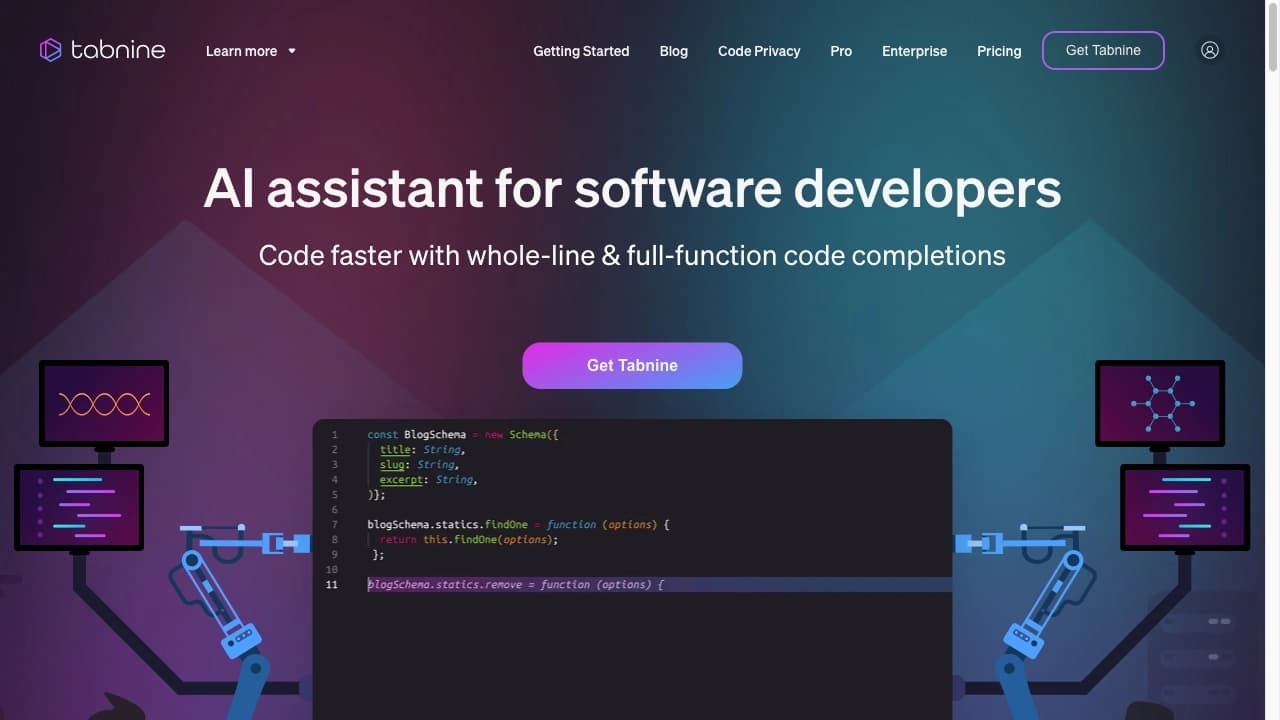
Tabnine — это AI-ассистент для программистов, который встраивается в редактор кода и автоматически дописывает код на основе контекста проекта и личного стиля разработчика. Инструмент поддерживает более 30 языков программирования, умеет генерировать код по текстовому описанию и адаптируется под привычки конкретного пользователя. Для обеспечения конфиденциальности модель может работать локально, без отправки кода на внешние серверы. Tabnine подходит как для индивидуальной, так и для командной разработки, помогая поддерживать единый стиль кода и сокращать время на рутинные задачи.
Основной принцип работы
Нейросеть анализирует текущий файл, структуру проекта и уже написанный код, после чего предлагает релевантные варианты завершения строк и функций. По мере использования инструмент обучается на кодовой базе проекта, и его подсказки становятся точнее.
Фокус на стабильность и безопасность
Tabnine делает упор на скорость работы, стабильность в IDE и безопасность кода. Инструмент поддерживает локальные модели, что позволяет избежать передачи кода на внешние серверы, и соответствует стандартам SOC 2 и GDPR.
Характеристики Tabnine
| Характеристика | Значение |
|---|---|
| Тип инструмента | AI-ассистент для автодополнения кода |
| Категории | Ассистенты для кода, Генерация кода |
| Бизнес-модель | Freemium (есть бесплатная версия с базовыми функциями и платные подписки) |
| Платформы | Visual Studio Code, IntelliJ, Vim и другие IDE (через плагин) |
| Поддержка языков | Более 30 языков, включая Python, JavaScript, Java |
| Стандарты безопасности | SOC 2, GDPR |
| Возможность локальной работы | Да (развертывание без отправки кода на внешние серверы, в том числе в изолированных сетях) |
| Ежемесячные посещения | 16.8M |
| Веб-сайт | www.tabnine.com |
Для кого подходит нейросеть Tabnine?
Индивидуальные разработчики
Tabnine подходит программистам, которые используют IDE и хотят ускорить написание кода за счёт автоматического дополнения типовых конструкций и функций. Инструмент особенно полезен тем, кто работает с большими проектами и хочет сократить время на рутинные задачи.
Команды разработчиков
Tabnine часто внедряют именно в командах. Он помогает поддерживать единый стиль кода и структуру проекта, ускоряет совместную работу. Это делает его удобным инструментом для корпоративной среды.
Компании с повышенными требованиями к безопасности
Разработчики, работающие в компаниях, где важна защита кода и интеллектуальной собственности — особенно те, кто использует изолированные сети без доступа к интернету (air-gapped deployments). Tabnine поддерживает локальное развертывание, что исключает утечку данных через внешние серверы.
Как использовать нейросеть Tabnine?
Установка плагина
Tabnine устанавливается как плагин через раздел расширений вашей IDE. Поддерживаются Visual Studio Code, IntelliJ, Vim и другие среды разработки. После установки необходимо перезапустить IDE.
Начало работы
После установки плагин автоматически начинает предлагать подсказки кода в реальном времени по мере набора. Разработчик может принимать предложения или игнорировать их. Настройки подсказок доступны через меню расширения. Вся работа происходит прямо в редакторе — никаких дополнительных окон или веб-интерфейсов не требуется.
Тонкая настройка
Для максимальной эффективности рекомендуется настроить степень автоматизации и характер предлагаемых решений. Инструмент позволяет адаптировать подсказки под стиль проекта и предпочтения конкретного разработчика.
Основные функции Tabnine
Интеллектуальное завершение кода на основе контекста
Tabnine анализирует текущий файл, структуру всего проекта и стиль программирования пользователя, после чего предлагает релевантные варианты завершения строк, функций и целых блоков кода. Подсказки появляются органично и не мешают процессу разработки.
Генерация кода из описаний на естественном языке
Инструмент умеет создавать строки и функции на основе комментариев и уже написанного кода. Разработчик может описать на естественном языке, что нужно сделать, и Tabnine предложит соответствующий фрагмент кода.
Персонализация под стиль разработчика
Tabnine адаптируется под проект: по мере работы его предложения становятся более точными, так как модель обучается на кодовой базе и привычках конкретного пользователя. Это позволяет постепенно улучшать точность рекомендаций.
Локальное развертывание для конфиденциальности данных
Для обеспечения безопасности кода и интеллектуальной собственности Tabnine может работать полностью локально, без отправки данных на внешние серверы. Также поддерживается работа в изолированных сетях без доступа к интернету (air-gapped deployments).
Преимущества Tabnine
Безопасность и контроль
Tabnine поддерживает работу в изолированных сетях, что критически важно для компаний с высокими требованиями к безопасности. Инструмент даёт высокий уровень контроля над ИИ-функциональностью и позволяет настраивать степень автоматизации. Соответствие стандартам SOC 2 и GDPR подтверждает серьёзный подход к защите данных.
Стабильность и скорость работы
Tabnine стабильно работает в IDE, не мешая процессу разработки. Подсказки появляются органично и плавно. Инструмент обрабатывает до 90% рутинных задач и сокращает время разработки в среднем на 20%.
Адаптация под проект и команду
Tabnine постепенно улучшает точность рекомендаций, адаптируясь к привычкам разработчика и стилю проекта. Это особенно полезно в командной разработке, где инструмент помогает поддерживать единый стиль кода и структуру.
Недостатки Tabnine
Ограничения в генерации сложной логики
Tabnine больше ориентирован на автодополнение и типовые конструкции, чем на полноценное написание сложного кода. В генерации нетривиальной логики он уступает некоторым конкурентам. Для сложных задач всё равно требуется участие разработчика.
Зависимость от контекста проекта
При неструктурированном или плохо организованном коде подсказки становятся менее точными. Эффективность инструмента напрямую зависит от качества и согласованности кодовой базы проекта.
Ограничения бесплатной версии
Для полноценного использования AI-возможностей в компаниях требуется платная версия. Бесплатный тариф предлагает только базовое автодополнение, что может быть недостаточно для серьёзной работы. Также для максимальной эффективности требуется настройка инструмента.
Какие задачи решает Tabnine
Ускорение процесса написания кода
Tabnine автоматизирует рутинное написание типовых функций и конструкций, позволяя разработчику быстрее реализовывать стандартные блоки кода. Инструмент существенно снижает время на повторяющиеся операции.
Автоматизация рутинных задач программирования
Инструмент берёт на себя до 90% повторяющихся операций — от простого автодополнения до генерации стандартных фрагментов кода по текстовому описанию. Это освобождает разработчика для работы над логикой и архитектурой.
Поддержание единого стиля кода в команде
Tabnine помогает командам разработчиков поддерживать единый стиль и структуру кода. Поскольку инструмент адаптируется под проект, все участники получают согласованные подсказки, что снижает количество ошибок и ускоряет разработку в больших проектах.
Обеспечение безопасности кода и интеллектуальной собственности
Благодаря возможности локального развертывания и работы в изолированных сетях, Tabnine решает задачу защиты кода компании. Разработчики могут пользоваться AI-помощником, не опасаясь утечки данных через внешние серверы.
Цены Tabnine
Бесплатная версия (Free)
Tabnine предлагает базовое автодополнение кода без дополнительных AI-возможностей. Этот тариф подходит для ознакомления с инструментом и базовых задач.
Платная версия Pro
Расширенные AI-подсказки и генерация кода доступны по подписке от примерно $12 в месяц. Точные условия и набор функций могут меняться, для уточнения рекомендуется обращаться к официальному сайту.
Корпоративная версия (Enterprise)
Для компаний с повышенными требованиями к безопасности предлагается тариф по запросу. Он включает локальные модели, расширенный контроль и возможности развертывания в изолированных сетях.
Условия использования Tabnine
Для работы с Tabnine необходимо установить плагин в одну из поддерживаемых IDE — Visual Studio Code, IntelliJ, Vim или другую среду разработки. Плагин доступен через раздел расширений соответствующей IDE. После установки и перезапуска редактора инструмент готов к использованию.
Для полноценного использования AI-возможностей, особенно в корпоративной среде, требуется платная версия. Бесплатный тариф предоставляет только базовое автодополнение кода.
Доступность Tabnine
Tabnine доступен на международном уровне. Инструмент работает как плагин для популярных IDE: Visual Studio Code, IntelliJ, Vim и других. Поддерживается более 30 языков программирования. Языки интерфейса на официальном сайте не указаны. Доступ к инструменту осуществляется через сайт www.tabnine.com.
Версия с локальным развертыванием позволяет использовать Tabnine в изолированных сетях без доступа к интернету, что делает его доступным для компаний с жёсткими требованиями к безопасности.
Чем отличается Tabnine от аналогов
Основное отличие: фокус на автодополнение и безопасность
Tabnine больше ориентирован на автодополнение кода, стабильность работы и безопасность, в то время как GitHub Copilot сильнее в генерации сложного кода. Tabnine чаще используется там, где важны контроль над ИИ-функциональностью и защита данных, особенно в командах.
Поддержка изолированных сетей
В отличие от многих других подобных решений, Tabnine поддерживает работу в изолированных сетях без доступа к интернету (air-gapped deployments). Это ключевое отличие для компаний с повышенными требованиями к безопасности, которые не могут отправлять код на внешние серверы.
Адаптация под стиль разработчика
Tabnine предлагает постепенное улучшение точности рекомендаций с адаптацией к привычкам конкретного разработчика и стилю проекта. Инструмент позволяет настраивать степень автоматизации и характер предлагаемых решений, что даёт высокий контроль над AI-функциональностью.
Заключение
Tabnine — это AI-ассистент для разработчиков, сфокусированный на автодополнении кода, стабильности, скорости и безопасности. Инструмент поддерживает более 30 языков программирования, интегрируется с популярными IDE и предлагает контекстные подсказки, адаптирующиеся под стиль проекта и разработчика. Ключевое преимущество Tabnine — возможность локального развертывания и работы в изолированных сетях, что делает его востребованным в корпоративной среде с высокими требованиями к безопасности. Есть бесплатная версия с базовыми функциями, а для полноценного использования — платные тарифы. Tabnine подходит как для индивидуальной, так и для командной разработки, помогая поддерживать единый стиль кода и сокращать время на рутинные задачи, хотя в генерации сложной логики уступает некоторым конкурентам.
Тарифы
Часто задаваемые вопросы
Похожие нейросети














Смотрите также


Набор инструментов для генерации и редактирования видео с помощью ИИ, включая аватары, липсинк и клонирование голоса.


Расширение для Chrome, которое помогает управлять вкладками, историей и закладками с помощью ИИ-ассистента.


ИИ-ассистент для создания текстового контента, изображений и работы с голосом, ориентированный на русскоязычных пользователей.

ИИ-агент для автоматизации клиентских коммуникаций и поддержки.


Платформа для создания мультиагентных AI-систем и чат-ботов для автоматизации клиентской поддержки и поиска лидов.


Платформа для управления проектами с функциями постановки задач, отслеживания времени и контроля загрузки сотрудников.


Настольный AI-ассистент для macOS, Windows и Linux, который запускается по хоткею поверх всех окон и объединяет несколько языковых моделей в одном интерфейсе.


Боковая AI-панель, которая помогает отвечать на вопросы, работать с документами и генерировать изображения.