

Textbuddy
AI-powered online editor for simplifying, rewriting, and improving texts, which analyzes complex sentences, repetitions, passive voice, and errors, and offers replacements and readability scores.
Overview
Textbuddy AI Description
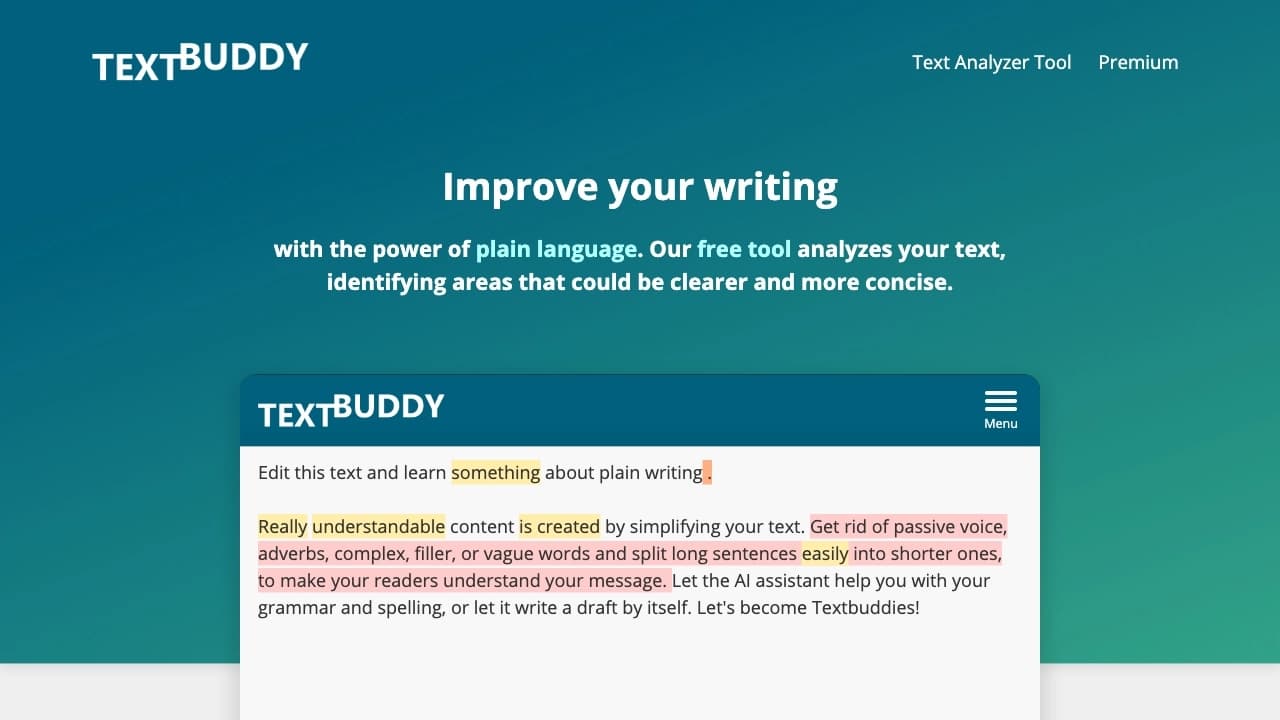
Textbuddy is an AI-powered online editor that helps make texts simpler, shorter, and clearer. The service automatically analyzes what you write and highlights problem areas: overly long sentences, complex words, repetitions, passive voice, unnecessary adverbs, and "fluff." For each detected issue, the neural network suggests replacement options and provides recommendations for improving style.
Instead of manually proofreading every paragraph, users get a ready-made "map" of weak spots in the text with specific advice. Textbuddy works through a web browser, supports over 50 languages, and offers basic features for free without requiring registration. The tool is built around plain language principles — simple and clear writing that is easy for readers to understand.
Textbuddy Features
| Feature | Value |
|---|---|
| Type | AI editor and text rewriter |
| Category | Rewriting, spelling and grammar |
| Platform | Online service (web) |
| Technology | ChatGPT-4 |
| Developer | vidiludi software |
| Interface languages | Over 50 languages |
| Free plan | Yes, works without registration |
| Distribution model | Freemium |
| Monthly visits | 388.9K |
Who Is Textbuddy AI For?
Copywriters and Editors
Professionals who work with texts on a regular basis use Textbuddy to speed up the proofreading process. The tool quickly finds weak spots in drafts and offers specific improvement options, allowing users to focus on the meaning rather than mechanical editing.
Marketers and Business Communications
For those who write business letters, proposals, or important documents, clarity of expression matters. Textbuddy helps remove the unnecessary, make messages concise, and get the point across without "fluff" or bureaucratic jargon.
Students and Learners
When writing essays, research papers, and academic works, Textbuddy acts as an assistant that highlights complex constructions and suggests simpler phrasing. This is especially useful when working in a non-native language and needing to check text readability.
Anyone Who Wants to Write More Simply
Any user who needs to write texts for websites, blogs, or social media can use Textbuddy for quick checks. The tool is suitable for working with large volumes of content, helping convey ideas without unnecessary filler.
How to Use Textbuddy AI
Step 1: Paste Your Text into the Editor
Go to the service website and copy the text you want to edit into the editor field. The service automatically analyzes the content and highlights problem areas: long sentences, complex words, repetitions, passive voice, and other weak fragments.
Step 2: Review Recommendations and Make Edits
After analysis, Textbuddy suggests ways to simplify complex phrases, finds synonyms, and points out spelling and punctuation errors. You can accept the suggested changes or reject them, choosing the most suitable option.
Step 3: Ask the AI a Specific Question
If you have a particular task — such as adapting text for a specific audience or changing the tone of a message — you can add your own prompt and get personalized advice from the neural network. This allows you to tailor recommendations to your specific goals.
Key Textbuddy Features
Automatic Text Analysis
Textbuddy scans text and identifies the following issues:
- overly long and hard-to-read sentences;
- words and constructions that are difficult to process;
- repetitions and tautology;
- passive voice instead of active;
- unnecessary adverbs and vague phrasing;
- "fluff" — phrases that carry no meaningful weight.
AI Rewriter and Synonym Suggestions
For each problem fragment, the neural network offers alternative phrasings. The service shows CEFR levels for words and its own text readability index, helping users choose the optimal writing style.
Spelling and Punctuation Check
The built-in spellchecker automatically corrects grammar errors and helps tidy up punctuation. It works like an advanced autocorrector adapted for large volumes of text.
Statistics and Formatting
The service provides a word and character counter, text statistics, and formatting assistance. This makes it easy to gauge the scope of work and structure information.
Textbuddy Advantages
Clarity and Conciseness
Textbuddy's main strength is its ability to make texts shorter and clearer without losing meaning. Its focus on plain language principles delivers maximum readability even on complex topics.
Time Savings
Automatic analysis and ready-made recommendations cut down the time spent on proofreading and fixing errors. Instead of hours of manual editing, users get a ready list of issues and solutions in minutes.
Adaptation to Specific Tasks
The ability to ask the AI your own question provides advice tailored to a particular situation — from business correspondence to academic articles. This makes the tool flexible for different types of tasks.
Accessible Without Registration
Textbuddy's basic features work for free and without creating an account. This is convenient for quick text checks when there is no need to set up a profile or configure additional settings.
Textbuddy Drawbacks
Limited Context Understanding
The neural network does not always grasp hidden meaning, irony, or cultural nuances in text. This can lead to inaccurate recommendations when working with literary or emotionally charged content.
Risk of Unnatural Simplification
Sometimes after automatic simplification, text becomes unnatural or loses its flow. Grammar and style errors may occur after applying suggested changes, requiring additional manual review.
Weak Performance on Creative Tasks
The tool struggles with creative tasks and often offers formulaic solutions. For a unique authorial voice or unconventional phrasing, Textbuddy may not be the best choice.
What Tasks Does Textbuddy Solve?
Simplifying Complex Texts
Textbuddy helps rephrase complex text into simple, understandable language. This is especially relevant for technical documentation, legal texts, and academic articles that need to reach a broad audience.
Rewriting and Improving Readability
The service paraphrases paragraphs, shortens sentences, replaces complex words with simpler synonyms, and improves text structure. As a result, the material becomes easier to digest.
Analyzing Text for Errors and Weak Spots
Textbuddy acts as a "second editor" that automatically highlights all weak points: long sentences, repetitions, passive voice, unnecessary adverbs, and "fluff." This reveals problems that are easy to miss during self-proofreading.
Choosing the Optimal Writing Style
The tool suggests synonyms and shows CEFR levels, helping users pick the right style for a specific audience. Its own readability index allows for an objective assessment of text complexity.
Textbuddy Pricing
Textbuddy operates on a freemium model, offering users several pricing plans:
- Free plan — access to basic AI text editing features, works without registration;
- Promo plan — includes extended limits and additional recommendations;
- Professional plan — provides full access, priority support, and integrations.
Basic features are available for free and without registration, which is convenient for quick text checking and editing. Paid plans expand the capabilities and are designed for users who need to work with large volumes of content on a regular basis.
Textbuddy Terms of Use
The service is available as an online editor through a web browser without the need to install additional software. To get started, simply go to textbuddy.com and paste your text into the editor — no registration is required to use the basic features.
Textbuddy is developed by vidiludi software. The tool is built on ChatGPT-4 technology and is designed for a wide range of users working with texts in different languages.
Textbuddy Availability
Textbuddy is a fully online service that works through a web browser on any device with internet access. No app installation is required, making the tool maximally accessible to users.
Support for over 50 interface languages makes the service universal for working with multilingual content. Users can write texts in different languages and receive improvement recommendations for each one. Free access and no registration requirement allow users to start using the tool at any time without preparation.
How Textbuddy Differs from Alternatives
Focus on Simplification and Plain Language
Textbuddy stands out from alternatives through its focus on plain language principles. While many AI editors concentrate on grammar checking or content generation, Textbuddy specializes in making text as clear as possible for a broad audience.
Working with Large Volumes of Text
Its mechanics resemble a "smart autocorrector" adapted for large texts. This sets Textbuddy apart from simple spellcheckers and makes it convenient for working with articles, reports, and other lengthy materials.
Multilingual Support and Accessibility
Availability in more than 50 languages is a significant advantage over tools focused on one or a few languages. The ability to work without registration and the free plan make the service more accessible than many alternatives that require account creation from the start.
Custom Prompts
The ability to ask the AI your own question for personalized advice is a feature not all competitors offer. This allows recommendations to be tailored to a user's specific task, which is especially important when working with specialized types of text.
Conclusion
Textbuddy is an AI-powered online tool that helps simplify and rewrite texts, making them clearer and more readable. It automatically identifies weak spots in text, suggests replacement options, and is built around plain language principles. The tool suits copywriters, editors, marketers, students, and anyone who wants to write more simply and cleanly. Basic features are available for free and without registration, and support for over 50 languages makes the service universal for working with multilingual content. At the same time, the tool has limitations: the neural network does not always grasp hidden meaning, sometimes makes text unnatural after simplification, and struggles with creative tasks. Textbuddy is a practical assistant for quick editing, error correction, and style improvement, especially useful when working with business correspondence and large volumes of content.
Frequently asked questions
See also

Platform for creating short cinematic videos using artificial intelligence based on a text description.

Anakin.ai is a low-code platform that combines various AI models for content creation and workflow automation without coding.
A tool for creating diagrams and mind maps from text descriptions in natural language.


AI service for automatically selecting music to match the mood of videos, images, or text, with legal licenses.
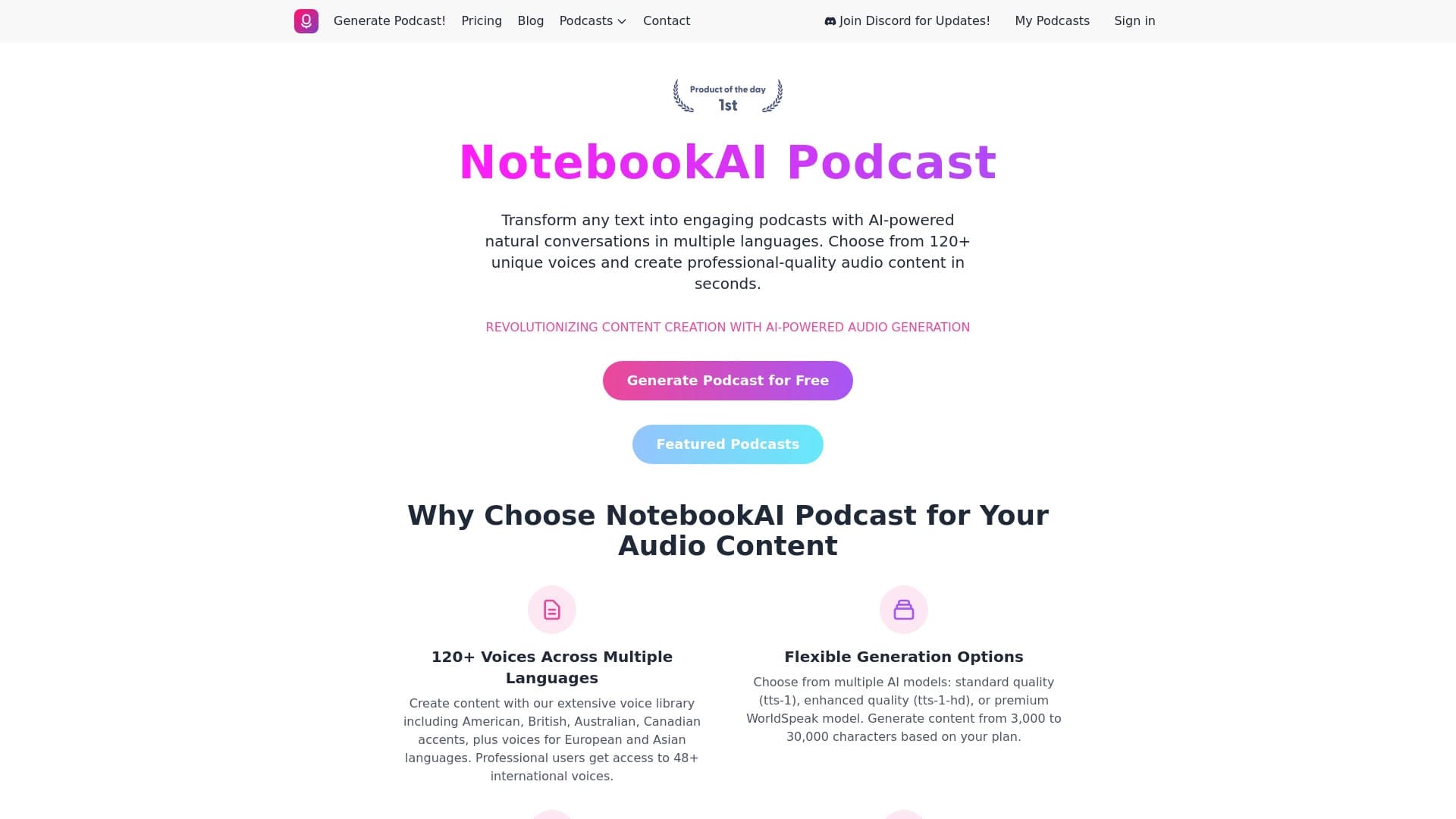

A service for turning text into podcasts with naturally sounding voices in different languages.

AI agent for automating routine browser actions, such as filling out forms and collecting data.


Cloud storage with artificial intelligence features for automatic file categorization and content recognition.
An online service that reworks text created by a neural network to make it sound natural and undetectable by AI detectors.