
Excel Formula GPT
Converts text descriptions into ready-to-use Excel formulas.
Overview
Excel Formula GPT Neural Network Description
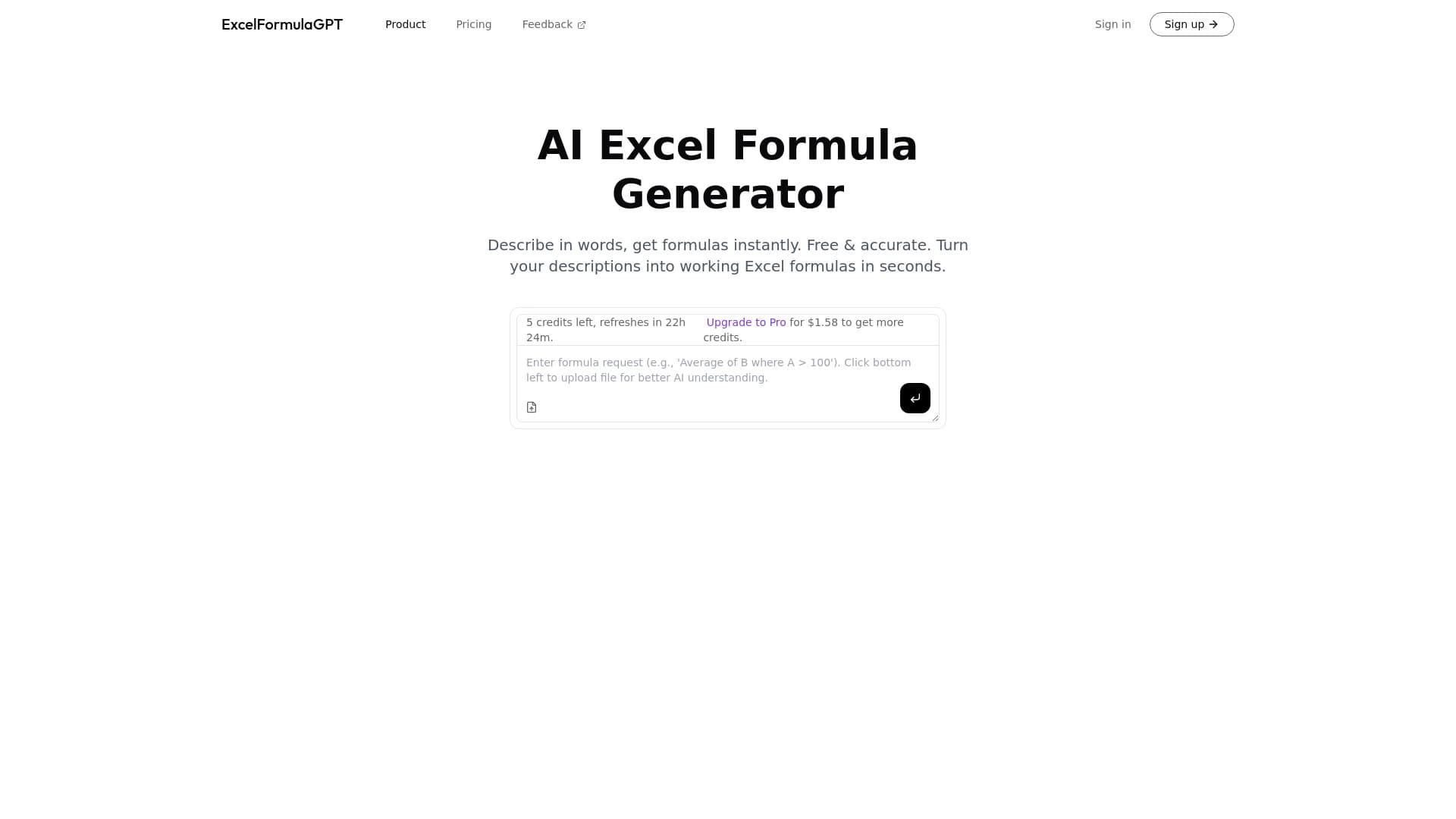
Excel Formula GPT is an AI-powered tool that translates ordinary text queries from users into ready-to-use Excel formulas. Instead of manually dealing with function syntax, such as VLOOKUP, SUMIF, or array formulas, you simply describe in words what you need to do with your data — and the neural network suggests an appropriate formula.
The working principle is based on natural language processing: you type "calculate the average sales for the last quarter" or "find duplicates in column A" — and you get a syntactically correct formula that you can immediately insert into a cell. This eliminates the need to keep hundreds of functions and their arguments in mind.
The tool is especially useful in situations where you need to quickly solve a one-off task in a spreadsheet, but you don't want to — or don't have time to — dive deep into learning Excel. The neural network acts as a kind of translator between human language and the language of Excel formulas.
Excel Formula GPT Features
| Feature | Value |
|---|---|
| Purpose | Converting text descriptions into Excel formulas |
| Distribution model | Not specified |
| Input | Text query in natural language |
| Output | Ready-to-use Excel formula |
| Learning curve | Low, no knowledge of function syntax required |
| Target audience | From beginners to experienced analysts |
| Output format | Ready-to-paste formula |
Who Is Excel Formula GPT Suitable For?
Beginners and Students
People who are just starting to work with Excel often face a problem: they understand what needs to be done, but don't know which function is suitable. Excel Formula GPT removes this barrier, allowing users to describe tasks in simple words and get working solutions without studying documentation.
Office Workers and Managers
Professionals who use Excel for everyday tasks — accounting, reporting, planning — get the opportunity to speed up routine operations. Instead of long internet searches for the right formula, it's enough to formulate a query in your own words.
Experienced Analysts and Financial Professionals
Even advanced users sometimes forget the exact syntax of complex or rarely used functions. For them, the tool is useful as a quick cheat sheet: no need to open the help documentation or recall the nuances of nested constructions.
How to Use Excel Formula GPT?
Step 1: Formulate Your Query
Describe in words what operation you need to perform in Excel. Try to specify concrete details: column names, value types, conditions. The more precise your query, the more relevant the formula you'll get.
Step 2: Copy the Resulting Formula
After processing your query, the neural network will output a ready-made formula. Copy it to your clipboard to paste it into the desired cell of your spreadsheet.
Step 3: Paste and Verify the Result
Paste the formula into Excel, replace cell references with your own data if necessary, and check that the calculations are correct. If needed, you can refine your query and get a corrected version from the neural network.
Key Functions of Excel Formula GPT
- Formula generation from text descriptions — the core function that turns a user's query into a syntactically correct Excel formula.
- Support for various types of operations — from simple arithmetic to complex logical constructions, date handling, lookup, and data aggregation.
- Handling different complexity levels — the tool handles both basic formulas like SUM and more complex solutions requiring nested functions.
- Fast results — the formula is generated almost instantly, allowing you to keep your workflow uninterrupted.
Advantages of Excel Formula GPT
- Time savings — no need to search for syntax and figure out function nuances; everything is done in one step.
- Low entry barrier — users don't need to know how a function works; describing the desired result is enough.
- Fewer errors — the neural network outputs a ready-made construction with correct syntax, reducing the risk of typos and incorrect argument structures.
- Versatility — suitable for a wide range of tasks, from simple summation to complex data analysis.
Disadvantages of Excel Formula GPT
- Unknown distribution model — transparency regarding how the tool works and what data is collected remains unclear.
- Possible need for adaptation — the resulting formula sometimes needs to be adjusted to fit a specific spreadsheet structure, especially if the query was too general.
- Dependence on query wording — the quality of the result directly depends on how accurately and thoroughly the user describes their task.
- Limited context — the tool outputs a formula but doesn't explain its logic, which doesn't contribute to user learning.
What Tasks Does Excel Formula GPT Solve?
Excel Formula GPT solves the main problem — it removes the cognitive load associated with memorizing function syntax. This is relevant in several scenarios:
- When you need to quickly get a formula for a one-off task without spending time searching for a solution.
- When the user doesn't remember the exact function name or the order of arguments in a complex construction.
- When you need to automate routine calculations but don't want to learn Excel at a professional level.
- When you need to verify your own formula variant or find an alternative way to solve a task.
Excel Formula GPT Pricing
Reliable information about the cost of using Excel Formula GPT is not available in public sources. There is no data on whether the tool is free, works on a subscription basis, or offers one-time payment. Before starting to use it, it's recommended to check the current terms on the official website or the tool's page — the pricing structure or a description of free access may be listed there.
Terms of Use for Excel Formula GPT
Specific terms of service have not been published in available sources. It's unknown whether there are limits on the number of requests, whether registration or authorization through third-party services is required. There is also no information about the privacy policy: how user queries are processed, whether they are stored on servers, and whether they are used for model training.
Excel Formula GPT Availability
The distribution format and platforms on which the tool operates have not been officially announced. It's unclear whether the service is available through a web interface, integrated into third-party applications, or exists as a standalone Excel add-in. Therefore, it's impossible to determine exactly which devices and operating systems it can run on without additional verification.
How Excel Formula GPT Differs from Alternatives
The main difference between Excel Formula GPT and many other AI tools for working with spreadsheets is its narrow specialization. Instead of trying to cover all possible operations in spreadsheets, it focuses specifically on generating formulas from text descriptions. The exact formula can simply be pasted into a cell.
While many alternatives offer creating entire macros, data visualization, or automatic spreadsheet cleaning, Excel Formula GPT solves one specific task — and does it well. It's a kind of "translator" from human language to Excel language, whereas competitors more often try to replace the user entirely.
The key advantage of this approach is ease of use for people who don't want to understand the logic of formula construction but simply want to get a working result.
Conclusion
Excel Formula GPT is a useful tool for anyone who works with Excel and wants to save time writing formulas. Its main value lies in simplicity: instead of learning syntax, the user describes the task in their own words and gets a ready-made solution. Despite the lack of public information about the distribution model, terms of use, and pricing, the concept itself looks practical and in demand. If you frequently work with spreadsheets and are tired of memorizing or searching for function syntax, this tool could become a convenient alternative to traditional ways of working with formulas.
Frequently asked questions
See also


A multifunctional AI assistant for generating texts, images, and audio.

Multifunctional AI platform for content creation, combining speech synthesis, text generation, avatar creation, and video editing.


An add-in for Microsoft Word that uses neural networks to automate the creation, editing, and analysis of legal contracts.

Cabina AI is a unified platform for working with various generative neural networks, enabling you to create texts, images, and videos.

Online service for creating and customizing birthday invitations and congratulations using artificial intelligence.
Web service for making AI-generated texts look more natural and human.


Service for transforming AI-generated text into a more natural-looking form that is harder for artificial intelligence detectors to recognize.

AI keyboard for Apple devices that speeds up typing with corrections, translation, and response generation.