

DraftCheck
AI tool for checking and editing business documents, integrated into Word and browser.
Overview
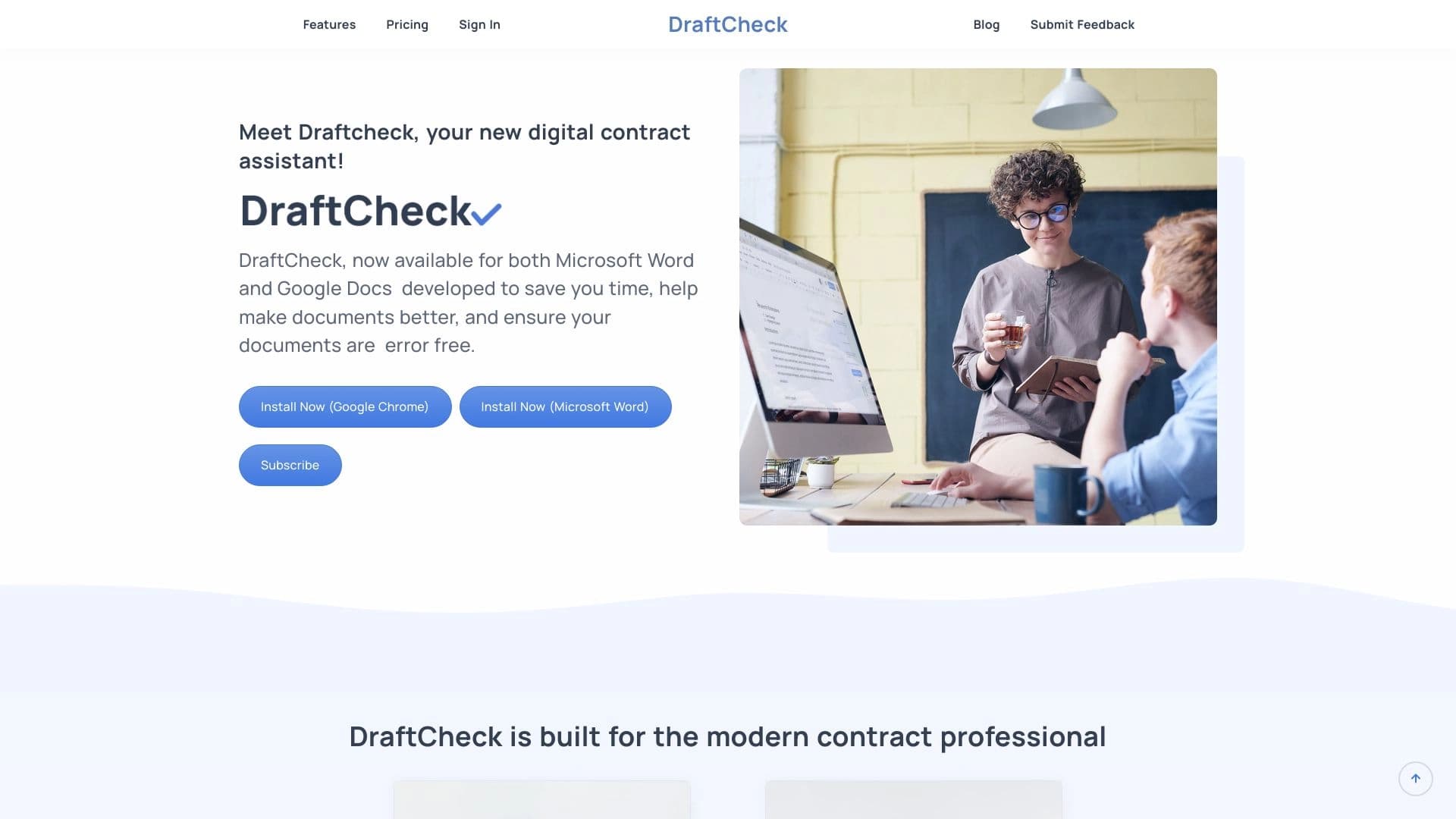
DraftCheck is an intelligent assistant for working with business documents that integrates directly into familiar editors — Microsoft Word and Google Docs. The tool's primary purpose is to automate text checking and editing by identifying formatting errors, inconsistencies, issues with cross-references, and term definitions. The solution is positioned as a tool for professionals working with legal, corporate, and technical documents, where precision of wording and consistency of formatting are critical.
DraftCheck's key feature is its Local-First AI architecture, where data processing happens directly on the user's device rather than on remote servers. This ensures a high level of confidentiality when working with sensitive information. The service supports change tracking and version comparison, making it convenient for team collaboration on contracts, internal policies, agreements, and official proposals (offers).
How the tool works
DraftCheck operates on a "one-click check" principle: the user opens a document in their familiar editor, launches the extension or add-in, and the tool scans the text to identify potential issues. It is built on a combination of machine learning algorithms and a set of formal rules, allowing it to detect both semantic inconsistencies and purely technical errors — for example, incorrect formatting or broken links to other sections of the document.
Ecosystem and integration
The tool is available in two forms: as a Google Chrome browser extension and as a Microsoft Word add-in. This allows users to keep their existing workflow and editor while adding an extra layer of automated checking. This approach makes DraftCheck a flexible solution for lawyers, HR specialists, compliance teams, and operations teams that work with large volumes of documents daily.
DraftCheck Features
| Feature | Value |
|---|---|
| Tool type | AI tool for checking and editing business documents |
| Platform | Google Chrome extension, Microsoft Word add-in |
| Categories | PDF and documents, proofreading and editing, contract management |
| Data processing model | Local (Local-First AI) |
| Primary editors | Microsoft Word, Google Docs |
| Date added to catalog | December 30, 2025 (according to one source), June 22, 2024 (according to another source) |
| Rating | 0 (no reviews yet) |
| Catalog publication author | Admin |
Who is DraftCheck for?
Legal professionals and paralegals
DraftCheck is primarily aimed at lawyers and paralegals who work with contracts, agreements, and legal documentation on a daily basis. For this audience, precision of wording, correctness of cross-references between sections, and consistency of terminology are critically important. The tool helps automate the routine document review process that would otherwise take significant time.
HR specialists and compliance departments
HR staff and compliance departments regularly prepare internal policies, regulations, and official documents. For them, DraftCheck is useful for identifying inconsistencies in term definitions and ensuring consistent formatting across documents of different versions and years.
Editors, authors, and document reviewers
The tool is useful for technical writers, editors, and anyone whose work involves preparing large documents — from academic articles to internal business regulations. DraftCheck acts as an additional quality control layer, reducing the risk of human error during proofreading.
Operations teams
Operations managers working with supply contracts, tender documentation, and internal procedures can use DraftCheck to speed up the document preparation and finalization process, as well as to control versions during collaborative work.
How to use DraftCheck?
Installation and setup
To get started with DraftCheck, you need to install one of two extensions: either the Microsoft Word add-in or the Google Chrome browser extension. Both versions are available for installation from their respective app stores. After installation, the tool appears as a separate panel or menu item within the editor you are using, and you can continue working in your familiar interface — no additional configuration is required.
Running a document check
After installation, the workflow looks like this:
- Open a document in Microsoft Word or Google Docs.
- Launch DraftCheck via the browser extension panel or the add-in tab in Word.
- Click the "Check Document" button to start the automated text review process.
- Review the results and make corrections — the tool will point out the issues found, while the decision on final edits remains with the user.
Working with changes and version comparison
For team collaboration, DraftCheck provides the ability to track changes and compare document versions. This is important when negotiating contracts, where multiple parties make edits and it is necessary to control exactly which changes were added to the new version of the file. This functionality helps avoid data loss and conflicts when several specialists work simultaneously.
Key DraftCheck features
Smart editing and redlines
The tool can not only find errors but also suggest intelligent edits with visualizations of changes — so-called redlines. This allows you to see exactly what corrections the system proposes and make informed decisions about them. This approach speeds up the drafting and finalization process for documents.
Formatting and consistency checks
DraftCheck uses AI algorithms and a set of rules to identify formatting errors as well as inconsistencies in the text. This includes checking font consistency, indentation, section numbering, and ensuring term definitions are consistent throughout the document — the same concept should be named identically in different parts of the document.
Cross-references and definitions
One of the key functions is cross-reference checking. In complex documents, links to other sections, clauses, appendices, or tables often break after edits are made. DraftCheck identifies such cases and flags them, and also verifies the correctness of term definitions at first use and in subsequent mentions.
Version comparison and change tracking
DraftCheck supports document version comparison, which is convenient for collaborative work. Users can see exactly what changed in a new version compared to the previous one and control the edits made.
DraftCheck advantages
Data confidentiality and security
DraftCheck's main advantage is local data processing (Local-First AI). All information is processed directly on the user's device, reducing the risk of confidential data leaks. For law firms and corporate departments working with sensitive information, this is a critical factor that sets DraftCheck apart from cloud-based competitors.
Faster document review
Automating routine checks significantly reduces the time spent on proofreading and error detection. Instead of manually reviewing hundreds of pages, users get a ready-made list of issues that need legal assessment. This reduces the workload on specialists and minimizes the risk of human error being missed.
Works in familiar editors
DraftCheck does not require switching to a new environment or learning a new interface. The tool integrates into Microsoft Word and Google Docs, so users continue working in their familiar environment, and the extension simply adds an extra layer of control. This lowers the barrier to entry and speeds up employee adoption.
Reduced risk of human error
Even the most attentive editor can miss an incorrect cross-reference or term inconsistency in a document of 100+ pages. DraftCheck automates this process and ensures consistently high-quality document control, reducing the risk of errors related to the human factor.
DraftCheck limitations
At this time, information about the tool's limitations is limited. From the available data, the lack of user reviews can be noted — the tool's rating at the time of publication is 0, which does not allow for an assessment of real-world usage experience. A potential limitation is also platform dependency: DraftCheck only works as a Chrome extension and a Word add-in, so users of other text editors (e.g., LibreOffice) will not be able to use the tool.
In addition, local data processing, despite its confidentiality advantages, may require certain computing resources on the device, especially when working with large documents. Detailed information about system requirements has not been published in open sources.
What tasks does DraftCheck solve?
Contract drafting and redlining
DraftCheck simplifies the process of creating and editing contracts, policies, agreements, and official proposals. The tool helps maintain a consistent standard of formatting and terminology at all stages of work: from the initial draft to the final version that has been approved by multiple parties.
Quality control of documentation in a corporate environment
For HR departments, compliance services, and operations teams, the tool solves the task of preparing internal documentation in accordance with established standards. Checking the consistency of definitions and formatting is especially relevant when creating company policies that are frequently updated and have multiple revisions.
Proofreading academic and technical works
For authors, editors, and reviewers (including academic ones), DraftCheck serves as a final quality control tool. Checking cross-references and terminology is relevant when preparing scientific articles, technical documentation, and manuals where precision of wording is critical.
Version comparison in team collaboration
The version comparison feature solves the task of change control during collaborative work on a document. Multiple specialists can make edits, and the tool helps track what exactly changed, who made the changes, and whether the final version meets the requirements of all parties.
DraftCheck pricing
At the time of information collection, no publicly available pricing data for DraftCheck exists. The tool's distribution model is not specified (it is marked as "unknown" in the catalog). It is also unknown whether there is a free trial version, a free tier with limited functionality, or any subscription for individual users and corporate clients.
For up-to-date pricing information, it is recommended to refer to the official distribution channels: the extension page in the Chrome Web Store or the add-in page in the Microsoft Office app catalog.
DraftCheck terms of use
Detailed terms of use for DraftCheck are not disclosed in open sources. However, given the Local-First AI architecture and the emphasis on confidentiality, it can be assumed that users retain full control over their data, and information processing occurs without transmission to third-party servers.
By default, standard terms of the respective app stores apply to Microsoft Office add-ins and Chrome extensions, including requirements for minimum permissions and the developer's privacy policy. Exact licensing terms, corporate usage options, and liability limitations should be clarified directly with the DraftCheck developer.
DraftCheck availability
DraftCheck is available to Windows and Chrome users in two formats:
- Google Chrome extension — installed from the Chrome Web Store.
- Microsoft Word add-in — installed from the Microsoft Office add-in catalog.
The Microsoft Word add-in works as part of the Office suite, making it available to users of the desktop version of Word. The Chrome extension enables work with Google Docs, including the browser version, making the tool accessible to users of macOS, Linux, and other platforms where Chrome is supported.
Information about the availability of a mobile version, as well as the tool's availability in other browsers (Firefox, Safari, Edge), is absent from the source data.
How DraftCheck differs from alternatives
Local data processing as a key differentiator
DraftCheck's main difference from many well-known text-checking services is its Local-First AI architecture. Unlike cloud-based solutions such as Grammarly, ProWritingAid, or Hemingway Editor, which send text to remote servers for analysis, DraftCheck processes data locally. This significantly reduces the risk of confidential information leaks, which is critical for legal and corporate documents.
Specialization in business documents
While Grammarly and Hemingway Editor are positioned as universal tools for improving style and grammar, DraftCheck specializes specifically in business documents: contracts, policies, agreements. Its functionality is aimed not so much at stylistic edits as at identifying formal inconsistencies — cross-references, term inconsistencies, formatting issues. This makes it a more narrowly focused tool oriented toward legal and corporate work.
Integration with familiar editors
DraftCheck does not create its own editing environment but integrates into Microsoft Word and Google Docs. This sets it apart from products like Zoho Writer or ONLYOFFICE AI, which offer their own document editors. DraftCheck users do not need to change their familiar toolkit — they simply install the extension and work in the same environment as before.
Different approach to error detection
Unlike simpler tools (e.g., Slick Write) focused mainly on surface-level grammar checks, DraftCheck uses a hybrid approach: a combination of AI algorithms and a set of formal rules to check document consistency. This allows it to identify deeper-level errors that standard spell-checkers cannot see and to solve specific tasks such as maintaining the integrity of cross-references in structured documents.
Conclusion
DraftCheck is a niche AI tool for professionals working with business documents. It integrates into Microsoft Word and Google Docs and automates checking of formatting, cross-references, and terminology consistency. Its key advantage is local data processing, ensuring confidentiality when working with sensitive documents. The tool will be useful for lawyers, HR specialists, compliance departments, and editors who require formal quality control of documentation. At the same time, pricing data and detailed terms of use are not yet available, and the tool's rating at the time of publication is zero, which does not allow for definitive conclusions about its reliability and effectiveness in real-world use. DraftCheck stands out from universal grammar-checking services due to its specialization in corporate and legal tasks, making it an interesting choice for companies with high requirements for formatting accuracy and data security.
Frequently asked questions
See also


An open-source AI development agent that helps generate, refine, and debug code directly in the IDE.


A browser with built-in AI tools for chatting with neural networks, generating texts and images, translating and summarizing pages.


AI language teacher in the form of a browser extension and web service for practice, translation, and explanation of language materials.

AI agent for automating customer communications and support.


Platform for developing, monitoring, and evaluating AI applications based on large language models.


AI chatbot for automating customer communication and lead qualification.
Intelligent assistant from Microsoft, built into the Bing search engine and Edge browser, powered by GPT-4.


AI-powered online platform for quickly creating text content, including blogs, articles, and social media posts.