

Documentation.AI
Automatically updates technical documentation by tracking changes in GitHub and GitLab repositories.
Overview
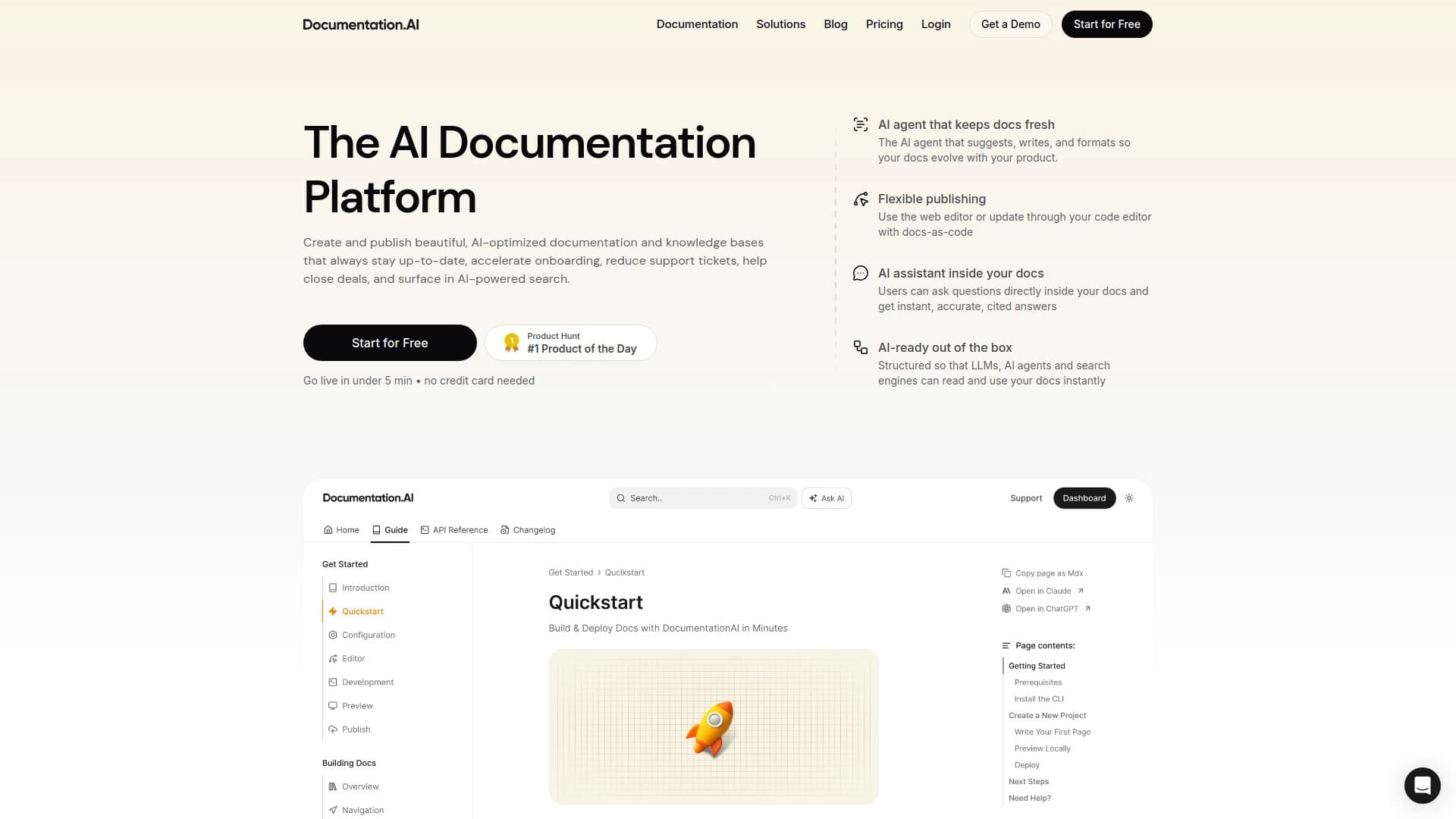
Documentation.AI is a service that solves a classic developer problem: documentation becomes outdated faster than it can be updated. The platform automatically tracks changes in code stored in GitHub or GitLab repositories and, based on those changes, suggests or makes edits to technical documentation. This way, specifications, guides, and knowledge bases always match the current state of the project.
The service doesn't just sync texts — it also integrates into the modern development workflow. It integrates with AI code editors (Cursor, Windsurf), providing developers with contextual hints based on up-to-date documentation. For end users, there's a built-in chat that answers questions by referencing specific sections of the documentation rather than giving generic responses. Additionally, Documentation.AI takes care of content visibility: it generates an llms.txt file for better indexing by search engines and language models, and optimizes page performance.
Key idea
The core idea of the service is "docs-as-code." This means documentation lives and evolves at the same pace as the software code, and its update process is automated as much as possible. Instead of manually reviewing changes and editing texts, a team can focus on development, trusting algorithms to keep documentation up to date.
Documentation.AI Features
| Feature | Value |
|---|---|
| Business model | Freemium (free tier + paid subscriptions) |
| Category | Developer tools |
| Target audience | Developers, development teams, technical writers |
| Integrations | GitHub, GitLab, AI code editors (Cursor, Windsurf) |
| Work format | Web editor, repository integration, docs-as-code approach |
Who is Documentation.AI for?
Developers and development teams
First and foremost, the service is useful for developers tired of manually updating documentation with every code change. The tool handles the routine of tracking commits and suggesting edits. Teams working with continuous integration methodologies can keep documentation up to date without extra effort.
Technical writers
Technical writers get a tool that lets them focus on the structure and quality of the text rather than mechanically tracking code changes. Instead of comparing versions themselves, they can review and edit system-suggested updates through the web editor or work with documentation as code.
Technical support and onboarding
Indirectly, the service helps support teams: the built-in chat answers common user questions, reducing the load on operators. Up-to-date documentation also speeds up onboarding for new employees and user adaptation to the product.
How to use Documentation.AI
Connecting a repository
To get started, connect the service to your GitHub or GitLab repository. After connecting, the system will start analyzing the change history and tracking new commits. Based on this data, Documentation.AI will automatically suggest updates for the relevant sections of the documentation.
Working with edits
Suggested changes can be reviewed and edited in two ways. The first is through a convenient web editor that clearly shows which sections of the documentation need updating. The second is in docs-as-code format: you can update documents directly in the code using familiar development tools and review processes.
Key features of Documentation.AI
Automatic change tracking
The system monitors code changes and automatically generates suggestions for updating documentation. This is a key feature that saves time on manual version comparison.
Integration with AI code editors
Integration with Cursor and Windsurf lets developers get relevant contextual hints right in the development environment. The hints are based on the documentation maintained by the service, which improves their accuracy and relevance.
Built-in chat in documentation
Every piece of documentation hosted on the platform gets a chat interface. Users can ask questions and receive answers with direct links to specific sections of the documentation, not just generic explanations.
Search and AI optimization
For each page, the service generates an llms.txt file. This improves content indexing by search engines and makes it more accessible to language models. Additionally, the platform ensures high page performance — a score of 100/100 on Google Lighthouse.
Advantages of Documentation.AI
Automation of routine tasks
The main advantage is full automation of the documentation update process when code changes. Developers and technical writers no longer need to manually track every change and check specifications for accuracy.
Reduced support load
Thanks to the built-in chat, which gives precise answers with links to the right sections, a significant portion of common user questions resolves itself. This lets the support team focus on more complex tasks.
Improved AI tool performance
Up-to-date documentation directly affects the quality of hints in AI code editors. The fresher and more accurate the data, the better models understand the context and help the developer.
Drawbacks of Documentation.AI
The service's drawbacks are not described in available sources. Obviously, like any tool, it requires initial setup and adaptation to a specific project. For small projects with infrequent changes, automation may not be as critical. No exact data on platform limitations or weak points is available in the provided information.
What problems does Documentation.AI solve?
Keeping documentation up to date
The main task the service solves is automatically updating documentation when code changes. This ensures users and developers always work with the most current information.
Reducing outdated methods
Manual specification updates almost always lead to outdated descriptions and methods. Documentation.AI minimizes this risk by automatically matching code changes to the relevant documentation sections.
Providing accurate answers to users
The service solves the problem of finding answers to documentation questions. The chat interface with links to specific sections lets users quickly find the information they need and reduces the chance of misunderstanding.
Documentation.AI Pricing
Free tier
A free plan is available to get started. It includes 1 editor seat and 50 AI credits per month. This may be enough for small projects or for getting familiar with the service's functionality.
Paid plans
Paid subscriptions start at $29. They include more editor seats, an increased number of AI credits, and an expanded feature set. In particular, paid tiers unlock the preview feature for changes before publishing, allowing more thorough control over documentation quality.
Documentation.AI Terms of Use
Exact and detailed terms of use are not disclosed in available sources. It is known that you need to connect a GitHub or GitLab repository to use the service. The service uses a Freemium distribution model, which implies a free tier with limitations and paid subscriptions for full functionality. Full use requires an account and, likely, granting the service access to your repository.
Documentation.AI Availability
Documentation.AI is positioned as a web service that integrates with GitHub, GitLab, and the AI code editors Cursor and Windsurf. This means access to the service is through a browser (web editor) or through integrations in the listed development tools. No information about mobile apps or desktop clients is provided in the available data.
How Documentation.AI differs from alternatives
The key difference between Documentation.AI and similar solutions is its comprehensive approach to the problem of documentation becoming outdated. Instead of providing only an editor or only an integration, the service combines several functions: automatic code change tracking, edit suggestions, AI editor integration, a user chat, and optimization for search engines and language models (including llms.txt generation).
It's important to note that the service doesn't just store documentation — it actively syncs it with repositories, making the update process nearly seamless. The emphasis on integration with modern AI tools (Cursor, Windsurf) and optimization for language models sets it apart from more traditional technical documentation platforms. This makes it a tool oriented not only toward the present but also toward the future of development, where AI plays an increasingly important role.
Conclusion
Documentation.AI is a practical solution for teams that want to get rid of the eternal problem of outdated documentation. By automatically syncing it with code, the service is suitable for maintaining API references, onboarding guides, and internal knowledge bases. Thanks to integrations with AI code editors and a built-in chat, it not only saves developers time but also improves the user experience by providing accurate answers to questions. The well-thought-out Freemium model lets you start using it for free and evaluate its effectiveness on your own project.
Frequently asked questions
See also


Chrome extension that helps manage tabs, history, and bookmarks with an AI assistant.


Side AI panel that helps answer questions, work with documents, and generate images.


AI toolkit for video generation and editing, including avatars, lip-sync, and voice cloning.

Cabina AI is a unified platform for working with various generative neural networks, enabling you to create texts, images, and videos.


Platform for creating multi-agent AI systems and chatbots to automate customer support and lead generation.


Project management platform with task assignment, time tracking, and employee workload monitoring features.

A platform for aggregating world news using AI to analyze and reduce bias.

A neural network-powered cloud service for generating 3D models, textures, and animations from text descriptions or images.