
Code Explainer
AI tool for code analysis and translation.
Overview
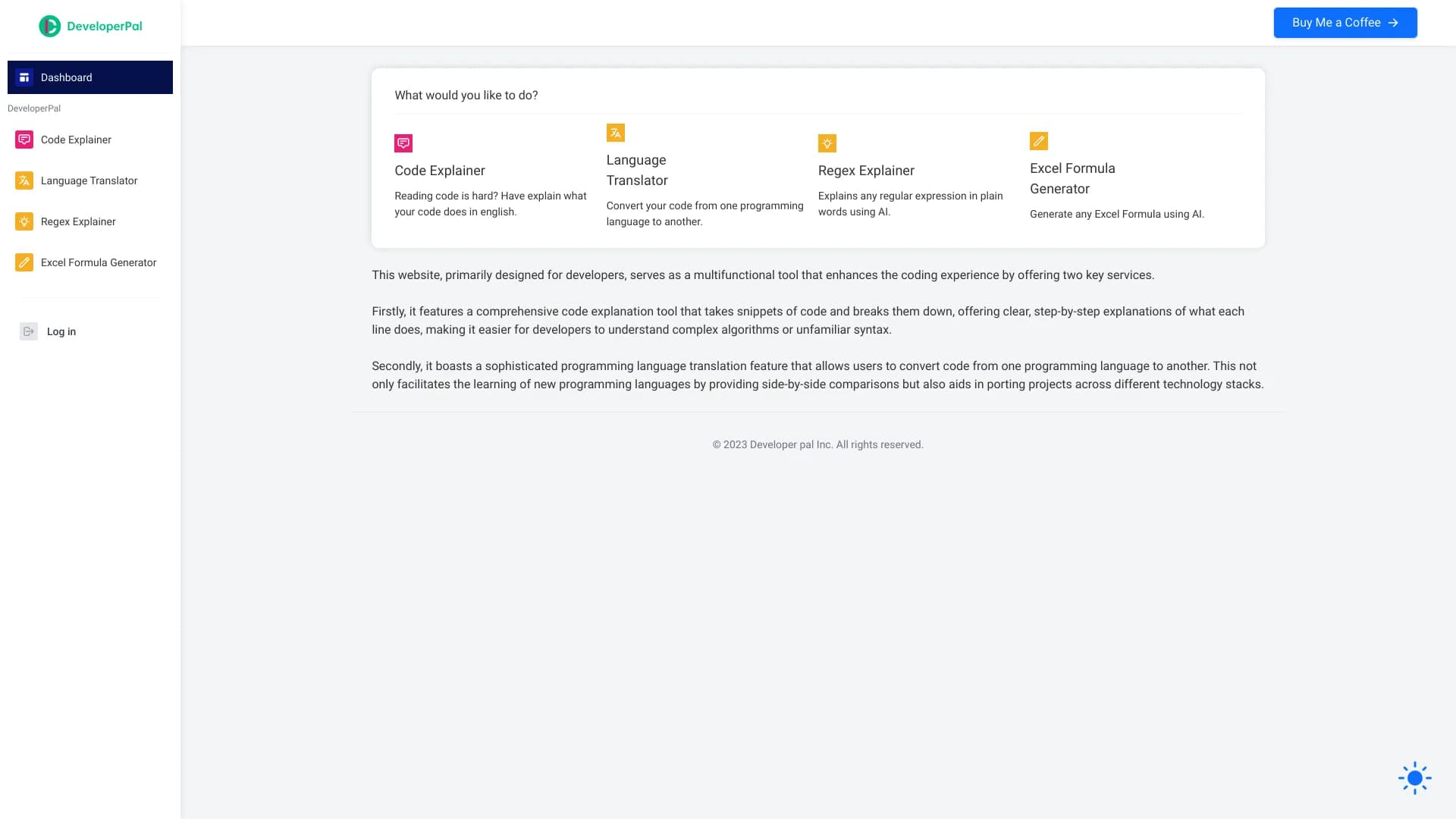
Code Explainer is an AI-powered tool designed to analyze source code and translate it into plain, human-readable language. The core purpose of the neural network is to help developers quickly understand unfamiliar or complex code fragments, as well as to simplify the process of porting logic between different programming languages.
The tool works in two key directions: explaining existing code (what a particular block, function, or algorithm does) and translating code from one language to another. This makes Code Explainer useful both for experienced programmers working with someone else's code and for beginners who are just learning the fundamentals of development.
The technology behind it
At the core of Code Explainer are machine learning models trained on large datasets of source code and textual descriptions. The neural network analyzes the syntax, structure, and logic of the provided fragment, then generates a coherent textual explanation in natural language. When translating to another programming language, the system preserves the original logic and semantics while adapting the syntax to the target language.
Code Explainer characteristics
| Characteristic | Value |
|---|---|
| Tool type | AI tool for code analysis and translation |
| Primary function | Explaining code in plain language |
| Secondary function | Translating code between programming languages |
| Target audience | Developers, students, analysts |
| Use cases | Learning, architecture analysis, working with third-party code |
| Distribution model | Not specified |
Who is Code Explainer for?
Developers working with third-party code
Programmers often have to deal with code written by other people or generated automatically. Code Explainer helps quickly understand the purpose of individual functions and modules, saving time on manual analysis. This is especially relevant when working with legacy systems or when joining a new project.
Students and beginner programmers
For those learning to program, the tool serves as a kind of tutor. Instead of searching for answers on forums or in documentation, a beginner can upload an unclear code fragment and get a detailed description in simple language. This speeds up the learning process and helps absorb patterns and constructs faster.
Technical specialists in adjacent fields
Analysts, testers, and technical managers often need to understand what a particular block of code does, but may not have sufficient programming knowledge. Code Explainer allows them to get accurate explanations without diving deep into implementation details.
How to use Code Explainer?
Uploading code for analysis
To get started, the user needs to prepare a code fragment for analysis or translation. The tool accepts the source text of a program or an individual module. After the code is uploaded, the neural network processes it and generates a response in the form of a structured explanation.
Getting an explanation
After processing the request, the user receives a text description that reveals the logic of the code: the purpose of functions, the order of operations, the meaning of key variables, and algorithm specifics. The explanation is written in natural language and requires no special technical knowledge to understand.
Translating to another programming language
If the goal is to port logic to another language, the user specifies the target language, and the neural network performs the translation. It's important to note that the translation preserves the structure and behavior of the original code while adapting the syntax to the chosen language.
Key features of Code Explainer
Code analysis and explanation
The tool's main function is a comprehensive analysis of the input code followed by a clear textual explanation. The neural network breaks the code down into its components, identifies dependencies, and describes the program's behavior. This allows for a quick understanding of even complex and large fragments.
Translation between programming languages
The second key feature is translating code from one language to another. The tool helps when rewriting a project on a different technology stack or porting individual algorithms. The functionality and logic of the original code are preserved throughout.
Semantic architecture analysis
Code Explainer can analyze not just individual lines but also the overall structure of the code. This helps understand the relationships between modules and the overall application architecture, which is important for refactoring or documenting projects.
Advantages of Code Explainer
Time savings
Manually analyzing unfamiliar code can take considerable time. Code Explainer automates this process, delivering ready-made explanations in seconds. This is especially valuable when working with large amounts of code or under tight deadlines.
Accessible explanations
The tool translates complex technical code into plain human language. This makes information accessible not only to developers but also to specialists without deep technical knowledge. Explanations are written in simple terms and require no additional interpretation.
Versatility
Code Explainer is useful in various scenarios, from education to industrial development. It can be used both for analyzing individual lines and for examining entire modules. The ability to translate between languages expands the tool's range of applications.
Limitations of Code Explainer
Like any AI-based tool, Code Explainer has certain limitations. The accuracy of explanations may vary depending on the complexity and specificity of the code. In some cases, the interpretation may be incomplete or require clarification from the user.
Translation between programming languages is not always perfect: some constructs or libraries may not have direct equivalents in the target language. This may require manual refinement of the resulting code. Additionally, the tool's distribution model is not specified, so it's unclear whether it's available as an online service, a local application, or an API.
What problems does Code Explainer solve?
Learning and professional development
The tool effectively addresses learning tasks: it helps beginner developers understand how code works, learn new languages, and adopt patterns from examples. Experienced developers can use it to quickly get familiar with new technologies or frameworks.
Working with legacy code
Maintaining and evolving old projects is often complicated by poorly understood codebases or outdated constructs. Code Explainer helps create documentation for such code and simplifies its maintenance.
Migration between programming languages
When rewriting projects for new languages or platforms, the tool automates part of the routine work of code translation. Although the result requires review, the initial conversion significantly speeds up the migration process.
Analyzing third-party code
During code reviews, audits, or when studying open-source projects, Code Explainer allows for faster understanding of implementations, saving time on manually reading and interpreting code.
Code Explainer pricing
Accurate information about the tool's pricing policy is currently unavailable. Based on available data, Code Explainer's distribution model is not disclosed, and no official information about pricing tiers or payment terms could be found. The tool may be offered free of charge, or it may use a subscription or paid model — for clarification, users should refer to official sources from the developer.
Code Explainer terms of use
Detailed terms of service have not been published and are not available from public sources. There is no data on licensing, restrictions on commercial use, privacy policy, or rules for uploading code. Users planning to use the tool with sensitive code should clarify these details before starting.
Code Explainer availability
Currently, there is no precise information on where and how Code Explainer is available. It is unknown whether a web interface, desktop application, or API exists. Supported programming languages and code upload formats are also not specified. Information about the service's geographic availability and registration requirements is also absent.
How Code Explainer differs from alternatives
The main difference between Code Explainer and similar tools lies in combining two functions: analysis with explanation and code translation between languages. Many alternatives specialize in only one of these areas. Here, the user gets a comprehensive solution that both explains code and, if needed, translates it to another language.
Additionally, the tool emphasizes explanations for a broad audience, including people without deep technical knowledge. This sets it apart from narrowly specialized solutions aimed exclusively at professional developers. However, a full comparison with competitors would require more detailed information about Code Explainer's functionality and technical specifications.
Conclusion
Code Explainer is a promising AI tool for analyzing and translating source code. It aims to help developers and learners understand complex code and port it between programming languages. Currently, information about the tool is limited: pricing, terms of use, supported languages, and distribution methods are not disclosed. Nevertheless, its stated capabilities make it potentially useful for learning, working with legacy projects, and migrating codebases. Potential users should keep an eye on updates and look for official sources for complete information.
Frequently asked questions
See also


Desktop AI assistant for macOS, Windows, and Linux that launches via hotkey above all windows and combines multiple language models in one interface.

A multimedia AI toolkit for editing and enhancing photos, videos, and PDF documents.

Multifunctional AI platform for content creation, combining speech synthesis, text generation, avatar creation, and video editing.

AI agent for automating customer communications and support.


AI toolkit for video generation and editing, including avatars, lip-sync, and voice cloning.

A neural network for document analysis that extracts key information, creates summaries, and answers questions about the contents of uploaded files.

Cloud platform for creating videos using AI avatars, synthesized speech, and automatic translation of clips into dozens of languages.


Chrome extension that helps manage tabs, history, and bookmarks with an AI assistant.