
ChatBot UI
Open customizable shell for chatbots, supporting over 80 AI models.
Overview
ChatBot UI Overview
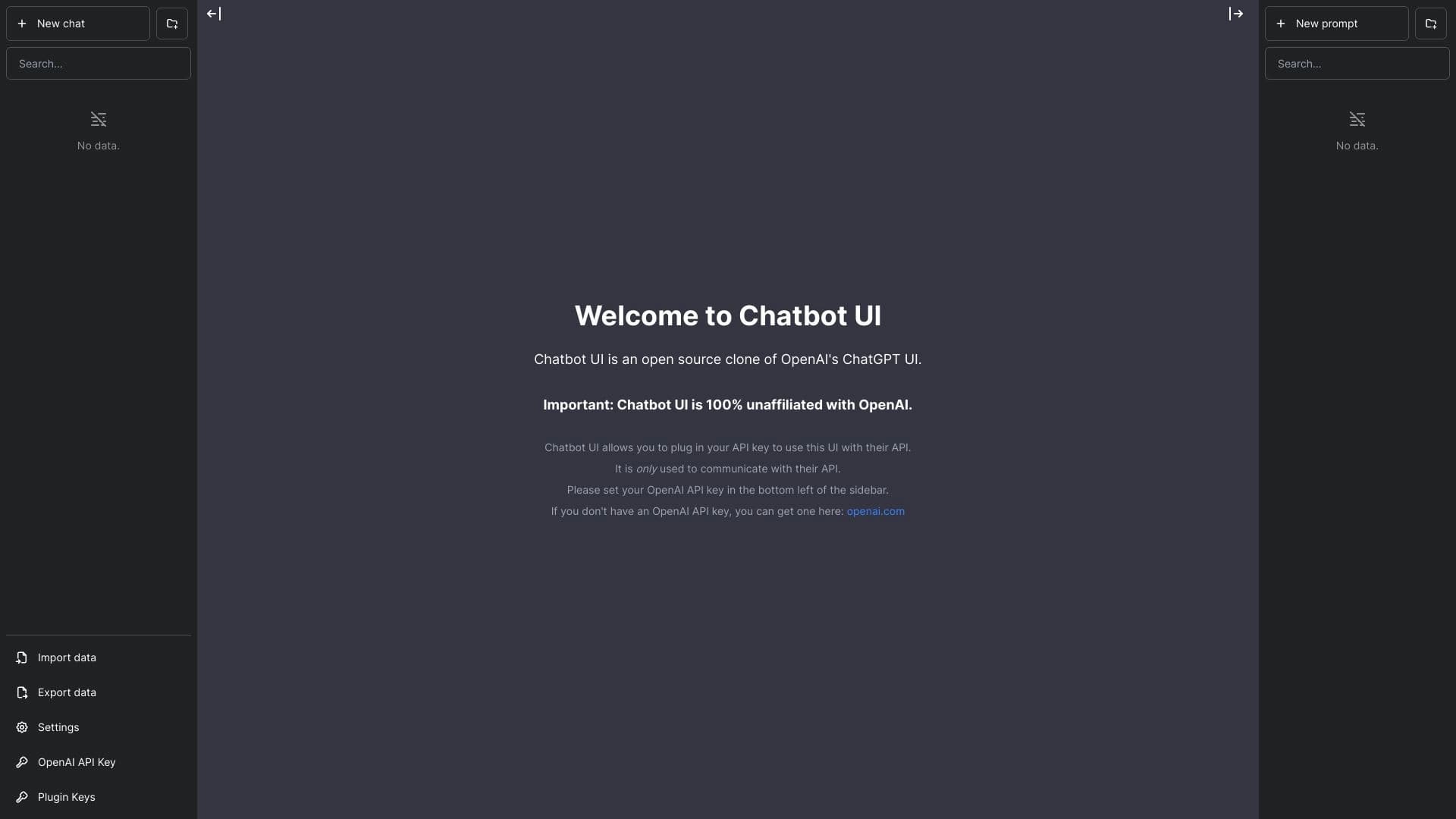
ChatBot UI is an open-source platform that serves as an interface shell for chatbots. Its key feature is the ability to interact with more than 80 different AI models through a single customizable interface. The tool allows deploying chatbots both locally and in cloud infrastructure, and integrates with modern backend solutions, including Supabase. The project is aimed at developers and businesses that require a flexible and customized user interface for customer support or creating interactive applications.
ChatBot UI Features
| Feature | Value |
|---|---|
| Type | AI Chatbot, AI Chat Generator, AI Voice Chat Generator, AI Text Message Generator |
| Platforms | Web, Android, Chrome Extensions, iOS, Linux, Mac, Windows |
| Date Added to Catalog | May 29, 2024 |
| Company | Takeoff AI |
| Free Plan | No explicit mention, free trial available |
| Credit Card Required | No |
| Lifetime Plan Available | No |
| Distribution Model | Free (open source) |
Who Is ChatBot UI For?
Businesses and Support Teams
The platform suits companies that need to organize customer interaction channels. The ability to connect multiple models and customize the interface allows adapting the chatbot to specific business processes and service style.
Developers and Technical Specialists
Since ChatBot UI is an open-source project, it appeals to developers who need full customization. Technical specialists can deploy the shell on their own server, modify its code, and integrate it with existing infrastructure.
E-commerce Platforms
The tool is suitable for creating virtual assistants that help shoppers on online store websites — from product consultations to handling standard requests.
How to Use ChatBot UI?
Step-by-Step Getting Started Guide
To start using ChatBot UI, visit the official website or download the app on a supported platform, create an account or log in to an existing one. Then use the setup wizard to customize the interface to your needs.
Deployment and Testing
After setup, deploy the interface on your chosen platform — a local server or the cloud. Then test its operation to ensure correct integration with the selected AI model. Note that the installation and deployment process requires a certain level of technical knowledge.
Key Features of ChatBot UI
Customizable Interface Layout
The platform allows flexible changes to the appearance and arrangement of chat elements, making it possible to fit the shell into the design of an existing website or application.
Multi-platform Support
ChatBot UI is available on a wide range of platforms: Web, Android, iOS, Linux, Mac, Windows, and as a Chrome extension. This ensures accessibility for users on different devices.
Backend Technology Integration
The tool supports connections to modern backend solutions such as Supabase, simplifying data management and interaction with external services.
ChatBot UI Advantages
Open Source and Flexibility
As an open-source project, ChatBot UI provides opportunities for full customization and adding your own modifications. The developer community can contribute to the platform's development and adapt it to specific needs.
Support for Multiple AI Models
The ability to work with more than 80 different models gives users flexibility in choosing the right tool for a specific use case, whether it's text generation, voice interaction, or message processing.
Deployment Flexibility
The tool supports both local hosting and cloud deployment, allowing you to choose the optimal hosting method based on security and resource availability requirements.
Integration with Modern Technologies
Compatibility with backend frameworks and services such as Supabase simplifies the process of integrating the chatbot into existing IT infrastructure and ensures reliable data management.
ChatBot UI Disadvantages
Technical Knowledge Required
Local installation and configuration of the platform require technical skills. This can be a barrier for small businesses without dedicated IT staff.
Limited Mobile Platform Support
Although apps are available for major operating systems, the absence of official versions in major app stores such as Google Play or the App Store may create additional difficulties for end users.
Incomplete Pricing Information
The official website lacks clear information about pricing plans and service costs, making it difficult to estimate long-term platform usage expenses.
Dependence on Deployment Environment
The quality of the interface and user experience directly depends on how well the self-hosted server is configured or how reliable the official hosting is.
What Problems Does ChatBot UI Solve?
Customer Support
The platform allows creating interfaces for handling user inquiries, automating responses to common questions, and routing complex requests to operators.
E-commerce Assistance
Chatbots built with ChatBot UI can advise shoppers, help with product selection, order processing, and provide delivery status information.
Personal Assistants
The tool is suitable for developing personal assistants that help users with everyday tasks — from schedule planning to information search.
Interactive Applications
Developers can use the platform to create interactive interfaces in various applications that require interaction with AI models.
ChatBot UI Pricing
The official website does not specify the explicit cost of using the platform. Information about a free trial period is available, and no credit card is required to activate it. No explicit free plan with a fixed set of features or full subscription pricing is presented on the site. It is recommended to check current pricing terms directly on the official website chatbotui.com.
ChatBot UI Terms of Use
To get started with the platform, you need to create an account or log in to an existing one. No other conditions, such as mandatory subscription or agreement to specific documents, are recorded on the catalog page. Since the product is distributed as open source, users can self-host it on their own servers in compliance with the project's license terms; however, license details are not listed on the catalog page.
ChatBot UI Availability
Supported Platforms
The tool is available on the following platforms: Web, Android, Chrome Extensions, iOS, Linux, Mac, Windows. Information about interface languages was not specified in the sources.
User Geography
According to website traffic data, the largest number of users is in the United States (19.05%), India (17.15%), Vietnam (9.06%), Brazil (8.23%), and Indonesia (7.19%). No VPN requirement is indicated.
How ChatBot UI Differs from Alternatives
The catalog website does not provide a direct comparison of ChatBot UI with competitors, but similar solutions mentioned include services such as Tidio, HelpCrunch, Chatbot.com, Userlike, and Voiceflow. The main differences of ChatBot UI lie in its open-source nature and the ability to integrate with a large number of AI models. Unlike many closed-source commercial alternatives, this platform gives developers full control over the interface and the ability to adapt it to their own needs, as well as manage infrastructure and data independently.
Conclusion
ChatBot UI is a flexible and powerful open-source platform for creating customized chatbot interfaces. Thanks to support for an extensive list of AI models and the ability to deploy on various platforms, it suits a wide range of tasks — from customer support to developing interactive applications. However, effective use of this tool requires certain technical skills and an understanding of how open-source projects work. The platform's open nature and integration with modern backend technologies make it an attractive solution for developers and businesses seeking full control over their chatbot.
Frequently asked questions
See also

Online service for creating a realistic voice clone from a short audio recording and text-to-speech.

A community for daily discovery and discussion of new technology products.


AI assistant for quickly creating and editing texts in various formats.


Chrome extension that helps manage tabs, history, and bookmarks with an AI assistant.

An online service that lets you chat with PDF documents: ask questions and get concise answers with source attribution.


Generative platform for creating realistic images and short videos from text or images with control over style and camera movement.


A platform for creating corporate chatbots based on your own documents without coding.

Service for creating personalized avatars and photo shoots using AI based on uploaded selfies.