

Canopy Directory
A catalog of AI tools for educators, created by teachers to simplify and enhance educational processes.
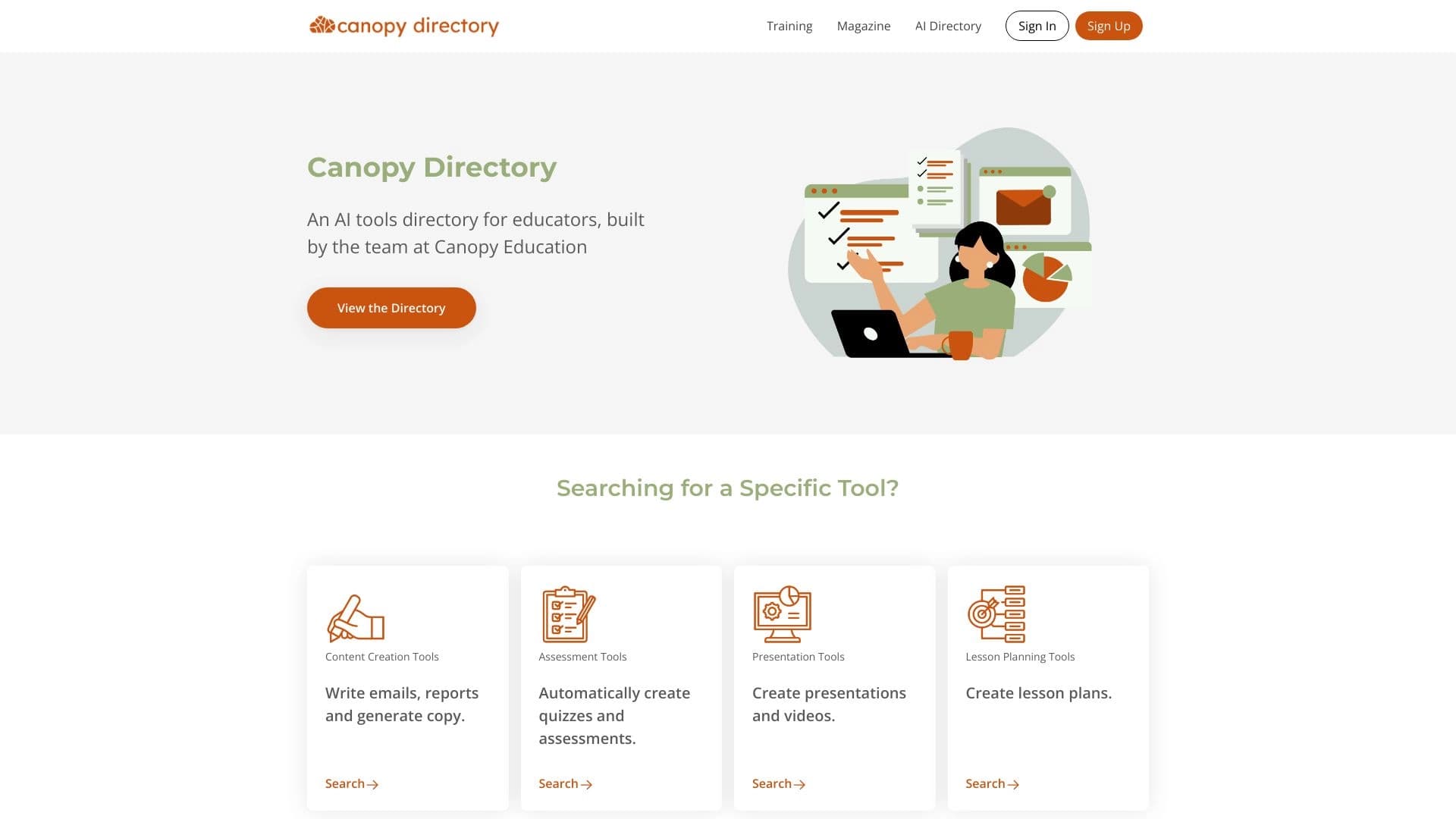
Overview
Canopy Directory is a specialized catalog of AI tools designed for education professionals. The platform was developed by teachers, for teachers, so it takes into account the real needs and specifics of pedagogical work. The main goal of the service is to help educators quickly find the digital solutions they need to streamline everyday processes—from grading homework to analyzing student performance.
The catalog covers a wide range of categories: tools for creating and assessing assignments, data analysis tools, lesson planning programs, and professional development resources. Canopy Directory doesn't just list neural networks and apps—it carefully curates them based on their usefulness and relevance to education. This means teachers no longer have to browse dozens of websites and compare countless services on their own—everything they need is already gathered in one place.
The platform is built with a focus on saving time and improving the efficiency of learning processes. Since the catalog is regularly updated and reviewed, users can be confident they're working with current, effective tools that genuinely help improve educational outcomes.
Canopy Directory Features
| Feature | Value |
|---|---|
| Platform type | AI tools catalog (directory) |
| Target audience | Teachers and education professionals |
| Project creators | Developers with teaching backgrounds |
| Primary purpose | Finding and organizing AI resources for education |
| Industry focus | Education |
| Key tool categories | Assignment grading, data analysis, lesson planning, professional development |
| Distribution model | Information not disclosed |
Who Is Canopy Directory For?
School and University Teachers
The resource is primarily aimed at teachers in schools, colleges, and higher education institutions. For educators looking to integrate modern technology into their teaching, the catalog helps find suitable tools for automating routine tasks and improving learning quality.
Educational Administrators
School leaders, methodologists, and staff responsible for education digitalization will also find useful resources here. The catalog makes it possible to assess the range of available AI solutions and choose those that can be implemented across an entire organization.
Course Creators and Tutors
Educational content creators, tutors, and private instructors can use the catalog to find tools that make their lessons more interactive and effective. The platform helps discover solutions for personalizing learning and automating feedback.
How to Use Canopy Directory
Finding a Tool for a Specific Task
To get started with the catalog, a teacher simply needs to identify their key task—for example, speeding up essay grading or setting up performance analytics. From there, they can browse the relevant category and explore the available options. Each tool comes with a description that explains its functionality and intended use.
Selecting and Comparing Suitable Solutions
Once a user has shortlisted several potentially useful services, they can take a closer look at their features and compare them. Since the catalog has already been pre-moderated by its creators, the likelihood of encountering a low-quality or irrelevant product is significantly reduced.
Integrating into the Learning Process
After choosing a suitable tool, the teacher can follow an external link to the developer's website to register, access detailed documentation, and start using it. The catalog acts as a navigator, providing the necessary information and guiding the user onward to practical implementation.
Key Features of Canopy Directory
Curated Selection of AI Tools
The platform's main function is to provide a vetted list of neural networks and apps specifically selected for educational needs. Unlike general-purpose catalogs, it only includes services that offer practical value to educators.
Organization by Educational Categories
The catalog is divided into logical sections corresponding to different aspects of teaching. This allows users to quickly jump to their area of interest—whether it's assignment grading, data analysis, lesson planning, or professional development.
Navigation of Up-to-Date Digital Resources
The platform regularly updates its information, giving teachers access to modern, effective AI services. This saves users from having to monitor the educational technology market themselves and track new product releases.
Advantages of Canopy Directory
Time Savings on Searching
Teachers no longer need to scour the open internet for useful programs. The catalog consolidates everything essential into a single access point, cutting search and analysis time down to minutes.
Expertise of the Creators
Because the platform was built by teachers, it reflects the real context and challenges of the educational environment. The creators understand which tools actually work in the classroom and share that knowledge with their colleagues.
Support for Professional Growth
The catalog doesn't just help solve everyday tasks—it also opens up new growth opportunities for teachers. Exploring modern AI technologies in education helps educators stay on top of trends and apply cutting-edge methods in their work.
Drawbacks of Canopy Directory
At this time, there is no information about any obvious drawbacks of the platform. As with any catalog, it may have limitations related to how fully it covers the AI tools market. It's also worth noting that information about specific services is introductory in nature, and the final "testing" of a tool in practice still falls to the teacher. No detailed data on potential downsides or limitations of the service is available in public sources.
What Problems Does Canopy Directory Solve?
Streamlining Assessment Processes
The catalog helps teachers find tools that automate the grading of assignments, including essays, tests, and homework. This reduces the time spent on grading and allows more attention to be given to the quality of feedback.
Improving Learning Data Analysis
The platform provides access to services for collecting and processing student performance data. Educators can track student progress faster, identify weak areas, and make informed pedagogical decisions based on digital metrics.
Increasing Lesson Planning Efficiency
Teachers can use tools found through the catalog to generate learning materials, create lesson plans, and develop educational content. This significantly simplifies class preparation and makes the process more creative.
Supporting Continuous Teacher Learning
A section dedicated to professional development helps teachers find resources for advancing their qualifications, learning new methodologies, and gaining up-to-date knowledge in digital education.
Canopy Directory Pricing
Detailed information about the cost of using the platform and the availability of paid plans is not disclosed in the provided sources. There is no data on whether the catalog is completely free, whether registration requires payment, or whether premium features exist. Potential users are advised to visit the service's official website for current information on pricing and terms.
Canopy Directory Terms of Use
Information about the specific terms of use for the platform, including its privacy policy and user agreement, is not presented in the source texts. As a rule, similar catalogs may require account registration to save favorite tools, but the exact details of how the service works remain unknown. It is recommended to review the official documentation on the resource before use. It's also worth noting that terms may vary depending on whether the user is a private teacher or represents a large educational institution.
Canopy Directory Availability
Based on available data, the platform is freely accessible via the internet and has an English-language interface, as confirmed by the description text. There is no information about mobile apps, an offline version, or support for other languages. Judging by its focus on the global teaching community, the service is accessible through a standard web browser on various devices, including desktop computers, laptops, and tablets. No specific geographic restrictions are mentioned in the source data.
How Canopy Directory Differs from Alternatives
Focus Exclusively on Education
Unlike general-purpose AI catalogs that cover all industries—from marketing to medicine—Canopy Directory focuses solely on the needs of teachers. This narrow specialization allows the creators to more thoroughly verify each tool's relevance to the learning process.
The "Built by Teachers, for Teachers" Principle
Many AI service aggregators are developed by technical specialists or media platforms. Here, the development is done by educators themselves, which builds an understanding of teachers' real pain points and daily usage scenarios directly into the catalog's structure.
Practical Focus of the Selection
The platform's creators aim to ensure that every tool in the catalog has a concrete practical application—from saving time on administrative tasks to improving learning quality. This sets Canopy Directory apart from vast databases that contain many obscure or questionable services with vague functionality.
Conclusion
Canopy Directory is a well-thought-out, specialized platform for finding AI tools in education. Built by teachers for teachers, this catalog saves time by sparing educators the tedious work of searching for and vetting digital services. The platform covers key aspects of teaching—assessment, data analysis, planning, and professional development—making it a versatile assistant for the modern educator. Despite the limited public information about pricing and terms of use, the resource's core concept appears extremely valuable for an educational community striving for digital transformation of its workflows.
Frequently asked questions
See also

AllChat is a universal platform that combines several popular language models in a single interface for communication, image generation, file analysis, and code execution.


Desktop AI assistant for macOS, Windows, and Linux that launches via hotkey above all windows and combines multiple language models in one interface.

Multifunctional AI platform for content creation, combining speech synthesis, text generation, avatar creation, and video editing.

A multimedia AI toolkit for editing and enhancing photos, videos, and PDF documents.

Cabina AI is a unified platform for working with various generative neural networks, enabling you to create texts, images, and videos.

A neural network for document analysis that extracts key information, creates summaries, and answers questions about the contents of uploaded files.

Cloud platform for creating videos using AI avatars, synthesized speech, and automatic translation of clips into dozens of languages.

Catalog of AI tools with educational materials and guides for selecting neural networks.