

Beagle Security
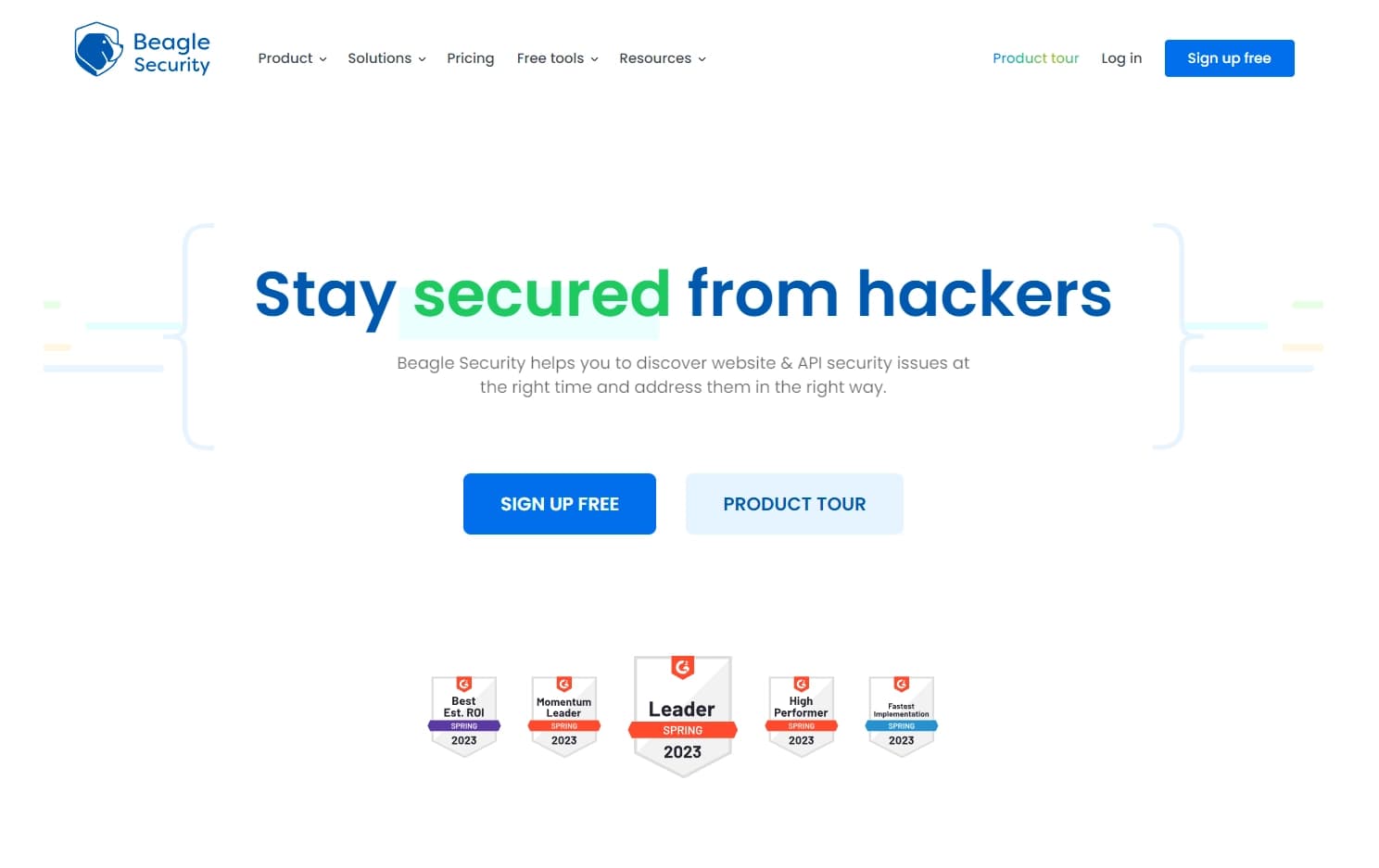
Beagle Security is an automated security testing tool for web applications and APIs that simulates an attacker's actions to uncover vulnerabilities.
Overview
Beagle Security Neural Network Description
Beagle Security is an automated tool for testing the security of web applications and APIs. The system simulates the actions of a real attacker to identify weaknesses in a resource's defenses before hackers can exploit them. Instead of manually going through attack scenarios, the platform independently conducts a deep audit and then generates a detailed report outlining the issues found and specific steps to fix them. The service is suitable for regular use, as it easily integrates into the development process and helps maintain a high level of security at all stages of the product lifecycle.
Beagle Security Features
| Feature | Value |
|---|---|
| Type | Web application and API penetration testing tool |
| Category | AI development tools, documentation services, description generators, etc. |
| Developer | Beagle Security |
| Free tier | Available (for exploring features and basic tests) |
| Monthly visits | 109.4K |
| Best for | SaaS platforms, fintech, healthcare, e-commerce |
| Availability | Web-based (online) service |
| Distribution model | Freemium |
Who is Beagle Security for?
SaaS Platforms and Web Services
Companies that offer software over the internet often become targets of attacks. Beagle Security allows such projects to regularly check their products for vulnerabilities without hiring expensive external specialists.
Fintech and Healthcare Organizations
For industries where personal data processing is governed by strict standards (GDPR, HIPAA, PCI DSS), meeting regulatory requirements is critical. The tool helps prepare security status reports and promptly close gaps in protection.
E-commerce and Corporate Portals
Any business that processes payments or stores customer data needs continuous security monitoring. Beagle Security is suitable for those who want to automate the search for weak points and receive clear instructions for fixing them.
How to Use Beagle Security?
To get started with the platform, you need to follow several sequential steps. Below is a basic algorithm of actions.
Registration and Domain Connection
First, you need to register on the platform and create a free account. Then you will need to add and verify the domain you plan to test. Verification is done in one of three ways: via a DNS record, by uploading a special file to the server, or by adding an HTML tag to the page code.
Configuration and Running Tests
After domain verification, you need to specify what exactly needs to be checked: a web application or an API. Then an automated penetration test is launched. The system independently performs scanning and simulates various types of attacks.
Getting Results and CI/CD Integration
Upon completion of the check, a report is generated with detailed recommendations for fixing the identified vulnerabilities. For continuous security monitoring, tests can be integrated into the continuous development process (CI/CD) so that checks run automatically with every code update.
Key Features of Beagle Security
API and GraphQL Security Testing
The platform can test not only classic web applications but also APIs, including modern GraphQL implementations. This helps find vulnerabilities in data exchange between services, which is critical for complex architectures.
Automated Vulnerability Discovery and Deep Auditing
Beagle Security independently runs through numerous attack scenarios and identifies weak points in defenses. The deep audit covers modern technologies and can uncover issues that might go unnoticed during manual testing.
Report Generation and CI/CD Integration
After each scan, the system generates a detailed report with step-by-step instructions for mitigating threats. Additionally, the tool supports integration with CI/CD pipelines for continuous security monitoring during development. Reports can also be prepared in accordance with GDPR, HIPAA, and PCI DSS standards.
Advantages of Beagle Security
Fast Identification of Weak Points
The main advantage is the automation of vulnerability discovery. Instead of manually going through scenarios, which takes a lot of time, the tool quickly scans the application and finds potential entry points for attacks. This is especially useful with frequent code updates.
Clear Remediation Recommendations
The resulting report doesn't just list problems — it contains a detailed step-by-step guide for fixing each vulnerability. The development team can get to work right away without spending time researching the issue.
Deep Testing of Modern Technologies
Unlike many competitors, Beagle Security pays attention not only to classic web applications but also to modern technologies like GraphQL. This makes the tool relevant for projects using the latest development approaches.
Disadvantages of Beagle Security
Possible False Positives
The system may sometimes flag test code or harmless application elements as vulnerabilities. This requires manual review of results and can take extra time from the team.
Technical Knowledge Required
Despite the automation, basic security knowledge is needed to configure scans and correctly interpret reports. Beginners may find it difficult to understand some terms and recommendations.
Focus on Known Vulnerabilities
The tool works based on known attack patterns, so very recent and newly discovered threats may go unnoticed. Additional manual testing may be required to protect against the latest attacks.
What Problems Does Beagle Security Solve?
The tool's primary purpose is to identify vulnerabilities in web applications and APIs. However, the range of problems it addresses is broader:
- Providing remediation recommendations for identified security issues.
- Protecting applications from potential hacker attacks through regular checks.
- Continuous security monitoring during development via CI/CD integration.
- Preparing security standard reports (GDPR, HIPAA, PCI DSS) to meet regulatory requirements.
Beagle Security Pricing
Beagle Security operates on a freemium model — there is a free tier that lets you explore the features and run basic tests. Paid plans are available for more serious tasks:
| Plan | Price | Features |
|---|---|---|
| Free | $0 | Basic scanning, feature exploration |
| Basic | $29/month | Advanced scanning and reporting capabilities |
| Premium | $69/month | Full access to all features, team and integration support |
Terms of Use for Beagle Security
To use the platform, registration and account creation are required. You also need to verify ownership of the domain you intend to test. This can be done via a DNS record, by uploading a file to the server, or by adding an HTML tag to the page code.
Keep in mind that basic technical knowledge in security is required for full use of the service. This applies both to setting up the first scan and to understanding the reports generated by the system.
Beagle Security Availability
Beagle Security is a web-based service that operates entirely online. All you need is a browser and internet access — no additional software installation is required.
How Beagle Security Differs from Alternatives
There are several tools on the market for content checking and security, but Beagle Security occupies its own niche. For example, services like GigaCheck, GPTZero, Turnitin, or ZeroGPT are primarily designed to detect AI-generated content or check texts for plagiarism. Beagle Security solves a completely different problem — testing the security of web applications and APIs.
The main difference is the focus on simulating attacks and finding vulnerabilities in code and infrastructure, rather than analyzing texts. The tool is aimed at developers and security professionals, providing them with tools for automated scanning, generating reports with recommendations, and integrating into the development process. This sets Beagle Security apart from the listed alternatives, which focus on content analysis.
Conclusion
Beagle Security is an automated solution for testing the security of web applications and APIs. It helps identify vulnerabilities by simulating attacker actions and provides development teams with detailed reports containing step-by-step instructions for fixing issues. The tool supports CI/CD integration, enabling continuous security monitoring, and complies with GDPR, HIPAA, and PCI DSS standards. Despite its advantages, the service requires a certain level of technical expertise from users and may produce false positives. However, for companies looking to automate the protection of their products, it is a worthy option.
Frequently asked questions
See also


Service for tracking brand mentions in generative AI responses.


AI-powered platform for automated video clip creation, editing, and translation.

AI-powered online service that automatically converts bank statements from PDF into structured CSV files.

A presentation creation service that uses multiple AI agents for information gathering, design, and data analysis.

Online service for creating a realistic voice clone from a short audio recording and text-to-speech.


Service for quickly generating e-books on a given topic.

An online service that lets you chat with PDF documents: ask questions and get concise answers with source attribution.
Free open-source language model specializing in reasoning, mathematics, and programming.