

AYWorks AI Macros & Formulas
Tool for generating VBA macros and explaining Excel formulas from a text description.
Overview
AYWorks AI Macros & Formulas Description
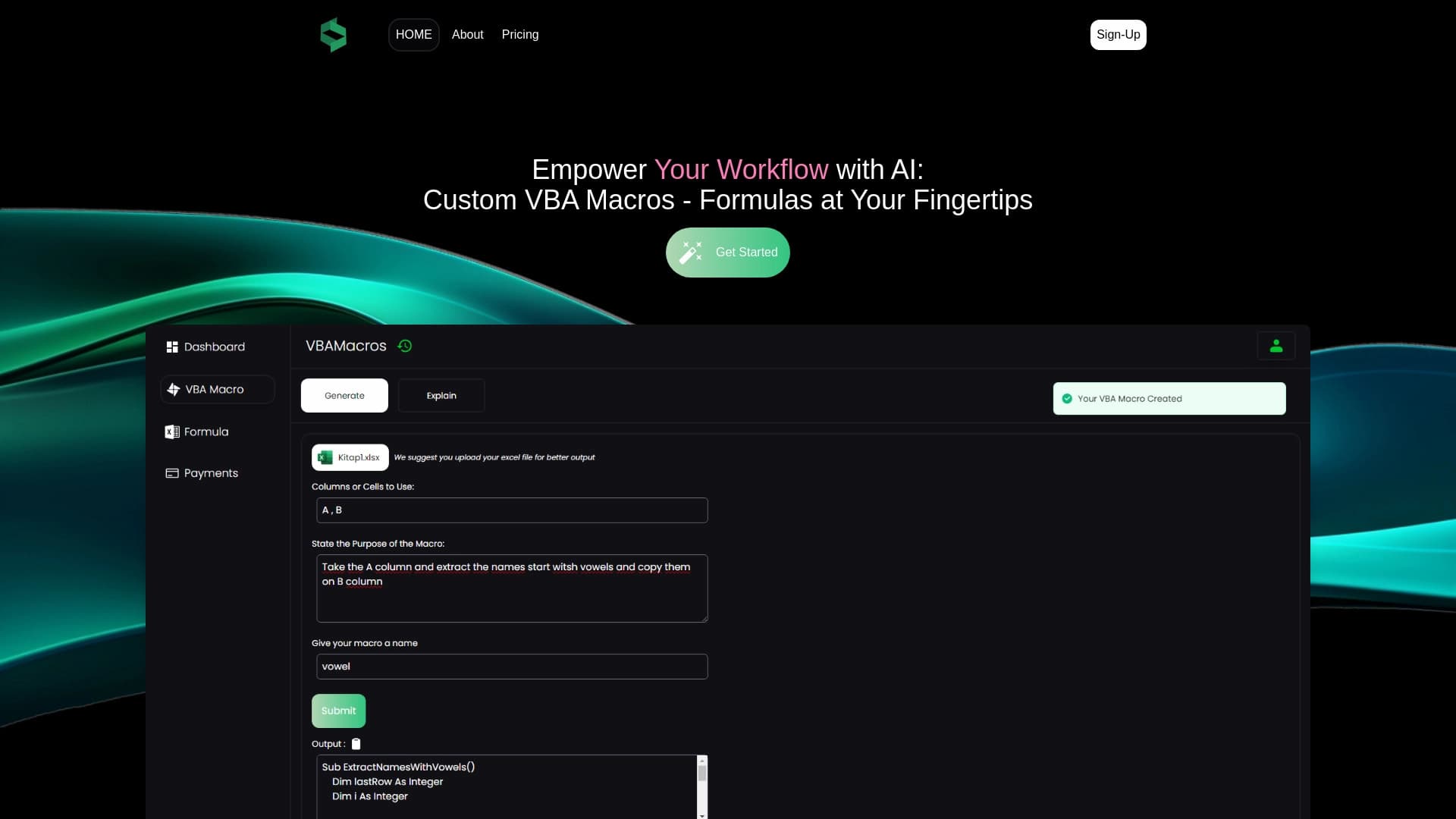
AYWorks AI Macros & Formulas is a web service designed to automate work with spreadsheets. Instead of manually writing code or figuring out the intricacies of Excel functions, users can simply describe their task in natural language. The neural network processes the request and offers a ready-made VBA macro or clearly explains the logic behind a specific formula.
The tool solves two key problems: it eliminates routine actions and makes "obscure" formulas understandable. For example, you can ask the AI to create a macro for copying data from one workbook to another, or to generate an explanation for a complex construction with VLOOKUP and IF. Results are delivered in real time on the website.
AYWorks AI Macros & Formulas Features
| Feature | Value |
|---|---|
| Type | Code Generator |
| Category | Code Generators / Code Explanation Tools |
| Developer | AYWorks |
| Platform | Website |
| Free Plan | Yes (available) |
| Monthly Visits | 7.2K |
| Catalog Publication Date | November 7, 2025 |
Who is AYWorks AI Macros & Formulas for?
Excel Beginners
For those just starting to learn Excel, the service helps remove the fear of formulas and macros. Instead of poring over textbooks and forums, you can simply copy an unclear formula and get a breakdown of each part. Macros can also be created without knowing VBA, just by describing the desired outcome.
Experienced Users
Advanced users save time on routine operations. Instead of writing code from scratch, they can generate a draft macro and refine it as needed. The service is also useful for quickly analyzing other people's spreadsheets where formulas were created by someone else and look unclear.
Reporting Specialists
Accountants, analysts, and managers who regularly create reports, consolidate data, and perform repetitive tasks in Excel can use AYWorks to automate these processes without needing a programmer.
How to Use AYWorks AI Macros & Formulas
Generating VBA Macros
The workflow is simple: you describe in text what the program should do and send the request. For example, "Create a button that copies selected cells to a new sheet and formats them as a table." In response, the service provides ready-made VBA code that you can paste into the macro editor or download as a .bas file for later use.
Explaining Formulas
To understand a formula, simply paste it into the designated field. The AI analyzes each argument and explains the purpose of the construction. This is especially useful when working with arrays, function combinations, or legacy spreadsheets created by other employees.
The entire process happens online through the browser, without installing software on your computer. The free plan is sufficient for initial requests, but keep in mind the credit limit.
Key Features of AYWorks AI Macros & Formulas
Fast VBA Macro Generation
The AI converts text descriptions into working code. It handles tasks of varying complexity, from simple cell copying to more advanced operations with loops and conditions. Users don't need to understand syntax or search for ready-made templates.
AI-Powered Excel Formula Explanations
This feature provides line-by-line explanations: what a specific operator does, what arguments a function requires, and what result the entire construction produces. This helps you quickly understand other people's spreadsheets and reduces errors during manual editing.
Advantages of AYWorks AI Macros & Formulas
Time Savings and Fewer Errors
Routine tasks that used to take hours are now completed in a few clicks. Automatic code generation instead of manual writing reduces the likelihood of typos and logical errors.
Clear Explanations for Any Skill Level
Complex formulas no longer look like random strings of characters. The service breaks them down into components, making the logic transparent even for beginners. The intuitive interface and step-by-step hints allow you to use the service without prior training.
Versatility
The tool covers both tasks: creating new code and understanding existing code. It's equally useful for generating macros from scratch and for reverse-engineering existing solutions.
Drawbacks of AYWorks AI Macros & Formulas
Dependence on Task Description Accuracy
The quality of the result directly depends on how detailed your request is. If you describe the task too vaguely or miss important details, the generated macro may not meet expectations and will require manual refinement.
Limitations on Request Complexity
The service doesn't always handle non-standard or highly complex tasks that require expert knowledge. In such cases, an experienced VBA developer is still necessary.
Data Security Concerns
To process requests, information is sent to AYWorks servers. This imposes restrictions on using the tool with confidential company data where strict information security policies are in place.
What Tasks Does AYWorks AI Macros & Formulas Solve?
Automating Routine Actions
Generated macros can automate copying and pasting data, report generation, removing duplicates from sheets, creating pivot tables, and other repetitive operations. This speeds up daily work and minimizes human error.
Explaining How Existing Formulas Work
Instead of spending time searching documentation or figuring out a formula's purpose through trial and error, users get a ready-made explanation. This is especially relevant when auditing other people's spreadsheets or working with legacy documents.
AYWorks AI Macros & Formulas Pricing
Free Plan
Includes a history of created VBA macros, the ability to download macros as .bas files, and 10 credits per month. Suitable for evaluating the service's capabilities and occasional requests.
Professional Plan
Cost: 1790 per month. Provides unlimited credits for VBA macro generation, unlimited formula generation, full macro history, and .bas file downloads without subscription auto-renewal.
Premium Plan
Cost: 2790 per month. Includes expanded functionality, priority support, and early access to new service features.
Terms of Use for AYWorks AI Macros & Formulas
Registration is required to use the service. The free plan is limited to 10 credits per month, which is enough for about 10 requests. Credit usage depends on the operation type: generating a macro or explaining a formula costs one credit per request. It's important to note that user data is transmitted to AYWorks servers for processing, so it's not recommended to use the service with documents containing state secrets or strictly confidential commercial information.
Availability of AYWorks AI Macros & Formulas
The service operates as a full-fledged website and is accessible through a browser on any device. The tool's page does not explicitly list supported interface languages, regions, or VPN requirements, so these parameters should be checked on the official website. Given that pricing is listed in rubles, the service may be primarily aimed at a Russian-speaking audience, but this is not guaranteed.
How AYWorks AI Macros & Formulas Differs from Alternatives
Focus on Excel and VBA
Unlike universal AI programming assistants (such as GitHub Copilot, Tabnine, or Replit), AYWorks specializes specifically in the Microsoft Excel ecosystem. It doesn't attempt to generate Python or JavaScript code but focuses entirely on Excel formulas and VBA macros. This narrows its scope but improves result quality for targeted tasks.
Code Generation and Explanation in One Tool
Most alternatives can either generate code from a description or explain existing code. AYWorks combines both functions in a single interface, which is convenient when working with unfamiliar spreadsheets: you can simultaneously create a missing macro and understand already-written formulas.
Ready-Made .bas File Integration
The ability to download a generated macro as a .bas file that can be directly imported into Excel's VBA editor eliminates manual code copying and reduces the risk of transfer errors, setting the service apart from general AI tools that output code as plain text.
Conclusion
AYWorks AI Macros & Formulas is a practical online tool for anyone who regularly works with Excel. It combines VBA macro generation from text descriptions with plain-language explanations of complex formulas, making it useful for both beginners and experienced users. The availability of a free plan allows you to test the service before purchasing, and the intuitive interface requires no special knowledge. However, limitations should be considered: macro quality depends on request detail, very complex tasks may require manual refinement, and sending data to a cloud server may be unacceptable for strictly confidential projects. Overall, it's a worthy alternative to manual code writing and searching for formula information by hand.
Pricing
Frequently asked questions
See also


An open-source AI development agent that helps generate, refine, and debug code directly in the IDE.


AI-powered online platform for quickly creating text content, including blogs, articles, and social media posts.


AI marketing assistant that helps create promotion strategies and optimize advertising campaigns.


Desktop AI assistant for macOS, Windows, and Linux that launches via hotkey above all windows and combines multiple language models in one interface.


Video editor with neural network support for video editing on Windows and Mac.


AI-based service for automatic generation of text content in various formats.

Unofficial API access to Suno AI for music generation and integration into applications.

A neural network-powered cloud service for generating 3D models, textures, and animations from text descriptions or images.