

Athena
AI platform for automating and accelerating corporate analytics.
Overview
Athena Neural Network Description
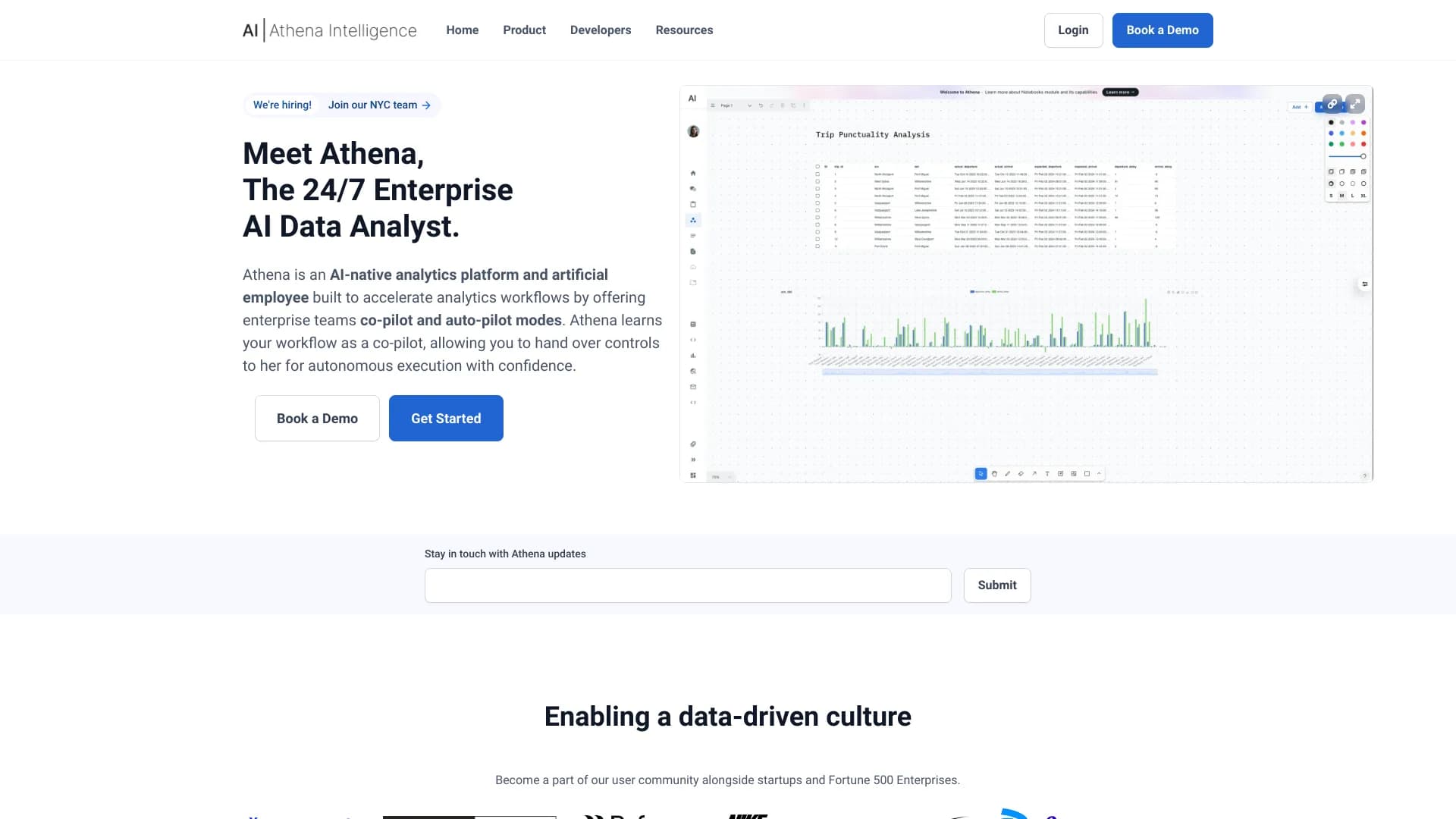
Athena is an AI platform for data science that connects to corporate databases and automates the analytics process. The tool allows teams to abandon manual data processing in favor of an intelligent agent that can work both in a suggestion mode and in a fully autonomous task execution mode.
The platform supports multimodal analysis: it processes textual information and images (via the Claude-3 language model), which expands the capabilities of standard analytics services. Athena provides an API and Python SDK for embedding into existing workflows, making it a flexible solution for companies that already have their own infrastructure.
Athena's key feature is its two operating modes. In copilot mode, the neural network assists the user with advice and hints, while in autopilot mode, it fully takes over the execution of analytical tasks. This allows the level of automation to be tailored to the specific needs of the team.
Athena Characteristics
| Characteristic | Value |
|---|---|
| Type | Data science platform and intelligent agent |
| Category | Text processing tools, data analysis tools |
| Platform | Website |
| Interface language | Not specified |
| Free tier | Yes (basic) |
| Developer | Athena Intelligence |
| Monthly visits | 388.9K |
| Publication date | November 7, 2025 |
| Integration | API, Python SDK |
| Multimodality | Yes (via Claude-3) |
| Operating modes | Copilot (advice), autopilot (automation) |
Who is the Athena neural network for?
Analysts and data professionals
Athena is designed for teams that regularly work with large volumes of data. Analysts get a tool for quickly finding insights and building reports without writing complex queries manually.
Developers and IT professionals
Thanks to the API and Python SDK, the platform is suitable for developers who want to embed Athena's analytical capabilities into their own applications or existing internal company systems.
Business users
Managers and executives without deep technical knowledge can use Athena to automate routine reporting and get answers to questions about data in an understandable format.
How to use the Athena neural network?
Connecting a database
The first step is to connect a corporate database to the Athena platform. This is done through the web interface, after which the system gains access to the data for further analysis.
Setup and teamwork
After connecting, you can invite colleagues to the workspace and configure workflows. The team can jointly distribute tasks and monitor the execution of analytical operations.
Choosing an operating mode
The user decides how Athena will work: in copilot mode (the neural network provides hints and recommendations, but execution remains with the human) or autopilot mode (the system fully automates task execution).
Key Athena Features
Multimodal analysis
The platform processes both textual data and images. The Claude-3 model handles visual information, allowing for the analysis of charts, diagrams, and other visual data elements.
Copilot and autopilot modes
Athena operates in two modes: copilot assists the user with advice during data work, while autopilot performs analytical tasks autonomously, without human involvement.
Integration via API and Python SDK
Developers can embed Athena into existing workflows using the API or Python SDK. This allows analytics to be automated within already running systems.
Athena Advantages
Quick setup and a unified analysis window
Athena connects to various databases, providing the team with a shared space for working with data. This reduces time spent switching between tools and consolidates analytics in one place.
Convenient team collaboration
The platform supports collective configuration and launch of workflows. Team members can distribute tasks and work on them jointly, which speeds up project completion.
Analytics automation
Thanks to copilot and autopilot modes, Athena handles routine data operations. This frees up specialists' time for more complex tasks and reduces the likelihood of errors associated with human factors.
Athena Disadvantages
Data quality requirements
For Athena to work correctly, well-prepared and clean data is required. If the source information contains errors or duplicates, the neural network may produce incorrect results.
Difficulty integrating with legacy systems
Integrating Athena into older corporate systems may require modifications. Without the involvement of IT specialists, deploying the platform into existing infrastructure can be problematic.
Lack of decision transparency
It is not always clear how the AI arrived at a particular conclusion. The lack of full explainability of results can be critical for companies that require detailed justification of analytical findings.
What tasks does Athena solve
- Accelerating data analytics — the platform significantly reduces the time spent processing and analyzing large volumes of information.
- Finding insights in data — Athena identifies patterns and trends that may go unnoticed during manual analysis.
- Setting up custom scenarios — users can create their own workflows for specific business tasks.
- Working with corporate analytics — the tool is suitable for regular report preparation and analysis of business metrics.
- Fast data processing for reports — Athena automates the collection and processing of data needed to create periodic reports.
Athena Pricing
The service cost is divided into three pricing plans:
- Basic (free) — designed for getting acquainted with the platform's functionality.
- Standard ($29/mo) — includes advanced features and capabilities for teamwork.
- Premium ($59/mo) — provides maximum capabilities, priority support, and access to API integrations.
Athena Terms of Use
No explicit restrictions on platform usage are specified in the sources. For Athena to work correctly, data preparation is required: the cleaner and more structured the information, the more accurate the results. When integrating with older corporate systems, help from IT specialists may be needed to configure connections and adapt the platform to the existing infrastructure.
Athena Availability
Athena is available as an online web service — only a browser is needed to work with the platform. Information about interface languages and regional restrictions is not specified in the sources. There is also no information about the need to use a VPN.
How Athena differs from alternatives
A direct comparison of Athena with other products is not provided in the sources. However, similar services mentioned include ChatGPT, Polymer, Julius AI, Jasper AI, Albert AI, and Powerdrill AI. Athena's distinguishing feature is its combination of multimodal analysis, two operating modes (copilot and autopilot), and the ability to connect to arbitrary databases with subsequent team configuration of workflows.
Conclusion
Athena is a platform for automating corporate analytics that connects to databases and offers two operating modes: assisting the user or full autonomy. The tool supports multimodal analysis, provides an API and Python SDK for integration, and is suitable for companies seeking to accelerate their work with data. At the same time, requirements for data cleanliness and potential difficulties when deploying into legacy infrastructure should be considered. Athena is a solution for teams that want to put routine analytics on an automated track.
Frequently asked questions
See also

An online service that lets you chat with PDF documents: ask questions and get concise answers with source attribution.

Platform for automatic work time tracking and team productivity analysis.


A platform for creating corporate chatbots based on your own documents without coding.


Online AI speech synthesis platform that allows generating audio with voices of famous characters and celebrities.

Online service for creating a realistic voice clone from a short audio recording and text-to-speech.


Chrome extension that helps manage tabs, history, and bookmarks with an AI assistant.


AI platform for creating and editing videos, working directly in the Chrome browser.


A platform for automating software development using a visual builder for AI agents.