

Asa.Team
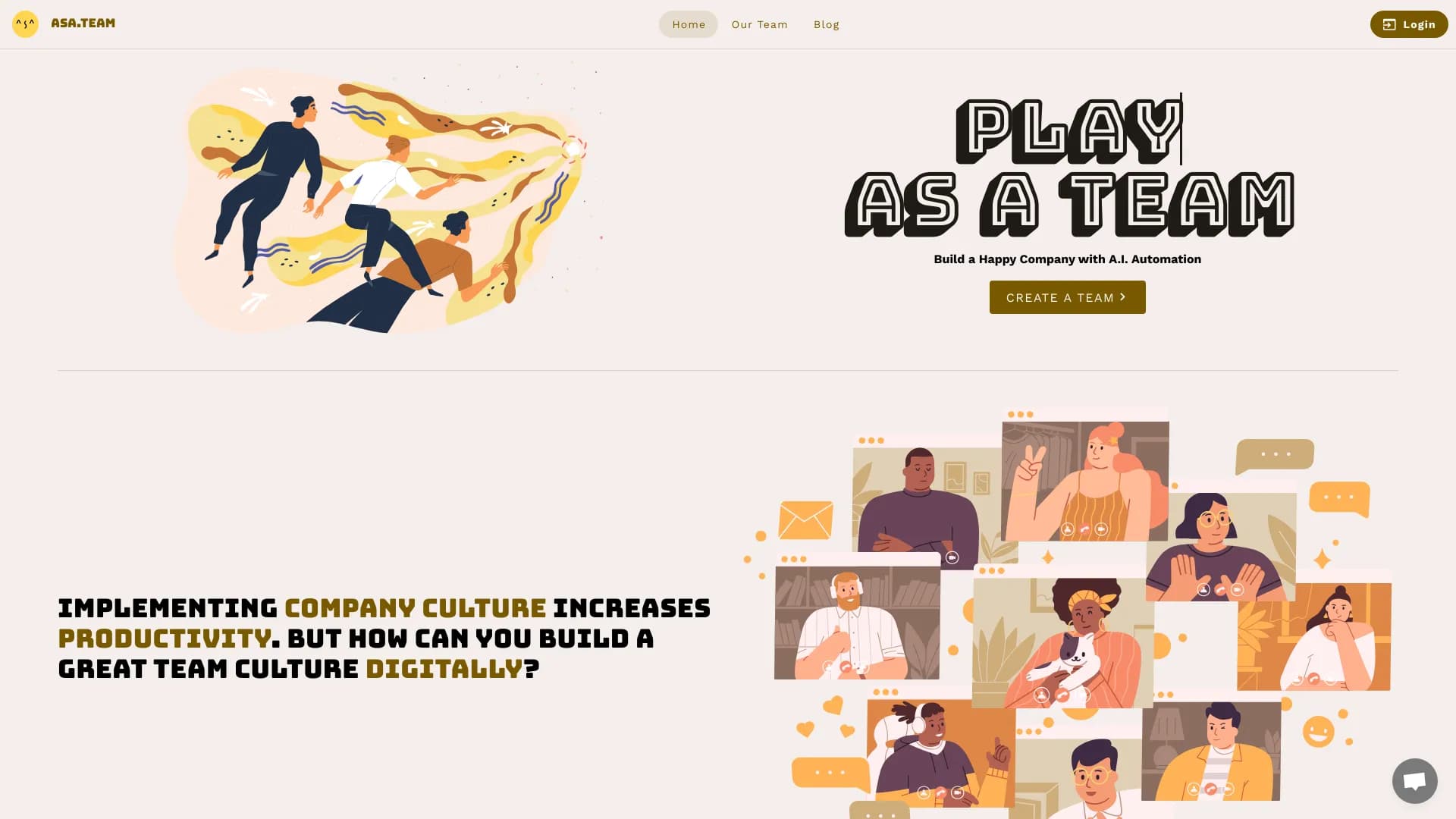
AI assistant for teams that automates routine tasks in Slack and Telegram chats.
Overview
Asa.Team Neural Network Description
Asa.Team is an AI assistant integrated into corporate chats, designed to automate routine team processes. The solution works inside popular messengers where employees already communicate, taking on functions such as work time tracking, discipline monitoring, and feedback collection. The tool requires no switching between a dozen apps: everything happens right in the context of the work conversation.
The project's key value lies in combining time management with care for team well-being. Beyond dry attendance tracking and automatic reminders, the assistant can conduct anonymous mood surveys. This lets managers see not just presence numbers but also the team's emotional climate, which is especially relevant for hybrid and fully remote work formats.
Asa.Team Features
| Feature | Value |
|---|---|
| Type | AI assistant for team collaboration |
| Categories | Writing assistants, Team collaboration tools, Chatbot creation tools |
| Platforms | Slack, Telegram, Microsoft Teams |
| Free tier available | Yes (access to core features for small teams) |
| Developer | AsaTeam |
| Monthly visits | 111.1K |
| Publication date on site | November 7, 2025 |
Who is Asa.Team for?
Teams with remote or hybrid schedules
The tool is useful for teams where some employees work from the office and others from home. Asa.Team helps create a unified information space: all participants are in a shared chat, and the system monitors discipline and notifies about shift starts without manager involvement.
Managers and leaders of small departments
Managers who spend a lot of time on routine reminders and personal oversight can free up their schedules. The assistant handles tracking employee arrivals and departures, as well as automatically generating reports.
Companies focused on employee well-being
Organizations that want to prevent burnout rather than deal with its consequences will find a useful tool in this service. Anonymous mood surveys allow timely detection of concerning trends within the team.
How to use Asa.Team?
Connecting to a work chat
To get started, add Asa.Team to a work chat on Slack or Telegram. The process requires registration and configuring integration with the corporate workspace.
Automatic feature activation
After successful connection, the assistant automatically launches basic scenarios: it starts recording employee arrival and departure times, flags lateness, and sends reminders about important events. For more fine-tuned scenarios (e.g., survey frequency), you'll need to set parameters in the bot's configuration.
Core Features of Asa.Team
Discipline and work time tracking
The assistant automatically records when an employee appears in the chat at the start of a shift and when they finish work. The system tracks lateness and stores this data, saving managers from manual spreadsheet entry.
Communication and reminders
The bot sends notifications about shift starts, reminds about upcoming deadlines, and highlights important events. This is especially relevant for employees who tend to forget their schedules.
Team well-being monitoring
A built-in survey mechanism collects anonymous responses about mood and fatigue levels. Reports are generated from this data, helping managers identify employees at risk of emotional burnout.
Analytical reporting
All data on presence, activity, and survey results is automatically compiled into reports. Users don't need to manually gather information from different sources.
Asa.Team Advantages
A unified space for office and remote work
Thanks to chat integration, all employees operate on equal footing. Office and remote workers interact in a single channel, increasing transparency and reducing fragmentation.
Automation of routine manager tasks
Presence tracking, reminders, and feedback collection happen without human involvement. This frees up managers' time for more strategic tasks.
Improved team cohesion
The informal chat format combined with regular well-being surveys fosters a friendlier atmosphere and strengthens team spirit.
Asa.Team Limitations
Data security concerns
When using the service, there is a potential risk of personal or work data leakage, especially if insufficient attention is paid to security settings and access rights.
Limited context understanding
The AI may not always correctly interpret dialogue context: inside jokes, sarcasm, or complex interpersonal dynamics within the team. This can lead to inaccurate analysis results.
Dependence on a stable internet connection
Full functionality requires a constant network connection. During internet outages or host platform service disruptions, the system stops performing its functions.
What Problems Does Asa.Team Solve?
Discipline control and work time tracking
By replacing manual check-ins, the assistant solves the problem of objective presence monitoring, including recording lateness and tracking actual time spent at the workplace.
Preventing emotional burnout
Mood monitoring through anonymous surveys allows management to notice signs of fatigue or apathy in employees in time and take supportive measures before a critical phase is reached.
Reducing the burden on managers
The bot handles organizational routine: shift start reminders, event notifications, and survey collection. This reduces the number of distracting tasks in a manager's daily schedule.
Asa.Team Pricing
The cost of the service depends on the chosen subscription plan and team size. The developers offer three subscription levels:
- Free tier — provides access to core features for small teams at no cost.
- Basic plan — includes advanced data analysis tools and additional integrations.
- Premium subscription — unlocks all platform capabilities for large teams, including individual user support.
Terms of Use for Asa.Team
Registration and integration setup with a corporate chat (Slack, Telegram, or Microsoft Teams) are required to use the service. Users need a stable internet connection, as the system operates online. No special technical requirements for workstations are stated — a standard device with access to the chosen messenger is sufficient.
Asa.Team Availability
The service operates online through integration with corporate messengers. Three key platforms are supported: Slack, Telegram, and Microsoft Teams. The solution is designed for teams using these communication channels.
How Asa.Team Differs from Alternatives
Focus on employee emotional well-being
Most corporate bots (e.g., Botpress, Aimylogic, or SaleBot) focus on automating customer communication or building conversational interfaces. Asa.Team stands out by targeting internal company processes and including a unique anonymous mood monitoring tool.
Specialization in time management
Unlike universal chatbot-building platforms such as Botmother or Botsify, Asa.Team focuses on a specific task — discipline and work time control. It's a specialized out-of-the-box solution that doesn't require complex scenario configuration.
Ready-made integrations with popular messengers
The product is positioned as a ready-to-use solution for Slack, Telegram, and Microsoft Teams, while many alternatives (Leadtex, Botsify) require additional setup steps or target other communication channels. Asa.Team offers a simple "install and start using" scenario.
Conclusion
Asa.Team is a practical AI tool for teams looking to automate routine organizational processes. By combining work time tracking, discipline control, and emotional climate monitoring, the service helps make work more transparent both in the office and remotely. The main limitations relate to data security concerns, dependence on internet connection quality, and imperfect contextual understanding. Nevertheless, for small and medium-sized teams using modern messengers, the tool can be a valuable addition to corporate culture.
Pricing
Frequently asked questions
See also


Desktop AI assistant for macOS, Windows, and Linux that launches via hotkey above all windows and combines multiple language models in one interface.

AI agent for automating customer communications and support.


Averi is a marketing platform that brings campaign planning, content creation, and analytics together in a single interface.

AI assistant for business that helps manage tasks and automate routine through dialogue.

AI assistant for automating retail tasks and optimizing call center operations.


Russian-language GPT-based AI chatbot for information retrieval and text generation.

AI-powered platform for automated API security testing and vulnerability discovery in code and cloud infrastructure.


Chrome extension that helps manage tabs, history, and bookmarks with an AI assistant.