

AIImageUpscale.com
Online service for increasing photo resolution and improving their quality using neural networks.
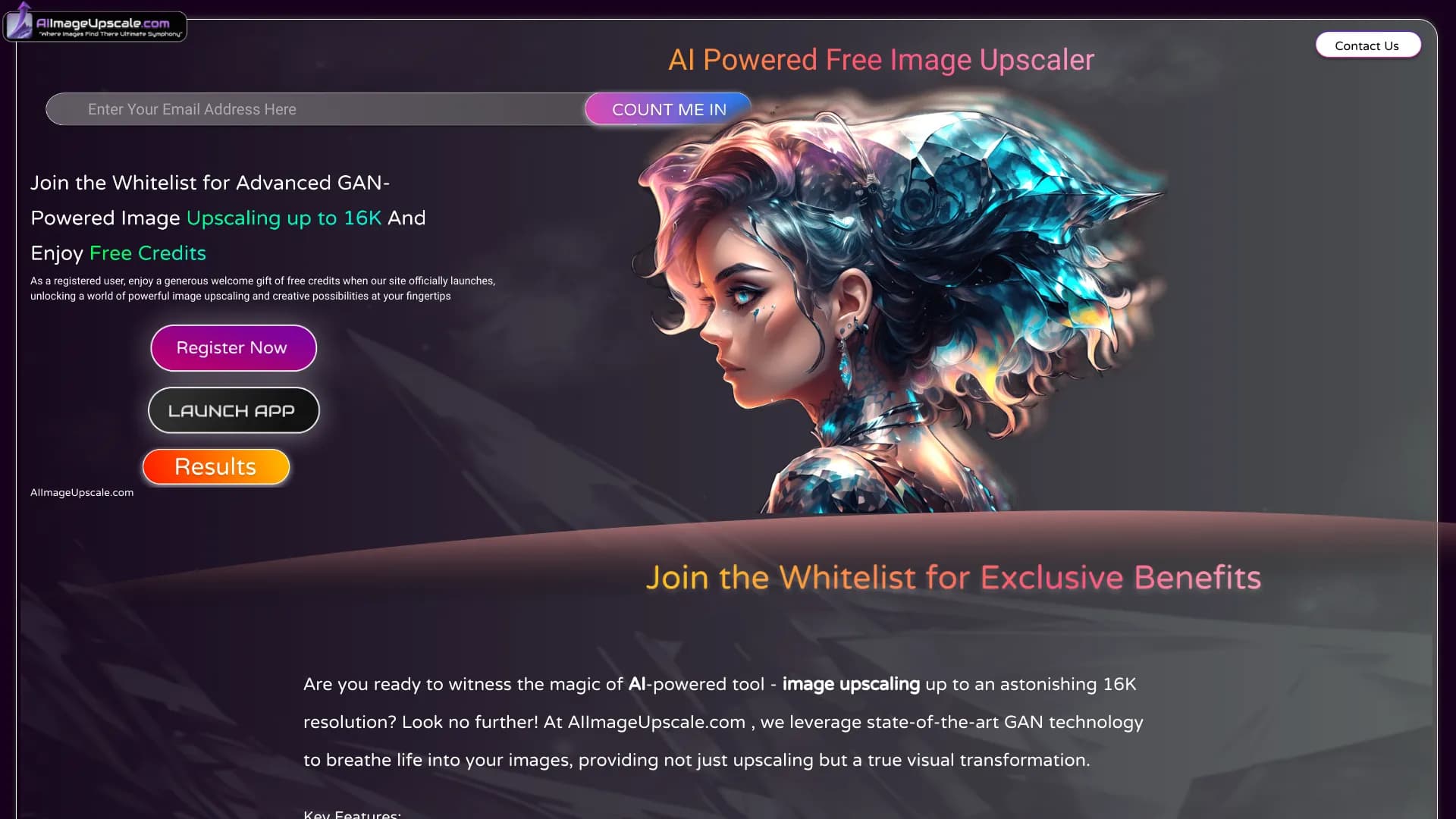
Overview
AIImageUpscale.com is an online service designed to upscale resolution and enhance photo quality using artificial intelligence. The platform is built on generative adversarial networks (GANs), which can "fill in" missing image details, making the picture sharper even at high magnification.
The service's main feature is speed and simplicity. You don't need to install software, understand layers and masks, or have experience with graphic editors. Simply upload your source file to the site, and within seconds the system delivers the finished result. The tool targets a broad audience: from professional photographers to everyday users looking to improve old family snapshots.
The service runs entirely in the browser, ensuring accessibility from any device. The maximum output resolution supported by the service reaches 16K, allowing the resulting images to be used for large-format printing or banner creation.
AIImageUpscale.com Features
| Feature | Value |
|---|---|
| Type | Website (web service) |
| Categories | Photo enhancement tools, Image enhancement tools |
| Technology | Generative adversarial networks (GANs) |
| Maximum upscale resolution | Up to 16K |
| Monthly visits | 84.7K |
| Developer | AIImageUpscale.com |
| Free plan | Available |
Who is AIImageUpscale.com suitable for?
Photographers and retouchers
Professionals often face the task of restoring old photos or upscaling frames shot on low-resolution cameras. The service lets them quickly prepare images for print without spending hours manually redrawing details in Photoshop.
Designers and marketers
When preparing layouts for outdoor advertising or banners, the original resolution is often insufficient. AIImageUpscale.com helps enlarge images to the required dimensions without quality loss, which is critical when creating posters and presentation materials.
Everyday users
Anyone without specialized skills can improve the quality of old family photos taken on film cameras or sharpen images downloaded from the internet. The service requires no studying of manuals or complex settings.
How to use AIImageUpscale.com
Step 1: Prepare and upload your file
To get started, open the service website in your browser. Click the upload button and select an image from your device. Note that the service supports a limited number of formats — if your files have a different extension, it is recommended to convert them to JPEG or PNG before uploading.
Step 2: Processing and getting the result
After uploading, the system automatically starts the upscaling process. The neural network processes the image within seconds. You don't need to manually choose the upscale factor or adjust settings — the service offers a ready result that you can immediately download and use for social media posts, printing, or other purposes.
Key features of AIImageUpscale.com
AI-powered image upscaling
The service uses GAN algorithms to increase photo resolution. Unlike standard interpolation, which blurs edges, the neural network analyzes the frame's content and generates missing pixels, preserving the sharpness of objects and textures.
AI art generation integration
In addition to upscaling, the platform integrates an image generation feature based on text prompts. This allows users not only to enhance existing photos but also to create unique artworks, which can likewise be scaled to high resolutions.
Photo preparation for print
In many cases, images from the internet are unsuitable for high-quality printing due to low resolution. The service solves this problem by enlarging images to values suitable for printing posters, prints, or even large-format banners.
Advantages of AIImageUpscale.com
Modern enhancement algorithm
The GAN technology used by the service "pulls out" details from old and small photos. Instead of turning faces into blurry smudges (as simple filters do), the neural network reconstructs facial features, clothing texture, and background elements, making the image look more natural.
High scaling limit
The ability to upscale to 16K sets the service apart from many competitors that stop at 4K or 8K. This makes the platform suitable for creating images that will be viewed up close on large canvases.
Instant processing speed
The average processing time for a single image is measured in seconds. This is convenient when you need to prepare a batch of photos for publication or send an urgent file to a client without waiting in a rendering queue.
Disadvantages of AIImageUpscale.com
Sensitivity to source file quality
The neural network's output directly depends on what you upload. If the source has serious defects (heavy noise, deep compression, low bitrate), the algorithm may "invent" details that don't exist in the original. This can lead to artifacts and unnatural textures in the final image.
Inaccuracies on complex scenes
When processing shots with many small objects (tree branches, hair, patterns), blurred edges or odd details may appear that are noticeable to the eye upon closer inspection.
Format limitations
The service does not support all graphic formats. Users working with WebP, TIFF, or other extensions will need to convert files to JPEG or PNG before uploading, adding extra steps to the workflow.
What problems does AIImageUpscale.com solve?
Sharpening compressed images
Photos that have been repeatedly saved and shared via messengers lose sharpness. The service helps partially restore their quality by removing visible pixels and smoothed edges.
Preparing visuals for print
Images created for screens (72–96 dpi) are unsuitable for high-quality printing, where the standard is 300 dpi. Upscaling resolution through the service prepares such files for correct print output without having to recreate the design from scratch.
Quickly enhancing old photos
Scanned photos from family albums often suffer from low resolution, cracks, and graininess. The neural network helps restore them, making them suitable for modern screens and printing.
AIImageUpscale.com Pricing
| Plan | Price | Features |
|---|---|---|
| Free | $0 | Available for evaluation, lets you test the service's functionality |
| Starter | $5.99/month | Basic feature set for regular use |
| Professional | $15.99/month | Unlocks upscaling up to 16K and expanded functionality |
Subscription pricing varies depending on the set of options. The more expensive plan targets users who need maximum resolution on an ongoing basis, for example, for large print runs or large-format media.
Terms of use for AIImageUpscale.com
The service operates fully online in a web browser. No account creation or email verification is required to get started — simply visit the site and upload an image. This simplifies one-time access to the tool without storing personal data.
The main limitation concerns supported file formats. As noted above, the service correctly processes only JPEG and PNG images. If your file has a different extension, you will need to convert it using third-party tools before uploading.
For users who need to prevent quality degradation during repeated editing, the service can be useful as an intermediate tool; however, it is important to remember that the final result depends on the quality of the source.
Availability of AIImageUpscale.com
The platform is available exclusively as a website and operates in real time. To use it, you need a device with internet access and any modern browser. No additional software installation or a powerful computer is required — all computations are performed server-side.
The service page does not specify particular language versions or regional restrictions, suggesting the resource is globally accessible to all users. Given the monthly traffic of 84.7 thousand visitors, the tool's demand on the international market is evident.
How AIImageUpscale.com differs from alternatives
There are many image upscaling tools on the market, including neural networks such as Leonardo.ai, Nano Banana, Kandinsky, Midjourney, Flux.1, and Yandex Art. The main difference of AIImageUpscale.com is its narrow specialization in resolution upscaling and photo restoration, whereas the aforementioned competitors are more often universal image generators where upscaling is merely a secondary function.
Unlike generative models like Midjourney, which create images from scratch based on prompts, AIImageUpscale.com focuses on working with existing files. This makes it a more precise tool for those who already have a source and want to improve its quality rather than create new content.
Compared to services like Nano Banana or Yandex Art, the platform emphasizes processing speed (seconds versus minutes on complex scenes) and a maximum scaling limit of 16K, which is not necessary for every task but is available when needed. It is also worth noting the transparent free plan for trial use, which not all competitors offer.
Conclusion
AIImageUpscale.com is a functional and fast online tool for upscaling image resolution based on generative adversarial networks. It successfully combines ease of use, processing speed, and the ability to scale up to an impressive 16K, making it useful for photographers, designers, and everyday users. The availability of a free plan allows you to evaluate the service's capabilities without financial commitment; however, it is worth remembering that the final output quality heavily depends on the source file: when uploading heavily damaged or low-quality images, the neural network may add fantastical elements or artifacts. Nevertheless, for preparing photos for print or restoring old frames, AIImageUpscale.com is one of the most accessible and effective solutions on the market.
Frequently asked questions
See also


Bleepify automatically detects and bleeps out profanity in video and audio.


A tool for automated SEO content creation with keyword research and long-form text generation.

A service that automatically generates enhanced photos for dating site profiles.


AI tool for creating SEO-optimized multilingual content.


AI Slide Studio is an AI-powered service for quickly creating customizable presentations on a given topic.

Cabina AI is a unified platform for working with various generative neural networks, enabling you to create texts, images, and videos.


Averi is a marketing platform that brings campaign planning, content creation, and analytics together in a single interface.

Web service for generating images from text prompts and converting photos and videos into artistic artworks.