

AIAssistWorks AI for Sheets
Google Sheets extension providing access to over 50 language models for data processing directly in cells.
Overview
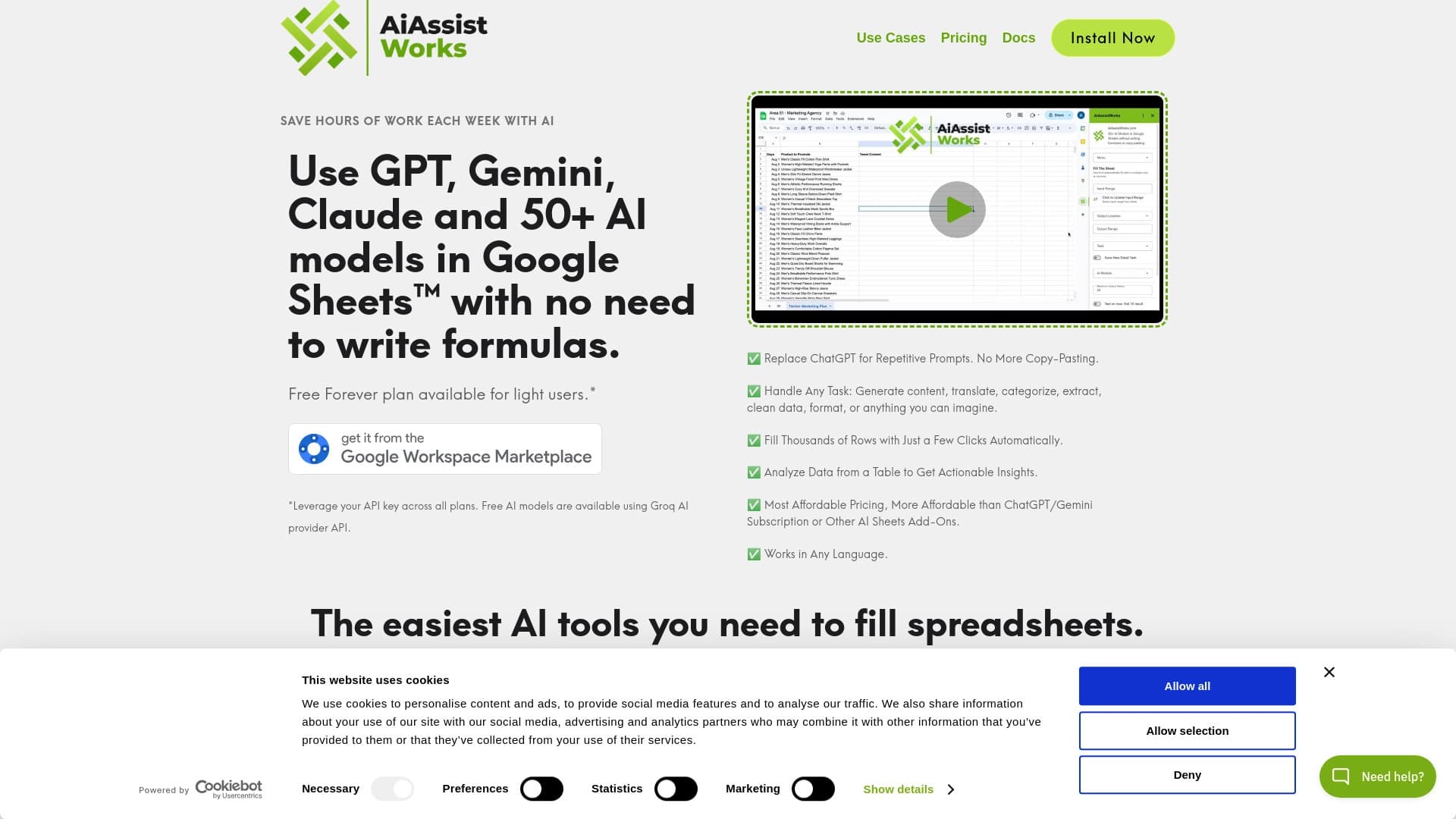
AIAssistWorks AI for Sheets is a browser extension for Google Sheets that provides access to more than 50 different language models right inside the spreadsheet interface. The service brings together popular models such as GPT, Claude, Gemini, Llama, Mixtral, Perplexity, and others in one place, allowing users to perform complex data processing, text generation, and analytics tasks without leaving the Google Sheets workspace.
The main feature of the tool is that there is no need to write formulas, understand programming code, or manually copy data between services. Simply select the desired cells, choose a task or formulate your own request, pick a model — and the AI processes the information right on the spot. Thanks to the ability to save query templates, repetitive operations can be automated and completed in just a few clicks.
AIAssistWorks AI for Sheets Features
| Feature | Value |
|---|---|
| Type | Google Sheets extension |
| Categories | Translation, text processing, copywriting, spreadsheet work, product description generation, creative writing, digital marketing, SEO optimization, social media assistants, ad copy generation, data analysis |
| Platforms | Google Sheets (browser extension), Web |
| AI Models | Over 50 models, including GPT, Gemini, Claude, Llama, Mixtral, Perplexity, Groq Fast |
| Free Plan | Yes (basic — limited number of results per month) |
| Developer | AiAssistWorks |
| Rating | 4.7 |
| Editor's Score | 8.6 out of 10 |
| Monthly Visits | 388.9K |
Who is AIAssistWorks AI for Sheets for?
Analysts and Data Professionals
The tool will be useful for those who regularly need to process large volumes of information. Bulk data generation, cleaning, formatting, and analysis — all of this can be done directly in spreadsheets, saving time on routine operations.
Marketers and SEO Specialists
For those who create content in large volumes, the extension opens up broad possibilities. Generating marketing copy, ad creatives, SEO optimization of materials, and creating product descriptions — all these tasks are handled through a single Google Sheets interface.
Copywriters and Translators
Professionals working with text can use the extension for bulk translation, creating creative materials, and processing text content. The ability to save custom query templates allows for a standardized approach to routine tasks.
How to use AIAssistWorks AI for Sheets?
Step-by-step workflow
The process of working with the extension is extremely simple and requires no special technical skills. First, select the range of cells you want to work with. Then click the "Update range" button and specify the cell where the processing result should be output.
Choosing a task and model
After setting up the ranges, you can choose one of the ready-made tasks — such as translation, text generation, or data analysis — or write your own query. The next step is selecting a suitable AI model from the available list. If needed, you can adjust the token limit to control the volume of output data.
Running the processing
Once all parameters are set, simply run the processing. The extension completes the task right in the spreadsheet, and the user can immediately see the result. For recurring operations, you can save a query template to apply it with a single click in the future.
Key Features of AIAssistWorks AI for Sheets
Access to a wide pool of AI models
The extension connects more than 50 different language models, including GPT, Gemini, Claude, Llama, Mixtral, Perplexity, and Groq Fast. This allows you to select the optimal model for a specific task and mix them as needed.
Data work without formulas or copying
All operations are performed directly in Google Sheets cells. There is no need to write complex formulas, use intermediary services, or manually transfer data. The interface is understandable even for beginners who have never worked with AI tools.
Saving query templates
Users can save their own prompts for reuse. This significantly speeds up routine operations and ensures a consistent approach when working with large volumes of information.
Support for modern APIs
The extension supports current application programming interfaces, including Perplexity and Groq Fast, which ensures high data processing speed even when working with large spreadsheets (thousands of rows).
Advantages of AIAssistWorks AI for Sheets
A wide selection of models in one place
Unlike most plugins that are limited to a single AI model, AiAssistWorks provides an entire set at once. Users can experiment, switch between models, and choose the one that handles a specific task best.
Time savings and ease of use
The absence of any need to write formulas, understand code, or copy data between services is the main advantage for beginners. The entire processing workflow requires minimal steps, and the interface remains intuitive.
Scalability
The extension easily handles large spreadsheets and data arrays, processing thousands of rows in a couple of minutes. If a limit is exceeded during processing, simply run the operation again.
Disadvantages of AIAssistWorks AI for Sheets
Platform limitations
The extension works exclusively with Google Sheets. When using other spreadsheet editors, such as Excel, additional plugins may be required, which creates inconvenience for users accustomed to other software.
Data security concerns
Since all generation is performed through cloud servers, there is a potential risk of information leakage. Organizations working with confidential data should consider this factor when deciding whether to use the service.
Internet dependency
The extension requires a constant internet connection to function. In conditions of unstable internet or when working offline, using the service will be impossible.
What tasks does AIAssistWorks AI for Sheets solve?
Bulk generation and data analysis
The tool allows automating the processing of large volumes of information, performing mass content creation, and formatting large spreadsheets.
Creating marketing and SEO materials
Generating copy for advertising, social media, and digital marketing, SEO promotion, and creating product descriptions — all these tasks are handled through the extension's unified interface.
Translations and ad performance evaluation
The extension is suitable for bulk translations, analyzing the effectiveness of advertising campaigns, and automating routine operations related to data processing in Google Sheets.
AIAssistWorks AI for Sheets Pricing
The service offers three pricing plans. The basic plan is free but includes a limited number of results per month — enough to get familiar with the functionality and complete small tasks. The extended plan costs $6 per month and unlocks unlimited results. The professional plan at $12 per month includes advanced features and priority support. Check the official developer website for the exact terms and scope of each plan.
Terms of Use for AIAssistWorks AI for Sheets
To get started, you need to install the extension and complete registration. The entire data processing happens in the cloud — information is sent to external servers to generate results. Users should note that the service works only with Google Sheets. It is recommended to review the privacy policy and data processing terms in advance, especially if you plan to work with sensitive information.
Availability of AIAssistWorks AI for Sheets
The extension is available as a browser add-on for Google Sheets and works fully online. A stable internet connection is required to use the service. The service is developed by AiAssistWorks and has high traffic — over 388 thousand visits per month, which indicates its popularity among users worldwide.
How AIAssistWorks AI for Sheets differs from alternatives
A multi-model approach instead of a single model
The main difference from competitors is providing access to an entire set of AI models rather than just one. Most spreadsheet plugins work with only one model, while AiAssistWorks lets you choose between GPT, Gemini, Claude, and dozens of other options.
Simplicity without programming
The extension's interface is as close as possible to the tasks of an average user. No programming skills are required — all operations are performed through visual controls, making the tool accessible to a wide audience.
Working with thousands of rows
The ability to run tasks on thousands of rows of data simultaneously sets the extension apart from many competitors that are not designed to handle such volumes of information or require more complex setup to do so.
Conclusion
AIAssistWorks AI for Sheets is a convenient Google Sheets extension that combines more than 50 AI models for automating data processing, content generation, and analytics directly in cells. The tool features a simple interface, requires no programming skills, and suits a wide range of tasks — from bulk text generation and translations to SEO optimization and ad campaign evaluation. Despite some limitations related to platform lock-in with Google Sheets, cloud-based data processing, and the need for a constant internet connection, the extension remains a sought-after solution for analysts, marketers, and anyone working with large volumes of information in spreadsheet format.
Pricing
Frequently asked questions
See also


Neural network that generates images and illustrations based on a text description.

AI assistant for business that helps manage tasks and automate routine through dialogue.

Unofficial API access to Suno AI for music generation and integration into applications.

AI assistant that analyzes uploaded study documents, identifies questions, and provides detailed explanations.


AI-based service for automatic generation of text content in various formats.


A multifunctional AI assistant for chat, text and image generation, translation, and programming help.


Desktop AI assistant for macOS, Windows, and Linux that launches via hotkey above all windows and combines multiple language models in one interface.

Cloud platform for creating videos using AI avatars, synthesized speech, and automatic translation of clips into dozens of languages.