

AI Signature Generator
Online service for creating, digitizing, and editing signatures using artificial intelligence.
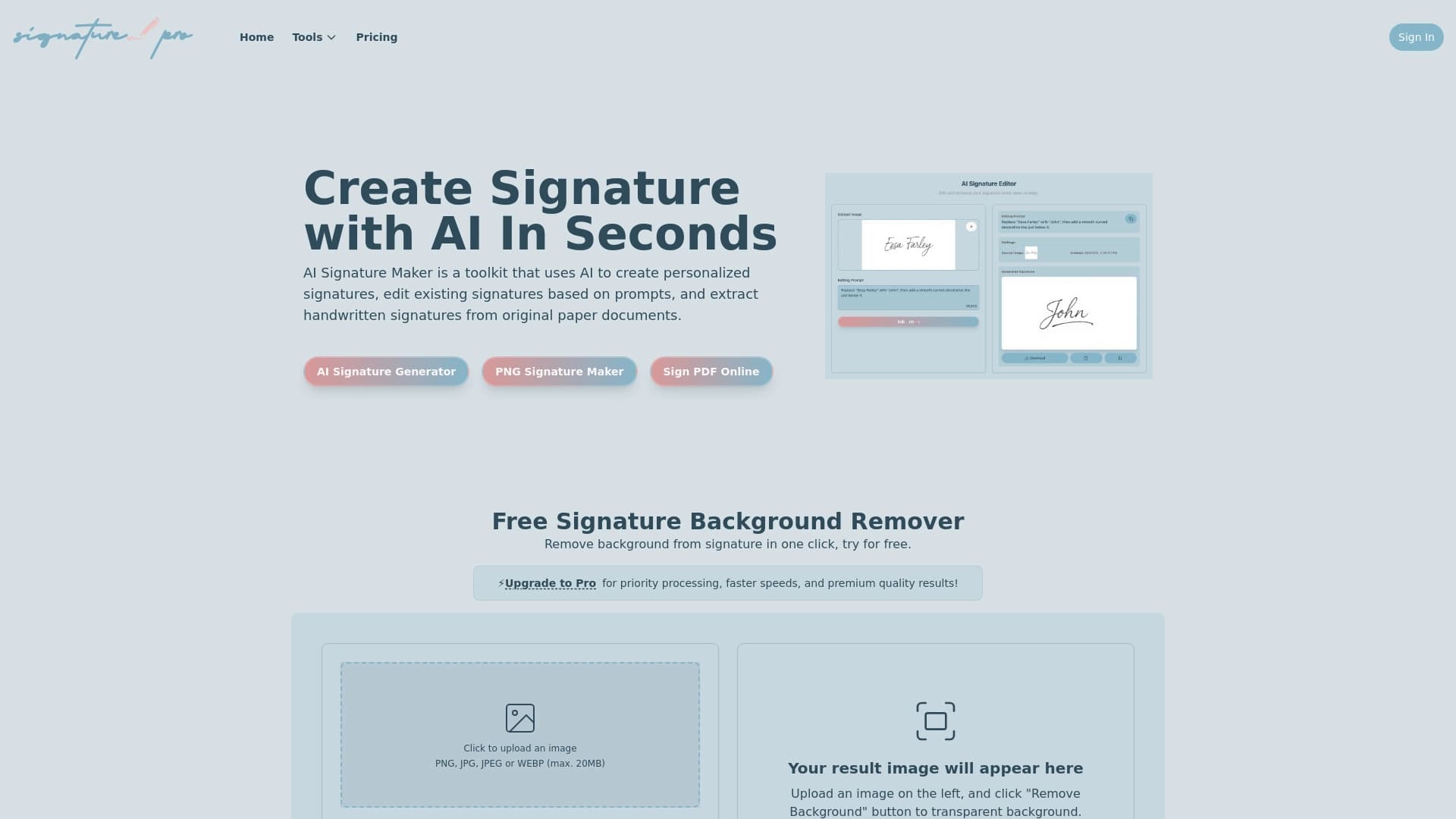
Overview
AI Signature Generator is a specialized online service that uses artificial intelligence to create, digitize, and edit signatures. The tool solves two key tasks at once: it allows you to generate a new signature from scratch based on your first and last name, and it also helps transfer an existing paper signature into digital format.
The service works entirely in the browser and requires no additional software installation. The user can either enter their details in a text field or upload a photo or scan of an existing signature. Based on this data, the neural network offers several design options that can then be fine-tuned to suit personal preferences.
Key feature of the service
The main difference between AI Signature Generator and simple graphic editors is automation. You don't need to manually trace outlines or cut a signature out of a document: the neural network independently recognizes the sample, separates it from the background, and converts it into a clean digital file. This is especially valuable when working with scanned documents, where the signature often sits alongside text, stamps, or other graphic elements.
Use cases
The tool is designed for working with documents: emails, contracts, acts, invoices, and internal company documents. Unlike simple builders that only generate decorative lettering, this service lets you get a full-fledged digital signature suitable for inserting into PDF files while preserving document formatting.
AI Signature Generator characteristics
| Characteristic | Value |
|---|---|
| Type | Signature generator |
| Categories | Text recognition (OCR), PDF and documents |
| Website | ai.signaturegenerator.pro |
| Free plan | Not specified |
| Distribution model | Not defined |
| Access method | Web service, no software installation |
| Input data | First and last name or uploaded signature sample |
| Main operations | Generation, digitization, editing, insertion into PDF |
| Language support | Not specified |
| Regional restrictions | Not specified |
Who is AI Signature Generator suitable for?
Lawyers and legal department staff
Professionals who work with contracts, agreements, and powers of attorney on a daily basis get a convenient tool for quickly signing standard documents. Instead of printing every page, signing by hand, and then scanning it back, a lawyer can insert a digital signature directly into a PDF file. This significantly speeds up document flow and eliminates routine operations.
Managers and business owners
Executives often sign a large number of documents: orders, invoices, commercial proposals, HR paperwork. AI Signature Generator makes it possible to unify the process: a digital signature created once is used across all company documents. This ensures consistency and recognizability of the executive's signature on all official paperwork.
Freelancers and self-employed professionals
For those who work remotely and interact with clients over the internet, the ability to quickly sign acts, contracts, and invoices without printing is a significant time saver. The service is also useful for those who want to add a personalized signature to emails and messages, strengthening their professional image.
How to use AI Signature Generator?
Creating a signature from scratch
The first method is generating a new signature based on a name. To do this, the user enters their first and last name in the appropriate field. The neural network analyzes the entered data and offers several signature options in different styles. After choosing a preferred option, you can move on to adjusting the parameters.
Digitizing an existing signature
The second method is uploading a handwritten signature sample. The user photographs their signature or scans it from a paper document, then uploads the image to the service. The AI recognizes the signature outline, separates it from the background, and converts it into a clean digital file. This is an ideal option for those who want to keep their usual autograph in electronic form.
Customizing and downloading the result
Once the signature has been created or digitized, the user can adjust its appearance. Style, line thickness, and layout options are available. When the result meets the requirements, the signature is downloaded in a suitable format and used in documents, emails, or templates.
Key features of AI Signature Generator
Creating digital and handwritten signatures
The service generates signatures both from text input (first and last name) and from an uploaded sample. In the second case, the system reproduces the characteristics of handwritten script, preserving individual features of pressure and line slant. The user can choose from several suggested options before settling on the final one.
Digitizing signatures from paper
Processing scans and photos is one of the tool's key functions. The user uploads an image with a signature, and the neural network automatically extracts it from the document context. This makes it possible to work with signatures that were placed on paper long before the transition to electronic document flow.
Background and PDF handling
The tool includes a one-click background removal function: after that, the signature becomes transparent and can be easily overlaid on any documents. Inserting the signature directly into PDF files and saving the document without loss of quality or formatting is also available. A gallery of famous signatures lets you choose a ready-made style for inspiration or use as a template.
Advantages of AI Signature Generator
Speed and convenience
Creating a signature takes just seconds. The user doesn't need to figure out complex graphic editors or learn specialized software — the entire process happens through an intuitive web interface. Upload a sample or enter a name — and within moments you have a finished result.
Full signature workflow
Unlike simple generators that only create text in a certain font, AI Signature Generator covers the entire cycle: from creation and digitization to editing and integration into documents. The feature of extracting signatures from photos or scans eliminates the need to redraw an autograph manually or use complex selection tools.
PDF tools
Built-in PDF handling features allow you not just to save the signature as a separate file, but also to insert it directly into the required document. This is especially important for professionals who work with legally significant paperwork every day and value every minute of their time.
Drawbacks of AI Signature Generator
No information about the service's drawbacks is available in public sources. Based on available data, potential limitations likely include dependence on the quality of the uploaded sample: overly blurry photos or low-resolution scans may reduce recognition accuracy. Free usage terms are also not specified, which could be a significant factor for individual users. However, accurate information about the service's weaknesses and limitations is not disclosed at this time.
What tasks does AI Signature Generator solve?
Creating digital signatures for documents, emails, and templates
The tool's main task is to provide the user with a high-quality digital signature for everyday use. The created signature can be applied in emails, inserted into commercial proposals, contracts, acts, and internal documents. A gallery of famous signatures helps you choose an appropriate style for official correspondence.
Digitizing handwritten signatures from paper
The service solves the problem of transferring paper signatures into the digital environment. Instead of scanning an entire document and cutting out the signature in a graphic editor, the user uploads an image to the service and gets a clean signature, cleared of unnecessary elements. This is relevant when companies transition to electronic document flow.
Removing background from signatures and inserting them into PDFs
The tool automates technical operations that previously required manual work: removing white or colored backgrounds around a signature, cutting it out of a document scan, and overlaying it onto new files. The feature of inserting signatures into PDF documents with subsequent saving covers the need for quickly signing finished files without recreating them.
AI Signature Generator pricing
No public information about pricing or usage costs is available. The official website does not state whether the tool is fully free, operates on a subscription model, or offers one-time plans. It is also unknown whether a free tier with functional limitations exists. For up-to-date information on prices and payment terms, users should contact the service directly or check the official page.
Terms of use for AI Signature Generator
Detailed terms of use for the service are not published in public sources. It is unknown whether registration is required to access the functionality, whether there are restrictions on commercial use of generated signatures, and what the rules are for processing user-uploaded data.
Obviously, when working with signatures, especially legally significant ones, security plays an important role: uploaded samples may contain confidential information. However, the privacy policy and personal data processing terms are not disclosed in available materials. It is recommended to review the terms on the official website before starting to use the service.
AI Signature Generator availability
The service is implemented as a web application, providing access from any device with a browser and internet connection — desktop computer, laptop, tablet, or smartphone. The lack of software installation requirements makes the tool accessible to users with varying levels of technical expertise.
Information about regional restrictions, language support, and the need for a VPN is not specified. This means the service may be available in most countries worldwide, but this cannot be guaranteed without official data. To check service availability in a specific region, it is recommended to visit the official website and assess the tool's functionality.
How AI Signature Generator differs from alternatives
Combining generation and digitization
Most signature creation tools fall into two categories: some generate stylized text from a name, others recognize handwritten samples. AI Signature Generator combines both approaches in a single interface. The user can either enter a name and get a generated signature, or upload their own sample for digitization — both paths lead to a customizable result.
Built-in PDF tools
Few services offer built-in PDF functionality. The ability to insert a signature directly into a PDF and save the file without quality loss sets AI Signature Generator apart from services that only create a signature image. This reduces the number of tools used and simplifies the workflow.
Automatic background removal
The one-click signature background cleanup feature is another difference from primitive generators. While competitors often leave the user alone with the problem of cutting a signature out of a scan, here the process is automated. The neural network itself determines the signature boundaries and creates a clean image ready for use.
Conclusion
AI Signature Generator is a practical tool for professionals who frequently work with documents and need to quickly create or digitize signatures. The service covers the full cycle of tasks: generating new signatures from a name, extracting existing ones from paper, removing backgrounds, and inserting into PDF documents. Combining multiple functions in one service eliminates the need to use different programs. At the same time, some key information — about pricing, terms of use, and regional availability — remains undisclosed, so it's worth clarifying these details on the official website before getting started.
Frequently asked questions
See also


Online AI tool for creating deepfakes and editing images.


Online neural network service that transforms ordinary photos into stylized artistic portraits and avatars.


An online service that recognizes text on manga and manhwa pages, translates it into different languages, and embeds it back into the image without damaging the original artwork.


Online editor for removing unwanted objects, text, and defects from photos using a neural network.

A neural network for document analysis that extracts key information, creates summaries, and answers questions about the contents of uploaded files.

A multimedia AI toolkit for editing and enhancing photos, videos, and PDF documents.

Service for creating personalized avatars and photo shoots using AI based on uploaded selfies.
Automatically extract financial data from PDF documents and convert it to Excel or CSV.