
AI Image Editor
AI-powered online photo editor controlled by text commands.
Overview
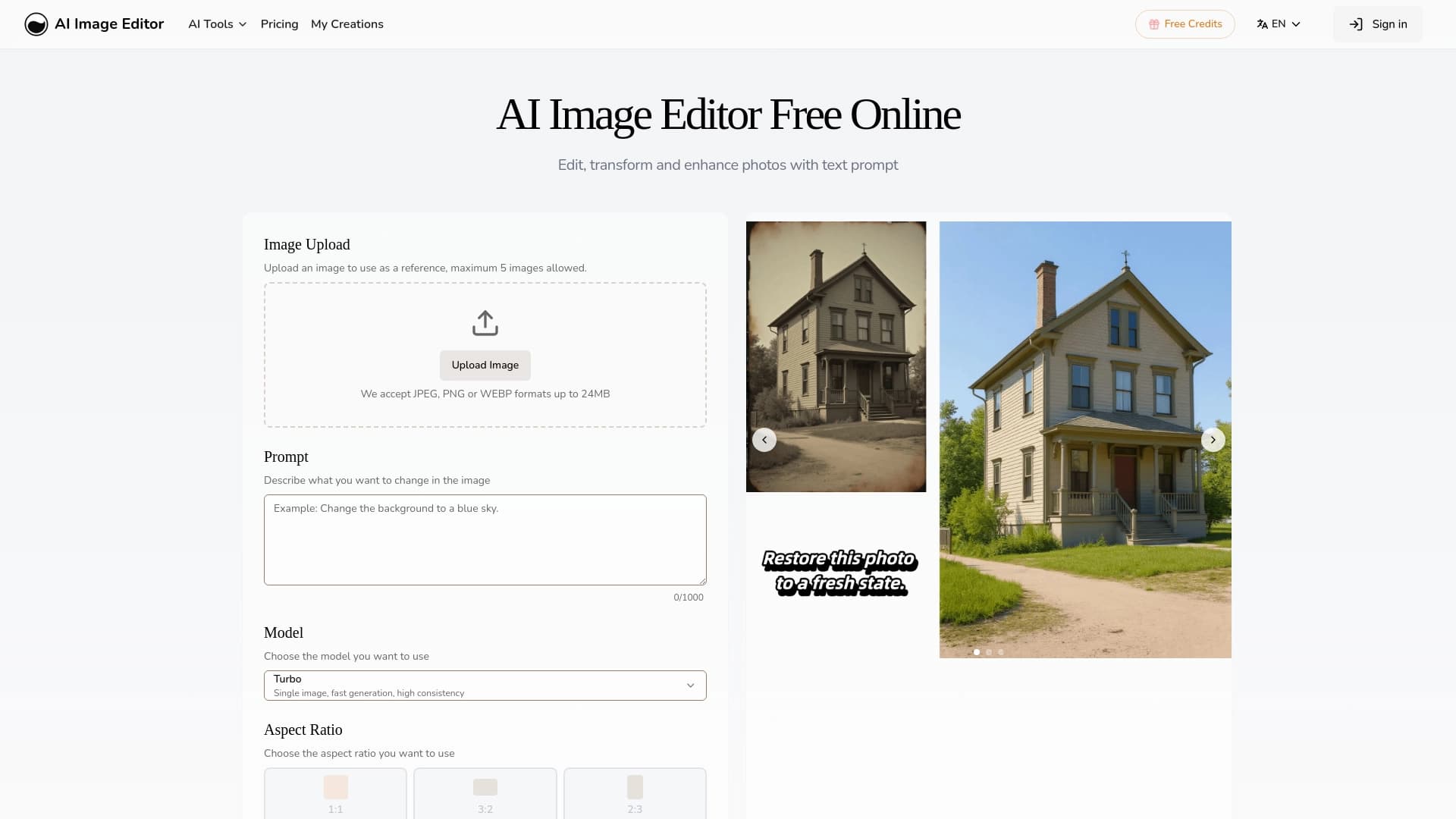
AI Image Editor is an online photo editor powered by artificial intelligence. The tool's main feature is that it is controlled through text commands in natural language. You don't need to master complex graphic editors or work with layers and masks — just upload an image and describe in words what needs to be changed.
The service suits both quick edits and more serious tasks: it can add and remove objects, change the styling of a shot, correct individual details, and improve the overall composition. For different workflows, Turbo and Pro generation modes are available, and the maximum resolution of the final image reaches 4K.
How the technology works
At its core, the service relies on natural language processing: the neural network interprets your request and applies changes to the uploaded file. Instead of manually selecting objects or working with filters, you simply write what you want to get — the algorithm handles the rest.
The key idea of the service
The main principle of AI Image Editor is making editing accessible to any user. The tool removes the entry barrier to photo editing: you no longer need to know the names of tools or understand curves and channels. All you need is to formulate the task in words.
AI Image Editor Specifications
| Specification | Value |
|---|---|
| Type | AI-powered online photo editor |
| Core functionality | Image editing via text prompts |
| Maximum number of uploadable images | Up to 5 |
| Generation modes | Turbo, Pro |
| Maximum output resolution | 4K |
| Supported formats | JPEG, PNG, WEBP |
| Maximum file size | 24 MB |
| Categories | Photo processing, object and watermark removal |
| Availability | Web application accessible via browser |
| Website | aiimageeditor.ai |
Who is AI Image Editor suitable for?
For beginners and enthusiasts
The tool is designed for those who don't want to spend time learning professional software. If you need to quickly fix a photo, remove an unwanted object, or change the style — the editor can handle it with a single text prompt. Not having to deal with layers and complex settings makes the service ideal for everyday tasks.
For content creators and small businesses
Bloggers, marketers, and small business owners often need to process images for social media or advertising materials. The ability to upload up to five images at once and get results in high resolution allows you to quickly prepare visual content without hiring a designer.
For professionals as a supporting tool
Even experienced designers and photographers can use AI Image Editor for rough edits or quick experiments. When you need to quickly test an idea or show a client a styling option, a text prompt works faster than manual manipulations in a graphic editor.
How to use AI Image Editor?
Step-by-step editing process
The workflow with the service consists of a few simple steps:
- Upload up to five images in JPEG, PNG, or WEBP format to the editor. Each file must not exceed 24 MB.
- Describe in natural language what changes need to be made to the image.
- Choose a generation mode — Turbo (faster) or Pro (higher quality).
- Run the processing and get the finished result in resolutions up to 4K.
Access to edit history
The service includes a personal account with result storage. All generated image versions are kept in the "My Creations" section — you can return to them later, download them, or refine them again.
Key features of AI Image Editor
Text-based change control
Instead of manual tools — commands in natural language. You can ask the neural network to "replace the red car with a blue one," "remove the person in the background," or "make the sunset warmer." The algorithm recognizes the essence of the request and applies the changes automatically.
Multiple generation modes
Turbo mode is designed for quick tasks where speed matters more than maximum detail. Pro mode delivers higher-quality results, which is relevant for final edits or working with large formats.
Batch processing and high resolution
Support for up to five images per session speeds up work with photo series. The maximum 4K output resolution allows results to be used for printing, advertising banners, or publications without quality loss.
Personal account with history
All processed images are automatically saved in the "My Creations" section. This is convenient for reusing results and maintaining an archive of edited photos.
Advantages of AI Image Editor
No entry barrier
No skills with complex tools are required — all edits are made via text. This is a key advantage over classic editors with numerous panels and settings.
Clear interface and control
Interaction comes down to uploading a file and writing a prompt. There's no need to learn layers, masks, curves, or other professional tools — just formulate what needs to be changed.
Time savings
Processing speed in Turbo mode and the ability to upload multiple images at once make the service an efficient tool for bulk content processing.
Drawbacks of AI Image Editor
Public sources do not mention any significant drawbacks of the service. Potential limitations include the dependence of result quality on how clearly the request is formulated — the more complex the task, the more detailed the text instruction needs to be. It's also worth considering the limits on the number and size of uploaded files (up to five images and up to 24 MB each).
What tasks does AI Image Editor solve?
Working with objects and details
The neural network effectively handles replacing or removing objects in photos, as well as spot-correcting details. You can remove a passerby who accidentally got into the frame, replace an unwanted item, or fix minor flaws — all done with a text command.
Styling and composition
The service lets you change the style of a shot to match a specific visual aesthetic, enhance composition, and experiment with the mood of the frame. Turning a daytime photo into a nighttime landscape, imitating film photography, or watercolor painting — all of this is achieved with a simple prompt.
Removing unwanted elements
A separate category of tasks is removing objects and watermarks. The editor can clean out unwanted elements from an image while preserving the natural look of the background.
AI Image Editor Pricing
The service uses a freemium distribution model — basic functionality is available for free, while advanced features are unlocked for a fee. The provided source data does not include detailed information about specific plans, subscription costs, or the set of features in each tier. For current pricing information, it is recommended to check the service's official website.
Terms of Use for AI Image Editor
Detailed terms of use, privacy policy, and data processing rules are not disclosed in the provided sources. The service operates as a web application that does not require installation on a computer, and saving a history of processed images in a personal account will likely require creating an account. Authorization and file processing are handled on the service's side.
Availability of AI Image Editor
AI Image Editor is a web application, so all you need is a browser and a stable internet connection. No additional software installation is required — this makes the service accessible on virtually any device: desktop computers, laptops, tablets, and even smartphones with modern browsers.
How AI Image Editor differs from alternatives
The key difference from similar solutions is the focus on batch processing of up to five images at once, combined with 4K output resolution. Many competitors, such as Kolors by Kuaishou, Pixlio AI, or AI Image Combiner, work with one image at a time or offer limited output resolution. However, the service also has limitations: the maximum uploadable file size is 24 MB, and formats are limited to JPEG, PNG, and WEBP — some competitors support a wider range of formats, including TIFF and BMP.
The presence of two generation modes — Turbo for speed and Pro for quality — also sets AI Image Editor apart from tools that fix processing parameters without offering a choice. However, it's worth noting that the service's functionality is limited to text-based control: for precise manual retouching or working with layers, it is less suitable than full-featured graphic editors.
Conclusion
AI Image Editor is a modern online tool that makes photo editing accessible without special training. Text-command control, support for batch uploads, Turbo and Pro modes, and 4K output make it useful for a wide range of tasks — from quick fixes to more serious photo processing. It's a balanced solution for those who value simplicity and speed, though for deep professional retouching with fine manual adjustments and layers, the service is unlikely to be a full replacement for classic editors.
Frequently asked questions
See also

Catalog of neural networks and online tools for generating images, animations, and videos.

A service that automatically generates enhanced photos for dating site profiles.

Web service for generating images from text prompts and converting photos and videos into artistic artworks.


Side AI panel that helps answer questions, work with documents, and generate images.


ComicLLM is an AI tool for creating comics from text descriptions or ready-made templates.


Neural network for generating images and short videos from text descriptions.
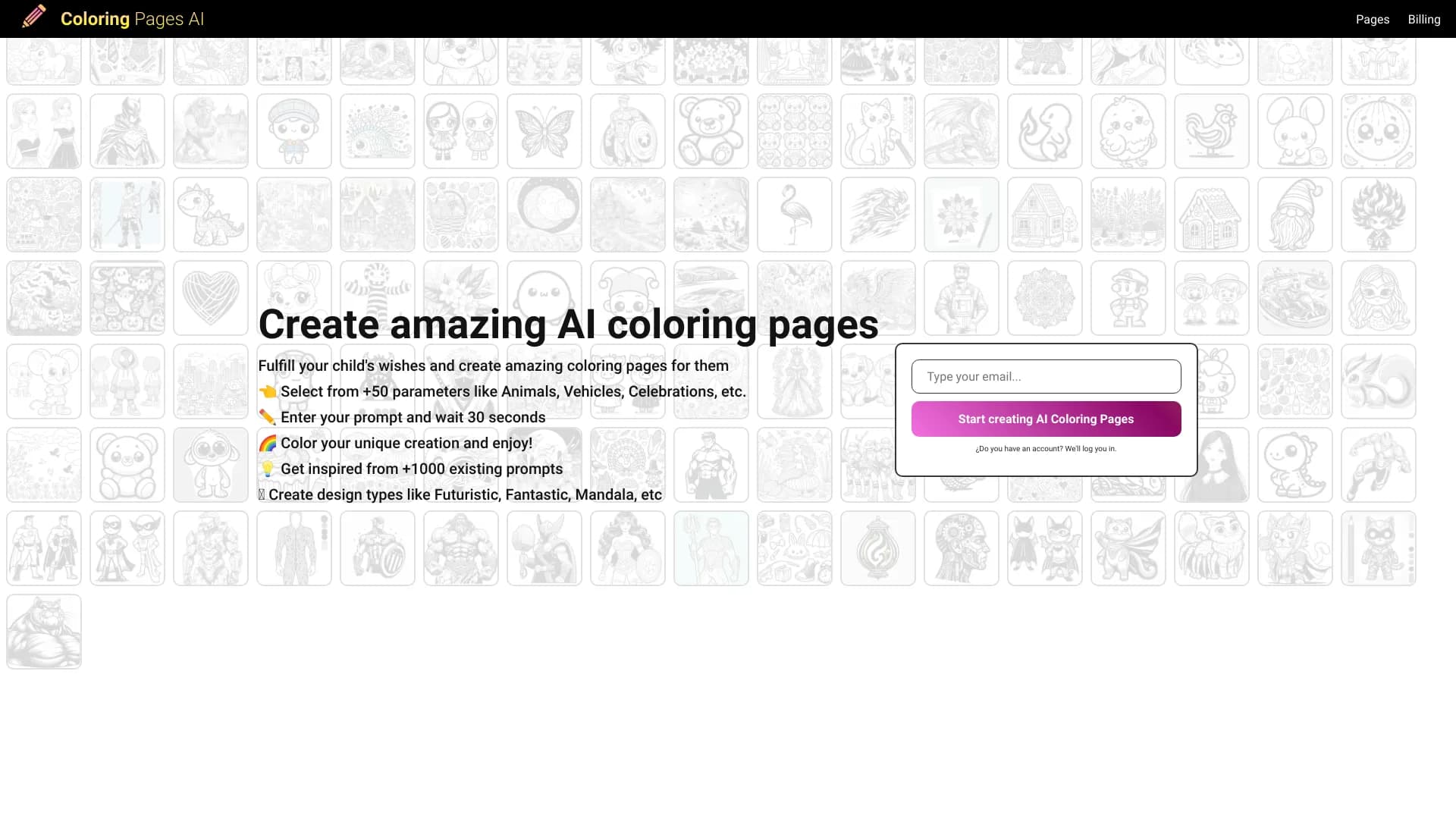

Coloring book generator that creates outline drawings from photos or text descriptions.

Service for creating music track covers based on audio analysis.