

Aeon
Platform for automatically creating videos from text.
Overview
Aeon Neural Network Description
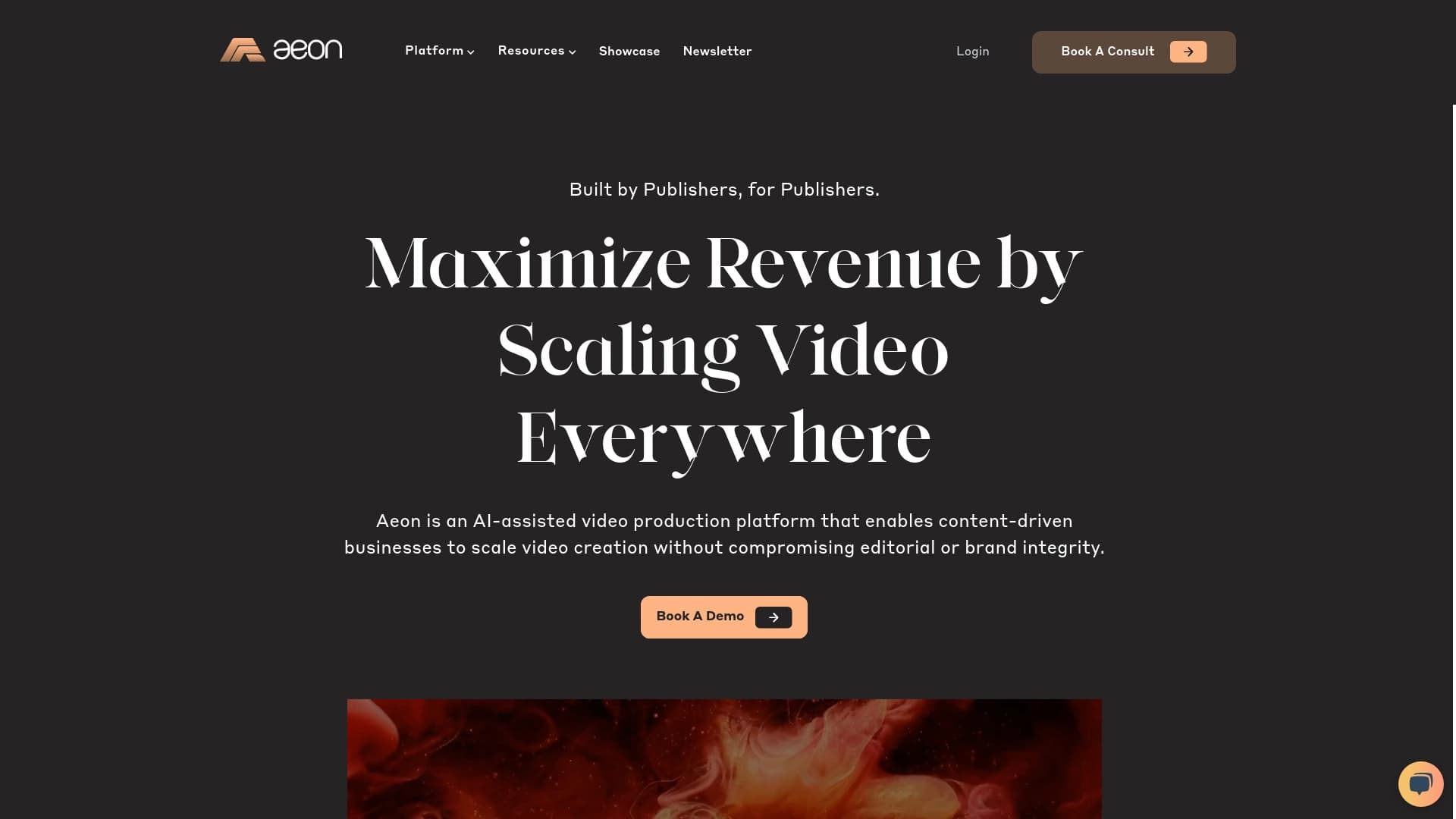
Aeon is an online platform that automates the process of creating videos. Instead of manually editing footage, selecting music, and syncing sound, the user simply enters text. The neural network analyzes it and turns it into a finished video with subtitles and musical accompaniment.
The service is focused on content production speed: instead of hours of work in a video editor, you get a project in a few minutes. At the same time, Aeon tries to adapt the video to the specifics of a particular social network — the format, duration, and presentation of the material are automatically adjusted to the platform. Preserving brand visual identity is also important: the service supports editable templates that can be customized to match corporate style.
Aeon Characteristics
| Characteristic | Value |
|---|---|
| Type | AI-powered platform for automating video creation |
| Categories | Subtitle generators, text-to-video generators, voiceover tools, ad creation tools, e-commerce tools, etc. |
| Developer | Project Aeon Inc. |
| Monthly visits | 388.9K |
| Free plan | Yes (basic features) |
| Starter plan | $10/mo |
| Professional plan | $30/mo |
| Availability | Web service (website) |
Who is the Aeon neural network suitable for?
Marketers and companies with high advertising volume
If a business produces many ad videos and needs quick generation of new creatives for different audiences, Aeon allows you to quickly "repurpose" the same message into different formats. The system analyzes the interests of the target audience to increase engagement.
Content creators for social media
For bloggers and channel hosts on YouTube, TikTok, and Instagram, the platform is useful because it eliminates routine editing stages: cutting, syncing, and placing subtitles. This frees up time for refining the message and interacting with subscribers.
Freelancers and online stores
For freelancers, Aeon is a way to increase the number of completed orders without hiring assistants. Online stores can use the generator to quickly create video cards for products, showcasing the product in motion without filming equipment.
How to use the Aeon neural network?
Basic workflow
Working with the service comes down to three steps. First, you enter the text that will become the basis of the script. Then you select generation parameters — style, mood, possible accents. After that, the AI assembles the video automatically.
Starting generation
At the final stage, the service only needs a command to build the video. The process usually takes a couple of minutes. When finished, you get a ready-made project that can be additionally edited manually if needed.
Key Features of Aeon
- Text-to-video conversion. This is the core of the service: user text is turned into a finished video with a visual sequence.
- Subtitle generation. Subtitles are created automatically, which is important for watching without sound and for hearing-impaired audiences.
- Automatic music selection. The neural network independently chooses a background track based on the content and mood of the video.
- Adaptation to social media formats. The service automatically adjusts the resolution and aspect ratio of videos for TikTok, YouTube, Instagram, and other platforms.
- Maintaining brand identity. Aeon templates can be customized so that mass-produced videos retain recognizable brand elements: logo, colors, fonts.
Advantages of Aeon
High production speed
Full automation of the workflow solves the service's main task: upload text — get a finished project in a couple of minutes. This is critical for news channels, brands following trends, and anyone whose content depends on timeliness.
Consistent style in mass production
When producing a large number of videos, it's easy to lose visual consistency. Aeon maintains brand identity through editable templates, even if videos are created daily and by different employees.
Increased engagement
The platform doesn't just assemble videos "on autopilot" but also analyzes audience interests. This allows selecting the appropriate presentation format for each specific platform.
Disadvantages of Aeon
Limited creative freedom
The main drawback of the template approach is that videos can look similar to each other. The service fits videos into certain patterns, which limits creative freedom and prevents implementing unconventional ideas.
Automation errors
Despite the quality of the AI, automation sometimes fails. Music may not match the mood, captions may display with errors, and audio-video synchronization may require manual correction. This adds work for the editor.
Hardware requirements
Video processing is a resource-intensive task. Comfortable work in Aeon requires a powerful computer and a stable, fast internet connection. Weak hardware can significantly slow down project rendering.
What tasks does Aeon solve?
- Quick creation of videos from text for publishing on social media and use in advertising campaigns.
- Automation of video production for marketing: handling routine editing tasks with the neural network.
- Product demonstration through video for online stores, allowing a clear product showcase without a filming day.
Aeon Pricing
The service follows a Freemium model. Beginners can use the free plan with a basic set of features — this is enough to get familiar with the platform.
- Starter plan ($10/mo) provides access to expanded functionality and a larger number of templates.
- Professional plan ($30/mo) includes unlimited projects, priority support, and individual settings. It is designed for active users and companies with high content production volumes.
Terms of Use for Aeon
To get started, you need to register on the service website. An important technical requirement is a stable internet connection and a powerful computer. This is necessary because video generation and processing happen in real time and depend on the capabilities of the user's local equipment.
Aeon Availability
Aeon works as a web service — no special software installation is required; access is via a browser from any device. The tool's page does not indicate restrictions on geographic regions, and there is no need to use a VPN to connect.
How Aeon differs from alternatives
The tool's page does not provide a direct comparison of Aeon with competitors. Based on the description, its key difference is its focus on the full production cycle: from text to a video adapted for social media with music and subtitles. Many alternatives either cover only one stage (for example, music generation) or do not offer ready-made formats for specific social networks.
Conclusion
Aeon is a practical AI tool for quickly creating video content from text. It will meet the needs of marketers and content creators who need to generate videos for social media and advertising on a regular basis, automating the selection of music, subtitles, and format. However, when choosing, it's worth considering the creative limitations, possible automation errors that require manual correction, and the fairly high requirements for the technical equipment of the workplace.
Frequently asked questions
See also

Google's flagship model (Gemini 3 Pro Image) for generating and editing high-resolution images with precise adherence to prompts.


Platform for organizing live chat and communicating with website visitors, offering a free chat widget for customer support.


AI-powered online service for automatically creating presentations from text, PDF, audio, video, or URL links.

A customer support automation platform that analyzes inquiries and helps operators respond faster.


Neural network for generating images and short videos from text descriptions.


AI assistant for checking grammar, spelling, and style of English text, available as a browser extension and web editor.


Bleepify automatically detects and bleeps out profanity in video and audio.

Online tool for swapping faces in photos, videos, and GIFs without registration or watermarks.