

Nano Banana Pro
Google's flagship model (Gemini 3 Pro Image) for generating and editing high-resolution images with precise adherence to prompts.
Overview
Nano Banana Pro
Nano Banana Pro Description
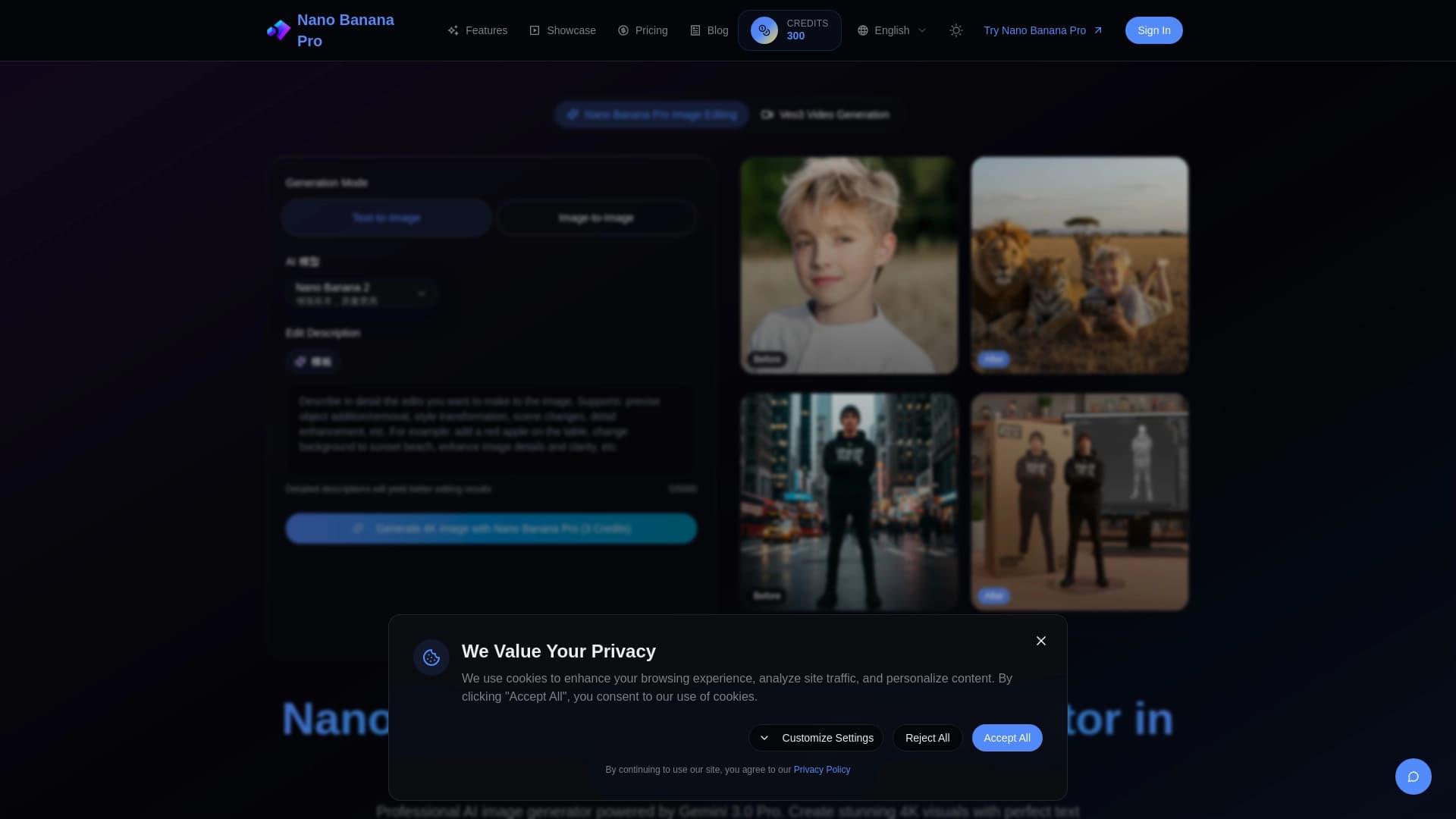
Nano Banana Pro is Google’s flagship model for image generation and editing, also known internally as Gemini 3 Pro Image. It is the higher-end version of the Nano Banana family, designed for professional tasks where high resolution, accurate prompt execution, and clean text rendering in images matter.
Compared with the standard Nano Banana version, the Pro variant gives users more control over the result. The model follows complex and detailed prompts more precisely, renders text neatly on posters, packaging, and layouts, supports up to 14 reference images, and can output images at up to 2K resolution with subsequent upscaling to 4K.
The model was released in November 2025 as the successor to the first version of Nano Banana. It works through Google AI Studio, the Gemini API, and other Google ecosystem products, but it costs more and runs slower than the base version—something to keep in mind when choosing a tool for regular work.
Nano Banana Pro Specifications
| Characteristic | Value |
|---|---|
| Type | Professional model for image generation and editing |
| Categories | Image generation, Image editing, Text to image, Image to image, Ad creatives |
| Developer | Google (Google DeepMind) |
| Internal name | Gemini 3 Pro Image |
| API identifier | gemini-3-pro-image |
| Release date | November 2025 |
| Maximum resolution | Up to 4096×4096 pixels (4K) with upscaling |
| Reference support | Up to 14 images |
| Access | Google AI Studio, Gemini API, Vertex AI, Gemini app, and other Google products |
| Price | About $0.134 per image via the Gemini API |
| Distribution | Paid model |
Who Is Nano Banana Pro For?
Marketers and Designers
Nano Banana Pro is ideal for those creating ad layouts, posters, banners, and covers that require large, neatly rendered text. The model handles typography exceptionally well, making it indispensable for branded and promotional materials.
E-commerce Specialists
For those preparing product cards and photos for online stores, the model is useful thanks to its combination of photorealism, support for many reference images, and native 2K resolution with upscaling to 4K. Such images are suitable for print and high-quality publishing.
Creatives and Content Makers
The model is useful for designers, illustrators, authors of educational diagrams and storyboards, and anyone working with complex scenes containing ten or more objects. Mask-based editing support makes it possible to make targeted corrections without fully regenerating an image.
How to Use Nano Banana Pro?
Via Google AI Studio
The most practical way to get started is to open Google AI Studio and sign in with a Google account. In the interface, choose a model from the Nano Banana family (or Gemini 3 Pro Image), describe your task in plain language, and upload reference images if needed. After receiving the result, you can give the model targeted edit instructions.
Via the Gemini App
For ordinary users, the easiest option is to use the Gemini app, selecting Create Images mode and the Thinking model. This approach does not require deep technical knowledge and works well for quick experiments.
Via the API for Developers
Developers can integrate the model into their products through the Gemini API and Vertex AI using the identifier gemini-3-pro-image. The model supports prompt-based editing combined with a reference image and mask, opening up broad possibilities for automating creative workflows.
Key Features of Nano Banana Pro
Image Generation and Editing
The model supports creating images from text descriptions and then editing them. The local editing feature allows targeted changes to existing images without completely redoing the result, significantly speeding up iterative workflows.
Text and Reference Handling
Nano Banana Pro neatly renders readable text on images—posters, packaging, and layouts—with proper tracking and kerning. The model supports up to 14 reference images at once, enabling high accuracy in complex compositions.
High Resolution and Additional Capabilities
The model outputs images at up to 2K resolution with upscaling to 4K, supports various aspect ratios, and effectively details complex scenes with ten or more objects. It can also draw on Google Search data during generation.
Advantages of Nano Banana Pro
Prompt-Following Accuracy
The model delivers one of the best prompt-following results in the industry as of 2026. It handles complex, highly detailed prompts well, which is especially important for professional visual materials.
High-Quality Typography
Text rendering in Nano Banana Pro images is typographic in quality, not just readable. The model writes words neatly on posters, packaging, and layouts, setting it apart from many competitors.
Scale and Control
The model supports up to 14 reference images, produces results at up to 4K resolution (4096×4096) without quality loss, and gives users more control over the final image than the standard Nano Banana version. Integration through the same Gemini API makes connecting the model simple and convenient for developers.
Drawbacks of Nano Banana Pro
Cost and Speed
Nano Banana Pro is roughly 3.5 times more expensive than the standard version—about $0.134 per image versus approximately $0.039. The model is also slower: generation takes 3–6 seconds compared with 1–2 seconds for the Flash version, which can affect productivity in high-volume work.
Access Restrictions
The model may not be available directly in some regions—using it may require a VPN and a payment method from a supported country. Access and limits depend on the country, account, and Google subscription, and once the free limit is used up, access may automatically switch to the standard Nano Banana version.
Quality and Content Limitations
In artistic scenes, the model looks aesthetically drier than Midjourney, and it needs more detailed prompts to reach its full potential. There are no ControlNet-style tools for precise composition control, and facts in generated infographics should be double-checked. Generated images are marked with an invisible SynthID watermark.
What Problems Does Nano Banana Pro Solve?
Advertising and Commerce
The model is great for creating ad layouts, product cards, posters, and covers with large text. The results are suitable for print and publications that require high 4K resolution.
Education and Creativity
With Nano Banana Pro, you can develop educational diagrams, create storyboards, and prepare presentation materials. The model effectively builds scenes with ten or more objects and complex compositions.
Editing and Localization
The model lets you edit existing images using a mask (inpainting) and localize existing visuals for different markets. Because it supports more than a hundred languages and cultural nuances, it suits international teams and tasks.
Nano Banana Pro Pricing
Exact public pricing within a single service is not fixed, but through the Gemini API the model is available for about $0.134 per image. That is roughly 3.5 times more expensive than the standard Nano Banana version, reflecting its premium status and expanded capabilities.
Google One AI Premium subscribers pay about $20 per month and get access to the model with certain generation limits. There is also free access with restrictions; after the limit is reached, the system may automatically switch the user to the standard Nano Banana version.
Terms of Use for Nano Banana Pro
Commercial use of the model is permitted, but all generated images contain an invisible SynthID watermark built in for content identification. Responsibility for respecting third-party copyrights when using generated images lies with the user.
A Google account is required to work with the model. Access and limits depend on the country, account status, and subscription type, so terms may vary for different users even within the same region.
Nano Banana Pro Availability
The practical entry point is Google AI Studio, where you can choose the desired version from the Nano Banana family. For regular users, the model is also available through the Gemini app, AI Mode in Google Search, and products such as NotebookLM, Slides, Vids, and Google Flow.
For developers, the model is available through the Gemini API and Vertex AI under the identifier gemini-3-pro-image. Full availability depends on the region: in some regions the model does not work directly and may require a VPN and a payment method from a supported country.
How Nano Banana Pro Compares to Alternatives
Difference from the Standard Nano Banana Version
Compared with the base version, Pro gives users more control over the result, handles complex prompts better, renders text on images more cleanly, supports up to 14 references, and outputs up to 2K/4K. At the same time, Pro is 3.5 times more expensive and slower, while the Flash version is good enough for most everyday tasks.
Position Among Competitors
The model’s main competitors are Midjourney v8 and FLUX 2 Ultra. Midjourney is stronger in artistic aesthetics and stylization, while FLUX 2 Ultra excels in photorealism and control through ControlNet-style tools. Nano Banana Pro, in turn, surpasses both in prompt-following accuracy and text rendering quality on images.
Special Use Cases
For video or storyboarding tasks, it is worth comparing the model with Google Flow, which may be better suited to such scenarios. For users in regions where the model is not directly available, a premium alternative may be FLUX 2 Ultra, which works without regional restrictions.
Conclusion
Nano Banana Pro is Google’s higher-end professional model for image generation and editing, aimed at tasks that require high resolution, precise detail, and readable text: ad layouts, product cards, infographics, and branded materials. Compared with the standard version, it offers more control and capabilities, but it costs more, runs slower, and is not available directly in some regions. The model is the 2026 flagship in prompt-following accuracy and text rendering quality, although Midjourney still remains a step ahead in artistic aesthetics.
Pricing
Frequently asked questions
Similar AI tools







See also


AI platform for automating video editing, including face replacement, video translation, and avatar creation.


AI-based platform for creating and editing product images and videos for e-commerce sellers.


A neural network for generating short videos from text descriptions or images.


Averi is a marketing platform that brings campaign planning, content creation, and analytics together in a single interface.


BannsAi is an AI-powered service for quickly creating ad banners based on a text description or reference.
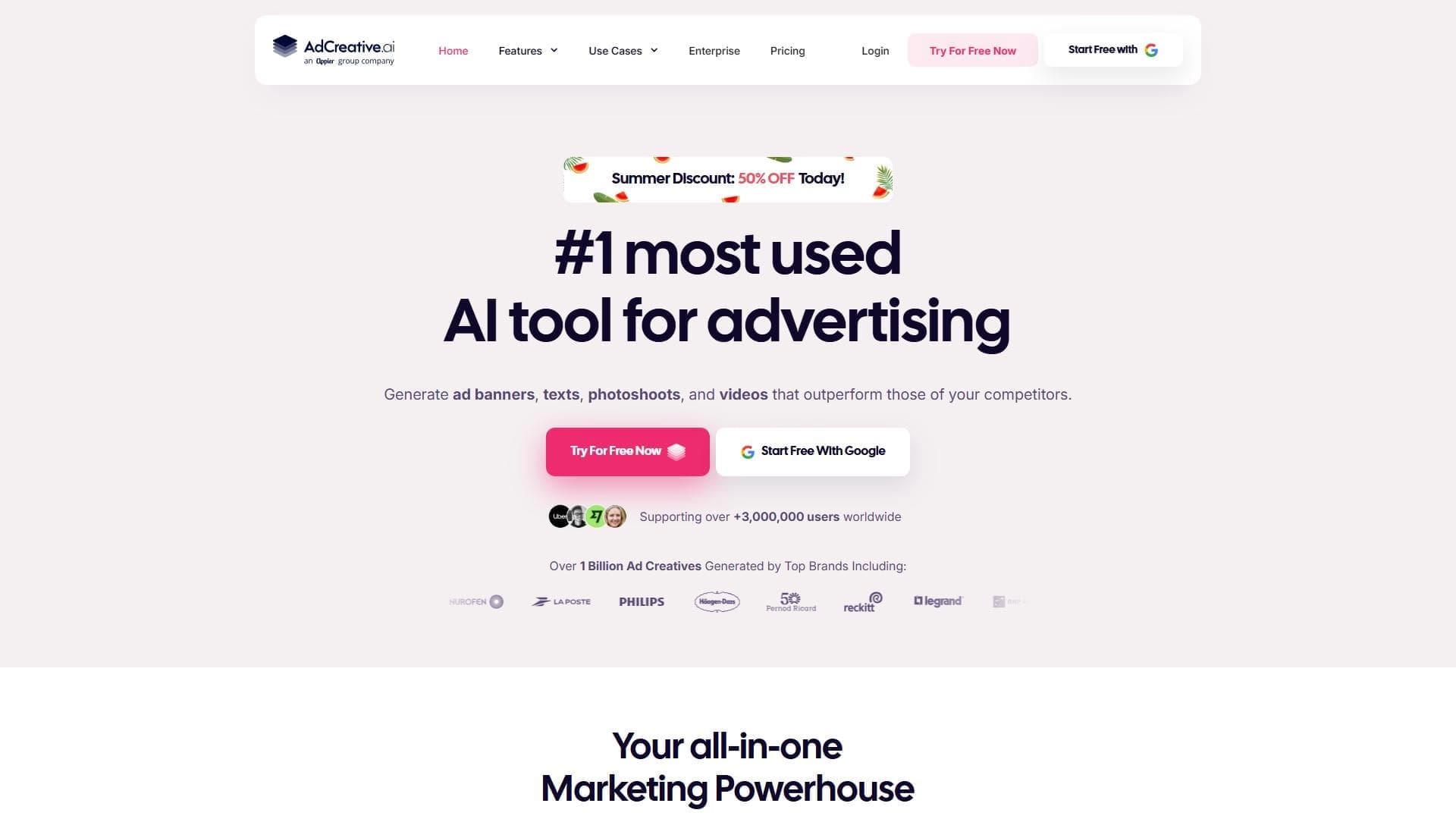

AI-powered platform for automatically generating ad banners, texts, and videos optimized for conversion.


AI-powered platform for generating and editing images and videos.


Generative platform for creating realistic images and short videos from text or images with control over style and camera movement.