
Teachable Machine
Free web tool from Google for creating machine learning models to recognize images, sounds, and poses without writing code.
Overview
Teachable Machine
Description of the Teachable Machine neural network
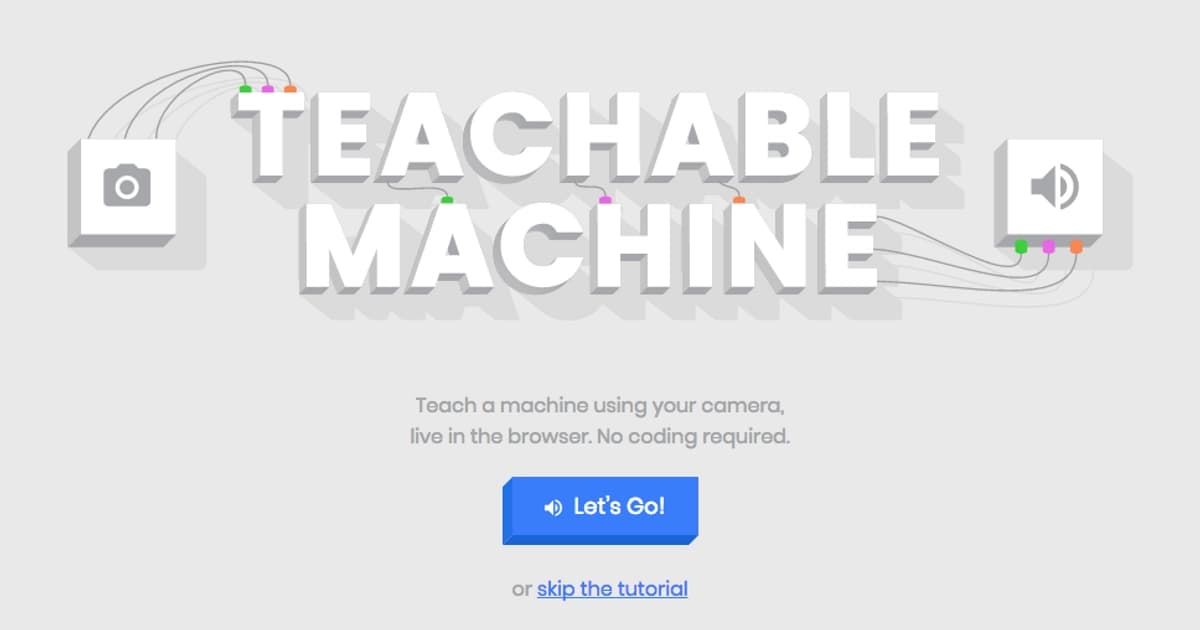
Teachable Machine is a free web tool from Google that lets you create your own machine learning models without writing a single line of code. The platform makes artificial intelligence accessible to a wide audience: model training happens right in the browser, and to get started all you need is the ability to upload files and use a mouse.
How it works
The tool is built on simple logic: the user collects a set of examples (images, sounds, or poses), labels them into classes, and starts training. The result is a ready-made model that can be tested in action right away.
Accessible to everyone
Previously, building your own neural network was seen as something reserved for programmers with deep mathematical knowledge. Teachable Machine breaks down this barrier, giving teachers, students, hobbyists, and professionals interested in artificial intelligence the ability to train models.
Demystifying machine learning
The platform's main goal is to make machine learning understandable and practical. Instead of abstract theory, users immediately see how the model works and can apply what they have learned in practice.
Teachable Machine specifications
| Characteristic | Value |
|---|---|
| Developer | |
| Tool type | Web application for creating machine learning models |
| Work format | Directly in the browser, no installation needed |
| Data types | Images, sounds, poses |
| Coding required | None (no-code) |
| Distribution model | Free |
| Categories | Image recognition, no-code / low-code, education, for developers |
| Model export | To web projects, applications, Raspberry Pi |
| Target audience | Users without a technical background |
Who is the Teachable Machine neural network suitable for?
Teachable Machine is designed for anyone who wants to get acquainted with machine learning without diving into programming.
Teachers and students
The platform is perfect for educational purposes: it can be used to clearly show how models are trained and to run practical classes on artificial intelligence.
Hobbyists and enthusiasts
The tool makes it possible to bring creative ideas to life — from simple gesture recognizers to interactive projects — without development skills.
Professionals and developers
Despite its simplicity, Teachable Machine is also useful for experienced specialists: a ready-made model can be quickly prototyped and exported to their projects, applications, or devices such as the Raspberry Pi.
How to use the Teachable Machine neural network?
Working with Teachable Machine comes down to a few simple steps that require no technical preparation.
Collecting examples
First, you need to prepare a dataset: upload images, sounds, or record poses for each class the model should recognize. The more and more varied the examples, the more accurate the result.
Training the model
After labeling the classes, training starts right in the browser. The process runs automatically, and the user sees how the model adjusts based on the examples provided.
Testing and use
The finished model can be tested immediately in real time by feeding it new data. If necessary, the model can be exported and embedded into web projects, applications, or a Raspberry Pi for further use.
Key features of Teachable Machine
Image recognition
The tool's key function is training models to recognize images. The user uploads example pictures for different categories, and the model learns to distinguish them from one another.
Sound recognition
The platform supports working with audio data, allowing you to train models on audio samples — for example, to distinguish voices, commands, or environmental sounds.
Pose recognition
Teachable Machine can analyze body position and train models to recognize poses, opening up opportunities for creating interactive and gesture-based interfaces.
Advantages of Teachable Machine
No entry barrier
The main advantage is the complete absence of any need for programming or mathematical background. Any user who knows how to work with files can train a model.
Works in the browser
The tool requires no installation or complex setup: all training happens right in the browser window, making the start as fast as possible.
Free of charge
Teachable Machine is distributed free of charge, making machine learning accessible to schools, universities, and enthusiasts without extra costs.
Easy integration
A trained model is easy to export and use in your own web projects, mobile applications, or on a Raspberry Pi, which is also valuable for developers.
Disadvantages of Teachable Machine
Like any tool, Teachable Machine has limitations that are worth considering.
Limited range of tasks
The tool is focused on recognizing specific data types — images, sounds, and poses. It is not intended for more complex machine learning tasks and does not replace full-fledged development platforms.
Need for quality data
Model accuracy directly depends on the quality and quantity of the examples provided. If the data is not varied enough, the results may be unstable.
Limited control over the model
For users who want to fine-tune the model architecture and parameters, the tool's capabilities will seem limited, since it is designed for simplicity rather than deep customization.
What tasks does Teachable Machine solve?
Teachable Machine helps integrate artificial intelligence into everyday and educational projects in a practical way.
Creating custom recognition models
The tool allows everyone to train their own model for a specific task — from distinguishing objects in photos to responding to certain sounds or gestures.
Teaching and demonstrating AI fundamentals
The platform solves an educational task by clearly showing how machine learning algorithms work and allowing the principles to be practiced hands-on.
Rapid prototyping
For developers, the tool serves as a convenient way to quickly create and test a model before integrating it into a real project.
Teachable Machine pricing
Teachable Machine is distributed free of charge. The tool is one of the freely available neural networks, and its use does not involve any payment. At the same time, within the available source data, detailed information about pricing plans or possible paid extensions is not disclosed, so if necessary, you should check the current terms on Google's official resource.
Terms of use for Teachable Machine
Teachable Machine is a free web tool from Google aimed at a wide audience with no restrictions on skill level. The tool was created to make machine learning accessible to everyone. Since detailed information about the exact legal and service terms is not provided in the available data, it is recommended to review Google's official documentation and terms before commercial or large-scale use.
Availability of Teachable Machine
Teachable Machine is a web application that runs directly in the browser, providing access to it from any device that supports modern browsers. The tool is free and requires no additional software installation. Trained models can be used right in the browser or exported to web projects, applications, and the Raspberry Pi. Specific information about regional restrictions or hardware requirements is not available in the source data.
How Teachable Machine differs from alternatives
The main difference between Teachable Machine and other machine learning tools is the combination of complete accessibility and in-browser operation.
No entry barrier
Unlike many platforms that require programming or math knowledge, Teachable Machine allows any user who knows how to upload files to train models. This dramatically lowers the barrier to getting started with AI.
Focus on specific data types
The tool focuses on three areas — images, sounds, and poses — while general-purpose platforms usually cover a wider range of tasks but require more experience.
Simple export
The ability to quickly export a ready-made model to web projects, applications, and the Raspberry Pi sets Teachable Machine apart from simple demonstration tools that do not allow moving the result into real products.
Conclusion
Teachable Machine is a free tool from Google that opens up machine learning to a wide audience. Working right in the browser and requiring no programming skills, it lets any user train their own model for recognizing images, sounds, and poses, and then use it in their projects. The platform is especially valuable for education, rapid prototyping, and getting to know the principles of artificial intelligence, while its simplicity, free access, and ease of integration make it a convenient choice for both beginners and developers.
Frequently asked questions

See also


A service for detecting texts created by artificial intelligence, with the ability to check for plagiarism and grammar.

Mobile app and citizen science project for identifying plants from photos using machine learning.
Free five-day intensive from Kaggle and Google on building AI agents using the vibe coding technique.

A workflow automation platform that connects thousands of apps without requiring coding.

An online detector that determines whether text was created by a human or generated by neural networks.

AI tool for solving problems in mathematics, physics, chemistry, and accounting with step-by-step explanations.

Educational platform for memorizing information through digital flashcards, tests, and games using AI features.

AI career assistant that analyzes your skills and helps with career choice, resume, and job search.