

Genspark
Multifunctional AI platform with a search engine, a browser with local AI models, and the autonomous Claw agent for task automation.
Overview
Genspark
About Genspark
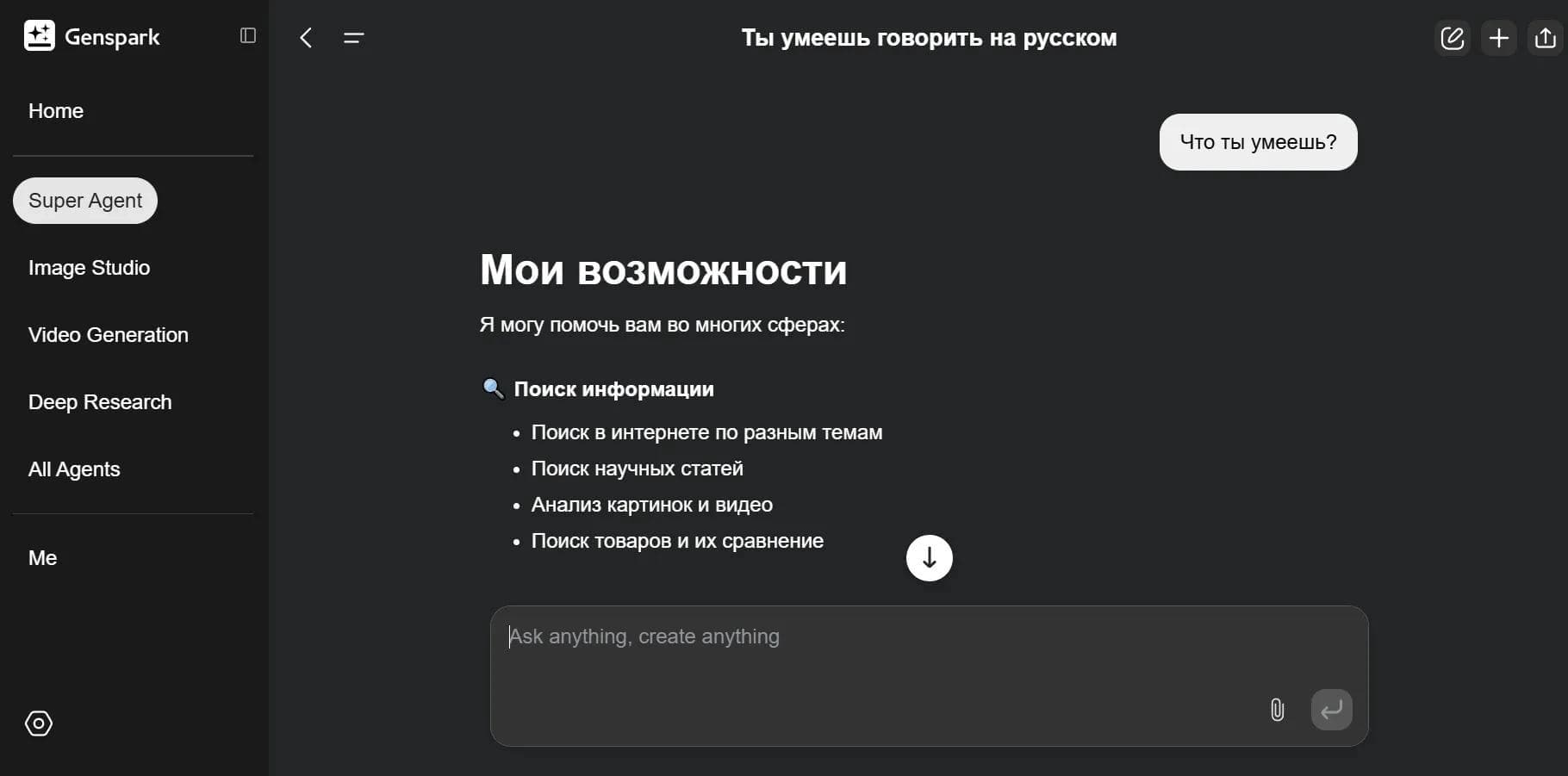
Genspark is a multifunctional AI platform that combines multiple products in one service. It includes an AI search engine capable of generating structured summary pages called Sparkpages. Instead of the usual list of links, the service synthesizes information from different sources and presents it in a compact, easy-to-read format, aiming to remove spam, ads, and irrelevant content.
A separate component of the platform is the dedicated Genspark Browser with locally running AI models. The models run directly on the user’s device, which ensures high processing speed and privacy: data is not sent to the cloud.
At the center of the platform is the autonomous agent Claw, running on a dedicated cloud computer. It can perform multi-step tasks, from researching a topic to creating finished files, presentations, and reports with tables and charts. The service brings documents, spreadsheets, presentations, code, media generation, automation, and messaging into a single workspace.
Genspark Specifications
| Characteristic | Value |
|---|---|
| Categories | AI assistants, Search engines, Productivity, Automation, AI browsers |
| Type | All-in-one AI platform / workspace, AI browser, AI search engine |
| Platforms | Web, Windows, macOS, Android, iOS, browser extension, API |
| Distribution model | Freemium |
| Developer | MainFunc (based in Palo Alto, with offices in Singapore and Tokyo) |
| Founders | Eric Jing and Kay Zhu (former Google and Baidu employees) |
| Interface languages | Russian, English |
| Local AI in browser | Yes (models run on the device) |
| Number of local models | 169 open-weight models (DeepSeek, Gemma, Llama, GPT by OpenAI) |
| Size of local models | From 2 to 14 GB |
Who Is Genspark For?
Users Who Value Privacy
Genspark Browser is suitable for those who work with confidential documents or do not trust cloud services. Because AI models run locally, data never leaves the device, which is especially important when processing sensitive information.
Students, Researchers, and Analysts
The search engine with Sparkpages generation suits students, researchers, and professionals who need quickly synthesized information on demand. The service works well for academic study, reference research, and market analysis.
Marketers, Content Creators, and Business Users
The platform is aimed at marketers, content creators, analysts, and business users who work with reports, meetings, and presentations. It also fits product teams, small technical teams, independent professionals, and entrepreneurs who need to move tasks from idea to finished result in one place.
Everyday Users Looking for Personalized Information
The service is also designed for a broad audience — anyone who simply wants to find information faster and more efficiently without going through dozens of links.
How to Use Genspark
Using the AI Search Engine
To use the search engine, just go to the Genspark website, enter a query in the search bar, and review the generated Sparkpages. If needed, you can ask follow-up questions to the AI copilot for more precise recommendations.
Using the Local Browser
To use local AI, download and install the browser on Windows or macOS. After installation, choose and download one or more models ranging from 2 to 14 GB. Once downloaded, the models run locally and can work without an internet connection. Quick import of data from other browsers is also supported.
Working Through the Claw Agent
Using the platform as a unified workspace revolves around the central Claw agent. The user sets a task, and the agent carries out multi-step assignments in a cloud environment. You can create and edit documents, spreadsheets, and presentations, generate media, write code, record meetings, and automate processes with Workflows. No complex setup or API work is required — everything is ready after registration.
Key Features of Genspark
AI Search and Sparkpages
The key function of the search part is generating custom summary pages called Sparkpages. The system synthesizes information from different sources in real time, aims to deliver objective results without bias, and removes irrelevant content, spam, and ads. An interactive AI copilot is also available for follow-up questions.
Local AI in the Browser
The Genspark browser includes local AI with minimal latency for answering queries and analyzing pages. It supports 169 open-weight models, including DeepSeek, Gemma, Llama, and GPT by OpenAI. There is an Autopilot mode for automating routine actions (scrolling, finding blocks, sequential steps), a super agent for web surfing, comparing and selecting products and services, and an MCP store with additional AI tools and extensions.
Autonomous Claw Agent and Workspace
The central Claw agent runs on a dedicated cloud computer with a separate IP, disk, and domain for each user. It handles multi-step tasks and has multi-layered memory, preserving context between conversations. The platform includes AI Docs for documents, AI Sheets for spreadsheets, AI Slides for presentations, AI Developer for writing code, Meeting Bot for recording meetings, Speakly for voice input, and Workflows for automation.
Media and Integrations
The platform includes tools for generating images (over 14 models), video (over 13 models), audio, and music. There is an AI video editor that automatically cuts long videos into short clips and adapts them for social media formats. Genspark integrates with messengers — WhatsApp, Slack, Microsoft Teams, Telegram, LINE, Discord, Signal, Google Chat, Feishu — and third-party services, including Google Workspace, Outlook, GitHub, and Salesforce.
Genspark Benefits
Privacy and Autonomy
Running AI models locally in the browser ensures that data is not sent to the cloud — processing happens on the device. Models can work without a mandatory internet connection after downloading, and built-in ad blocking improves the browsing experience.
A Unified Working Environment
Unlike many scattered AI tools, Genspark brings documents, slides, spreadsheets, code, meetings, browser workflows, and automation together in one place. This reduces manual handoff between services and context loss. The agent’s memory preserves context across conversations from different channels, and tasks are completed even when your laptop is turned off.
High Speed and Processing Quality
Local model execution ensures minimal latency for queries. The platform claims high processing speed, uses several leading models (including Claude, GPT, Gemini, and others), and regularly updates its algorithms.
Genspark Disadvantages
Platform and Access Limitations
The browser with local AI is available only for Windows and macOS — Linux users are not supported. A VPN may be required for some search and agent features, and stable VPN-free operation is primarily available in select regions. The interface of some components is available only in English.
Hardware Requirements and Limits
Local models take up 2 to 14 GB of disk space and require a fairly powerful computer. Internet is still needed for web surfing and the initial download of models. Access to the agent requires authorization, and its use is subject to limits.
Functional Limitations
The platform works best when used for specific work tasks rather than casual experimentation. Some features, such as calls, are supported only in select regions.
What Tasks Does Genspark Solve
Search and Information Analysis
The platform handles searching and synthesizing information on any query, researching academic topics, and market analysis for business and analytics. The browser lets you analyze the contents of web pages with AI and find the needed fragments of text on a page.
Content and Document Creation
The service helps create and edit texts, reports, and articles, prepare presentations and slides, generate images, videos, and music, and summarize audio and text. The AI video editor turns long videos into short clips for TikTok, Reels, and YouTube Shorts.
Automation and Data Work
The tool automates routine browser actions (scrolling, searching, sequential steps), comparing and selecting products and services, recording meetings, and automatically compiling notes. It also analyzes data and spreadsheets, writes code, creates prototypes, MVPs, and websites, and manages email, calendar, social media monitoring, and stock quotes.
Genspark Pricing
Genspark operates on a freemium model. There is a free tier with limitations that includes daily credits — for example, one of the plans provides 200 credits per day, which is enough for several complex queries, and the number of free queries is limited. Paid tiers include Plus, Pro, and Team. In some variants, the full version costs about $25 per month and includes a larger number of credits. The Team plan offers centralized administration, roles, usage analytics, SSO/SAML, connector management, and a significant number of credits per seat per month. Some paid plans include unlimited chat with the AI agent without consuming credits.
Genspark Terms of Use
Registration via email is required to use the service. After your login and password are confirmed, everything is ready to go — no additional setup is needed. Authorization is required to access the agent, and its use is subject to limits. A VPN may be required for some features. Once downloaded, local models in the browser work offline, but internet is needed for web surfing and the initial download of models. Accounts are stored in the private browser, and data is protected with HTTPS. A team mode for organizations is also available.
Genspark Availability
The platform is available as a web app through browsers, including mobile Chrome and Safari, as well as on PC, Windows, and macOS. The search component supports Android and iOS, along with mobile devices. The proprietary browser with local AI is available only for Windows and macOS (Apple Silicon and Intel); Linux is not supported. There is also a browser extension and API. The interface supports Russian. The platform is used across a wide range of countries in Asia and North America.
How Genspark Differs from Alternatives
An Alternative Approach to Search
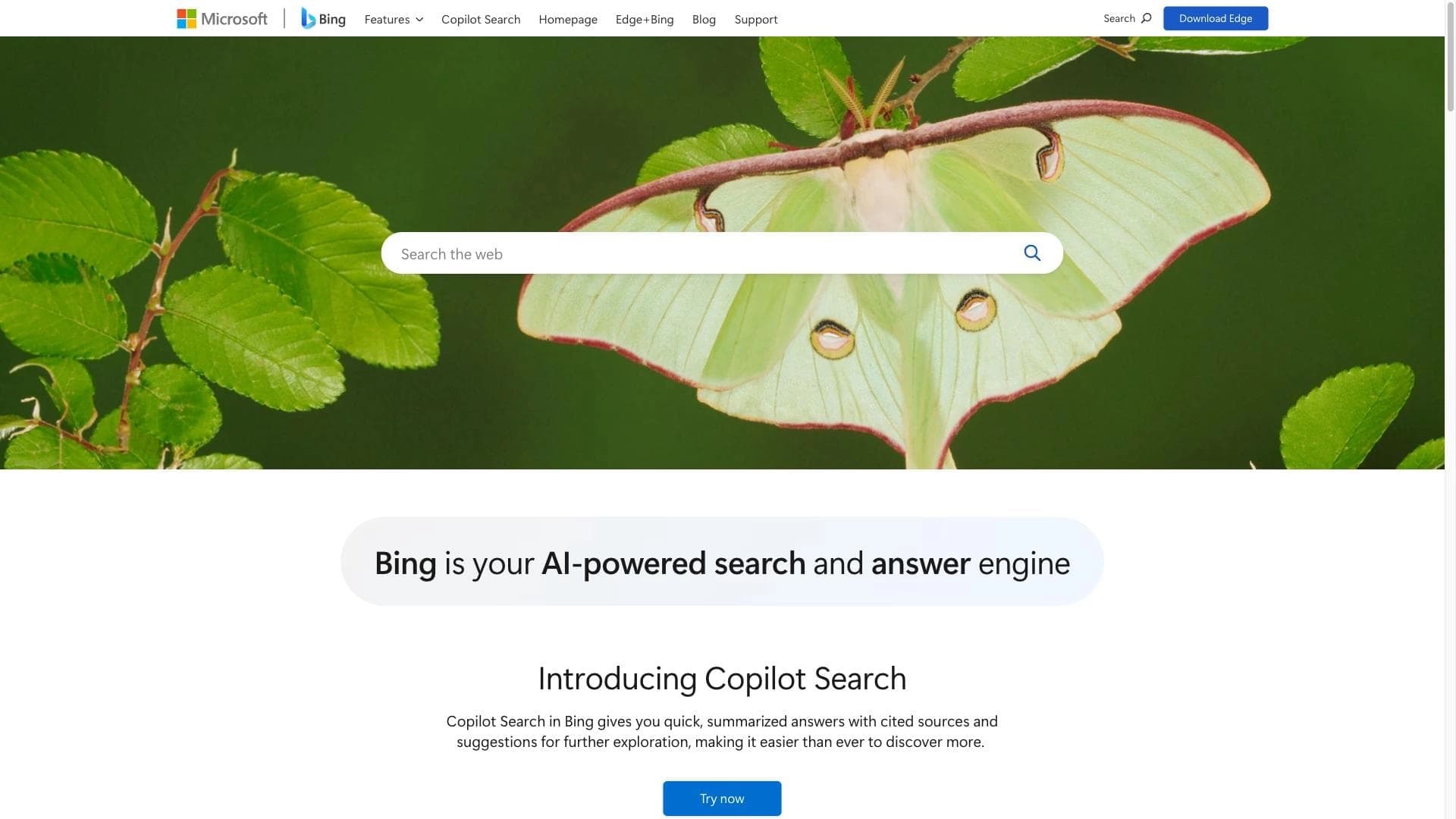
Unlike traditional search engines such as Google or Bing, which can return cluttered and biased results with spam and ads, Genspark synthesizes information from multiple sources into concise Sparkpages. Summaries are generated in real time, making search significantly faster and more convenient, while the results are cleaned of irrelevant content.
Privacy Instead of the Cloud
The key difference between Genspark Browser and ordinary browsers is local execution of AI models. Data is processed on the device and is not sent to external servers, setting it apart from many emulators and cloud services that require sending information to the cloud.
One Workspace Instead of Disconnected Tools
Many AI tools do one thing well — generating text, images, or code. Genspark combines documents, slides, spreadsheets, code, meetings, browser workflows, and automation in one place. The platform feels less like a collection of flashy features and more like a complete work system, where the central Claw agent takes a task from idea to final result.
Conclusion
Genspark is an ambitious, multifunctional AI platform that unites three areas: a search engine with Sparkpages summaries, a browser with local AI models, and an autonomous cloud agent called Claw. The service is appealing because of its holistic approach: instead of disconnected tools, users get a single workspace for search, content creation, data work, and automation, where privacy is ensured by local processing and speed by running models directly on the device. At the same time, it is worth considering platform limitations, hardware requirements for local models, and the limited scope of free features. Still, for those who value a balance between AI power, speed, and privacy, Genspark represents one of the most convincing attempts to turn AI into a full
Pricing
Frequently asked questions
Similar AI tools




See also
A sales automation platform that combines customer prospecting, deal management, and AI-powered forecasting.
AI editor for creating, editing, and publishing content with templates and prompts.

Financial platform with an AI assistant for managing accounting, taxes, and budgets.

Platform for interview preparation with AI mock interviews and real-time support.
Enterprise language model platform focused on privacy and on-premise deployment.


AI assistant for creating short summaries of videos, PDF documents, and web pages.


AI email assistant that helps quickly draft messages, adapting to the user's style.


Free online platform with over 150 AI tools for working with PDFs, images, videos, and text.