Codeium
AI assistant for programmers, providing code completion and intelligent chat to speed up development.
Overview
Codeium
Description of the Codeium AI
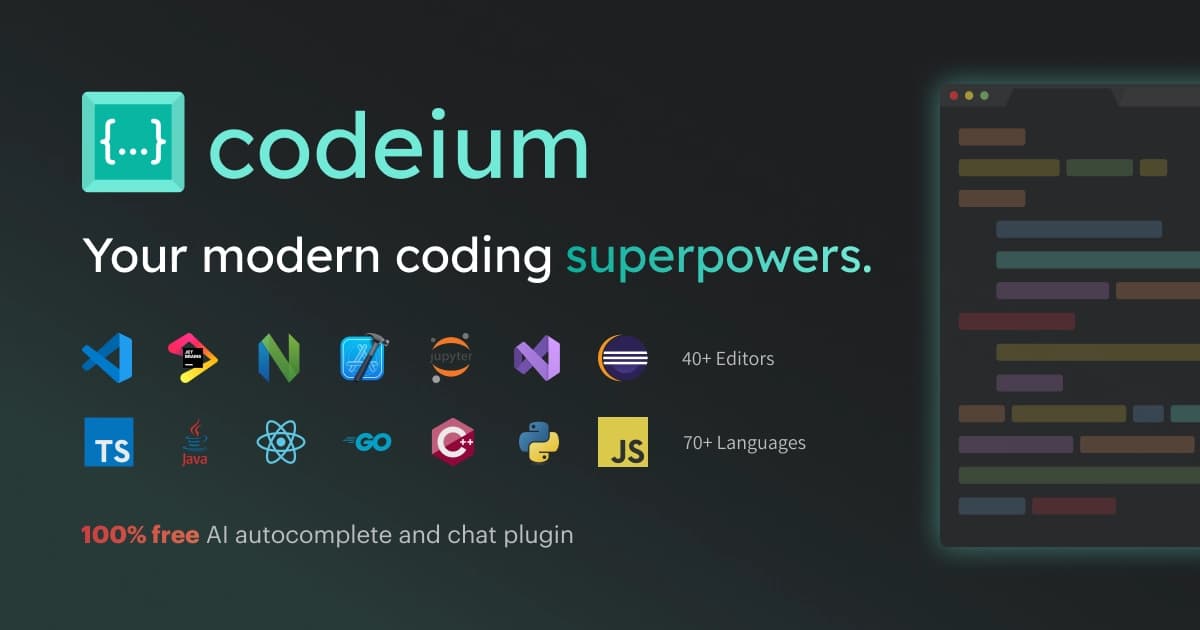
Codeium is an AI-powered platform designed to help developers write and edit code. The solution includes several key components: the Cascade intelligent agent, the Codeium Tab code autocomplete feature, and a built-in chat assistant. The platform analyzes project context, command history, and user actions to offer relevant hints and recommendations. Codeium can work as an extension for existing development environments or as a standalone IDE called Windsurf. The tool supports more than 70 programming languages and allows deploying applications directly from the interface.
Codeium Characteristics
| Characteristic | Value |
|---|---|
| Type | AI code editor / AI-integrated development environment |
| Developer | Codeium |
| Categories | Code assistants, Code generation, For developers |
| Business model | Freemium |
| Supported programming languages | 70+ languages |
| Supported editors and IDEs | 40+ editors (VS Code, PyCharm, Sublime Text, and others) |
| Platforms | Windows, macOS, Linux, Web |
| Interface language | English (queries can be entered in Russian) |
| Tags | text-to-text |
| VPN required | No |
Who is Codeium suitable for?
Software Developers
Codeium is primarily aimed at professional developers who want to speed up the code writing process and reduce time spent on routine operations. The tool is useful for both frontend and backend developers working with different programming languages and frameworks.
Individual Specialists and Teams
The platform suits both individual developers looking for a free productivity tool and teams that need centralized management and collaboration. The availability of Teams and Enterprise plans allows scaling usage across the entire organization.
Developers Who Value Contextual Assistance
Codeium is especially useful for those working on complex projects with large codebases. The Cascade feature analyzes not only the current file but also the entire project, change history, and recent actions, providing personalized recommendations that take into account a specific developer's coding style.
How to Use the Codeium AI?
Installation and Setup
To use Codeium, you need to download the Windsurf app from the official website or install an extension for one of the supported IDEs (VS Code, PyCharm, Sublime Text, and others). After installation, launch the app, choose your settings and theme, sign in to an existing Codeium account or create a new one. The interface is available in English, but you can enter queries in Russian.
Working with Autocomplete
The main way to interact with Codeium is to simply press the Tab key to accept intelligent suggestions while writing code. The Codeium Tab feature tracks command history, clipboard contents, and Cascade agent actions to offer the most relevant code completion options.
Using the Chat and the Cascade Agent
Codeium Chat provides help with generating templates, refactoring, adding documentation, explaining code, and fixing errors. The Cascade agent analyzes project context and predicts next actions, offering personalized solutions. To complete tasks, you can choose one of the available AI models: Cascade (Codeium), GPT-4o (OpenAI), or Claude 3.5 Sonnet (Anthropic).
Key Features of Codeium
Cascade Agent
Cascade is an intelligent agent that analyzes project context: code, files, project structure, and the developer's recent actions. It provides recommendations, anticipates next steps, and remembers user actions, adapting to the user's coding style. The Memories feature stores important details about the codebase and workflow, allowing the agent to give more accurate suggestions during repeated work.
Code Autocomplete and Generation
Codeium Tab provides code autocomplete at a speed that outpaces normal thinking. Generative code helps save time and ship products faster. The Intelligent Search feature lets you find files and code that match your needs without using complex regular expressions — search works in natural language.
Automation and Deployment
The platform includes automatic detection and fixing of linter errors (Lint Fixing), relieving developers from manually checking code style. Codeium also lets you preview results and deploy applications right in the interface without switching between tabs. Additionally, MCP is supported — connecting external tools and services such as Figma, GitHub, and PostgreSQL.
Advantages of Codeium
Increased Productivity
Codeium speeds up the programming process through intelligent hints, autocomplete, and automation of routine operations. Developers spend less time writing boilerplate code, searching for errors, and switching between tools.
Maintaining Focus
The platform eliminates the need to switch between multiple tabs and applications. All key operations — writing code, searching, refactoring, fixing errors, and deployment — are available in a single interface, helping developers stay focused on the task.
Broad Support and Personalization
Codeium supports more than 70 programming languages and runs on all major platforms: Windows, macOS, and Linux. The Cascade feature remembers user actions and adapts to the user's coding style, offering personalized solutions. A free plan is available for individual users, making the tool accessible to a wide audience.
Disadvantages of Codeium
Based on the provided data, it can be noted that the Codeium interface is available in English, although queries can be entered in Russian. Using the tool requires installing the app or an extension and creating an account. The free plan is limited to 25 credits per month and one application deployment per day, which may not be enough for active developers. More detailed information about disadvantages is not provided in the source materials.
What Tasks Does Codeium Solve?
Writing New Code
Codeium helps create new code: from individual functions to entire modules. Developers can describe a task in natural language, and the platform will generate the corresponding code. The autocomplete feature speeds up code writing by suggesting suitable completions for lines and constructs.
Fixing and Optimizing Existing Code
The tool automatically detects and fixes linter errors, improves code style, optimizes performance, and adds comments. Developers can use the chat assistant for refactoring, explaining complex code sections, and finding errors.
Accelerating the Workflow
Codeium addresses the task of reducing the time between writing code and deploying it. The platform lets you search files and code in natural language, generate templates, add documentation, and deploy applications — all in one interface without switching context.
Codeium Pricing
Codeium operates on a Freemium model. The free plan (Individual) includes 25 credits per month, unlimited access to basic features, and the ability to deploy one application per day. The Pro plan costs $15 per month and expands the credit limit to 500, adds access to the SWE-1 model, and increases deployments to five per day. The Teams plan costs $30 per user per month and includes centralized billing, an admin panel, and priority support. For enterprise customers, an Enterprise plan is available with deployment in SaaS, on-premises servers, and in VPC — pricing is quoted individually.
Codeium Terms of Use
To access Codeium, you need to install the Windsurf app or a corresponding IDE extension. You must sign in to an existing Codeium account or create a new one. A free plan is available for individual users and does not require payment. Registration is mandatory to use the tool. Detailed terms of use are not disclosed in the source materials.
Codeium Availability
Codeium is available for Windows, macOS, and Linux as the standalone Windsurf IDE, as well as through a web interface. The tool works as an extension for more than 40 code editors, including VS Code, PyCharm, and Sublime Text. The interface is in English, but you can enter queries in Russian. No VPN is required to use the tool. The free plan is available forever for individual users.
How Codeium Differs from Alternatives
Unique Cascade Agent
The main difference between Codeium and alternatives is the Cascade feature, which analyzes the entire project context rather than just the current file. The agent takes into account command history, clipboard contents, and user actions to predict next steps and offer personalized recommendations. The Memories feature lets you save important details about the codebase and workflow for future use.
Ability to Choose Models
Codeium lets you choose between several AI models: its own Cascade model, GPT-4o from OpenAI, and Claude 3.5 Sonnet from Anthropic. This gives developers flexibility in solving various tasks and allows them to use the most suitable model for a particular case.
Built-in Deployment
Unlike many alternatives, Codeium lets you not only write and edit code but also deploy applications directly from the interface. This eliminates the need to switch between the development environment and deployment tools, speeding up the workflow and reducing the number of errors when moving code to production.
Conclusion
Codeium is an AI platform for developers that combines code autocomplete, an intelligent chat, and the unique Cascade agent in a single tool. Support for more than 70 programming languages, availability on three major platforms, and a free plan make it accessible to a wide audience. The ability to choose between several AI models, built-in linter error fixing, and application deployment without switching context help developers speed up programming and stay focused on their tasks.