
Mastering CostGPT.ai: A Guide to Setting Up and Using the Service
Here’s how to register with CostGPT.ai, describe your project, and get an estimate of cost and timeline. We also cover setup, additional planning tools, and free consultations.

CostGPT.ai is an AI platform that helps you estimate the budget and timeline for software development in advance. Instead of relying on intuition or lengthy negotiations, you get an estimate based on data from thousands of real projects. The service suits both startups and teams that want to quickly validate an idea's viability.
How the service works
CostGPT.ai is powered by machine learning algorithms trained on more than 2,000 completed projects. The system analyzes your task description and matches it against cases it already knows. The result is a forecast of cost, timeline, and feature scope. You can refine and supplement the data to make the estimate more accurate.
The service has no subscription fee for simply using it. Two pricing tiers are available: a basic tier that provides a high-level project overview, and a premium tier with detailed analysis and breakdown of individual elements. For those who are unsure, free consultations with experts are available — you can discuss the results and adjust your plan.
Registration and first login
To get started, go to the platform's official website. On the homepage, click the Sign Up or Get Started button — a form will open where you need to enter your email and create a password. After confirming your account, return to the homepage and click Log In, then enter your credentials. That's it — you're in the system and can start creating your first estimate.
For those new to this kind of tool, the website has an FAQ section. If questions remain, you can book a free consultation — an expert will help you with both setup and interpreting the results.
Setting up a project estimate
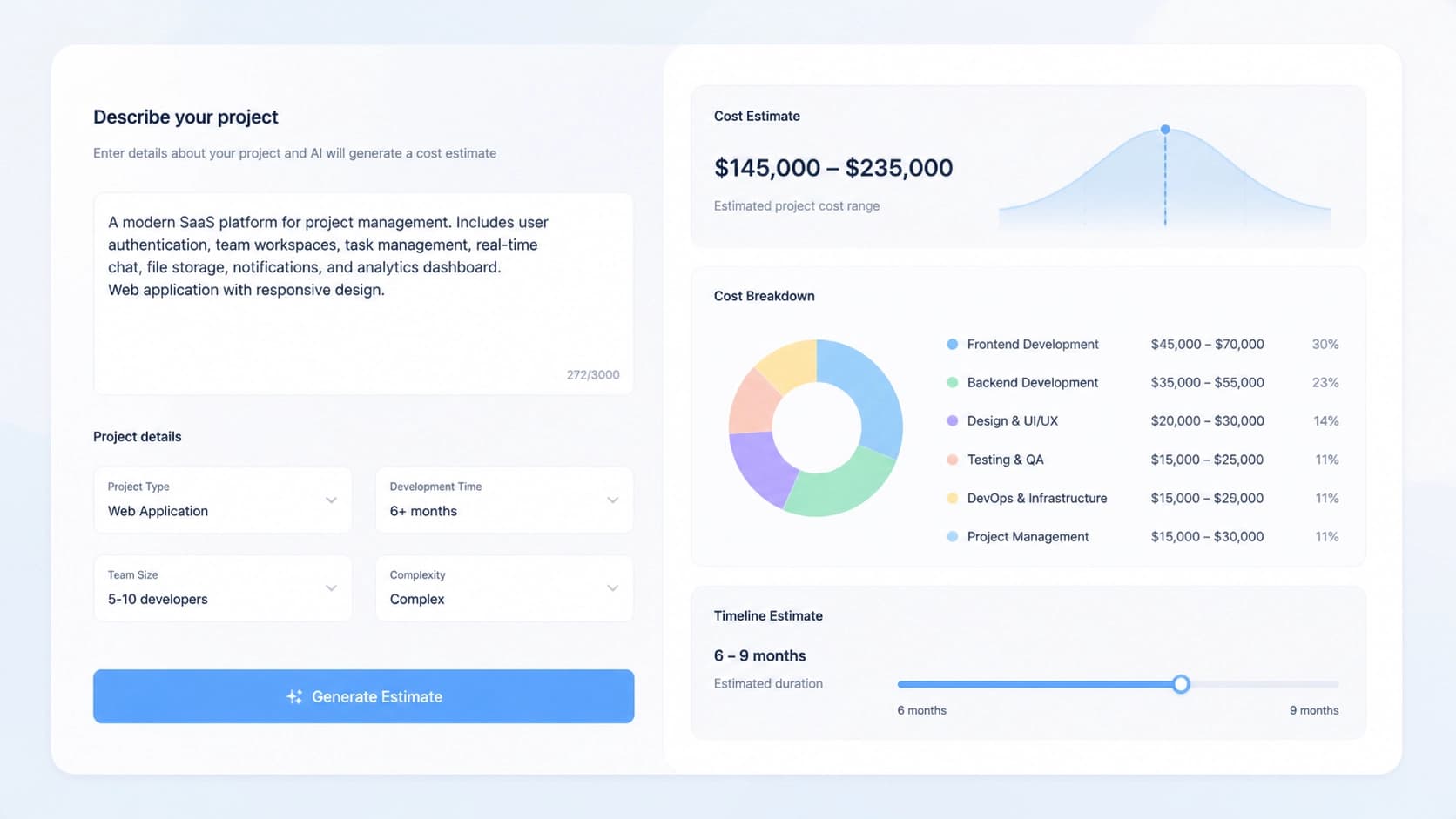
After logging in, open the feature for creating a new estimate. You need to describe your idea in as much detail as possible: specify the project's goal, target audience, and the key features that need to be implemented. The more detailed the description, the more accurate the calculation.
If you have a reference website or a working analog, you can optionally paste its URL. The system will analyze the existing solution, identify typical features, and adjust the estimate accordingly. This is especially handy when you want to replicate the functionality of a similar product but aren't sure how to break it down into components.
After submitting the data, you just wait a couple of minutes — the service generates a report with cost, timeline, and a list of suggested features.

Additional planning tools
The estimate is just the beginning. CostGPT.ai includes a set of auxiliary tools that turn raw numbers into a full-fledged work plan. These include:
- Feature breakdown — decomposition of the project into individual modules and subsystems.
- User stories — descriptions of scenarios from the user's perspective, handy for assigning tasks to developers.
- Site map — a visual structure of the future product.
- Phase plan — an implementation sequence with checkpoints.
These materials can be used as a basis for a technical specification, backlog, or investor presentation. However, access to the full set depends on your chosen tier: the basic plan gives you a general overview, while premium unlocks detailed elaboration.
If you still have questions after receiving your estimate, don't hesitate to book a consultation. An expert will help tailor the plan to your specifics, explain why the system produced certain figures, and suggest which parameters to change for a more accurate forecast.
In the end, CostGPT.ai saves time in the early stages: instead of weeks of discussions, you get a structured estimate and plan in a single evening. And with free entry, you can test the service on your project without financial risk.
Frequently asked questions
Related materials
All materials
Hybrid Image Annotation: Automation Accelerates Computer Vision Model Training
The article describes how pre-labeling with algorithms reduces manual work and improves the cleanliness of training datasets, as well as why selective human verification remains essential. It covers the method’s limitations in challenging shooting conditions and with rare object types.
5 November 2026
GoldiMask Method for Fine-Tuning Diffusion Language Models: Context Selection and Target Weighting
This paper presents GoldiMask, a supervised fine-tuning approach for discrete diffusion language models that selects visible tokens via approximate maximization of a submodular function and assigns weights to remaining targets based on their training utility. Experiments across several models and datasets demonstrate improved average accuracy, gains on reasoning and coding tasks, and fewer parallel decoding iterations on GSM8K and MATH-500 at comparable quality.
30 October 2026
Transformers adds support for running quantized GGUF models on Apple Silicon
The article describes integrating the GGUF format from llama.cpp into Transformers: local inference on Mac, loading models via the library API, and running an OpenAI-compatible server. Using Qwen3.5-4B as an example, it shows how the choice of quantization level affects weight size and memory requirements.
18 October 2026