
.Translator
Online document translation service that preserves the original formatting.
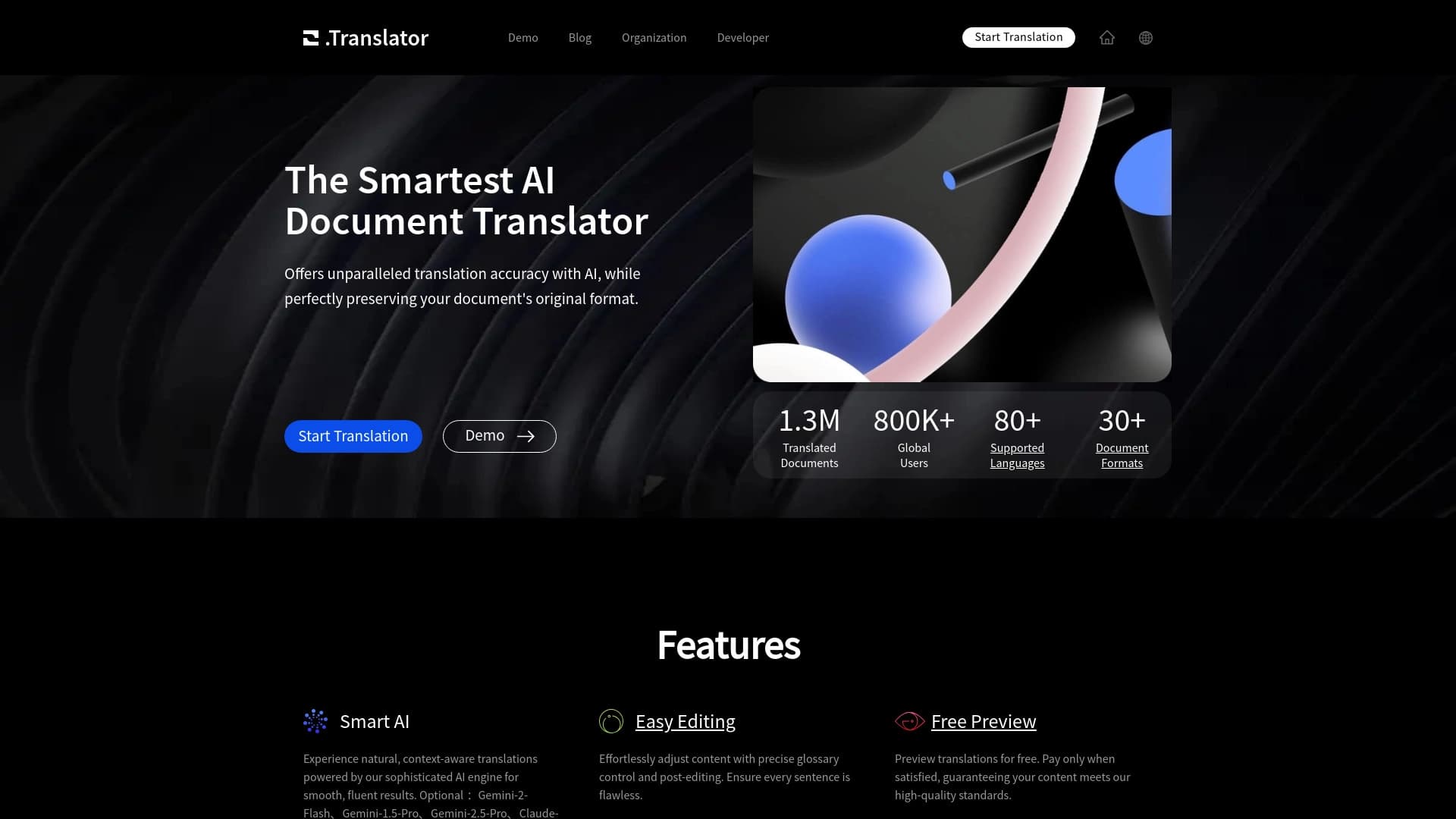
Overview
.Translator is an online service designed for translating entire documents while preserving their original formatting. The tool's main feature is that the page structure is preserved during translation: the layout of blocks, fonts, tables, images, and other design elements remain in place.
The service works with a wide range of formats — from popular PDF and Word to specialized EPUB and dozens of others. According to the project, over one million users have used the tool to date, and the number of translated documents exceeds two million. This suggests that the service has been tested on real-world tasks and can handle large and complex materials.
.Translator Features
| Feature | Value |
|---|---|
| Type | Online document translation |
| File formats | PDF, Word (DOCX), Excel (XLSX), EPUB, and dozens of others (over 50 formats) |
| Supported languages | Over 100 languages |
| Number of users | Over 1 million |
| Documents translated | Over 2 million |
| Categories | PDF and documents, text translation |
| Distribution model | Information not disclosed |
Who is .Translator suitable for?
The tool is aimed at a wide range of users who regularly work with documents in foreign languages. The audience can be roughly divided into two large groups.
Professionals and companies
In a corporate environment, the service is useful for employees who prepare reports, presentations, commercial proposals, or technical documentation for international partners. Legal departments can use it for translating contracts and agreements, marketers — for localizing advertising materials, and engineers — for working with technical documentation.
Individual users
For personal use, the service is convenient for students, researchers, and anyone who needs to translate a book, scientific article, or study guide. The tool is also helpful when preparing documents for studying abroad or when working with foreign information sources.
How to use .Translator?
The process of working with the service is extremely simple and requires no special skills. Everything happens through a web interface, so no additional software installation is needed.
Step 1: Upload a document
Go to the service website and upload the file you need to translate. The system accepts documents in more than 50 formats, so there should be no compatibility issues.
Step 2: Select a language pair
Specify the source language of the document and the language you want to translate into. From over 100 available languages, you can choose both popular ones (English, German, Chinese) and rarer ones.
Step 3: Get the result
After configuring the settings, start the translation. The service will process the document and deliver a ready file with preserved formatting. The result will remain in the same form — with tables, images, and structure — only in the desired language.
Key features of .Translator
Translation with layout preservation
The service's key feature is the complete preservation of document formatting. Page structure, fonts, indents, tables, and images remain in place. This is especially important for complex multi-page materials where manually restoring the layout would take a long time.
Support for multiple formats
Over 50 file types, including PDF, DOCX, XLSX, EPUB, and others. This allows working with virtually any document: from simple text files to e-books.
Contextual translation
The service performs translation with context in mind, which helps avoid loss of meaning and achieve a natural-sounding result. This is especially relevant for legal, technical, and marketing materials where precision of wording is critical.
Handling large volumes
The tool is designed for translating multi-page documents. Reports, presentations, manuals, or books are processed in full, without the need to split them into parts or manually copy text.
.Translator advantages
Preservation of original formatting
The service's main advantage is the ability to get a ready-to-use document immediately after translation. There is no need to spend time manually restoring the structure, fonts, and element placement.
Time savings
The tool eliminates the routine work of copying text between programs and subsequent layout editing. This is especially noticeable when working with large documents, where savings can amount to hours.
Suitable for complex materials
The service handles multi-page reports, technical documentation, presentations, and books. At the same time, translation accuracy in specialized texts — legal, marketing, or educational — remains at a high level.
.Translator drawbacks
Official sources do not disclose information about the service's drawbacks. It is unknown whether there are limits on uploaded file sizes, how long processing of complex documents takes, or how accurately specific terminology in narrow fields is translated. There is also no information about a free tier or possible limits on the number of translations. Before using the service for critical documents, it is worth testing it on a sample file.
What tasks does .Translator solve?
Translation of multi-page documentation
The service is designed for quickly translating reports, presentations, books, and other large materials. The task is solved in a few clicks, and the result is ready to use immediately after processing.
Working with various formats
The tool allows translating files in more than 50 formats without the need for conversion or intermediate steps. This covers virtually all relevant document types.
Content localization
The service is suitable both for personal use — for example, for studying foreign sources — and for corporate needs — localizing content for internal use or interaction with partners. Support for over 100 languages makes the tool a universal solution for various tasks.
.Translator pricing
The official service page does not list pricing information. It is unknown whether .Translator operates on a freemium model (with free limits and paid upgrades), uses a subscription, or charges per translation. For up-to-date information on plans and available options, it is recommended to visit the service's official website.
.Translator terms of use
Detailed terms of use are not described in open sources. There is no information about the privacy policy, rules for storing uploaded files, or their deletion timelines. If you plan to upload documents with confidential information, it is worth clarifying these points in advance on the official website or through customer support.
.Translator availability
The service is available through a web interface, allowing use from any device with internet access — a computer, tablet, or smartphone. No additional software installation is required. Over 100 translation languages are supported, making the service an effective tool for international use.
How .Translator differs from alternatives
The service's main difference from many other translators is its focus on preserving document formatting. While standard online translators require copying text and subsequent manual formatting adjustments, .Translator works with the document as a single whole. This is critical for presentations, reports, books, and other materials where appearance matters as much as content.
An additional difference is the broad format support — more than 50 file types — and the stated focus on complex technical and legal documentation with translation accuracy preserved.
Conclusion
.Translator is an online document translation service focused on preserving original formatting. It is suitable for working with reports, presentations, books, and technical documentation, supports more than 50 file formats and over 100 languages. The tool's key advantage is time savings by eliminating the need to manually restore layout. The service is already used by over a million users, confirming its demand. However, pricing and detailed terms of use information is unavailable, so it is worth checking these questions on the official website before getting started.
Frequently asked questions
See also


An online service that recognizes text on manga and manhwa pages, translates it into different languages, and embeds it back into the image without damaging the original artwork.

Cloud platform for creating videos using AI avatars, synthesized speech, and automatic translation of clips into dozens of languages.


AI language teacher in the form of a browser extension and web service for practice, translation, and explanation of language materials.

AI-powered online service that automatically converts bank statements from PDF into structured CSV files.


Online AI-powered service for quickly creating presentations based on a given topic or an uploaded document.

AI assistant that analyzes uploaded study documents, identifies questions, and provides detailed explanations.


Service for automatic transcription of audio and video into text with support for over 100 languages.

A neural network for document analysis that extracts key information, creates summaries, and answers questions about the contents of uploaded files.