
ReportPDF
ReportPDF converts data from electronic chart into Ready PDF reports.
Overview
Description of the neural network ReportPDF
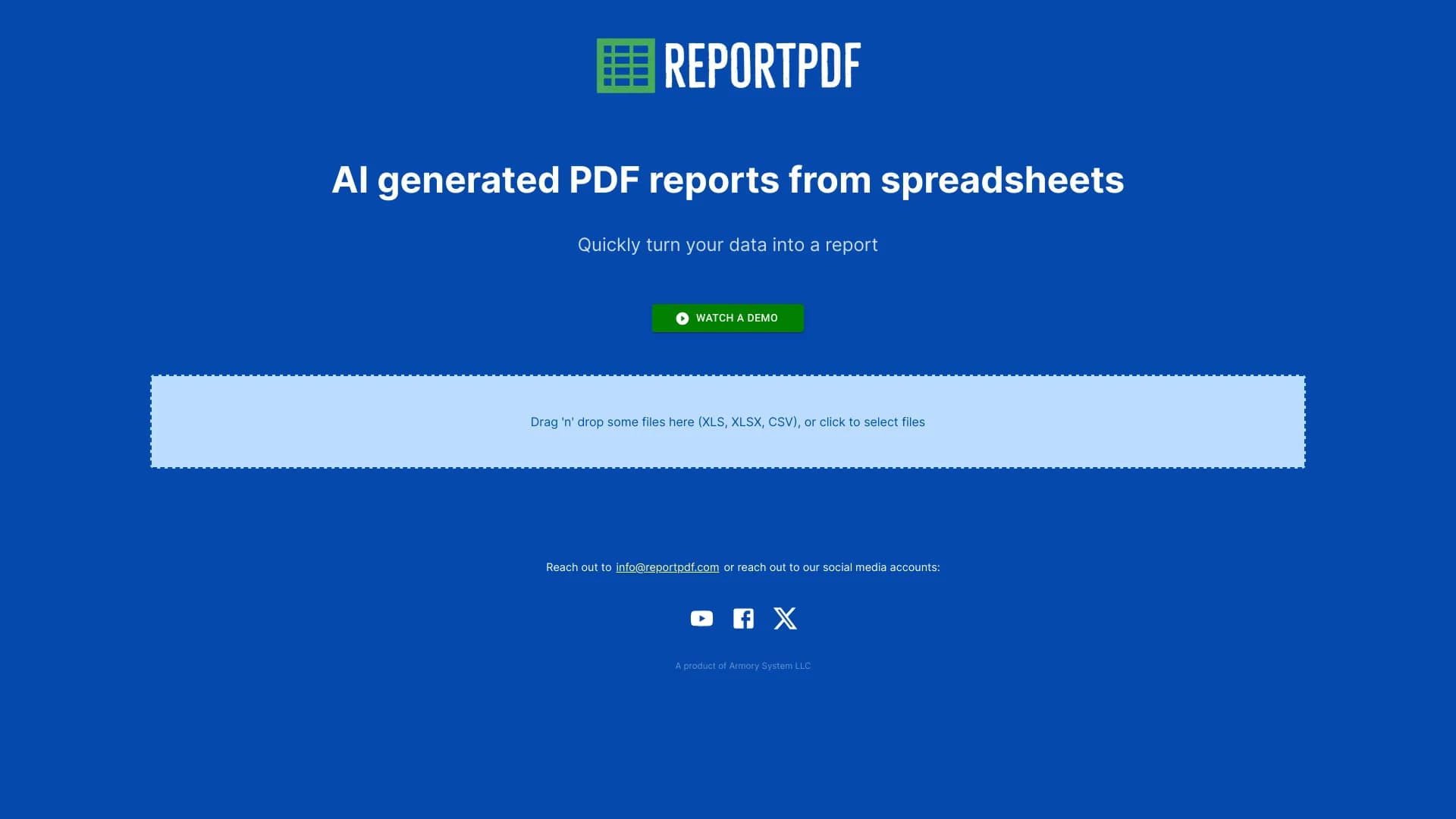
ReportPDF is a tool artificial intelligence which automate Creating PDF reports from data electronically chart . The service accepts files in XLS, XLSX and CSV formats and convert them into structured Professional documents.
The main task of ReportPDF is to rid the user of manual work office annexes . Instead of manually field , tables and alignment It is enough to download the data file. And the neural network will issue the final document itself. This is especially useful for regular reporting when The same type of report should be created with definite periodicity.
How the service works
The reportPDF is based on the Minimum user involvement . After dragging. interface The system analyzes the data structure and automatically selects the optimal formatting. . The user does not need to have the skills of layout or design - the entire technical part takes over the algorithm.
As a result of the exit neat PDF file, finished toward stamping . This solution is suitable for one-off task well and for regular use into framework labourer processes.
Characteristics of ReportPDF
| Characteristics | Value |
|---|---|
| Tool Type | AI PDF Report Generator |
| Entrance formats | XLS, XLSX, CSV |
| Weekend. format | |
| Data upload method | Drag-and-drop file ) |
| Required skills | Not required |
| Propagation model | Not listed |
For whom is the ReportPDF neural network suitable?
Analytics and reporting specialists
ReportPDF is suitable for employees which are regularly report on the basis of tabular data . Financial analysts Marketers, sales managers – all of them will be able to reduce the time for paperwork and focus on the content of the work.
Small Businesses and Entrepreneurs
Owners of small Companies are often faced with The need to quickly prepare a report for the partner an investor or government agency. The use of ReportPDF allows you to do this without involvement. specialists and without study complex office programs.
Employees without technical background
Because the service does not require special Knowledge is available to a wide range of users . Interface. based simple drag-and-drop files This makes the tool understandable even for those who never It didn't work with automation systems.
How to use the ReportPDF neural network?
###Step 1. File preparation
You'll need to get started. file supported format . It could be exported. CRM table Unloading from the accounting system or any other document containing structured information.
###Step 2. Uploading to the interface
After opening the service, it is enough to drag the file to the download area. . The system automatically recognizes the format and starts processing the data. . Additional settings or parameters indicate No need.
###Step 3. Receipt of the finished report
In a short time, the service will generate a PDF file with already filed a report. The document can be used immediately for sending or saved for further use. . The whole process takes a minimum of time and does not require intermediate actions from the user.
Basic ReportPDF
Automatic formatting
The service independently determines the optimal location of data on the page, configures tables , indentations and visualization . The user does not have to manually adjust the elements of the document.
###Support for the popular dataformat
ReportPDF is working with three main electronic formats Tables: XLS, XLSX and CSV. This covers most use cases. From classic Excel files to simple ones spreadsheet separators.
Quick conversion
The process of creating a report takes considerably less time compared to handy formatting office applications . Instead of working hours with settings, the user receives the result during the several minutes.
Benefits of ReportPDF
###Saving time
The main advantage of the service is a significant reduction in the time for preparing reports. Challenges which previously required manual job Now it's decided. automatically in a few minutes.
###Ease of use
Intuitive drag-and-drop interface does not require training . The user can start work immediately after opening the service. without studying the instructions and viewing the training materials.
Professional result
Despite process The final documents look neat and professional. This makes it possible to use generated reports in business correspondence formal communications.
###No need to into special skill
ReportPDF does not require programming skills sort out Be an expert in Excel or be an expert in Excel . It is enough to have a data file and access to the Internet.
Disadvantages of ReportPDF
###Restricted tariff information
At the moment, open sources do not contain information about the cost of the service and available tariff plan . To make a purchase decision, the user will need to handle Developers directly or waiting publication price politics.
Lack of detail documentation
There are no open access details instruction service descriptions everyone possibilities restriction . Users have to figure out to function independently or to apply into support.
Unknown customization
It is not clear whether the user can influence the appearance of the final document - change the templates. , logos Color schemes or report structure . Perhaps the setting is limited only Automatic decisions of the system.
What is the purpose of ReportPDF?
Formation of regular reporting
The service helps to automate the process of preparing monthly quarterly annual report . Instead of repeating the same manual The user simply downloads the updated data and receives the finished document.
Preparation of documents for external communication
ReportPDF allows you to quickly create a neat PDF file for sending to partners Customers or supervisory authorities. PDF format is universal and correctly displayed anywhere devices.
Simplifying work with large amounts of data
If the table contains many rows and columns Manual formatting becomes a time consuming process. The neural network is coping. data-rich Automatically and correctly distributing information Page by page.
ReportPDF Prices
Credible. pricing ReportPDF policy in the open springs no . Unknown, is free-of-charge Whether it works on a subscription or offers one-time paid conversions.
To get up-to-date information about the cost Potential users are recommended Follow official developer publications or contact Direct support.
Terms of Use of ReportPDF
Detailed terms of use of the service are also missing into accessible springs . Limitations unclear by number of processed file Limits on the size of tables and the allowable amount of data.
Insufficient information about privacy policy unclear how processed user-loaded Whether they fall into open databases and how information is protected . Before starting work with the service is recommended clarify these questions developers.
Availability of ReportPDF
Information about on which platforms and devices ReportPDF is available, limited . Judging by the description The service is a web tool with a drag-and-drop file interface. what involves working through the browser stationary computers or laptops.
However, there is no official data on Which browsers are supported there Adaptation for mobile Devices and what languages the interface works in. It is recommended for accurate information visit product site.
How does ReportPDF differ from analogues?
Minimum threshold
Unlike many. tool-making report which require customization of templates connections data sources and research Interface, ReportPDF works on the principle of simple conversion . The user downloads the file and immediately receives the result without prior settings.
Focusing single-purpose
Many analogues offer a wide functionality: the creation of dashboards interactive visualization integration on database . ReportPDF focuses on one thing the task of translating tabular data In a ready-made PDF document.
###No need to technically
Most professional Reporting tools require understanding of data structure skills Configure sources and knowledge of formatting principles . ReportPDF removes this barrier making the reporting process accessible to any user.
Conclusion
ReportPDF is a highly specialized AI tool which solves one specific problem : Rapid data conversion electronically tables in a completed PDF report. His main one. value ease of use and Significant time savings. The service will suit Who needs to regularly prepare reports without immersion technical details of formatting . It is worth considering Limited availability of open product information : unclear prices conditions of use and available customization options . Before you trust. on this tool process recommended contact with developers and get full information about functionality and conditions Service work.
Frequently asked questions
See also

A neural network for document analysis that extracts key information, creates summaries, and answers questions about the contents of uploaded files.

AI agent for integrating data from various sources and managing knowledge within organizations.

AI assistant for business that helps manage tasks and automate routine through dialogue.

AI website builder from Hostinger for quickly creating websites based on a business description.

Service for automatically creating mind maps from uploaded materials.

AI agent for automating customer communications and support.


Multimodal AI agents for automating customer service and sales via chat, voice, and video.


Desktop AI assistant for macOS, Windows, and Linux that launches via hotkey above all windows and combines multiple language models in one interface.