
Databutton
A platform for creating full-fledged applications using artificial intelligence.
Overview
Databutton AI Description
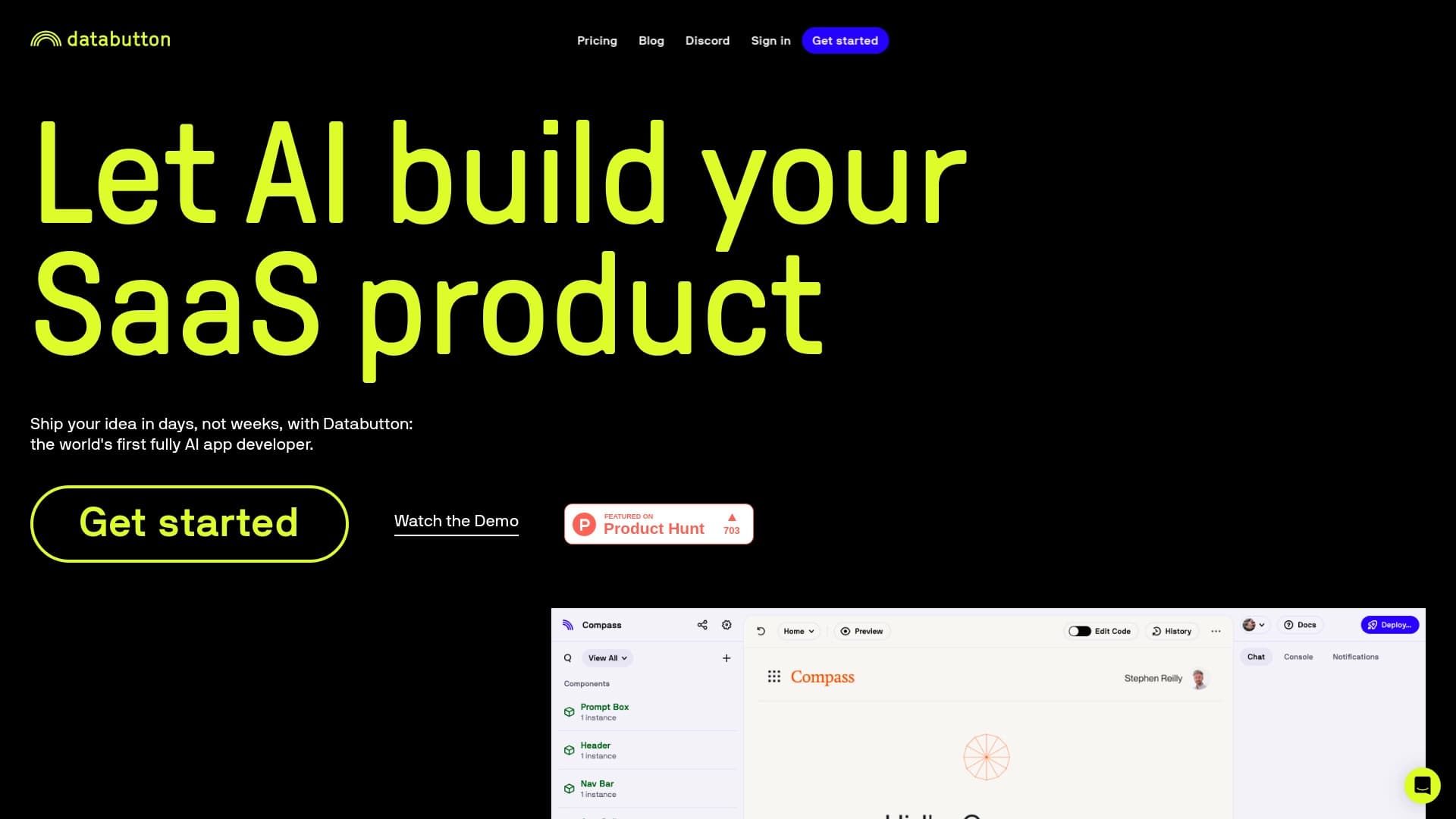
Databutton is a platform that lets you build full-featured web applications using artificial intelligence. Instead of writing code manually, you describe your idea in natural language, and the system automatically generates the necessary code, interface, and application logic.
The core goal of the service is to make the development process accessible to people without deep technical knowledge. Databutton acts as a bridge between an idea and a finished product, handling the routine aspects of programming. The platform is well-suited for rapid prototyping and building minimum viable products (MVPs), where it's important to test a hypothesis quickly or show a working version of an app to a client or investors.
Databutton Features
| Feature | Value |
|---|---|
| Platform type | Web application development environment |
| AI usage | Generates code, interface, and application logic |
| Input method | Describe your idea in natural language |
| Target audience | Non-technical professionals, entrepreneurs, product managers |
| Primary purpose | Rapid prototyping and MVP creation |
| User requirements | No deep programming knowledge needed |
| Distribution model | Freemium |
Who is Databutton AI for?
Entrepreneurs and Startup Founders
For those who want to quickly validate market demand for their idea without spending months searching for a developer and writing code. Databutton turns a concept into a working prototype in a short time, ready to show to potential customers or investors.
Product Managers and Analysts
Professionals who work with a product daily but lack a technical background can use the platform to independently create demo versions, internal tools, or test interfaces without having to go through the development department.
Freelancers and Small Studios
Small teams and independent professionals can use Databutton to speed up routine development tasks, quickly assemble mockups, and build client demos, optimizing their resources and time.
How to Use Databutton AI?
Starting a Project
To get started, describe in natural language what application you want to build. This can be a description of functionality, page structure, or specific tasks the app should handle. The platform treats this as a technical specification.
Generating the Application
After you submit the description, Databutton analyzes the request and begins building the app: it generates the user interface, data processing logic, and the necessary code. Everything happens automatically, so there's no need to write scripts or configure the backend manually.
Iterating and Refining
Once you have the initial version, you can make adjustments by describing changes in natural language as well. This allows you to iteratively improve the product, add new features, or modify existing ones without diving deep into technical details.
Key Databutton Features
- Code generation: Automatically creates application code based on a text description.
- Automatic UI design: Generates a user interface without manual layout or design work.
- Application logic creation: Implements the internal logic of the app according to the described requirements.
- Rapid prototyping: Get a working model of your application in a short time for demonstration or testing.
Databutton Advantages
- Low barrier to entry: No programming languages or development experience required to get started.
- Time savings: The app creation process shrinks from weeks or months to minutes or hours, depending on project complexity.
- Easy to modify: Adjust functionality by describing changes in natural language rather than editing code.
- Accessibility: The freemium model lets you try the platform for free and evaluate its capabilities before paying.
Databutton Limitations
- Limited flexibility: Automatically generated code can be less flexible and customizable than a solution hand-built by a developer for specific needs.
- Dependence on descriptions: The quality of the final application directly depends on the accuracy and completeness of the original natural-language description, which may require extra effort when formulating the task.
- Possible free-tier restrictions: As with most freemium services, the free version may have limitations on functionality or usage volume, which could require moving to a paid plan as your needs grow.
What Problems Does Databutton Solve?
Databutton solves the problem of moving quickly from an idea to a working product. The main issue the platform addresses is that many people lack the technical skills and knowledge to develop applications on their own. The service removes the barrier to entry into the world of web development.
The platform also helps accelerate internal processes within companies. Teams can create working prototypes for client discussions, internal hypothesis testing, or feature demonstrations without involving the development team. This reduces the load on IT departments and speeds up the decision-making cycle.
In addition, Databutton helps entrepreneurs validate product ideas. Instead of committing long-term financial and time resources to full development, a project founder can quickly test whether their idea is viable and interesting to the target audience.
Databutton Pricing
Databutton operates on a freemium model, meaning there is a free tier with a basic set of features and the option to upgrade to paid plans with expanded capabilities. The exact cost of paid plans is not disclosed in available sources.
Databutton Terms of Use
As with most similar platforms, Databutton's terms of use require registering for the service and accepting the user agreement. The freemium model includes free access to basic features, with optional payment for additional capabilities or increased usage limits.
Databutton Availability
Databutton is a cloud platform accessed through a web browser. This means the service is available from any internet-connected device, regardless of operating system. No additional software installation is required to use the platform.
How Databutton Differs from Alternatives
The main difference between Databutton and traditional development tools is the full automation of the app creation process based on a natural-language description. Unlike classic IDEs, where developers write code manually, or website builders that offer template-based solutions, Databutton focuses on generating custom code for a specific task.
Compared to other AI tools that help write individual code snippets or answer programming questions, Databutton covers a broader need: it creates a complete application — from interface to server logic — automatically, which sets it apart from more narrowly focused solutions.
Conclusion
Databutton is a promising tool for a wide audience interested in quickly building web applications without diving into programming. The platform is especially useful at the prototyping and idea-validation stage, when speed matters more than code perfection. However, when choosing this tool, it's worth considering its flexibility limitations and the potential dependence on how precisely you phrase your task. The freemium model lets you evaluate the service's capabilities without financial commitment before deciding on full-scale use.
Frequently asked questions
See also

Mobile app for photo editing and creating stylized avatars using AI.
AI-powered online photo editor for creating, editing, and enhancing images directly in your browser.


A neural network for generating short videos from text descriptions or images.

AI-powered online service that automatically converts bank statements from PDF into structured CSV files.

A neural network-powered cloud service for generating 3D models, textures, and animations from text descriptions or images.
Free open-source language model specializing in reasoning, mathematics, and programming.


Google's neural network for generating and editing images from text descriptions, based on Gemini models.


An open-source AI development agent that helps generate, refine, and debug code directly in the IDE.