
CogVideo AI Video Generator
Online service for generating videos using neural networks, working with text descriptions and images.
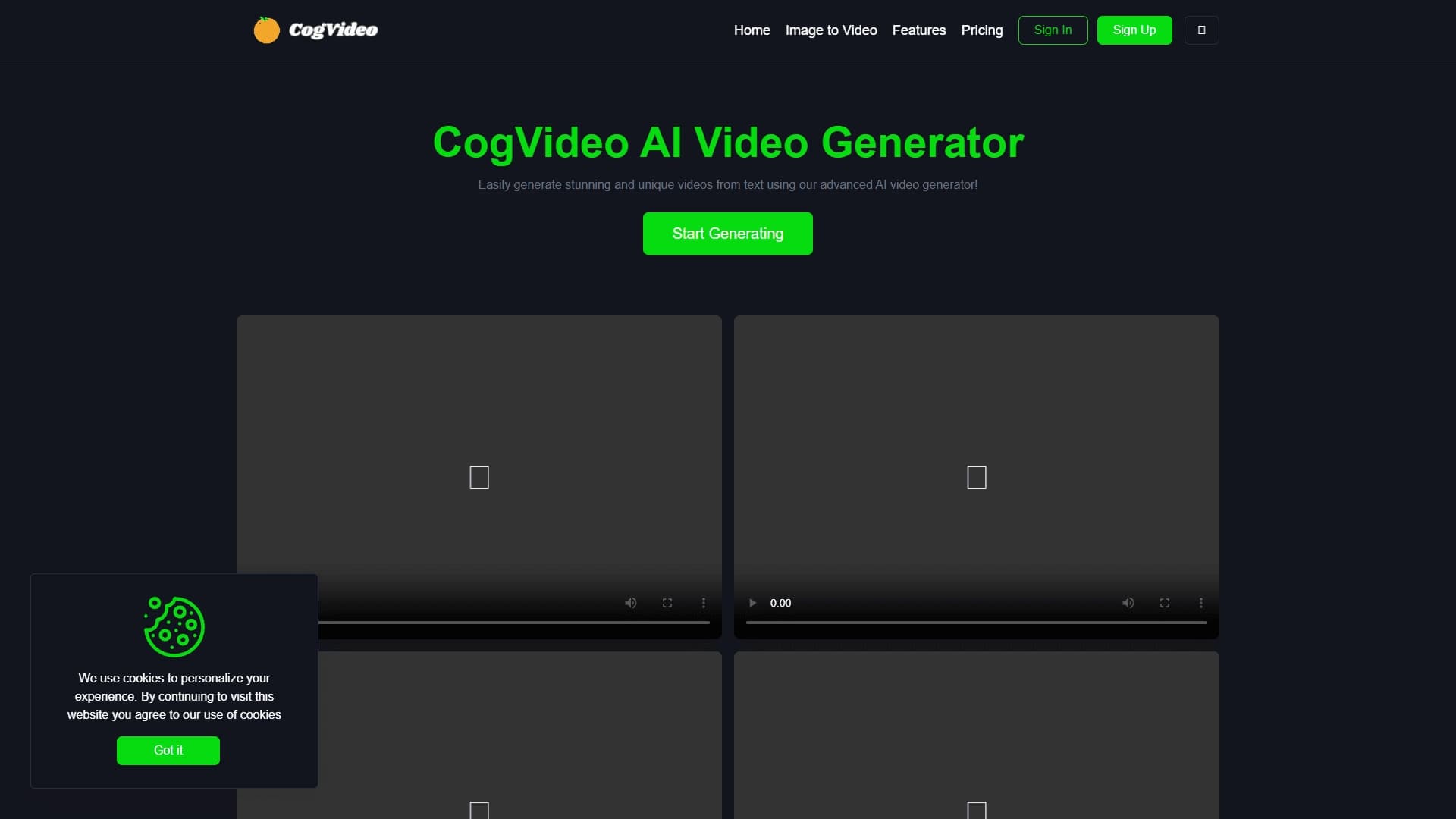
Overview
CogVideo AI Video Generator is an online service that lets you create videos using artificial intelligence. The platform runs on CogVideo and Minimax technologies and allows you to generate videos in two ways: from a text description (Text to Video) or from a static image (Image to Video). The service works right in your browser, so you don't need to install additional software or have powerful hardware. The core idea of the platform is to make the video creation process as simple and fast as possible, so that anyone without video editing experience can get a finished result in just a few clicks.
CogVideo AI Video Generator Features
| Feature | Value |
|---|---|
| Type | Online video generator from text and images |
| Categories | Image → Video, Video Generation |
| Technologies | CogVideo and Minimax |
| Access | Works in the browser |
| Terms of use | Registration required |
Who is CogVideo AI Video Generator for?
Marketers and advertising professionals
The service is aimed at marketing and advertising professionals who regularly need video creatives for their campaigns. With this tool, you can quickly create dynamic videos to promote products and services without spending time on complex editing or ordering videos from third-party studios.
Bloggers and content creators
For bloggers running channels on YouTube, TikTok, or Instagram, CogVideo becomes a useful assistant. The service lets you turn text ideas into ready-made video clips or "bring images to life," adding dynamism to your content and capturing your audience's attention.
Users without editing skills
The key target audience is anyone who needs creative videos but lacks professional video editing skills. The intuitive interface and automated generation process allow any user to get results without learning complex software.
How to use CogVideo AI Video Generator
Registration and getting started
To start using the service, you need to register. After creating an account, you enter the platform interface, where all video generation tools are available. No additional hardware setup is required — all operations are performed in the browser.
Choosing a generation mode
You choose one of two modes: Text to Video (generating video from a text prompt) or Image to Video (converting a static image into an animated scene). In the first case, you simply enter a text description of the desired video; in the second, you upload an image that the neural network turns into dynamic video.
Waiting for the result
After entering text or uploading an image, the system automatically processes the request and generates a finished video. The process takes minimal time, after which you can download the result and use it for your own purposes.
Key features of CogVideo AI Video Generator
Video generation from text descriptions
The Text to Video feature lets you create videos based on a text prompt. You describe the plot, scene, or action, and the neural network interprets the request and produces a corresponding video. This is useful for quickly bringing creative ideas to life without having to search for suitable stock footage.
Converting images into video scenes
The Image to Video feature lets you bring static pictures to life. The neural network turns an uploaded image into an animated clip, adding motion and dynamism. This is convenient for presentations, social media posts, and ad creatives, where static content looks less appealing.
CogVideo AI Video Generator Advantages
Ease of use
One of the service's main strengths is its minimal entry barrier. No special knowledge or video editing skills are required. The whole process comes down to registering, choosing a mode, and entering data — the neural network does the rest.
Fast video generation
The platform lets you get finished videos in a short amount of time. Not having to manually edit frames, add transitions, or work with a timeline significantly speeds up the production process.
Online access without installation
The service works directly in the browser. This means you don't need to download and install heavy applications or worry about your computer's system requirements.
CogVideo AI Video Generator Disadvantages
No information about the service's disadvantages is available in public sources. As with most AI generators, possible limitations may include dependence on input quality (the accuracy of the text description or image resolution) and request processing speed under heavy server load. However, there is currently no confirmed data on the platform's downsides.
What problems does CogVideo AI Video Generator solve?
Creating creative videos without video editing skills
The tool completely removes the barrier to entry into video production. You don't need to learn editing software, understand frame composition, or color grading. Just formulate a request — and the neural network will create a ready-to-use video.
Bringing static images to life for various purposes
The service solves the problem of "animating" static images. This is in demand when preparing presentations, designing social media pages, creating ad banners, and in other situations where dynamic content is perceived better than static content.
CogVideo AI Video Generator Pricing
Pricing information for the service is not specified in the source materials. For up-to-date information on rates, free trial availability, or available subscription plans, we recommend visiting the platform's official website or reviewing the terms on the registration page.
CogVideo AI Video Generator Terms of Use
The main requirement for getting started is mandatory registration on the platform. Creating an account unlocks access to the service's functionality, including both video generation modes. Other details, such as age restrictions, rules for using generated content, or the privacy policy, are not disclosed in available sources. We recommend carefully reviewing the user agreement before getting started.
CogVideo AI Video Generator Availability
The service is available online and works in the browser. This means you can use the platform from any internet-connected device, including desktop computers, laptops, and tablets. No additional software downloads or installations are required — just open the service website and log in. No restrictions by region or country of residence are specified in the source data.
How CogVideo AI Video Generator differs from alternatives
The service's main differentiator is its combination of two video generation technologies: CogVideo and Minimax. This integration allows the platform to work effectively with both text prompts and images, providing users with a versatile tool. Additionally, a key advantage is its fully online orientation: not needing to install software sets the service apart from desktop solutions. At the same time, the AI video generator market is quite saturated: there are products with similar functionality, such as Seedance 2.0 AI Video Generator, Kling 3.0, AI Video Generator, and others. CogVideo's specific competitive advantages come down to ease of use, speed, and browser-based accessibility.
Conclusion
CogVideo AI Video Generator is a convenient online tool for quickly generating videos from text descriptions or static images. Using CogVideo and Minimax technologies, the service lets you create creative videos without video editing skills or the need to install special software. The platform is aimed at marketers, bloggers, content creators, and anyone who needs dynamic videos for both professional tasks and personal projects. Thanks to its ease of use, generation speed, and browser-based access, CogVideo is a practical solution for those who want to quickly turn ideas into finished video content.
Frequently asked questions
See also


AI-powered service for automatically creating “faceless” short videos for TikTok, YouTube Shorts, and other platforms.

Online tool for swapping faces in photos, videos, and GIFs without registration or watermarks.

A platform for content creators that combines link management, email marketing, an online store, and analytics in a single visual editor without coding.


Online AI-powered service for quickly creating presentations based on a given topic or an uploaded document.


Service for turning static images into videos with singing and lip-syncing using AI.
AIJOURNEY is a catalog and search platform for discovering AI tools, updated daily.
Music generator from text descriptions with style and mood customization, as well as export of individual tracks.


AI toolkit for video generation and editing, including avatars, lip-sync, and voice cloning.