

ChadView
AI assistant for meetings that transcribes speech in real time and suggests responses.
Overview
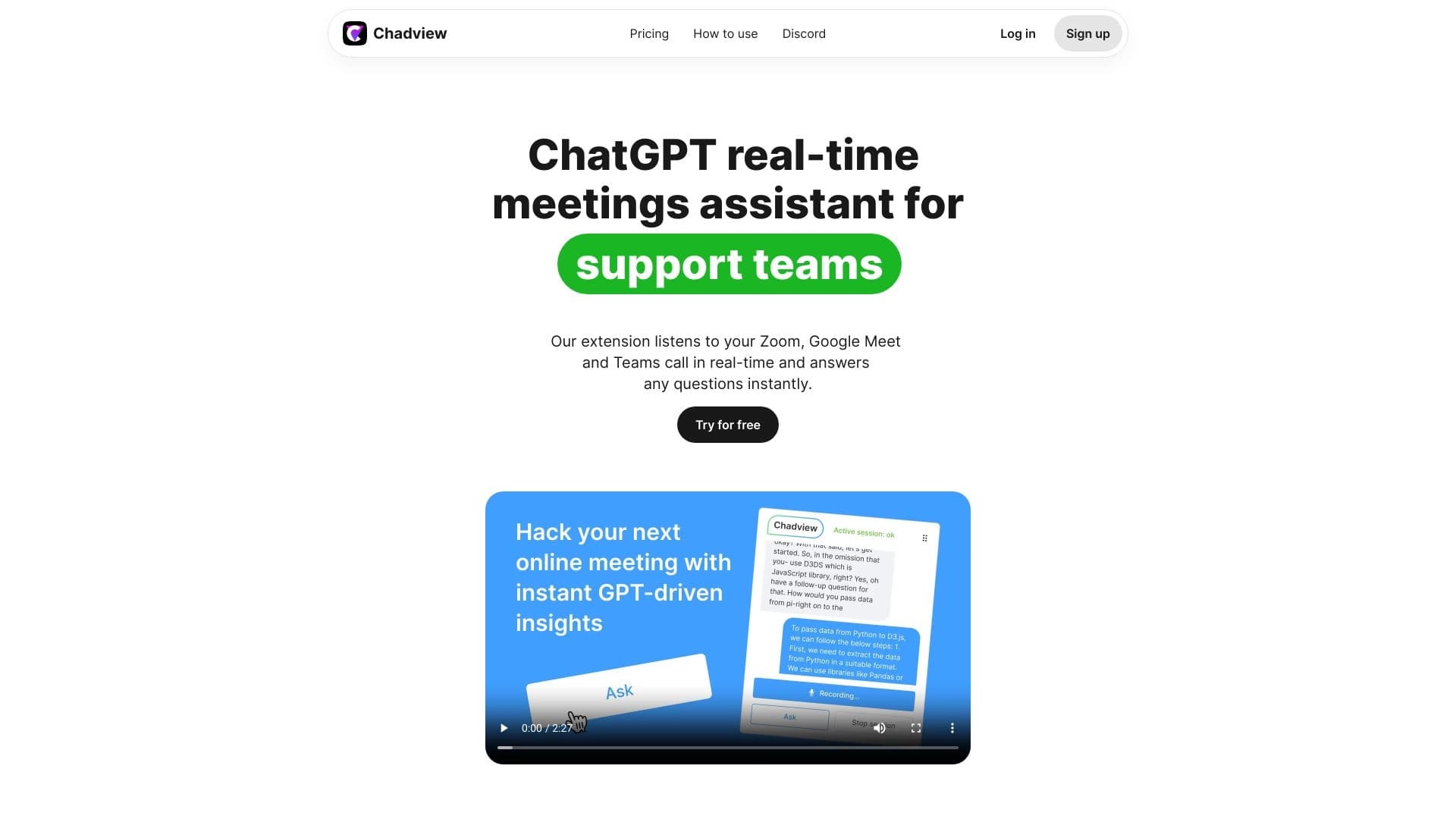
ChadView is a specialized AI assistant designed to support online meetings and business negotiations. The service's main goal is to free participants from the need to take manual notes and allow them to fully focus on the conversation. The system works in the background, automatically capturing everything that happens during a meeting.
How the assistant works
ChadView is built on speech recognition technology that converts participants' voices into text in real time. This means that as the conversation progresses, a full transcript of what was said appears on the screen. At the same time, the system doesn't just record words—it also analyzes the context of the discussion to suggest relevant replies and phrasings for the user's responses.
Product philosophy
The core idea behind ChadView is to make participation in negotiations more confident and productive. Instead of frantically jotting down key points or searching for the right words, users can rely on the assistant's suggestions. This way, the tool helps maintain a fast pace of dialogue without missing important details or wasting time on mechanical work.
ChadView Features
| Feature | Value |
|---|---|
| Purpose | AI assistant for supporting online meetings |
| Key function | Real-time speech transcription |
| Additional function | Generating reply suggestions for participants |
| Use case | Online meetings, negotiations, conferences |
| Distribution model | Not specified |
| Mode of operation | Real time |
Who is ChadView for?
Managers and negotiators
Professionals who participate in meetings with clients or partners on a daily basis will benefit the most from ChadView. The tool helps ensure no important point from the other party's speech is missed and enables quick formulation of responses, which is especially valuable in high-pressure negotiations.
Project managers
For those who coordinate team work and hold numerous meetings, ChadView becomes a reliable assistant. Instead of getting distracted by taking notes on discussions, managers can devote more time to steering the agenda and making decisions.
Professionals with a high volume of meetings
People whose work involves presentations, interviews, or consultations will also find this tool useful. Having a full text version of the conversation in real time allows them to revisit discussed details without having to re-listen to audio recordings.
How to use ChadView
Joining a meeting
To use the assistant, you need to activate ChadView at the start of an online meeting. The service begins listening to the conversation and automatically starts the transcription process.
Working with suggestions
During the conversation, recommended reply options appear on the user's screen. Participants can choose the most suitable phrasing or use the suggested text as a basis for their own response, adapting it to the specific situation.
Using the transcript
Immediately after the meeting ends, the user has a complete text log of the dialogue. This record can be used to draft meeting minutes, send summaries to participants, or simply keep a history of the discussion.
Key Features of ChadView
Real-time transcription
The core functionality of the service is converting spoken language into text directly during the conversation. The system works with virtually no delay, giving participants access to an up-to-date text version of the discussion.
Reply generation
Based on analysis of the conversation context, ChadView offers the user ready-made reply options. This helps keep the dialogue going when it's hard to find the right words quickly and adds confidence to communication.
Automatic history saving
All meetings processed with ChadView are recorded by the system. This creates a database of discussions that can be accessed at any time to refresh your memory on the details of previous negotiations.
Advantages of ChadView
Using the AI assistant gives meeting participants several objective benefits. First, cognitive load is significantly reduced: there's no need to listen, take notes, and think about responses all at once. Second, all agreements and details are captured automatically, eliminating the risk of losing important information.
Another significant advantage is the improved quality of dialogue. The suggestions generated by the system help keep the discussion on track and avoid pauses caused by searching for the right words. As a result, meetings become more dynamic and productive.
Additionally, having a full transcript after the meeting simplifies reporting and tracking the fulfillment of agreements. Participants can focus on the substantive part of the discussion rather than the mechanics of recording information.
Disadvantages of ChadView
At present, detailed information about the service's weaknesses is not available in public sources. Since the product information is limited to a brief description, it can be assumed that there are common limitations typical of similar tools. Potential challenges may include requirements for microphone quality and clarity of participants' speech, as well as the dependence of transcription accuracy on accents and specialized terminology. However, no specific confirmed data on drawbacks is provided in the available materials.
What problems does ChadView solve?
Eliminating routine note-taking
The service's main task is to free participants from manually recording the course of the discussion. This is especially relevant for long meetings where the volume of information can be very large.
Supporting communication
ChadView helps participants articulate their thoughts more easily by offering reply options. This lowers the barrier for those who struggle with quick reactions in dialogue or work in a non-native language.
Saving and structuring information
The tool automatically creates a text record of each meeting. This solves the problem of forgetting key points of the discussion and simplifies subsequent analysis of negotiations.
ChadView Pricing
Public information about the cost of using ChadView is currently unavailable. The source websites do not provide data on pricing plans, the availability of a free version, or subscription terms. For up-to-date pricing information, potential users are advised to contact the product's official channels or wait for the publication of cost details.
Terms of Use for ChadView
No reliable information about the specific terms of service is available in public sources. It is unknown whether the service requires registration, what technical requirements are imposed on users, or whether there are limits on the number of meetings. Due to the limited data, it is recommended to check the official product documentation once it becomes available.
ChadView Availability
Information about the availability of ChadView in different regions and on different platforms is missing. It is unknown whether the service works through a web browser, is a standalone application, or integrates with existing video conferencing platforms. Details about hardware and operating system requirements are also not disclosed. It is recommended to follow official announcements from the developers for up-to-date information about product availability.
How ChadView differs from alternatives
The key difference between ChadView and other meeting support tools is that it doesn't just record the conversation—it actively participates in conducting it. Instead of the static transcription offered by many competitors, the service provides dynamic reply suggestions in real time.
This approach makes ChadView not a passive recorder but a full-fledged participant in the dialogue. The user gets not only a text record of the meeting but also intelligent support during the conversation. This sets the product apart from solutions that merely capture the discussion and offer a transcript after it ends.
It can be assumed that ChadView is aimed at more interactive use, where the core value is created directly during the conversation. The reply generation feature turns the assistant into a kind of consultant that helps conduct the dialogue more effectively.
Conclusion
ChadView is a promising AI tool designed to improve the efficiency of online meetings and negotiations. By combining real-time transcription and reply suggestion generation, the service addresses several tasks at once: it frees participants from routine note-taking, supports confident communication, and preserves a complete history of the discussion. Despite the limited public information about the product, its concept looks relevant for the modern business world, where the speed and accuracy of information exchange play a decisive role. The further development of ChadView will depend on how widely the tool becomes available and what capabilities the developers open up for users.
Frequently asked questions
See also


A platform for chatting with virtual AI characters with image generation during the conversation.


Platform for developing, monitoring, and evaluating AI applications based on large language models.


A web service that automates job search using artificial intelligence.
Intelligent assistant from Microsoft, built into the Bing search engine and Edge browser, powered by GPT-4.


Service for tracking brand mentions in generative AI responses.


AI email assistant that integrates with Gmail and Outlook.


A platform for creating and interacting with AI characters, each with their own personality and story.


An open-source AI development agent that helps generate, refine, and debug code directly in the IDE.