

Ambient AI Assistant
AI tool for automating meeting scheduling, task tracking, and deadline management.
Overview
Ambient AI Assistant Description
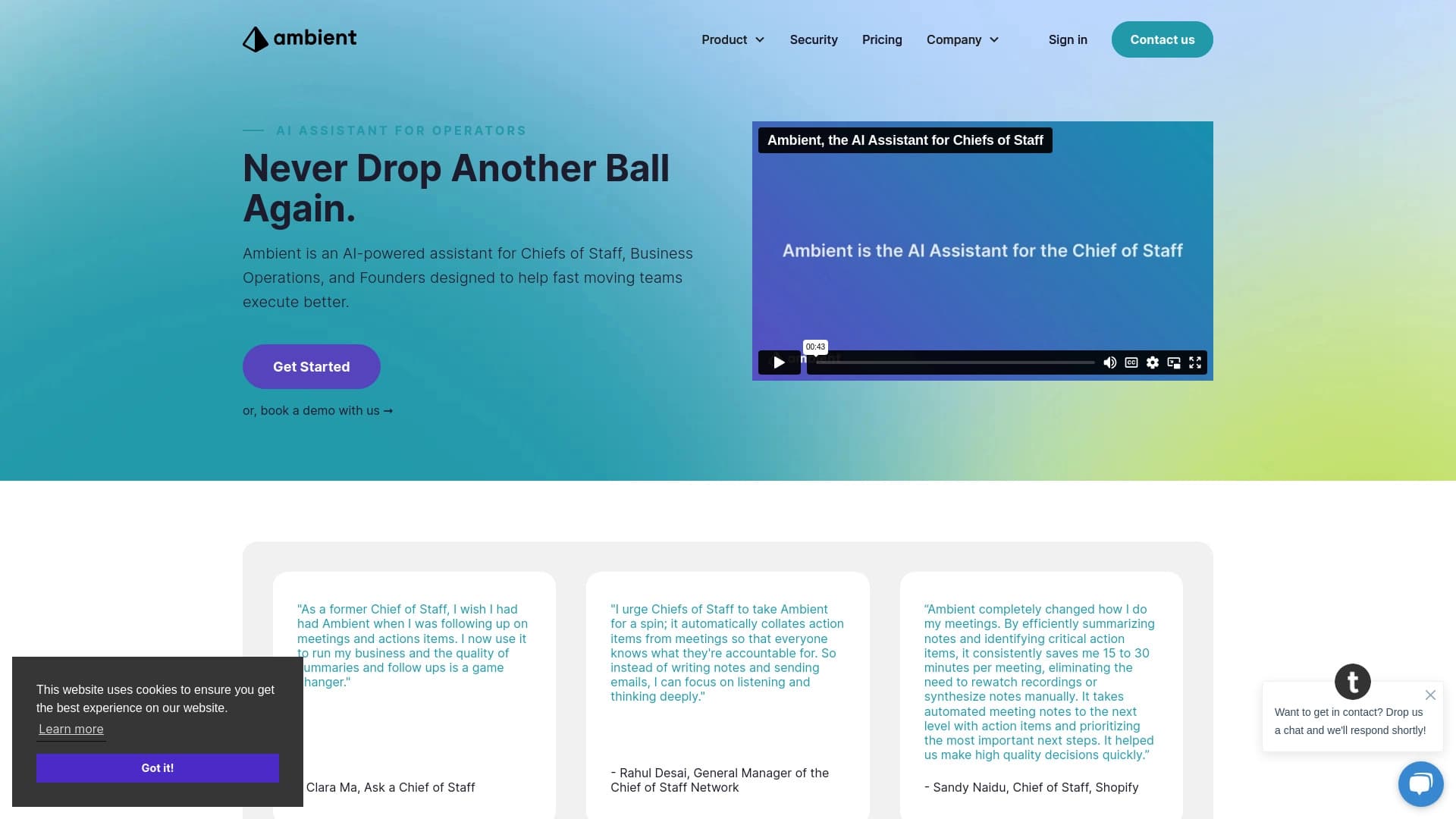
Ambient AI Assistant is a specialized AI tool designed to automate routine processes related to conducting meetings and managing tasks. The system is aimed at executives and managers who regularly hold meetings and need clear control over task execution. The tool takes on secretarial functions: it records meeting content, generates structured minutes, identifies task owners, and reminds about deadlines.
The key value of the solution lies in saving time resources. According to the developer, using the system can free up to 10–15 hours per week by eliminating manual report creation, sending out summaries, and tracking assignments. Ambient AI Assistant integrates into existing workflows, automatically distributing tasks among employees and generating summaries for the team, which is especially useful for managing projects that span multiple departments.
Ambient AI Assistant Features
| Feature | Value |
|---|---|
| Type | AI assistant for productivity |
| Categories | Writing assistants, summarization tools, task management, teamwork, productivity, meeting management, note-taking |
| Platform | Web-based |
| Developer | Ambient |
| Free plan | Yes (basic feature set) |
| Starter plan | $10/month |
| Professional plan | $30/month |
| Monthly visits | 5.6K |
Who is Ambient AI Assistant for?
Executives and Managers
The tool is designed for top managers, office heads, and managers whose work is closely tied to conducting meetings and monitoring task completion. The system frees them from manual note-taking and time spent on distributing minutes afterward, allowing them to focus on strategic tasks.
Company Founders
For startup founders and business owners who are constantly in negotiations, Ambient AI Assistant becomes a reliable helper. It ensures that no agreement is missed: all decisions, tasks, and deadlines are recorded automatically and become available to all participants.
How to Use Ambient AI Assistant?
Connecting to Workflows
To get started, simply connect the assistant to your existing workflows — no complex setup or drastic changes to your usual procedures are required. The system automatically integrates into the meeting process.
Meeting Automation
Once connected, the tool performs its functions without additional commands: it records meeting content, creates notes, generates a list of tasks and next steps, and then automatically sends meeting summaries to all participants. No manager intervention is needed at this stage.
Key Features of Ambient AI Assistant
Notes and Minutes
The system automatically creates structured notes during meetings, eliminating manual note-taking. The tool captures key points and agreements, producing ready-to-use meeting minutes.
Task Management
Based on discussion outcomes, the assistant records and distributes tasks, assigns owners and deadlines. The system then tracks task and deadline statuses, reminding about upcoming due dates.
Reporting and Data Storage
The tool automatically prepares concise reports for the team, summarizing the current state of projects. All data is stored centrally and accessible to all employees, ensuring transparency in workflows.
Advantages of Ambient AI Assistant
Time Savings
One of the main advantages is saving up to 10–15 hours per week. The system fully automates routine work: creating minutes, tracking assignments, preparing reports, and sending summaries, allowing time to be reallocated to more important management tasks.
Project Transparency
The tool ensures full transparency: every participant can see who is working on what and what deadlines are set. This simplifies coordination between departments and eliminates situations where tasks get lost or forgotten, making internal communication more efficient.
Disadvantages of Ambient AI Assistant
Adaptation Challenges
The system may be difficult to adapt to non-standard business processes within a company. Working with unique internal procedures and specific workflows may require additional customization or configuration of the tool.
Recognition Errors
Automatic notes may contain errors related to incorrect speech recognition or misinterpretation of what was said. This requires selective review of minutes, especially when it comes to critical agreements.
Security Concerns
Using a cloud service raises questions about the security of corporate data. Working with sensitive information requires additional security and access control configuration to prevent data leaks.
What Problems Does Ambient AI Assistant Solve?
Automating Minutes and Assignments
The tool solves the key challenge — automating meeting minutes. It handles recording decisions and distributing them, as well as tracking assignments and ensuring deadlines are met.
Communication and Productivity
The system improves communication between departments by creating a unified information space for all project participants. Productivity increases through a significant reduction in paperwork and routine operations related to document management.
Ambient AI Assistant Pricing
The tool offers three pricing plans:
- Free plan — includes a minimal basic feature set that lets you explore the system's capabilities.
- Starter plan — $10 per month, unlocks advanced task and note management features.
- Professional plan — $30 per month, provides the full set of tools and platform capabilities.
The choice of plan depends on the scale of use and required functionality: from basic exploration to full implementation in company processes.
Terms of Use for Ambient AI Assistant
Specific terms of use are not listed on the product page. Obviously, registration in the service will be required to get started, but detailed rules, including data processing policies and privacy terms, are not described in detail in available sources. When deciding on implementation, it is recommended to refer to the service's official documentation.
Ambient AI Assistant Availability
The service is available on the website ambient.us. The interface and product description are presented in English. Information about regional restrictions is not provided on the official page.
How Ambient AI Assistant Differs from Alternatives
No direct comparison with competitors is provided on the product page. However, it can be noted that Ambient AI Assistant occupies a niche position, specifically targeting the needs of senior and mid-level managers. Unlike universal AI tools such as Gemini, ChatGPT, or Notion.AI, the Ambient solution is highly specialized: it focuses specifically on meeting support and task tracking rather than a broad range of tasks. This allows the tool to more deeply address scenarios related to conducting meetings and managing tasks.
Conclusion
Ambient AI Assistant is a niche tool created to automate routine processes for managers related to conducting meetings. The system effectively handles meeting minutes, task tracking, and reporting, saving up to 10–15 hours per week. At the same time, the tool requires adaptation to non-standard business processes and careful attention to data security. For managers looking to reduce paperwork and increase project transparency, Ambient AI Assistant offers a practical solution with flexible pricing, including a free plan for initial exploration.
Frequently asked questions
See also


Service for tracking brand mentions in generative AI responses.


AI-powered platform for automated video clip creation, editing, and translation.


AI assistant for quickly creating and editing texts in various formats.


Chrome extension that helps manage tabs, history, and bookmarks with an AI assistant.

An online service that lets you chat with PDF documents: ask questions and get concise answers with source attribution.


Universal AI assistant that analyzes videos and web pages, answers questions, and creates summaries.


A platform for creating corporate chatbots based on your own documents without coding.

AI platform for analyzing financial data and supporting investment decisions.