

Airlight
A lightweight popup panel app for quick access to web services via hotkeys.
Overview
Airlight Neural Network Description
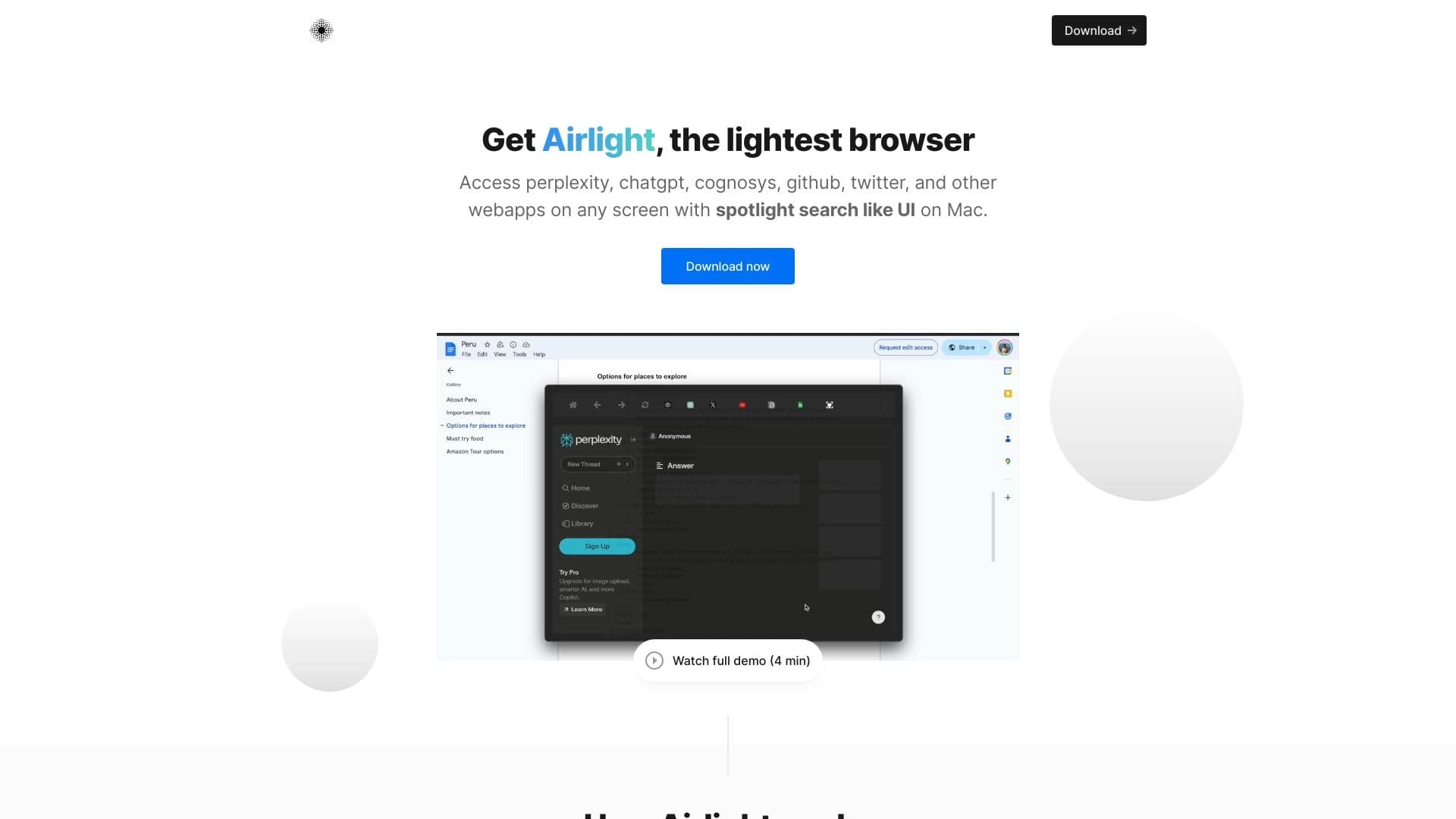
Airlight is a lightweight application that works as a pop-up panel for quick access to web services. Its key feature is instant launch of your favorite online tools, such as ChatGPT, Perplexity, or Twitter, without needing to switch between browser windows and search for the right tabs.
The way it works is similar to Spotlight on macOS: you press a keyboard shortcut, and a compact panel with your favorite services appears over any open window. The app is available for Mac and Windows, is distributed on a one-time purchase model, and does not store user data — all operations happen locally, without sending information to third-party servers.
Airlight Features
| Feature | Value |
|---|---|
| Type | Browser panel for quick access to web applications |
| Category | Website building tools, AI app generators, miscellaneous |
| Platforms | Mac, Windows |
| Free tier | Yes (access to core features) |
| Cost | Free, Standard, Premium |
| License | One-time purchase, no subscription |
| Developer | Airlight |
| Monthly visits | 241.6K |
Who is Airlight suitable for?
Users who constantly work with AI and social networks
Airlight is designed for those who spend their entire workday in services like ChatGPT, Perplexity, or Twitter. Instead of wasting time switching between browser tabs and windows, you can summon the panel with one press and immediately jump to the app you need. This is especially relevant for people who work with multiple online tools simultaneously and want to minimize visual clutter on their screen.
Developers and professionals working with code
The app is also suitable for developers who need to quickly respond in chats, check documentation, or work with code. Instant access to favorite services reduces time spent on routine operations and lets you focus on the main task without getting distracted searching for the right tab among a dozen open ones.
How to use Airlight?
Installation and first launch
To get started, you need to download and install the app on Mac or Windows. After installation, Airlight will run in the background and wait for a command to summon the panel.
Summoning the panel via hotkeys
The panel is summoned using the option+space keyboard shortcut on Mac. It works over any open window, so you can instantly access your services even if you have many other programs open. The panel displays your favorite online tools, which open instantly — without extra clicks or switching between browsers.
Key Features of Airlight
Quick launch of online services
Airlight's main function is instant access to favorite web applications through a single panel. This lets you open ChatGPT, Perplexity, Twitter, and other services without switching between windows and tabs.
Spotlight-style navigation
The app's interface works on the Spotlight principle: you type the name of the service you need, and it opens instantly. This approach reduces the number of clicks and speeds up your workflow.
Works over open windows
The panel is summoned over any active window without cluttering your desktop. This allows you to quickly switch between tasks without losing context or getting distracted by extra interface elements.
Airlight Advantages
Time savings
Lightning-fast launch of services in a couple of seconds is the app's main advantage. You no longer need to search for the right tab among a dozen open ones or switch between browser windows. This is especially useful when working under tight deadlines.
Simplicity and minimalism
Control is handled with a single keyboard shortcut, and the interface is not overloaded with extra elements. The screen always stays clean, which reduces visual noise and helps you focus on work.
Data security
Airlight does not store user data, guaranteeing privacy. All operations are performed locally, without sending information to third-party servers.
Airlight Drawbacks
Limited functionality compared to a browser
The app does not support extensions or fine-grained settings available in full-fledged browsers. For complex tasks such as working with extensions or deep interface customization, you will need to use a regular browser.
Operating system limitations
Airlight does not work on all versions of Mac and Windows. On older devices or rare systems, the app may fail to launch, which is worth considering before purchasing.
Paid license
Despite having a free tier, full functionality is only available after a one-time purchase. Refunds are only possible within a month after purchasing the license.
What problems does Airlight solve?
Faster work with code and chats
The app lets you quickly respond in chats and work with code without getting distracted by switching between applications. This is especially important for developers working in multitasking mode.
Quick access to online applications
Airlight solves the problem of quickly launching favorite online tools without needing to switch between tabs and windows. This saves time and simplifies your workflow.
Reducing distractions and boosting productivity
The minimalist interface and instant access to services help reduce distractions and increase productivity when working with multiple web applications at once.
Airlight Pricing
Airlight offers three tiers: free (access to core features), standard, and premium. The license is purchased once, with no subscription — a distinct advantage over many modern services that operate on a monthly payment model.
Airlight Terms of Use
To get started, you need to download and install the app. Refunds are possible within 30 days of purchase. It's important to note that Airlight does not store user data, ensuring privacy when using the service.
Airlight Availability
The app is available for macOS and Windows, but does not work on all versions of these operating systems. Language support is not specified in official sources. No VPN is required for use.
How Airlight differs from alternatives
Unlike regular browsers, Airlight is not a full-fledged browser but a lightweight Spotlight-style panel. It is not designed for complex tasks involving extensions and fine-grained settings; instead, it focuses on instant access to favorite web applications. Its main advantage is speed and simplicity: you open the service you need with one press, without opening multiple tabs and windows.
Conclusion
Airlight is a lightweight browser panel for quick access to web applications, working on the Spotlight principle. It saves time when switching between services and helps you focus on work, but it does not replace a full-fledged browser due to the lack of extensions and operating system limitations. The app will be useful for users who work with AI services and social networks all day, as well as developers who need to quickly respond in chats and work with code.
Frequently asked questions
See also


Free web tool from Google that uses machine learning to turn rough sketches into neat icons and illustrations.

An online service that lets you chat with PDF documents: ask questions and get concise answers with source attribution.

Service for creating personalized avatars and photo shoots using AI based on uploaded selfies.

Generate advertising UGC videos with virtual actors without real filming.


Chrome extension that helps manage tabs, history, and bookmarks with an AI assistant.


Web service for generating anime images from text prompts using AI.


A platform for creating corporate chatbots based on your own documents without coding.

Platform for creating custom AI chats trained on your own business data.