

Ainfographic
AI-powered service that turns text articles into visual infographics.
Overview
Ainfographic Neural Network Description
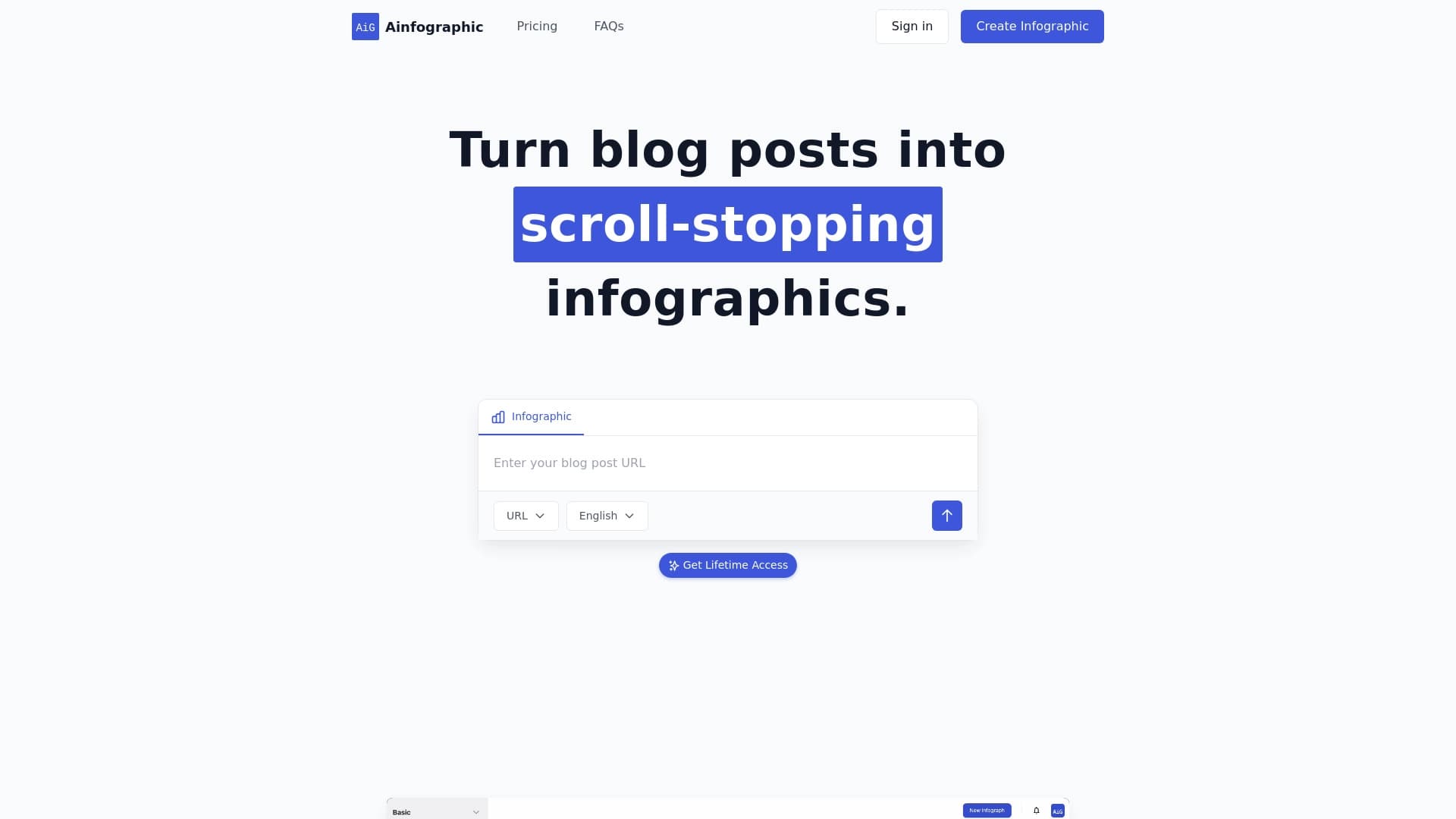
Ainfographic is a web service powered by artificial intelligence that automatically transforms text materials into clear infographics. Instead of manually structuring data and designing layouts, users simply paste a link to an article or enter text, and the neural network analyzes the content, extracts key ideas, and arranges them into a visual scheme.
The service prioritizes speed: instead of spending hours on a designer or complex layout work, ready-made infographics are created in just a couple of minutes. The system offers a set of templates that can be adapted to a brand's style, and the final file can be exported in formats optimized for publishing on social media and blogs.
Ainfographic Features
| Feature | Value |
|---|---|
| Type | AI-powered infographic generator |
| Categories | Writing assistants, design, graphic design, diagram creation, content generators, social media tools, and content repurposing tools |
| Platform | Website |
| Free plan | Yes |
| Monthly visits | 270.2 thousand |
| Developer | Ainfographic |
| Publication date on the catalog site | September 23, 2025 |
Who is Ainfographic suitable for?
Bloggers and content creators
This is the service's primary audience. Those who regularly publish articles and posts need to think not only about the text but also about visual accompaniment. Ainfographic allows for quickly repurposing existing materials into infographics to capture the audience's attention.
Marketers and SMM specialists
Promotion specialists often need to adapt the same content for different platforms. The tool helps visualize data from reports, articles, and reviews for publication on Instagram, Facebook, Twitter, and other networks.
Social media users
Even without professional design skills, any user can turn an interesting article into an attractive visual card. The service handles the technical part, while the user simply chooses the design.
How to use the Ainfographic neural network?
Step 1: Uploading source material
The user needs to paste a link to an article or copy text into a dedicated field. The system will automatically analyze the structure of the material.
Step 2: Choosing and customizing a template
After analysis, the service will suggest design options. The user can choose a preferred template, change colors, fonts, layout, and add their own logo for branding.
Step 3: Downloading the result
The finished infographic just needs to be saved. PNG, JPG, and WEBP formats are available. You can also choose preset sizes for specific social networks, eliminating the need to crop the image manually.
Key features of Ainfographic
- Automatic infographic creation from text or a link using AI in just a few seconds.
- Visual customization: choosing templates, changing color schemes, fonts, structure, and adding a logo.
- Export in social media formats: preset sizes for Instagram, Facebook, and Twitter, as well as downloads in PNG, JPG, or WEBP.
Advantages of Ainfographic
Speed of creation
Infographics are generated in minutes. This is especially useful when you need to quickly prepare visuals for publication or fill a content plan without waiting for a designer.
Customization flexibility
The service offers many templates with fine-tuning options: users can change colors, fonts, structural elements, and add a logo to match their brand style.
Ready-made social media formats
Dedicated sizes for Instagram, Facebook, and Twitter save time on post-processing the image. The file is ready for publication immediately.
Disadvantages of Ainfographic
Limited design uniqueness
Templates can look typical and similar to each other. Achieving truly individual design is difficult — brand recognition may get lost among similar images from competitors.
Dependence on the source text
The quality of the result directly depends on the quality of the source material. If the text is unstructured or contains weak arguments, the AI may miss important details or incorrectly combine ideas, leading to uninformative infographics.
Free version limitations
The free plan is limited in the number of uploads per month and the number of AI credits. Some templates are also unavailable without payment.
What tasks does Ainfographic solve?
- Visualizing blog posts and marketing articles for publication on social media and in presentations.
- Repurposing online content into clear graphic materials that are easier for audiences to digest.
Ainfographic Pricing
| Plan | Price | Included |
|---|---|---|
| Free | Free | 3 uploads per month, 3 AI credits, basic support, all templates |
| Premium (monthly) | $15/month | 50 uploads, 200 AI credits, all templates, priority support |
| Lifetime | $30 (one-time) | Unlimited uploads, 500 AI credits, premium templates, lifetime access |
Terms of Use for Ainfographic
The service operates as a web application — no software installation is required. Using the tool may involve paid plans to remove limits, but basic functionality is available for free. Detailed information about regional restrictions or VPN requirements is not provided on the service page.
Ainfographic Availability
Ainfographic functions as a website accessible through a browser on any device. The resource description contains no data on regional blocks or the need to use a VPN. The service is available to users from different countries.
How Ainfographic differs from alternatives
The main difference is its narrow specialization. While many image generators (e.g., Midjourney, Kandinsky, or Yandex Art) create pictures based on text descriptions, Ainfographic focuses specifically on structuring information. The service doesn't just draw an illustration; it analyzes the semantic load of the article and builds a logical scheme: it highlights blocks, numbers, and theses into organized graphics.
Compared to universal design tools like Leonardo.ai or Flux.1, Ainfographic doesn't require graphic editor skills. The user doesn't need to manually create a layout — just choose a template from the suggestions. The result is standardized, which more flexible but harder-to-learn alternatives lack.
Conclusion
Ainfographic is a practical web service for quickly converting text into infographics. It suits bloggers and marketers who value speed and simplicity: the AI itself analyzes the material, selects the structure, and offers customizable templates with ready-made social media formats. The tool's weaknesses remain the template-based design and the strong dependence of the result on the quality of the source text. Nevertheless, as a solution for regularly visualizing content without a designer, the service performs its task effectively and at a reasonable price.
Pricing
Frequently asked questions
See also


Service for automatic transcription of audio and video into text with support for over 100 languages.

AI tool for product image processing and generating professional photos with virtual models.


AI-powered virtual clothing try-on service.


Online AI tool for creating deepfakes and editing images.

Online service for creating a realistic voice clone from a short audio recording and text-to-speech.

An online service that lets you chat with PDF documents: ask questions and get concise answers with source attribution.


AI assistant for quickly creating and editing texts in various formats.

Service for creating personalized avatars and photo shoots using AI based on uploaded selfies.