
AI Writer: Emails & Essays
AI-powered mobile app for writing letters, essays, resumes, and other texts via chat.
Overview
AI Writer: Emails & Essays Description
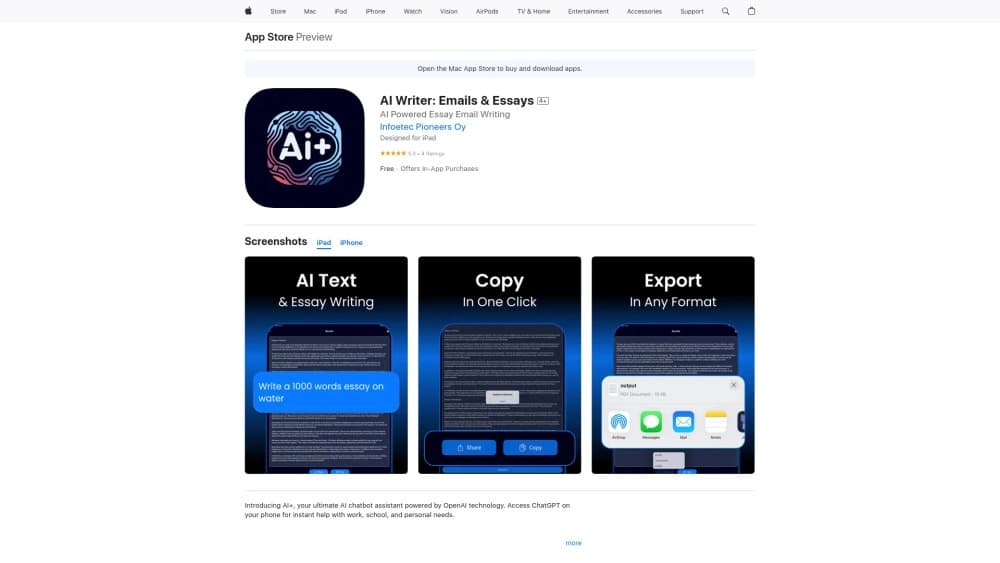
AI Writer: Emails & Essays is a mobile app that helps users create texts for various purposes using artificial intelligence. The service is built on OpenAI technology, which generates drafts of emails, essays, resumes, and other materials through a simple chat interface.
The main idea of the app is to save time on routine writing tasks. The user describes what they need, and the neural network suggests a ready-made structure and wording. The resulting text can be edited, refined, and adapted to specific requirements — it's more of an intelligent assistant that handles the initial stage of work than a fully automated generator of final materials.
Key Concept
The app is positioned as a universal tool for quickly creating content. It is not limited to one area — it's equally useful for business correspondence, academic assignments, and personal purposes. Instead of spending time thinking through structure and choosing words, the user gets a ready-made foundation that only needs editing.
Intended Use Cases
The developers envisioned the app being used in three key areas: work (business letters, commercial proposals), study (essays, academic texts), and personal tasks (letters, notes, formulating ideas). This approach makes the tool a universal solution for a wide range of users.
AI Writer: Emails & Essays Features
| Feature | Value |
|---|---|
| Type | Mobile app |
| Category | Writing assistants, email generators, copywriting tools, essay generators, productivity tools |
| Platforms | iOS (App Store) |
| Developer | AI Text Pro |
| Base technology | OpenAI (API) |
| Monthly visits | 388.9K |
| Distribution model | Not specified |
Who Is AI Writer: Emails & Essays For?
Professionals with Heavy Workloads
The app will be useful for people whose work involves constantly writing emails, proposals, and other business correspondence. Managers, secretaries, sales specialists, and other professionals who spend a significant part of their day on correspondence can reduce the time spent preparing texts. Instead of formulating each email from scratch, you just set the parameters — and the neural network suggests a ready-made version.
Students and Learners
For students, the app will be a helper in preparing essays, papers, and academic assignments. It helps structure thoughts, choose wording, and create drafts that can later be refined and deepened. This is not a replacement for one's own work — rather, it's a tool for overcoming writer's block and speeding up the preparation stage.
Busy People with Limited Time
Anyone who needs to quickly write an email, resume, or simply put their thoughts into text but is short on time will find a practical assistant in the app. This is especially relevant in situations where a response is needed urgently and the right words just won't come to mind.
How to Use AI Writer: Emails & Essays
Step 1: Installation and Launch
To get started, you need to download the app from the App Store on an iOS device. After installation and opening the app, the user lands in the main interface — a chat where all interaction with the neural network takes place.
Step 2: Formulating Your Request
From there, it's simple: you just write in the chat what text you need. This could be a request like "write a business email to a client about a delivery delay" or "write an essay on ecology." The more precise and detailed your request, the more relevant the result will be.
Step 3: Working with the Generated Text
Once the neural network generates a draft, the user can read it, edit it, and adapt it to their needs. If necessary, you can ask to change the style, add details, or rewrite specific parts. The finished result can be copied or used directly from the app.
Key Features of AI Writer: Emails & Essays
Work Assistance
The app can generate business letters, proposals, reports, and other work documents. The user can specify the topic, tone of address, and key points that should be reflected in the text. The neural network suggests a structure and content that can be used as a foundation for further work.
Academic Support
For students and schoolchildren, there's the ability to create essays, academic texts, and summaries. You can ask the neural network to explain a complex topic in simple terms, create a work plan, or generate a draft with arguments. This helps at the initial stage of preparing and structuring material.
Chat Interface and Draft Generation
The primary way of interaction is a chat where the user communicates with the neural network in natural language. Draft generation is available for a wide variety of text types: from formal letters to personal notes. The app can suggest phrasing options, ideas for projects, or ready-made responses to incoming messages — the format and content depend on the user's request.
Advantages of AI Writer: Emails & Essays
Versatility of Use
One app covers needs across different areas: work, study, and personal tasks. There's no need to install separate tools for emails, essays, or resumes — everything is available in one place. This versatility is especially convenient for users who deal with different types of text tasks.
Time Savings on Routine Tasks
The neural network creates a draft in seconds on its own. For tasks that usually take 20 to 40 minutes of manual work, you only need a minute to formulate the request and get a ready-made foundation. Further refinement of such drafts takes significantly less time than writing from scratch.
Intuitive Interface
Interaction through chat is the most natural way to use it. No complex functionality that requires long study of instructions. The user simply writes what they need and gets the result. This approach makes the app accessible to beginners and people far from technology.
Disadvantages of AI Writer: Emails & Essays
Template-like Generated Content
One of the main drawbacks is the often formulaic nature of the texts. The neural network produces an "average" version that may not fully match the user's individual style or the specifics of a particular task. Manual refinement is almost always required to give the text uniqueness and liveliness.
Dependence on Internet Connection
The app is completely dependent on a network connection — without internet access, it doesn't work. This creates inconvenience during travel, in areas with poor coverage, or during connection outages. For users accustomed to working offline, this limitation can be a significant downside.
Limited Creative Capabilities
The neural network handles generating structured and factual texts well, but it can't offer truly creative and unconventional content. For creative tasks — advertising slogans, literary texts, non-obvious ideas — the results may be too predictable. The app is better suited for practical and business texts than for inspiring ones.
What Problems Does AI Writer: Emails & Essays Solve?
Business Letters and Mailings
The app helps quickly compose email campaigns for clients, formal letters, notifications, and replies in business correspondence. You just need to specify the topic and key points — the neural network suggests formal wording that follows business etiquette.
Academic Essays and Resumes
Students can use essay generation to get structure and initial content, while job seekers can prepare a well-written resume. The app helps present skills, experience, and achievements in a structured form, which is especially useful when time is short before an interview.
Organizing Thoughts and Ideas
The user can quickly turn their own ideas into coherent text: project proposals, presentation talking points, lists of arguments. This helps organize information and present it in a ready-to-share form without spending time on finding the right words.
AI Writer: Emails & Essays Pricing
The app can be downloaded for free from the App Store, but some features are only available via a paid subscription. The developer offers three subscription plans:
- AI Text Pro Lite — basic features with limited access to the app's capabilities.
- AI Text Pro Plus — full access to the service's advanced features.
- AI Text Pro — access to all premium features without restrictions.
The free version is suitable for simple tasks, but full use of the extended functionality requires a subscription or purchasing individual options.
Terms of Use for AI Writer: Emails & Essays
To get started, you need to download the app from the App Store on an iOS device. The app requires a stable internet connection — text generation is impossible without a network, since computations are performed on remote servers.
Basic functionality is available for free, but advanced features require purchasing a subscription or paying for individual functions. The user can choose the plan that matches their needs and cancel the subscription if necessary. No additional software or specific hardware is required.
Availability of AI Writer: Emails & Essays
Currently, the app is available exclusively as a mobile application for Apple devices — the iOS platform (App Store). No Android version, web version, or desktop app is mentioned.
Interface languages and the list of regions where the app is officially available are not explicitly stated in the source data. There's also no information about whether a VPN is needed. Monthly traffic of 388.9K suggests the service has a noticeable user base, but the exact user geography is not disclosed.
How AI Writer: Emails & Essays Differs from Alternatives
The main difference of the app is its narrow focus as a mobile solution. While many competitors offer web versions or desktop apps, AI Writer: Emails & Essays is entirely focused on the iOS platform. This makes it accessible from a mobile device at any time — but at the same time limits the audience to iPhone and iPad owners.
Among alternatives, one can highlight GenAPI, Leadtex, Perplexity AI, and SaleBot. However, these solutions target other use cases: some work as web services, others integrate into messengers or focus on automating business processes. AI Writer: Emails & Essays, in turn, solves one specific task — generating texts through a simple chat interface.
Another distinguishing feature is the focus on working with typical, standardized texts: business letters, essays, resumes. Most alternatives offer broader capabilities, including programming, text analysis, image generation, and integration with other services. AI Writer deliberately simplifies functionality in favor of simplicity and speed in solving routine tasks.
Conclusion
AI Writer: Emails & Essays is a practical mobile app based on OpenAI that helps quickly create drafts of emails, essays, resumes, and other texts through a chat interface. The service targets users who need to save time on standard writing tasks in work, study, or everyday life. Versatility of use and an intuitive interface are the tool's key advantages, but the template-like nature of generated texts and complete dependence on an internet connection require manual refinement and limit use cases. The app is available only on iOS with a free basic version and paid plans for extended functionality. It's a useful assistant for routine tasks, but not a full replacement for creative writing.
Frequently asked questions
See also


Russian-language GPT-based AI chatbot for information retrieval and text generation.
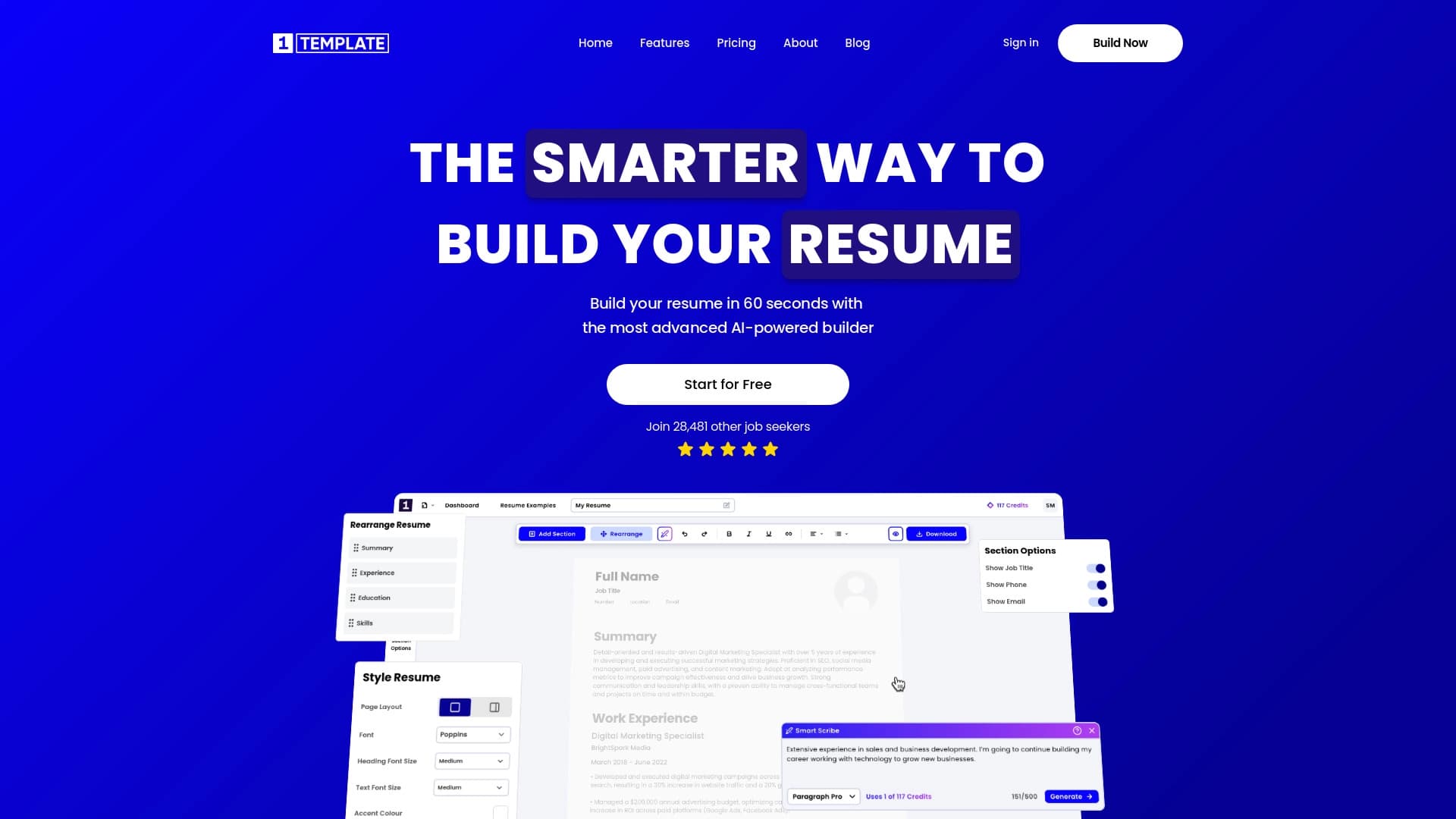

AI-powered online resume builder for quickly creating professional CVs.

A platform for accountants that combines task management, file sharing, and client communication in a single interface.

Platform for generating videos, images, and digital avatars using AI.


AI-powered platform for automatically generating ad banners, texts, and videos optimized for conversion.

AI business name generator with domain availability checking.


AI tool for creating presentations, documents, and web pages from a text description.

AI assistant for business that helps manage tasks and automate routine through dialogue.